
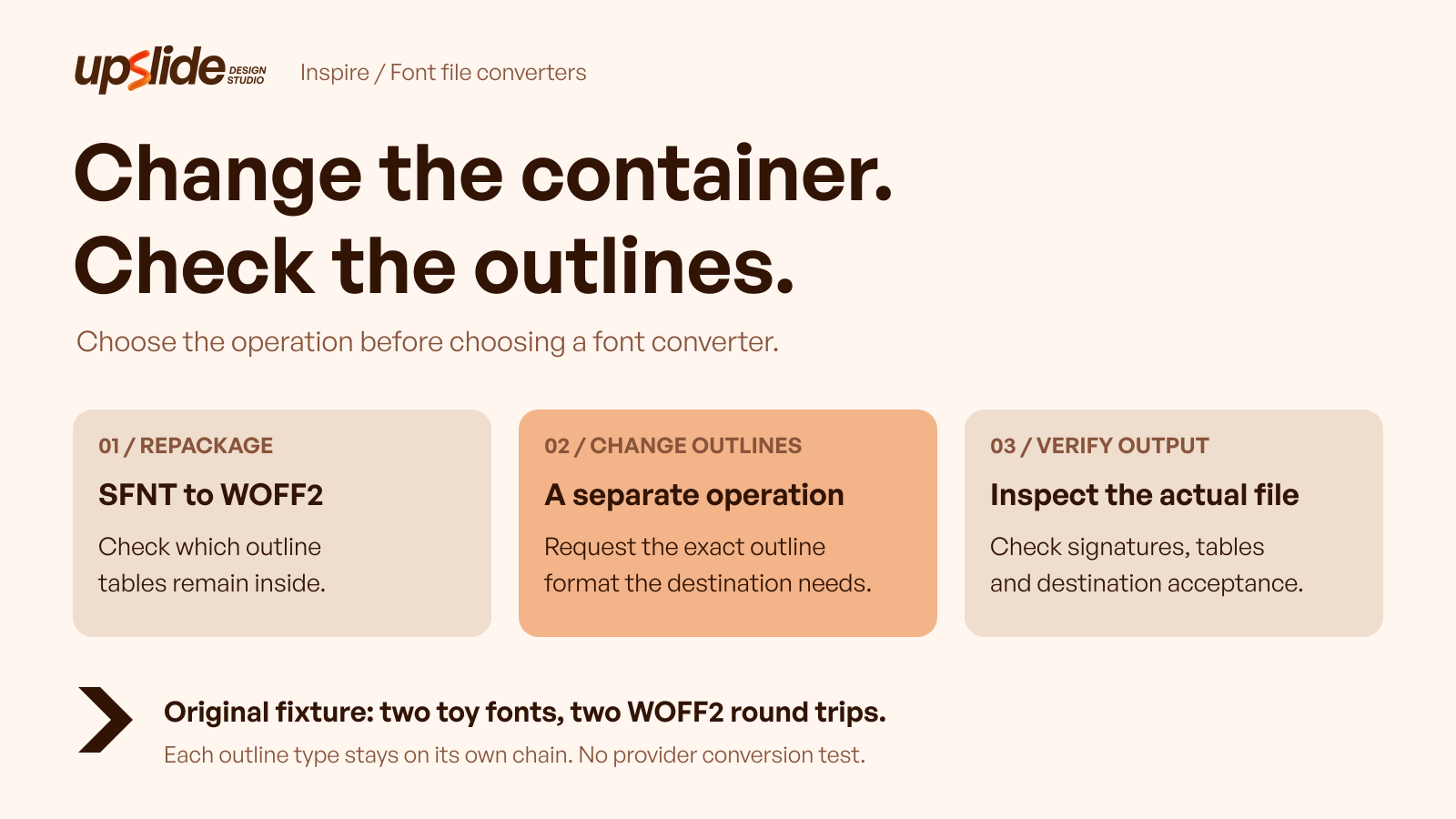
When you need a font converter, how can you tell whether the job is compressing a file for the web, recovering an approved desktop copy or changing the way its outlines are stored?
Those requests can lead to similar upload screens, yet they require different operations. Choosing a destination extension is only the beginning. The useful decision connects the actual source, the destination's requirements, permission to process the file and evidence from the result.
This guide compares three meaningful routes: FontForge, font.io Font Converter and CloudConvert. Their public documentation and controls describe different working arrangements. An original local exercise then shows why two WOFF2 files can share a container signature while retaining different outline structures.
Specify the operation the destination needs before choosing the converter that offers it.
Design task
Translate “the font does not work” into a concrete requirement
A rejected upload can mean several things. An application may require a particular file type, a website may need an approved web-delivery asset, or a download may contain a collection rather than a single face. An unsupported style or missing character can create a separate problem that a format change will not necessarily solve.
The first useful question is what the receiving system actually requires. Preserve its documented requirement or observed error, identify the exact source file and establish whether an authorized alternative already exists. A foundry-supplied file in the required format may remove the need for conversion entirely.
A short task statement is enough: “Prepare an authorized WOFF2 version of this supplied font while retaining its existing outline representation.” That is different from “produce TrueType outlines for an application that specifically requires them.” Keeping the statements separate prevents a convenient download button from becoming the definition of success.
Separate the filename, packaging and outline representation
A filename helps organize files, but it is not a complete description of their contents. The Microsoft OpenType specification describes table-based font data and distinguishes TrueType outlines from CFF outlines. OpenType filenames can include both TTF and OTF extensions.
WOFF2 adds another layer. The W3C specification describes a packaging format using preprocessing and compression. A WOFF2 destination does not, by itself, mean that TrueType outlines have become CFF outlines or that the reverse operation occurred.
That distinction gives the team a practical acceptance question: did the converter perform the requested packaging operation, or was an actual change of outline representation required? The answer should come from the resulting file and relevant documentation, with application testing where the destination requires it.
Establish permission before choosing a processing route
The source agreement should cover the proposed modification, embedding and handling of the font software. A converter's ability to accept the file does not grant those rights. A local tool also does not make a prohibited modification permissible.
Hosted processing adds a handling decision because a copy may be transferred to another service. Before uploading a commercial or client-supplied font, confirm that the agreement and project arrangements allow that step. When the terms are unclear, obtain the appropriate authorization or request an approved file from the supplier.
The published font-source guide explains how to preserve source and licence evidence. This article uses those records as a prerequisite, then concentrates on selecting a conversion operation and reviewing its output. These workflow checks do not replace advice on a particular agreement.
Resource collection
Compare three routes against the actual task
| Route | Useful starting point | Operation boundary to investigate | Follow-up evidence |
|---|---|---|---|
| FontForge | A local font editor with generation controls | TrueType and OpenType CFF generation involve more decisions than selecting a web wrapper | Exact export settings and inspection of the generated font |
| font.io Font Converter | A focused browser interface for font packaging | Its page explicitly declines the outline-changing direction between TrueType and CFF | Actual source/output structure and any refusal message |
| CloudConvert | Hosted font conversion with format-specific routes | An advertised route does not independently establish its output's outline representation | The downloaded artifact, selected route and destination acceptance |
These tools answer different operational needs. The matrix is a selection aid, not a quality or speed ranking. Public controls establish what a service presents; they do not establish what a particular private font will produce.
FontForge: use an editor when generation needs explicit control
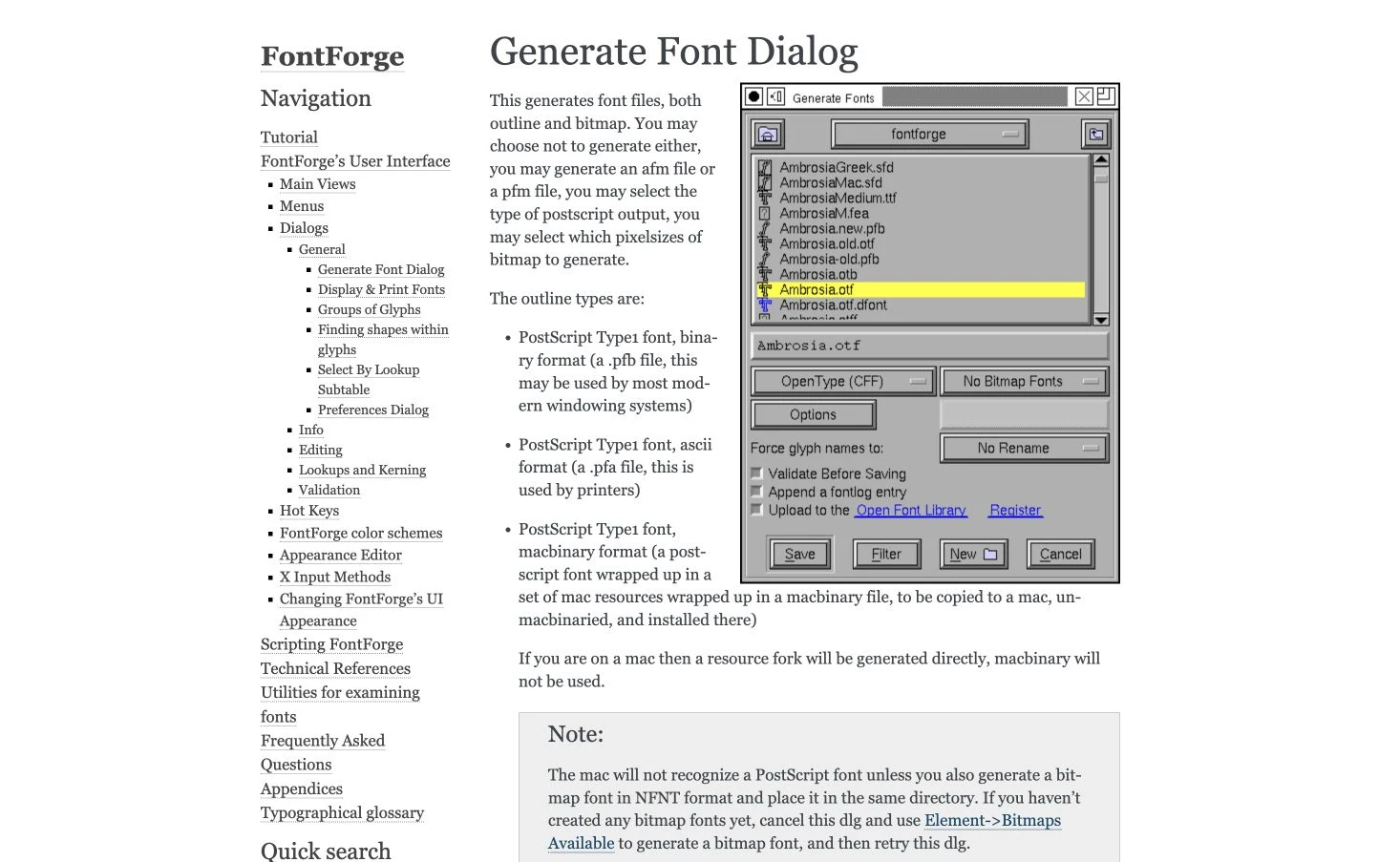
FontForge is a free, open source font editor. Its official Generate Font dialog documentation distinguishes TrueType and OpenType CFF output and describes options affecting hints, layout tables and validation before saving.
That makes it a meaningful route when the required operation needs editor-level decisions. The operator should establish the destination's requirements, retain the original and record the generation settings. A successful save is the start of output review, especially when the task involves a different outline representation.
FontForge was not installed or used for this article's exercise. The preview shows the official Generate Font dialog documentation and its illustrated controls; it is not an installed editor session.
Some documentation includes historical platform notes; those should not become present-day compatibility promises. The editor's availability also says nothing about permission to modify a third party's font. Inspect both the agreement and the generated artifact before adopting the result.
font.io Font Converter: keep a packaging task narrowly defined
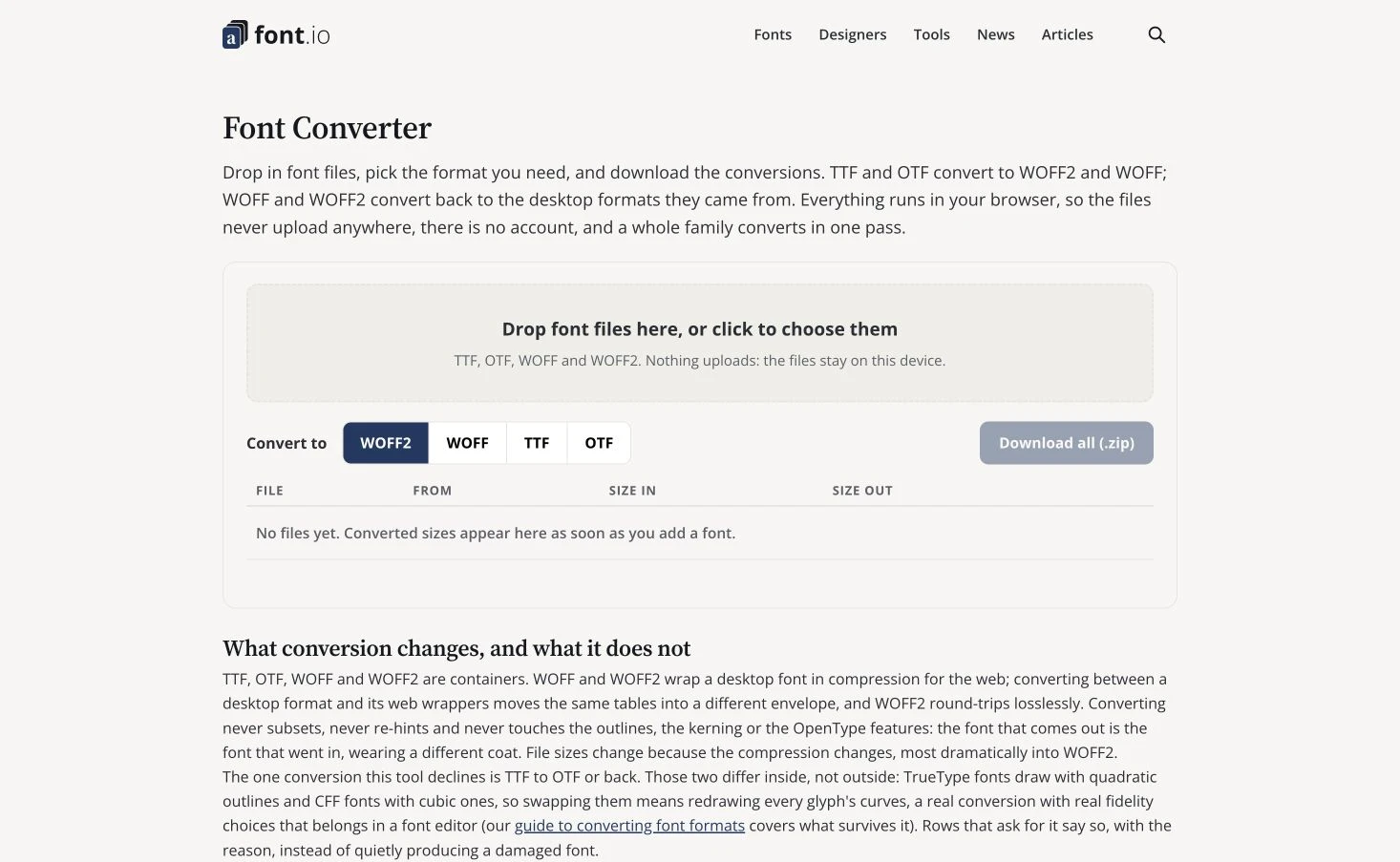
font.io Font Converter presents TTF, OTF, WOFF and WOFF2 choices, with a ZIP download control. Its page describes browser processing without an account and separates packaging from the outline-changing direction between TrueType and CFF, which it says the tool declines.
That explicit boundary helps when the requirement is a wrapper change rather than a redesign of the font's internal outlines. The team can check whether its source and intended destination fall within the described operation instead of assuming every visible format button represents every possible transformation.
No font was submitted during this review. The local-processing description is the provider's statement, not an independently measured network or privacy result.
No exact numerical batch limit or file-size allowance was verified. For a real project, preserve any refusal message and inspect the output from a permitted run; a format selector alone does not establish that the required operation occurred.
CloudConvert: evaluate the hosted route and the resulting artifact
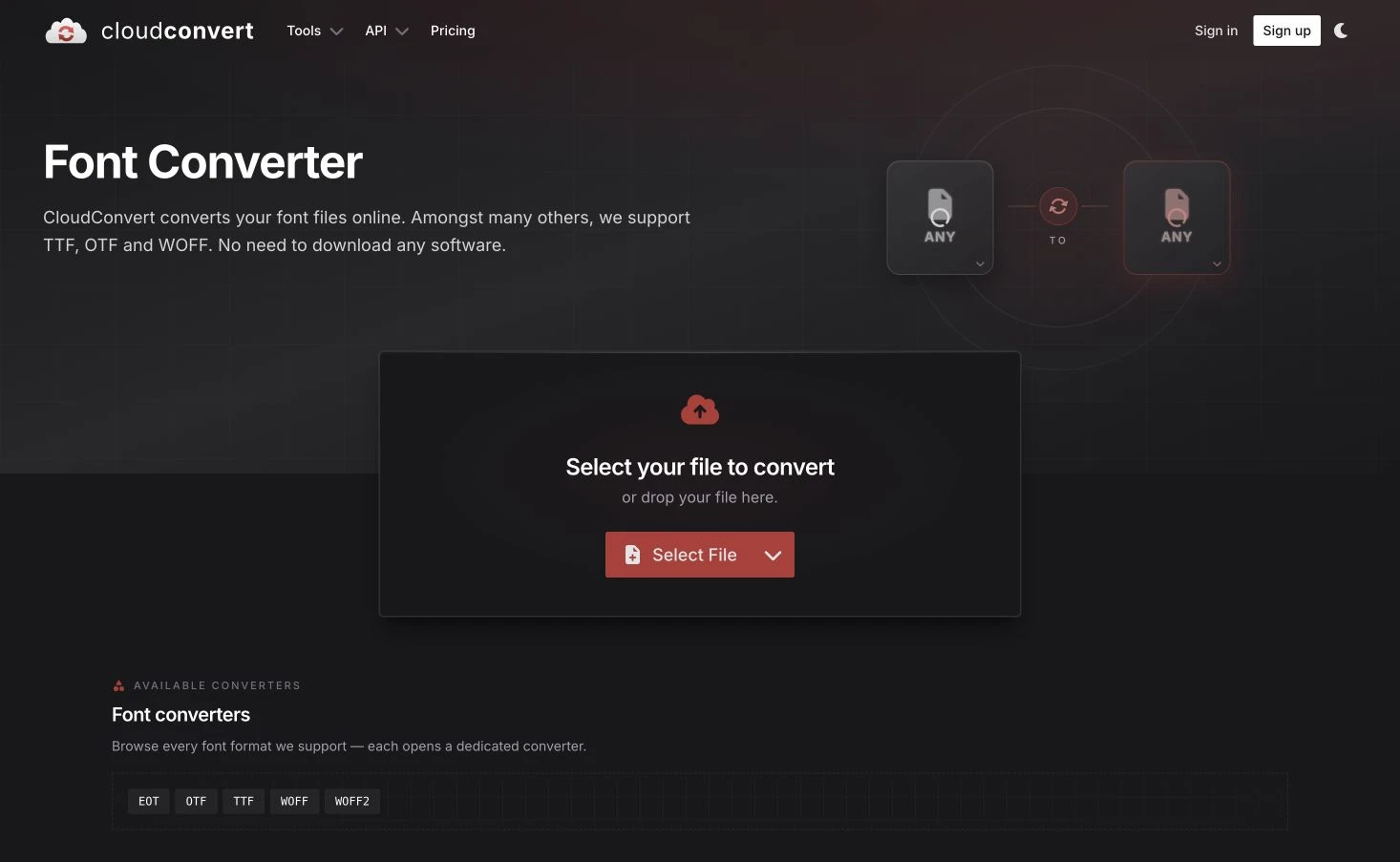
CloudConvert's font page provides format routes including TTF, OTF, WOFF and WOFF2. A dedicated TTF-to-OTF page is also available. This makes the service a hosted option to investigate when its processing arrangement and supported route fit the project.
The existence of that route does not independently prove the outline representation of a downloaded result. Establish what the destination requires, confirm permission to upload the source and inspect the actual output before making an acceptance claim.
The official pricing page uses conversion credits and distinguishes free access, packages and subscriptions. Credits should not be translated into a guaranteed number of font files; processing charges depend on the service's rules.
Exact paid prices are unnecessary to this comparison. No account conversion, upload or downloaded output was tested here, and the public preview is not evidence of a completed job.
Fit and limitations
The original exercise isolates packaging from outline conversion
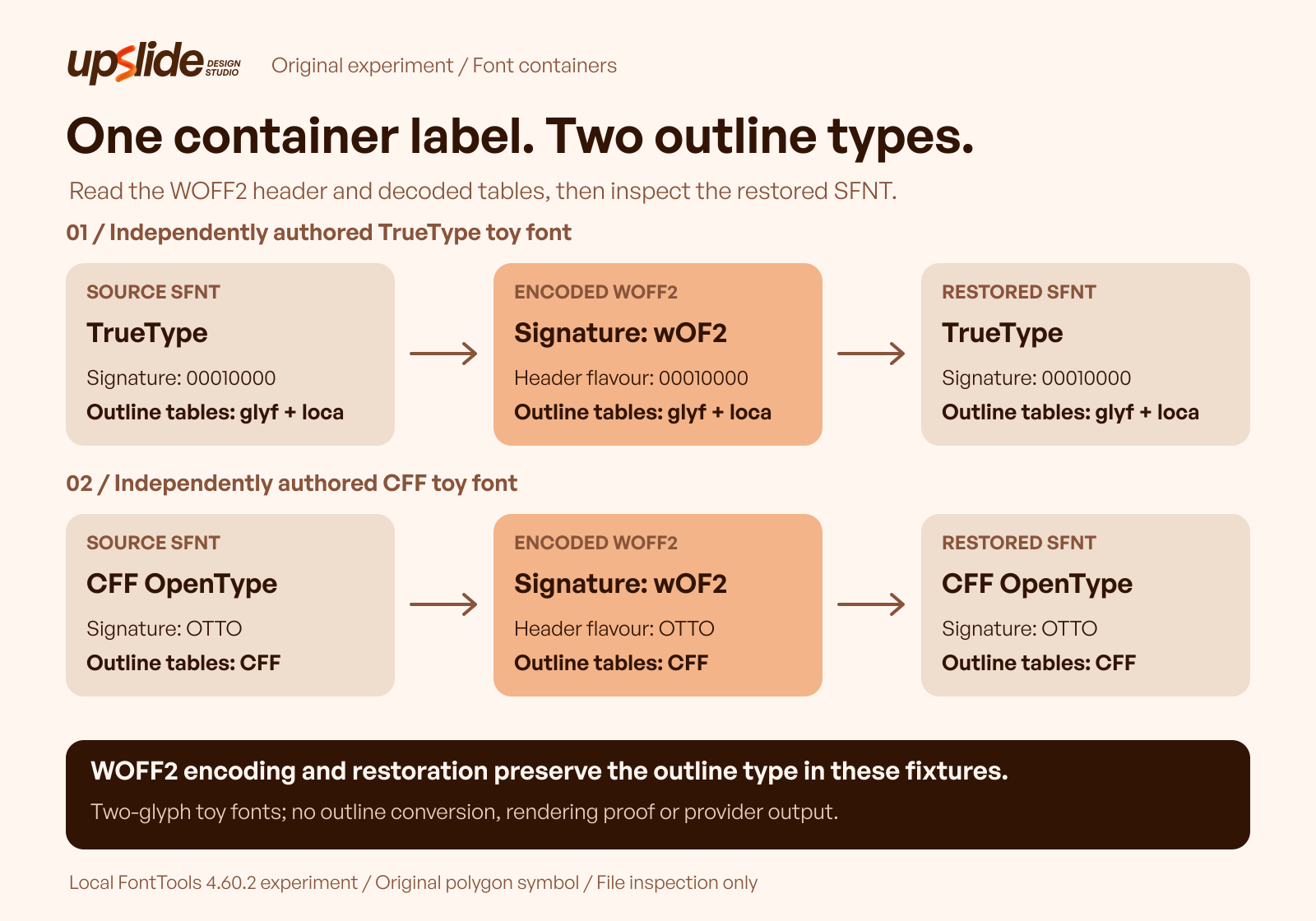
The local exercise begins with two independently constructed toy fonts. One uses a TrueType outline structure; the other uses CFF OpenType. Both contain the same original polygon design, drawn separately into the two builders. Neither source was converted from the other.
Each font contains only an empty missing-glyph entry and one symbol mapped to the letter A. These deliberately limited assets make the structural question easier to inspect. They are not usable text families, typographic recommendations or examples of successful language support.
The workflow used FontTools 4.60.2 in a recorded local environment. It encoded each source as WOFF2, reopened the result and restored an uncompressed font file. The exercise used no downloaded commercial font and made no changes to General Sans.
Read the two branches separately
| Branch | Original structure | WOFF2 observation | Restored structure |
|---|---|---|---|
| Independently built TrueType source | TrueType signature; glyf and loca tables | WOFF2 signature; header flavour identifies the TrueType branch | TrueType signature; glyf and loca remain present |
| Independently built CFF source | OTTO signature; CFF table | WOFF2 signature; header flavour identifies the CFF branch | OTTO signature; CFF remains present |
Both packaged files begin with the WOFF2 signature. Their header flavours and decoded table inventories identify different underlying structures. The TrueType branch retains its TrueType outline tables; the CFF branch retains its CFF table.
The result establishes a narrow, useful point: sharing a WOFF2 container does not mean sharing an outline representation. It does not demonstrate TrueType-to-CFF conversion, CFF-to-TrueType conversion or the behavior of any of the three compared services.
Different hashes require investigation, not an instant failure verdict
The original and restored files have different whole-file hashes in both branches. A hash is useful for identifying a particular artifact, but a changed hash alone does not explain what changed or establish lost functionality.
The same caution applies in the opposite direction. Matching signatures and expected table presence are useful structural observations, yet they cannot certify every glyph, feature or application behavior. A team should examine the properties relevant to its actual destination rather than use one convenient number as complete approval.
This exercise stops at structural inspection. It supplies no claim about shaping, hinting preservation, kerning, visual equivalence, readability or cross-platform acceptance. Its file lengths identify the saved artifacts; they are not a compression comparison or a performance benchmark.
Keep tool claims and project evidence distinguishable
A provider may describe local processing, preservation or broad format support. Those descriptions help decide what to investigate, but the project still needs evidence from its own permitted input and output.
The previews show two public starting interfaces and FontForge’s official dialog documentation. They are not captures of private font processing, installed editor sessions or completed downloads. No vendor conversion was performed for this guide, so the local fixture should not be presented as a comparative test of their engines.
An advertised destination can also leave technical details unresolved. If an application explicitly needs CFF outlines, an OTF filename is insufficient evidence on its own. Preserve the requirement, inspect the actual structure and test the resulting file in that application before approval.
How to choose
1. Find the least complicated authorized solution
Start with the font supplier and receiving system. Determine whether an approved file already satisfies the requirement, and distinguish an installation problem from an unsupported format. A new converter is unnecessary when the correct supplied asset has simply not been selected.
Preserve the original file and its source agreement. Work on a copy only after the proposed operation and handling route are permitted. A clear source record prevents an output from becoming detached from the terms that continue to govern it.
2. Write a conversion contract before opening the tool
The contract should identify the actual input, required destination and changes that are intended. “WOFF2 packaging with the existing outlines” gives a different acceptance target from “a font containing TrueType outlines.” Include any required style or application constraint that affects the decision.
Also identify what remains outside the task. A packaging request does not automatically authorize removing characters, changing names or rebuilding a family. Optional processing should be deliberate, with its effects checked separately rather than accepted because it appears in a default mode.
3. Match the working arrangement to the requirement
For a packaging task, investigate a focused route whose documented boundary matches the request. For generation that needs more control, investigate an editor and the relevant output settings. For hosted processing, assess the upload arrangement and available route alongside the source permissions.
The choice also depends on who will review the output. An editor can expose useful decisions while requiring specialist understanding. A simpler interface can reduce setup while leaving fewer visible explanations. Neither arrangement removes the need for an acceptance record.
4. Inspect the saved output before replacing anything
Keep the original, selected settings, resulting file and observations together. Check the container and outline representation where those are relevant to the request. Record any unsupported operation or unclear result explicitly rather than treating the presence of a download as success.
Then test the output in the receiving system. A structural audit answers what the file contains; application review answers whether that system accepts and uses it as required. If appearance or typographic features matter, obtain the appropriate additional review instead of inferring them from the extension.
5. Return to the broader typography decision only when necessary
File conversion does not decide whether a family suits a product or which weights belong to its text roles. The published variable-font guide covers supported axes, role mapping and implementation acceptance for that different decision.
Use the Resource Box to find supporting tools, and daily Inspire references to study typography in context. A reference image can suggest a visual direction, but it does not reveal the source file, conversion settings or rights behind that appearance.
Frequently asked questions
What does a font converter actually change?
That depends on the operation and tool. It may package existing font data for web delivery, restore a permitted file from that packaging or generate a different outline representation. Specify the required operation and inspect the result rather than infer it from the destination extension.
Is OTF automatically better than TTF?
No universal quality advantage follows from the extension. OpenType can contain different outline structures, and practical suitability depends on the supplied font and receiving system. Prefer an approved source file that meets the actual requirement before introducing conversion.
Does converting to WOFF2 change TrueType outlines into CFF?
The local exercise did not do that. It packaged two independently built sources separately, with each branch retaining its own outline structure after restoration. A WOFF2 wrapper should not be treated as evidence of an outline-changing operation.
Which tool should handle a packaging-only task?
A focused packaging route can be appropriate when its documented input and output behavior match the requirement. font.io is one such route to investigate, with an explicit boundary around outline changes. Actual output and project permissions still need review.
Does a converter's upload button mean a font may be uploaded?
No. Confirm that the source agreement and project arrangements permit the proposed processing and transfer. Where permission is unclear, request an authorized file or obtain clarification from the supplier before handling it through another service.
Did this guide test FontForge or the online converters?
It reviewed their public pages and documentation. The executed exercise used a separate local FontTools workflow with original toy fonts. No provider upload, account conversion or installed FontForge export was performed, so no comparative output-quality result is claimed.
Does a changed hash after restoration prove the font is damaged?
No. It proves that the files differ at the byte level. Determining the significance requires further inspection against the actual requirement. Expected signatures and tables likewise do not prove complete rendering or application equivalence.
What belongs in the conversion handoff?
Keep the original source, applicable permission record, requested operation, tool version or service route, settings, output identity and observations. Record destination acceptance separately from structural inspection, and identify any unresolved appearance, feature or compatibility checks.
Key takeaways
- Define the required operation before selecting a format button.
- Distinguish a filename, a web container and the underlying outline structure.
- Check permission for modification and any transfer to another service.
- Match the tool's documented boundaries to the destination's requirements.
- Preserve originals and inspect the actual outputs before replacement.
- Keep structural evidence separate from application and typography acceptance.
We help teams connect typography decisions with maintainable product interfaces. For a broader interface review, explore Upslide's design services.