Can you hand a product video to another designer and make a small correction without reconstructing the edit?
You have an approved screen recording, a short explanation and a few supporting shots. The first edit looks good. Then the product team changes a label, the narration needs a correction and someone asks for a vertical version.
Choose a video editor through the work the team must repeat: finding material, assembling a sequence, adjusting sound, checking captions and preserving a project that can be revised. The most impressive effect is rarely enough information to make that decision.
This guide compares six editing routes: DaVinci Resolve, Adobe Premiere, Final Cut Pro, Microsoft Clipchamp, Descript and Shotcut. It includes current official distinctions, three actual provider-page previews and an original fictional revision exercise.
It does not claim that these six editors were installed or tested, or that one exported a project faster. Sources were checked on 2 November 2026.
The useful editor is the one that helps the team finish the current explanation and maintain its next revision.
Design task
Begin with footage and an editing job
A product announcement, a narrated tutorial and an interview do not expose the same requirements. Write down what material is already available, what must remain accurate and how the finished sequence will be used.
For a SaaS tutorial, the essential material might be an accurate recording of the current interface, an approved narration and a short closing card. The editor must preserve the relationship between the spoken instruction and the visible action. A stylish transition cannot repair a sequence that demonstrates the wrong product state.
This collection focuses on editing and assembling material. Some candidates also generate media or automate changes, but those features are optional parts of an editing workflow. Creating a new AI scene and authoring an interactive animation are different production decisions.
| Input | Editing question |
|---|---|
| Screen recording | Can the important action and interface detail remain legible? |
| Spoken explanation | Can a correction be made without changing the intended meaning? |
| Supporting footage | Can the relevant section be found and placed accurately? |
| Titles and captions | Can text be checked, revised and delivered appropriately? |
| Audio | Can the explanation be heard clearly through cuts and music? |
| Source project | Can the next maintainer reopen the edit with its media? |
Describe the deliverables separately
The rendered video, editable project, source recordings and caption files have different roles. Decide which ones the receiver needs before comparing applications.
A client may need only an approved final video today while the internal team retains the project for corrections. Another production team may need the editable timeline and all referenced media. Record that expectation explicitly instead of treating “send the video” as a complete handoff brief.
Also name the environment. Check the relevant operating system, account route and devices used by collaborators. Do not choose an editor from an interface screenshot before confirming that the people maintaining the project can actually use it.
Resource collection
Compare six routes by the editing decision
This is a discovery set rather than a ranked benchmark. The appropriate shortlist depends on the actual material, required revision and receiving workflow.
| Editor | Route worth evaluating | Essential qualification |
|---|---|---|
| DaVinci Resolve | Editing with integrated color, effects and audio work | Actual source format and free-versus-Studio requirements |
| Adobe Premiere | Timeline production with transcript-assisted rough cuts | Desktop plan, collaborators and feature availability |
| Final Cut Pro | Mac editing around the Magnetic Timeline | Hardware, platform and purchase or subscription route |
| Clipchamp | Browser-oriented assembly, recording and captions | Personal versus work account and actual output entitlements |
| Descript | Spoken-content editing around transcripts and scenes | Meaning, timing and the selected processing/output plan |
| Shotcut | Open-source desktop timeline editing | Project organization, media references and actual format compatibility |
DaVinci Resolve: connect the edit to finishing work
DaVinci Resolve's official overview brings editing, color, Fusion effects and Fairlight audio into one application. It is a relevant candidate when the sequence needs further sound or visual work after the first assembly.
Evaluate it with the actual source recordings and a realistic change. Being able to open an example project does not establish that the team's recording format, effects and delivery requirements fit the selected edition.
The current official comparison says the free version works with virtually all 8-bit formats up to 60 frames per second at Ultra HD resolution. Studio adds capabilities including text-based editing and additional effects.
Check the exact media and feature requirements; “free 4K editor” is too broad to resolve every codec or finishing question. This guide does not reproduce a version-specific compatibility matrix or claim that a project was rendered.
Adobe Premiere: evaluate the maintained timeline
Adobe Premiere describes timeline editing, audio, color, titles and caption tools. Its Text-Based Editing route can help build a rough cut from a transcript, while the timeline remains available for detailed timing and assembly.
Investigate the collaboration pattern the team actually uses. Ask which person needs an editable project, which person only reviews a result and whether outside collaborators need a particular application version or additional assets. Familiarity across a team can be useful, but it should be verified rather than assumed from a product's reputation.
The official page presents a paid subscription and trial route. It also labels some newly promoted capabilities as beta.
Confirm the required feature and selected plan instead of treating every promotional demonstration as generally available. A trial is temporary evaluation access, not an ongoing free production arrangement. Exact prices are omitted because the checked page displayed regional offers and commitment conditions.
Final Cut Pro: review the platform and purchase route
Final Cut Pro presents editing around Apple's Magnetic Timeline alongside audio, titles and media organization. Evaluate how that timeline arrangement supports the revisions the editor will make repeatedly.
For a Mac production workflow, ask the next maintainer to locate a clip, change a title and adjust a connected section. The useful observation is whether they understand the actual project. A different timeline model is neither an automatic advantage nor a reason to reject the application without trying the relevant work.
Apple's current FAQ distinguishes access through Apple Creator Studio from one-time-purchase Mac applications. Some premium content is reserved for subscribers.
Mac and iPad access, supported hardware and feature requirements also need separate checking. Do not interpret a one-time Mac purchase as a blanket entitlement to every platform, content pack and future production dependency.
Microsoft Clipchamp: name the account before the plan
Clipchamp's current personal-plan comparison lists trimming, recording, titles and other editing capabilities. The free personal route includes watermark-free exports up to 1080p; premium access through Microsoft 365 Personal and Family includes higher-resolution output and selected additional features.
The distinction matters for a company. A personal Microsoft account and an organization's work account do not establish the same administration or access arrangement. Verify the intended route before placing confidential recordings or planning collaborator access.
Check the assets inside the project as well as the export setting. The current comparison identifies premium stock separately; verify the entitlement of any such asset in the actual project before planning its export. A project assembled from freely accessible controls may still include an asset that changes its requirements.
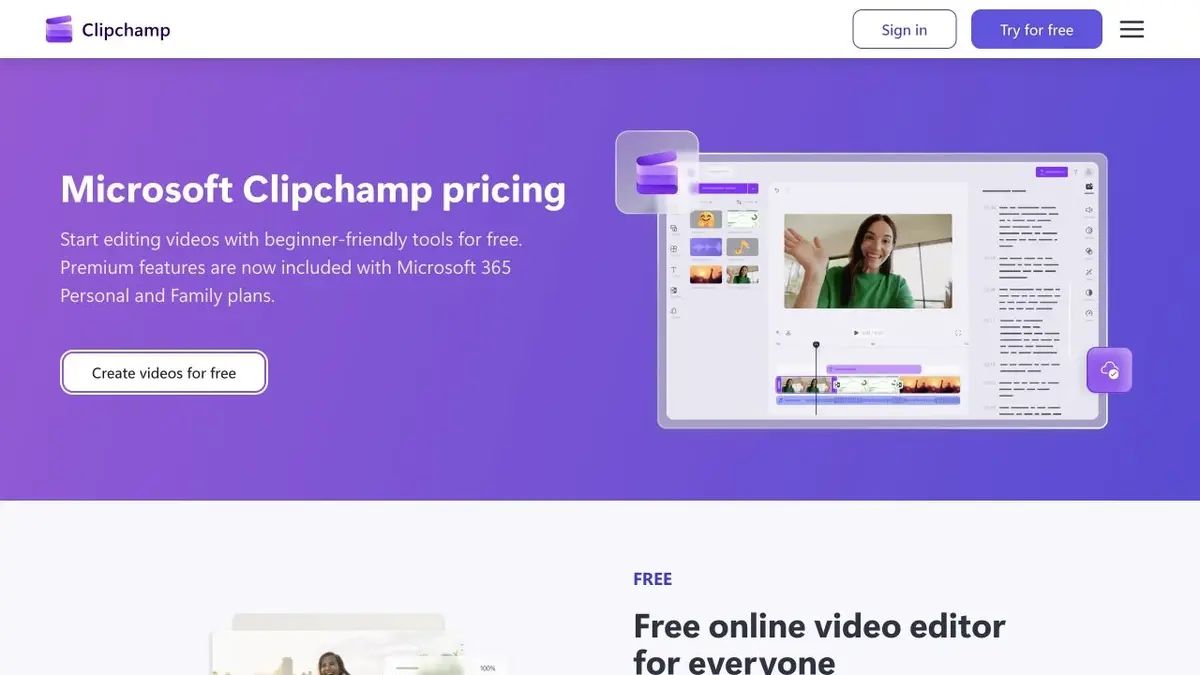
Actual public plan page captured 2 November 2026. Credit: Microsoft Clipchamp. The pictured interface is provider artwork, not an edit made for this comparison.
Descript: check the meaning behind a text edit
Descript's editing overview centers the workflow on transcripts, scenes and a supporting timeline. It is a candidate when spoken explanation determines much of the sequence, such as a tutorial or an interview.
Treat the transcript as an editing aid that still needs review. Removing a repeated phrase can improve an explanation; removing a qualification can change what the speaker actually said. Listen to the result and inspect the accompanying picture rather than approving only the cleaned text.
Its current plans distinguish media processing, AI credits, export and team capabilities. Free starting access does not establish every required finishing option.
The checked paid cards list watermark-free 1080p output for Hobbyist and 4K for Creator; this guide does not inherit an older comparison's free-output limit. Confirm the actual project and account requirements before estimating capacity.
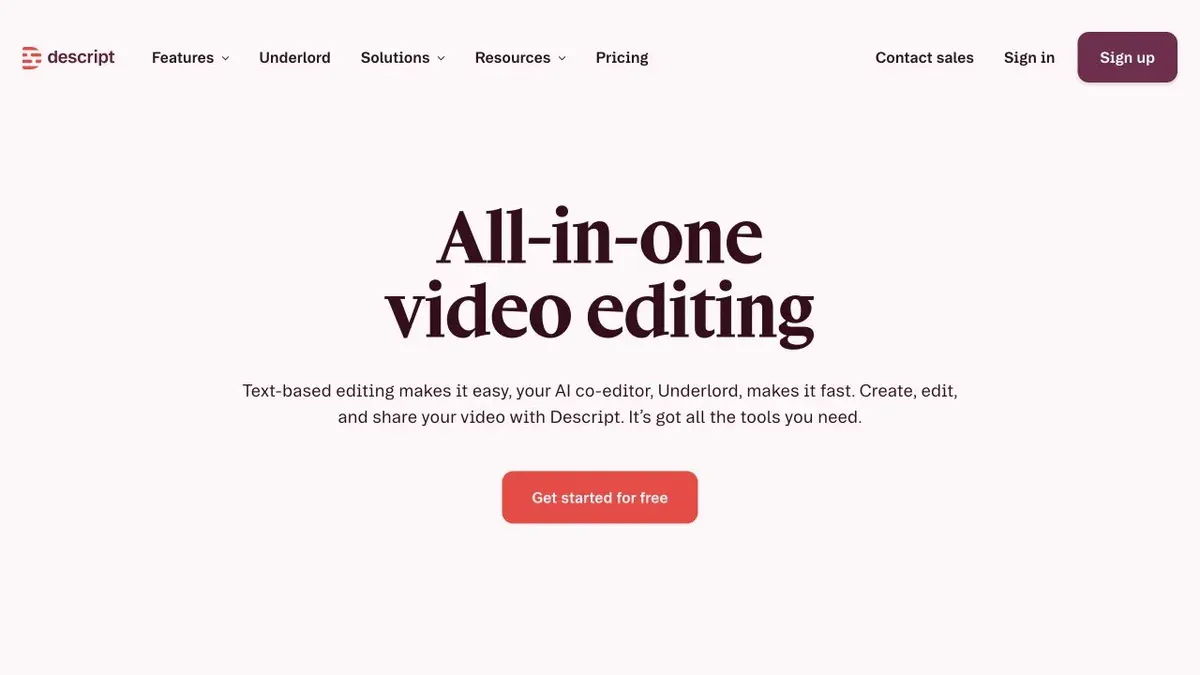
Actual public editing overview captured 2 November 2026. Credit: Descript. Promotional ease and speed statements remain the provider's claims, not measured results from Upslide.
Shotcut: preserve the project and its referenced media
Shotcut is a free, open-source desktop video editor for Windows, Mac and Linux. Its feature list describes native multiformat timelines, audio processing and subtitle workflows. Investigate it when a desktop editing route without a paid feature tier fits the team.
The official FAQ makes a useful distinction: saving the project as an MLT XML file preserves the edit for reopening, while exporting produces a separate video. Keep the referenced material available too. A project file is not automatically a self-contained package of every recording and image.
Check the actual application version and source formats. The current feature list and older homepage footer describe resolution support differently, so a simple maximum-resolution badge would be misleading. This guide provides no universal codec or device-performance guarantee.
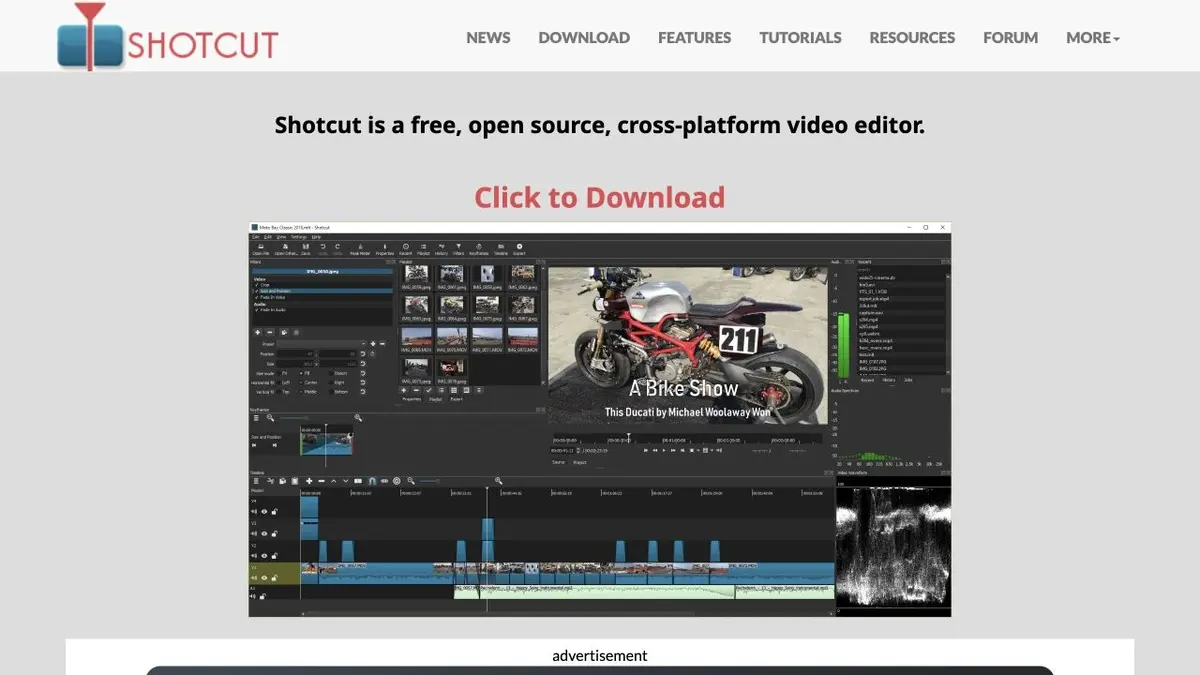
Actual public homepage captured 2 November 2026 after dismissing an advertisement overlay. Credit: Shotcut / Meltytech and the displayed contributors. The editor image belongs to the provider and does not establish our use of that version.
Fit and limitations
A polished export does not preserve the edit
A final video can be useful while leaving the next correction difficult. Text, captions, effects and audio may already be combined into its rendered frames and sound. Retain the maintained project when later revision is part of the agreement.
Name the actual dependencies: source recordings, music permissions, fonts, images, linked assets and any required effects. Include only the material needed to recover the approved project, with a short explanation of the folder structure and accepted sequence.
If another editor will use a different application, test the specific transfer route. An interchange file can preserve some structure without reproducing every title, effect or timing behavior. A successful file import is the beginning of inspection, not proof of a complete editable handoff.
Captions need their own review
Automatic captions can miss product terms, names and qualifications. Read them while listening to the final audio, then check timing and line breaks at the intended display size.
Decide whether the receiving platform needs a separate caption file, visible text inside the image or both. Those are different deliveries. A viewer cannot turn off text that has already been rendered into the picture.
Captions can make an explanation more usable, but their existence alone does not establish complete accessibility. Review the rest of the experience, including important visual information, playback controls and the receiving platform's behavior.
Compare the actual source material
Container names and resolution labels do not fully describe a recording. The application must handle the actual codec, frame rate, audio and other properties involved. Use permitted examples from the intended workflow rather than unrelated demonstration footage.
Inspect synchronization, cuts and legibility throughout the result. A screen recording can be technically accepted by an editor while the interface becomes unreadable in a narrow output. Keep content accuracy and delivery quality as separate checks.
No hardware leaderboard is supplied here. Playback and export depend on the project, application version, device and settings. Record real observations during the team's own pilot rather than borrow another publisher's generic memory or graphics-card recommendation.
How to choose
Run one revision through the shortlist
The fictional exercise below uses a small product tutorial with an introduction, a screen action and a closing instruction. It is a proposed editing brief, not a video produced in the listed applications.
The requested revision replaces a changed interface recording and corrects its spoken instruction. The editor must also check the matching captions, preserve the conclusion and retain a recoverable source project.
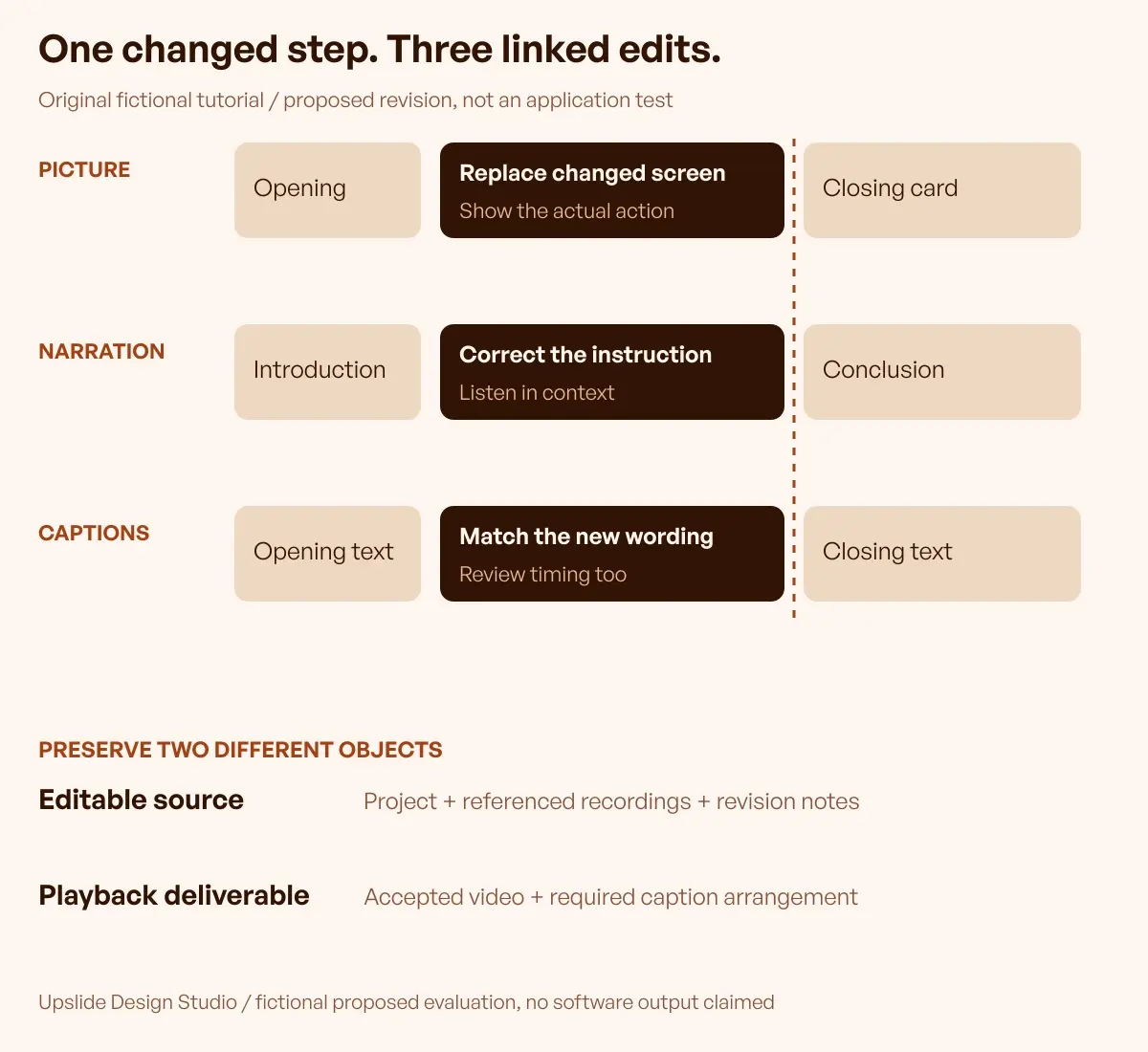
Original Upslide teaching graphic. Proposed changes to a fictional tutorial, not an application screenshot, completed timeline or measured editing result.
Use a compact acceptance record:
| Check | Useful observation |
|---|---|
| Picture | The new recording demonstrates the correct action clearly |
| Narration | The changed instruction remains accurate and natural in context |
| Captions | Wording and timing match the accepted audio |
| Sequence | The opening and conclusion still connect to the revised step |
| Source | Another authorized editor can find and revise the approved project |
| Output | The actual delivered file plays as required in its destination |
Include a request to change one title after the first export. This exposes whether an apparently small correction requires rebuilding material or simply updating a maintained part of the edit. Record what happens; no candidate is assumed to pass.
Shortlist by the dominant editing work
Consider integrated finishing requirements when investigating Resolve. Consider an existing Adobe production workflow when investigating Premiere.
Evaluate Final Cut for an appropriate Apple environment and its particular timeline model. Compare Clipchamp for the relevant account's straightforward assembly needs, Descript for transcript-led spoken content and Shotcut for a free desktop timeline route.
These are starting hypotheses. Eliminate options that cannot meet a mandatory platform, access or delivery requirement, then compare a small number with the same permitted material. The team does not need six subscriptions to make one editing decision.
Ask the future maintainer to participate. A specialist's preferred application may still be the right choice, but the handoff must explain how later corrections will happen and who can perform them. An exported file alone cannot settle that responsibility.
Review the final result outside the editor
Play the delivered video in its intended environment. Check the entire sequence, audible transitions, readable text and the actual caption arrangement. Inspect a narrow placement when the audience will use one.
Confirm the file and permissions separately from the hosting or website implementation. A locally exported video does not prove that a page loads it appropriately, supplies useful controls or handles an absent connection. Those tasks belong to the receiving experience.
Use Resource Box to revisit the editing routes. Use Daily Inspire to study what motion contributes to a page's explanation.
Neither a reference page nor a provider demo reveals the exact production software or proves business results. The published SaaS website examples guide helps frame the communication problem before deciding which footage and edit it needs.
Frequently asked questions
Which video editor should a SaaS team choose?
Choose around the material, common revisions, maintainers and final delivery. Use the same small editing exercise across a shortlist, then record actual findings. A generic winner cannot resolve every team's access and production requirements.
Is a free editor enough for commercial-looking work?
It may cover the required editing, but visual quality depends on the material and decisions too. Verify the selected edition, necessary features and permissions for every asset. Do not equate an expensive subscription with a better explanation.
Is Premiere's transcript editing the same workflow as Descript?
Both expose text-related editing, but their product descriptions organize the work differently. Investigate the actual transition from transcript changes to timing, visuals and final output. The shared feature name does not establish an identical editing experience.
Does saving a project also save a finished video?
They are separate artifacts. A project preserves editing instructions and may reference external media, while an export produces a deliverable for playback. Shotcut's official FAQ explicitly distinguishes these operations.
Are all free Clipchamp projects exportable?
Check their contents and output settings. The personal free route supports watermark-free output up to 1080p, but the plan comparison identifies premium assets and capabilities separately. A project containing premium stock can require different access.
Can we change editors after a project is finished?
Possibly, through a supported interchange or reconstruction workflow. Test the actual project and receiving application; titles, effects and other details may need repair. Preserve the original source until the transferred result has been reviewed.
Should captions be permanently visible in the video?
Decide from the placement and audience needs. Rendered text and a separate caption file behave differently. Verify wording, timing and the receiving platform rather than assume one delivery is appropriate everywhere.
Were these six editors tested with the tutorial example?
No. Current official information and actual public pages were reviewed. The tutorial board is an original proposed evaluation exercise, and this guide makes no claim about completed editing trials or measured performance.
Key takeaways
- Compare the work that follows the first cut: corrections, sound, captions and recovery.
- Name the actual platform, account and edition before relying on a feature.
- Preserve the editable project and its media separately from the final video.
- Review the result in the intended destination, including narrow layouts and captions.
- Choose through a real revision exercise and record observations instead of generic quality scores.
We cover the design foundations behind clearer product communication in Upslide's free design course. Use that foundation to decide what a video should explain before expanding its production workflow.