


An online whiteboard is useful when people need to arrange, question and change material together. The choice becomes harder when a workshop includes a founder, a designer and an external collaborator who don't share the same account or working habits.
Choose around the session they must complete. Can everyone contribute? Can the facilitator keep the group oriented? Can an absent teammate understand the decision afterward? A crowded canvas and a successful meeting are different outcomes.
This guide assembles a practical kit from Resource Box and uses an original, fictional SaaS workshop to show how to evaluate it. The product research comes from official pages and inspected public previews. The session is a teaching exercise, not a workshop we conducted or a measured software benchmark.
Design task
Define the result before inviting people
For this example, a small SaaS team wants to choose one navigation problem to investigate next. It has conflicting suggestions about a project workspace: rename sections, add shortcuts or reorganize the sidebar. The workshop should expose the reasoning behind those suggestions and identify what remains unknown.
The intended output is a short investigation decision with an owner. It isn't an approved redesign, a vote on visual taste or proof that a navigation change will improve conversion.
Before selecting a board, write the question and a stopping condition. Here that means: “Which navigation uncertainty should we investigate first, and what information would change that choice?” The session is complete when the group can name the uncertainty, its basis, the next action and the person responsible.
Check the participant route
A founder may use a managed company account while a freelance researcher uses a personal one. A link opening for the owner does not establish that either participant can contribute.
Make a participant list with the intended role, device, account restrictions and fallback channel. Ask whether someone can add and revise a sample note before sending the final invitation. If direct editing is unavailable, agree how a facilitator will capture their contribution and read it back for correction.
A fallback preserves participation; it should not silently convert a collaborative workshop into the facilitator's interpretation of everyone else's ideas.
Resource kit
Match five candidates to the session
There is no overall winner here. Each candidate offers a different route to a shared working surface. Required plans and permissions still need checking in the intended account.
| Resource | Why include it in the shortlist? | Pilot question |
|---|---|---|
| Miro | Shared visual work, with a separate lightweight entry route | Is this a temporary sketch or a persistent workspace? |
| FigJam | Collaborative diagramming and workshops alongside Figma | Can every intended contributor edit the chosen file? |
| Mural | Structured facilitation with navigation and session controls | Do visitor roles support the activity on this plan? |
| Whimsical | Whiteboarding beside product diagrams and wireframes | Does the board fit ongoing product documentation? |
| Excalidraw | A sketch-oriented surface with editable scene files | Can the team retain and reopen the result? |
Miro: distinguish the lightweight board from the workspace
Miro Lite supports link-based, no-registration collaboration. Its official page describes temporary storage of up to 24 hours and PDF or JPG export. It also explains that a shared Lite link grants editing access.
Those conditions matter for a workshop with material that needs to survive the meeting. The wider Miro product has different workspace and sharing capabilities. Choose the actual route before setting retention or reviewer expectations.

Existing Resource Box homepage capture, visually inspected. Credit: Miro. This is provider-created product context, not a recording of our fictional workshop or a screenshot of a tested Lite session.
FigJam: investigate the design team's existing route
FigJam's official page describes collaborative brainstorming, diagrams and workshops. It belongs on the shortlist when the design team already uses Figma and wants the conversation close to its design work.
That relationship does not establish the editing rights of an external participant. Confirm the file location, seat and sharing settings in the actual account. We have not run a guest-access or cross-file editing test for this guide, and an old comparison's standalone FigJam pricing should not determine today's purchase.
Mural: check facilitation and visitor rights together
Mural's plan page lists facilitation features including a timer, voting, an outline and facilitator lock. It distinguishes the Free plan's view-only visitors from Team+ visitors with editing rights. Free also limits the number of simultaneously editable murals.
A facilitator may value those controls, but only if the invited group can perform the activity. Seeing the board isn't the same as adding evidence or revising a note. Verify the role and plan before making an external contributor central to the exercise.
Whimsical: consider where the workshop material goes next
Whimsical combines a shared canvas with diagrams, wireframes and mind maps. Its official page describes multiplayer editing, comments and version history; the plan table supplies the applicable limits.
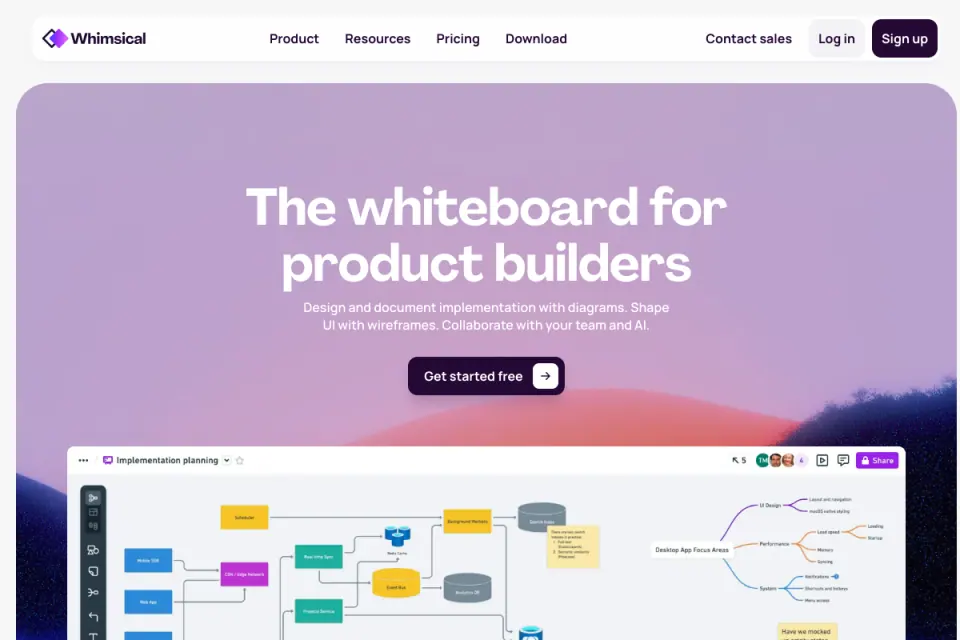
Existing public-page capture, visually inspected. Credit: Whimsical. Features shown in provider artwork do not prove inclusion in the plan a reader will choose.
Consider this route when the output will remain beside product planning material. In the pilot, make a change after the initial discussion and check how a reviewer finds the resulting version.
Excalidraw: keep the editable scene
Excalidraw's official project documentation describes a sketch-style editor, live collaboration and PNG, SVG and editable scene exports. The editable file matters when the next person needs to move shapes rather than annotate a flattened image.
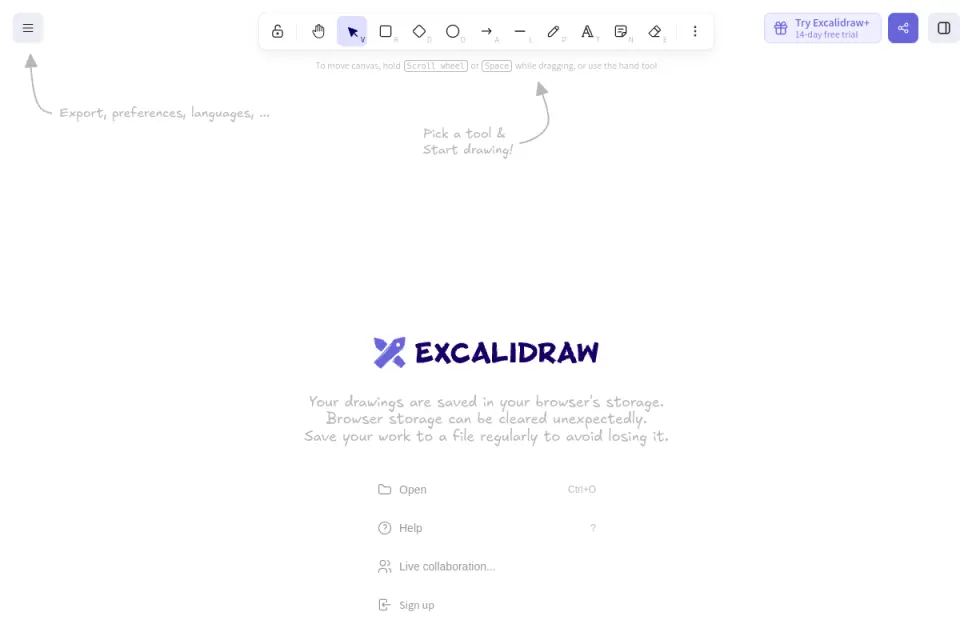
Existing actual start-canvas capture, visually inspected. Credit: Excalidraw. The visible browser-storage warning is part of the capture; no workshop board or successful saving test is implied.
Treat browser persistence, an exported scene and a managed shared archive as separate things. The team's retention requirement must be checked against the chosen workflow.
How the pieces work together
Build one route through the board
Arrange the session as a readable progression: question, inputs, independent contributions, discussion and decision. Give each area a descriptive label and include a small “start here” instruction. Participants should be able to find the current activity without understanding the entire canvas first.
In this exercise, the first area holds the navigation question and scope. The second holds permitted inputs with their origin. The third collects competing interpretations. The fourth records the investigation decision and unresolved questions.
Avoid decorative sections that make the board look finished before the reasoning is available. A named area for uncertainty is more useful than an empty column labelled “insights” that invites people to treat every suggestion as a finding.
Separate evidence, interpretation and suggestion
A note saying “people cannot find archived projects” could mean several things: a research observation, a support report, an internal guess or a proposed explanation of an analytics pattern. Preserve that distinction in the note itself.
Use a compact format: statement, source or status, context and open question. Label invented exercise material as fictional. In a real workshop, link only material participants are allowed to access and remove unnecessary personal information before placing it on a shared board.
When someone proposes “add a shortcut,” keep the underlying problem beside it. Otherwise a rearranged collection of solutions can appear to be a validated problem list.
Choose facilitation controls around participation
Private contribution, timeboxing and voting can support a session, but they answer different problems. A timer creates a boundary. Private contribution can reduce early influence. A vote records a preference under the stated instructions.
None of them establishes that the highest-scoring idea is correct. Write the voting question explicitly and give people a way to record a material objection. If the question is “Which uncertainty should we investigate first?”, the result should not be relabelled “The feature users want most.”
Carry the decision beyond the canvas
Keep a short text record beside the board link: question, selected next step, reasoning, owner and unresolved conditions. Record the version or date so a later edit does not silently alter the meaning of the meeting summary.
The board remains useful for spatial relationships. The text record gives an absent reader a route into them. Neither needs to reproduce every sticky note.
Limitations and alternatives
A document can be the simpler choice
Use a shared document when the work is mostly reading and commenting on an ordered proposal. Use a diagram editor when the required result is a maintained process model. Use a board when spatial arrangement and parallel contribution help the group think through the question.
Switching tools halfway through a short session adds overhead. If a permitted shared document already meets the activity's needs, a new board may offer little benefit. The decision should follow the task rather than a desire to introduce a more visual application.
Test reading and contribution on real devices
A large canvas can be difficult to navigate on a small screen, and visually adjacent notes can lose their relationship when someone zooms in. Provide a linear summary and a contribution route that doesn't depend entirely on dragging objects.
Ask participants about their access needs beforehand. Test the required keyboard, assistive technology and device routes where relevant. We have not performed accessibility testing of these products and do not infer conformance from a product page or the presence of a mobile app.
Review data handling separately
Before importing customer evidence, check the organization's rules for storage, sharing, retention and external processing. A free board, an enterprise plan and a local file have different operating conditions. A security logo does not resolve every project requirement.
AI-generated clusters or summaries need their own review. They may merge distinct complaints, lose qualifications or produce an attractive explanation without supporting evidence. If AI is used, keep the source material, review the output and verify whether sending the content to that service is permitted.
Worked example
A fictional navigation-priority workshop
Imagine a founder, a product designer and a support lead reviewing the navigation question introduced above. They have three synthetic inputs for this exercise:
- A fictional report that an invited teammate expects archived projects beside active projects.
- A fictional report that a project owner expects archive controls inside project settings.
- An internal suggestion to add a prominent archive shortcut.
The reports aren't customer evidence. They are deliberately different statements that help reveal whether the board preserves context. The shortcut is also labelled a proposal rather than a third research finding.

Original teaching structure by Upslide Design Studio. It is a fictional exercise, not an interface screenshot, measured workshop outcome or product capability demonstration.
Run the same exercise in each candidate
First, create the question and input areas. Ask another intended participant to add an interpretation without overwriting the original statement. Then move an input into a different group and check whether its origin and qualification remain visible.
Next, ask the group to choose an investigation. For this example, the proposed next step is to compare where invited teammates and project owners expect archived work to live. The choice does not authorize a new shortcut; it identifies a question worth checking.
Finally, write a summary and reopen the result using the intended recipient's route. Check whether the next action, owner and unresolved issue remain understandable without a live tour. Record the actual outcome of these checks when you perform them; this guide supplies the exercise, not completed results.
Review the pilot with a small acceptance sheet
| Check | Evidence to collect | If it fails |
|---|---|---|
| Intended contributor can add and revise a note | Actual role, device and observed result | Change permissions or agree a tested capture route |
| Notes retain their status and origin after grouping | Before-and-after inspection | Add explicit labels or change the note format |
| The session has a visible next step | Summary read by an absent colleague | Rewrite the decision and owner fields |
| The result survives the meeting | Reopened source and inspected export | Choose a durable location and backup route |
| Restricted inputs stay within the intended audience | Sharing review using controlled accounts | Remove material and resolve access before use |
Keep unsuccessful checks visible. A board that looks tidy but loses the source distinction has not passed this exercise.
Leave with a usable next action
The final record could say: “Investigate archive-location expectations for invited teammates and project owners. The designer owns the research plan; the support lead checks whether existing permitted evidence addresses the question. No navigation change is approved yet.”
That sentence is modest but operational. It identifies who acts next, why and what the workshop did not establish. For a SaaS team, that is more useful than a screenshot of a popular suggestion with no owner.
Continue in Resource Box and Inspire
Use Resource Box to shortlist the workspace that fits your session, then verify its current permissions and persistence conditions. Keep the acceptance sheet with the pilot rather than treating a directory description as a completed evaluation.
Use Inspire to gather permitted visual references for a design discussion. Credit the original website and separate an observed interface detail from an assumption about the team's internal tools. Daily picks can refresh a reference set; they do not supply customer research for the navigation problem.
When the decision is ready to become a screen-structure exercise, the published free wireframe tools guide provides a related next step.
Frequently asked questions
What is the best online whiteboard for a small SaaS team?
Start with the permitted tool participants can actually use. Compare contribution rights, navigation, persistent access and the final output using a representative session. The best fit for a recurring design workshop may differ from the best fit for a temporary shared sketch.
Can external collaborators join without an account?
Some product routes support that, but the answer depends on the product, plan and role. Miro Lite documents link-based editing with temporary storage; that should not be generalized to every Miro workspace. Test the exact invitation before relying on it.
Do we need voting and a timer?
Only if they support the activity. A simple timer can help people know when to move on, while voting can record a priority under a clear question. Neither replaces evidence or the reasoning required for the resulting decision.
Should we use FigJam because our designer uses Figma?
It is a sensible candidate to investigate, not an automatic answer. Check whether the founder, researchers and external participants can use the actual file as intended. Existing familiarity helps only when the whole session's participation and output requirements are met.
What should we save after a workshop?
Keep the maintained board, a short decision record and any required export in an agreed location. Identify the owner and version. A flattened image may help someone read the result but does not necessarily preserve editable objects, attachments or access settings.
Can an AI summary replace the follow-up notes?
Review any generated summary against the inputs. It can omit uncertainty or merge statements that need different treatment. Keep the source material and explicitly confirm the decision, owner and remaining questions before sharing the result.
Does this article need new Inspire picks every day?
No. Its workflow depends on existing resources and the original fictional exercise. Refresh the recommendations when verified plans, sharing behavior or source documentation change. A daily design reference is an optional discussion input, with its own attribution and permission checks.
Key takeaways
Choose the online whiteboard around participation and the result the team must retain. Check the exact invitation route, preserve the difference between evidence and proposals, and finish with an understandable decision record. Run the small exercise before committing a real workshop to a new tool.
If your team needs help turning a design discussion into a clearer product direction, we can help structure the design work.


