Have you edited a photograph in a browser, liked the preview and then discovered that the saved file could not support the next change?
Choosing an online photo editor means choosing more than a set of effects. The useful result includes the image that can be delivered, the work that can be reopened and a clear understanding of the selected processing route.
For a SaaS founder, the task may be preparing a product photograph for a launch page. For a designer, it may involve adjusting an incoming layered image without breaking its masks or text. Those jobs need different evidence from a quick visual preview.
This guide compares six resources and provides a small rehearsal for evaluating the whole operation. Official information was checked on 2 November 2026. We did not upload client images, benchmark application speed or verify every format inside the six editors.
Approve the edit, the saved work and the actual delivery file as separate outcomes.
Design task
Define the change and what must remain intact
“Improve this photo” does not give a useful evaluation condition. Specify the change: correct an overly dark background, replace a caption or prepare an approved composition for a known placement.
Then identify what must remain intact. A product photograph may need to retain the shape, finish and actual color relationships of the product. A layered launch image may need editable text because its wording is expected to change next week.
A simple brief can name three things:
- Change: The specific operation the editor must support.
- Preserve: The visual information or editable structure that must survive.
- Prove: The saved project or downloaded file that demonstrates completion.
Those conditions keep the evaluation tied to the next job. A tool that produces an attractive effect may still be unsuitable if the required operation cannot be revised or delivered through the team's account.
Distinguish an image edit from the surrounding design
A photograph can appear inside a social card, presentation or campaign layout. Editing the photograph and arranging the complete design are related but different decisions.
This guide concentrates on browser photo editing: input files, adjustment control, persistence and export. Our graphic design software guide covers the broader choice between artwork, painting, campaign-layout and interface-design environments.
Use the existing capable editor first when it passes the task. Adding another application is useful when it resolves a demonstrated limitation, such as a required file failing to reopen or a necessary output being unavailable.
Resource collection
Compare six candidates by the operation
The table is a shortlist for investigation, not a ranking. It distinguishes what the official product pages describe from what an actual project still needs to establish.
| Resource | Relevant starting point | What the pilot needs to establish |
|---|---|---|
| Photopea | Browser layers, masks and PSD opening/saving | Fidelity and editability of the actual source |
| Pixlr | Separate Editor and Express routes | Chosen workspace, saved document and final output |
| Canva | Photo adjustments within a design environment | Required adjustment and plan-dependent actions |
| Adobe Express | Image adjustments and quick design actions | Selected input, output and account conditions |
| Fotor | Guided adjustments, effects and optional AI editing | Actual feature and export access |
| BeFunky | Photo editing, collage and batch-oriented routes | Project persistence and selected plan capabilities |
All six offer a browser entry point. That does not establish identical handling of files, accounts, optional AI services or saved projects. No exact plan prices are quoted here because the relevant feature and billing route need to be checked at selection.
Photopea: evaluate the specific layered source
Photopea's official homepage describes layers, masks, blending and PSD opening and saving. That makes it a candidate when an existing layered image needs a change without conventional desktop installation.
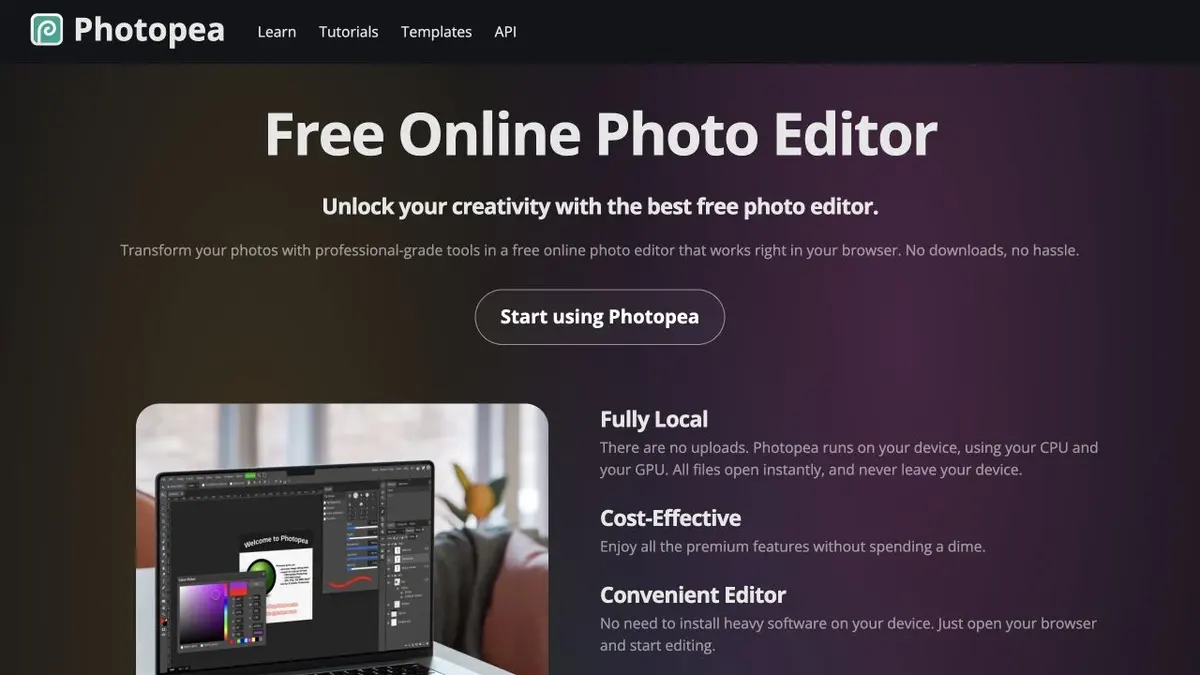
Credit: Photopea. Actual public-page capture on 2 November 2026; provider imagery is not a file-compatibility test performed for this guide.
The official privacy policy says files opened in the editor are processed on the device. It separately describes optional cloud-storage access. Keep that documented distinction rather than assuming browser software necessarily sends every image to a processing server.
Opening a PSD is only the beginning of the project check. Try the required edit, save a new project and reopen it. Inspect the actual fonts, masks and effects the task depends on; the provider's format support is not independent proof that every external file survives unchanged.
Pixlr: name the workspace and save the document deliberately
Pixlr presents Editor and Express entry points alongside optional AI operations. Treat the chosen workspace as part of the record rather than writing only the product name.
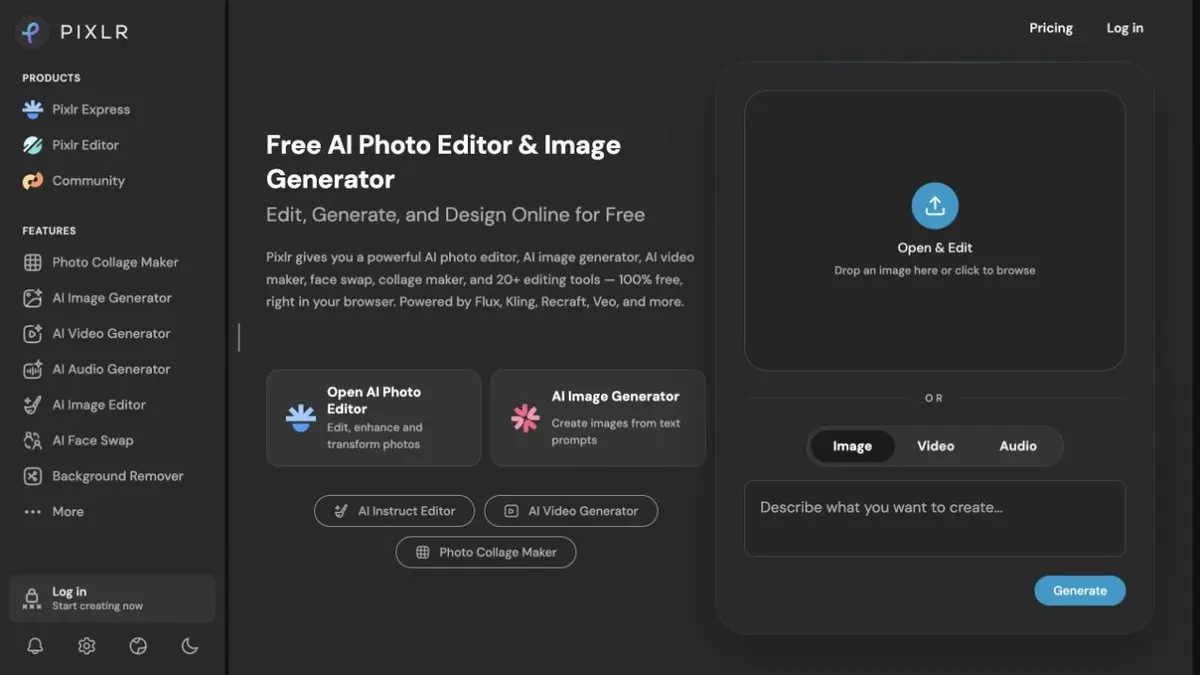
Credit: Pixlr. Public website captured on 2 November 2026. Promotional results and provider illustrations are not our application tests.
The current Editor page says temporary projects are stored in browser cache and recommends downloading a PXZ document for long-term saving. That is directly relevant when a team expects to continue editing after the session ends.
Its pricing page separates paid capabilities and AI allowances. Confirm the actual export and project route with the intended account; do not convert free entry or a homepage testimonial into a promise of unlimited saves, private generations or unrestricted resolution.
Canva: connect the photo change to its design context
Canva's photo-editor page describes crop, rotation, effects and adjustment controls, with ways to place the image in a larger design. It separately identifies some actions as plan-dependent in its FAQ.
This can be relevant when the photo change belongs inside a maintained campaign card. The pilot should still isolate the required operation. For example, adjusting the photograph's background should not unintentionally change a brand mark or surrounding copy.
Check the final download and retained design using the same account the maintainer will use. A useful layout tool is not evidence that every imported image component remains independently editable. Likewise, available stock elements or fonts need their own usage checks when included in the composition.
Adobe Express: verify the selected quick-action path
Adobe Express's image-editor page describes filters, enhancements, text and crop-related functions. It gives current input conditions for that page and links the upload operation to its terms and privacy policy.
For a founder preparing a straightforward launch asset, the useful pilot may be modest: make a specific adjustment and download the required output. Record whether that operation begins from an image or from a design canvas, because canvas choices can change the output dimensions.
Keep Express distinct from Photoshop on the web, Photoshop Express and other Adobe products. A shared company name does not establish equivalent editing controls or entitlement. Verify the exact selected service and exported file rather than relying on a general Adobe subscription assumption.
Fotor: check the actual export instead of a blanket label
Fotor's homepage presents adjustments, effects and optional AI transformations. The described upload-edit-download flow makes it a candidate for a guided editing task.
Its homepage FAQ describes free editing and watermark-free exports, while the pricing page differentiates Basic from paid plans and normal from higher-definition or transparent output. Those statements should not be collapsed into one promise about every feature or download.
Evaluate the specific operation and final export with the intended account. Confirm dimensions, any watermark, transparency and access before committing the work. We did not perform an account-level export or resolve every feature entitlement, and we do not claim that all free outputs carry a watermark or that every advanced output is free.
BeFunky: check the relevant project and batch workflow
BeFunky presents Photo Editor, Collage Maker and Graphic Designer routes. Its current site also describes batch-oriented and AI-assisted work.
Credit: BeFunky. Public-page capture on 2 November 2026; its illustrated workspace belongs to the provider and does not document our editing session.
The pricing FAQ distinguishes free use or previews from premium access, and separates Plus and Pro capabilities. Choose the relevant route before assessing whether a recurring task fits.
If a team plans repeated edits, include source recovery and a representative difficult image in the pilot. A successful collage preview does not prove the required photo correction, batch exception handling or future revision is available. We did not install an app, create an account or time the workflow.
Fit and limitations
Browser-based does not specify the complete data flow
A browser is an interface environment. It does not, by itself, establish where every operation runs or where the work is stored. Local file processing, account data, optional cloud storage and connected features need separate consideration.
Use the provider's current documentation for the specific route. Photopea's documented local processing is one example of why “all online editors must upload images” is an unreliable generalization.
For a real team, confirm the permitted route before sending a private asset. A public product page is not an independent security assessment, and this article does not provide one. A nonsensitive evaluation file can reveal ordinary usability and export issues without exposing unreleased work.
A visible edit is not proof of a reusable project
An editor may display the intended result and still save a flattened image. That can be sufficient for a one-time delivery but insufficient when the next request is to revise the caption or weaken one adjustment.
The required proof depends on the task. A source expected to remain editable should be reopened and changed in the relevant application. A final delivery file should be inspected independently of the editor's preview.
Preserve the original source as well as the edited project. A successful save in one application should not become the only remaining copy of a more complex original. Record a known limitation when an imported feature must be reconstructed.
AI transformations require a different visual check
An optional AI operation may introduce new content rather than merely adjust the supplied pixels. Evaluate whether that is appropriate for the image's purpose.
For a product photograph, compare the product's actual shape, markings, seams and reflections with the source. A plausible-looking replacement can be misleading if the image is supposed to describe the real item. A conceptual campaign illustration can permit different changes, provided the intended representation is clear.
This guide does not rank AI accuracy or claim that an enhancement recovers missing evidence. Use manual correction or another permitted source when the required information cannot be trusted in the result.
How to choose
Rehearse three file situations
The original board below separates three fictional situations. It is a proposed acceptance exercise, not work produced inside six compared applications.
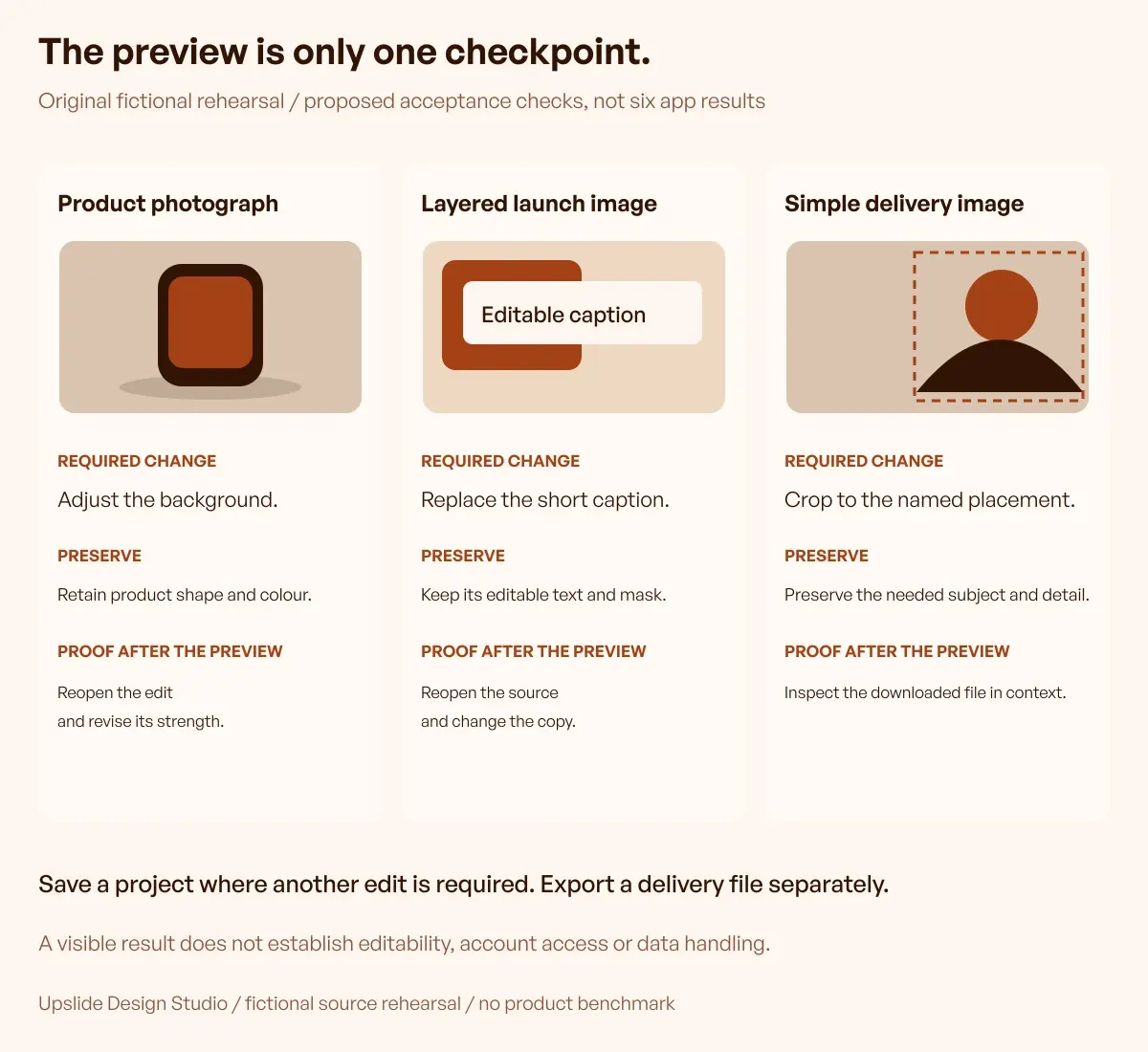
Original explanatory graphic: Upslide Design Studio. The drawn device, caption and figure are simplified teaching constructions. No photograph, imported PSD or application output is represented as tested.
Product photograph: Request a background adjustment while preserving the product. Compare the result with the original and then revise the adjustment's strength. A method that changes the product or cannot support the expected correction fails this brief.
Layered launch image: Replace a caption while retaining its editable text and mask. Save and reopen the maintained source, then perform a second wording change. This exposes a different problem from a visually acceptable flattened preview.
Simple delivery image: Crop a source to its named placement and inspect the downloaded file there. If no further layered editing is required, a complicated project structure may not be part of acceptance. The required subject and detail still need to survive.
Use permitted representative sources when applying the rehearsal. These fictional examples do not establish what any listed editor will pass on a particular file.
Compare controls using the same required change
Choose the evaluation operation before exploring effects. If the task is a subtle brightness correction, do not compare one candidate's dramatic generative result against another candidate's ordinary adjustment.
Include both the ability to make the change and the ability to revise it. A reviewer should be able to identify what was changed, where that decision is stored and whether it can be modified without reconstructing the whole image.
Record uncertainty directly. “Caption became pixels on import” is useful evidence. “Professional editing supported” is too broad to guide the next person. A small limitation may be acceptable for a one-time image and unacceptable for a recurring campaign source.
Inspect the actual export
Open the downloaded file separately. Check its dimensions, format, relevant detail and any transparency or watermark requirement. A preview inside the editor may not reveal an account-limited output or a changed canvas size.
Then inspect the intended placement. A correct standalone image can become unreadable after the site scales it down. For a photograph used with text, review the actual relationship between the image, heading and background.
The MDN image-format guide is a technical reference for format capabilities and destination considerations. Do not use a common extension alone as proof of editable layers, transparency or a faithful round trip.
Test persistence without risking the only copy
Save the maintained source or project through the provider's documented route. Keep a copy outside temporary session state when the workflow supports it, and confirm that the intended maintainer can access the saved work.
Open that saved version in a separate review step. Perform the next ordinary change, such as replacing text or modifying an adjustment. Record what remains editable and what has become a fixed image.
This is different from trusting browser history or a recent-project thumbnail. Pixlr's current temporary-project warning illustrates why persistence should be explicit. Do not clear browser data, revoke access or delete originals merely to make the rehearsal more dramatic.
Make the selection record useful to the next editor
| Record | Useful content |
|---|---|
| Source | Permitted original, format and source location |
| Required change | Specific operation and protected information |
| Workspace | Exact editor route, account and relevant access |
| Maintained result | Saved project, reopening result and accepted limitations |
| Delivery | Downloaded file checked in its intended placement |
| Next revision | Person responsible and ordinary update to repeat |
Keep an exception rather than forcing every photo through one preset. A product image and a promotional composition may need different editing controls even when they are published by the same team.
Use Inspire to clarify the intended presentation
A useful reference observation describes a visible relationship: a product remains distinct from its background, a photograph leaves room beside a heading or a caption stays outside the image.
Use Inspire to discuss those relationships before editing. Keep the original credit and avoid claiming to know a reference site's hidden software, edit history or conversion results from its public preview.
The Resource Box can then support a specific gap, such as file control or a repeatable adjustment. A new tool should solve that gap without making the next revision less recoverable.
Frequently asked questions
Which online photo editor should a small SaaS team choose?
Choose around its actual source and required operation. A layered file, guided photo correction and designed campaign card need different checks. Complete the required edit, save the work and inspect the delivery before standardizing the workflow.
Does opening a PSD prove that all layers will remain editable?
No. Inspect the actual text, masks and effects that matter, then save and reopen the result. A supported format is a reason to evaluate the editor, not independent proof of identical behavior for every source.
Are all browser photo editors cloud-processing tools?
No universal rule follows from the browser interface. Providers can document local processing, optional cloud access or other service routes. Verify the selected operation and storage path rather than treating every product as technically identical.
Can a free editor produce a usable website image?
It can, if the relevant operation and output are available under the actual account conditions. Confirm the final file rather than relying on a free homepage label. Selected assets, AI features and output options can have separate requirements.
Is Fotor's free output always watermarked?
This guide makes no such blanket claim. Its current homepage and pricing material describe access in different contexts. Check the actual operation and downloaded file, including watermark, dimensions and selected features, before relying on a recurring workflow.
Is a saved image the same as a saved project?
A delivery image can preserve the visible result without preserving the structure needed for future edits. Keep a maintained project when later changes are part of the requirement and verify it by reopening and making one of those changes.
Can AI cleanup be trusted for product photographs?
Judge it against the actual product and intended representation. Compare shape, markings and important surface details with the source. A convincing appearance alone is insufficient when the image is supposed to describe a real item accurately.
When should the editor choice be revisited?
Review it when required files, account access, output needs or normal revisions change. Repeat the relevant operation with a representative source and keep the previous decision record. A new feature announcement alone is not evidence that migration will help.
Key takeaways
- Define the exact change and the information that must survive.
- Distinguish a visible preview, a reusable project and a delivery image.
- Verify the selected browser route, account conditions and data handling.
- Reopen maintained work and inspect exports in their actual placements.
- Keep concrete limitations and source copies available for the next revision.
At Upslide Design School, we teach practical visual-design skills through our free UI/UX course. Use the rehearsal above as a practice brief while keeping the same neutral criteria for every candidate editor.