
Are you choosing graphic design software for a launch, a product interface or a folder of editable artwork someone has already sent you?
Those jobs can arrive in the same week, but they ask different things of a design tool. A useful shortlist starts with the deliverables and the people who must update them after the first version is approved.
For a SaaS founder, the immediate need might be a launch announcement that the marketing team can revise. For a designer, it might be a layered image, an original illustration or a product layout with reusable components.
Choose software around the next edit and the required handoff, as well as the first finished image.
This guide compares six resources available through Resource Box. The comparison is based on official product information checked on 2 November 2026, not an installed-app benchmark or a universal ranking.
Design task
Define what has to remain editable
“Create launch graphics” is an incomplete brief. The team also needs to know which parts will change, who will make those changes and what the destination can accept.
A campaign might need a reusable layout, a product screenshot with sensitive details removed, an original illustration and several exported image sizes. Those outputs can share a visual direction without sharing one ideal editing environment.
Start with an inventory:
- The original artwork that needs to remain editable.
- The final files required by each destination.
- The person responsible for routine changes.
- The people allowed to review or approve the work.
- Any third-party fonts, images, templates or graphics in the composition.
- The destination for the maintained source after delivery.
The inventory makes the selection question concrete. If a founder needs to replace a headline next month, the final PNG is not the only deliverable that matters.
Distinguish the design work from the delivery format
An image file can be the right published output even when it is the wrong maintained source. A flattened image is easy to place in a website, but it may not preserve the layout or layers needed for a later revision.
Likewise, a file opening successfully in another application does not establish that all of its contents remain editable. Fonts, masks, effects and linked material can require their own checks.
The practical question is whether the next person can perform the expected edit with the actual file they receive. That should be tested with a representative sample before the team migrates a large library.
For early product structure, our free wireframe tools guide addresses a different decision. The software comparison here focuses on producing and maintaining the artwork surrounding a product launch.
Resource collection
A comparison by working role
These tools do not all compete for the same task. Some are relevant to photo editing, some to original painting, and others to shared layouts or product design.
| Resource | Officially described role | Candidate task to evaluate | What needs a real project check |
|---|---|---|---|
| Canva | Visual suite across formats such as presentations and social graphics | A repeatable campaign layout | Selected assets, export options and team access |
| Photopea | Browser photo editor with PSD opening and saving | Updating an incoming layered image | Fidelity of the actual file and required edits |
| GIMP | Free, open-source cross-platform image editor | Local image manipulation and compositing | File exchange, working method and reviewer handoff |
| Krita | Free, open-source painting program | Original brush-based illustration | Drawing setup and the required delivery files |
| Penpot | Open-source product-design platform | Shared interface layouts and prototypes | Hosted or self-hosted workflow and collaboration needs |
| Lunacy | Design platform with layout and collaboration features | Interface or graphic-layout work | The selected browser or desktop workflow and asset conditions |
No plan price or seat allowance is supplied here. Before committing, inspect the current provider terms for the actual account, feature and assets the team intends to use.
Canva: evaluate the repeatable campaign layout
Canva's official homepage presents a visual suite spanning presentations, social content and other digital or print formats. That makes it a relevant candidate when the maintained deliverable is a recurring communication layout.
The trial task should be a real update, such as replacing the launch headline and product image while keeping the approved hierarchy. Ask the teammate who will maintain the design to make that update, rather than having the original designer demonstrate it on their behalf.
The composition also needs an asset review. A usable editor does not establish that every template, photograph, font or generated element is included in the account's plan or cleared for the intended use.
The broader Canva entry in Resource Box is separate from its existing Canva AI entry. The question here is campaign production; AI generation is not a requirement of the comparison.
Photopea: inspect an actual layered file
Photopea describes a browser-based photo editor and identifies PSD as its main format, with opening and saving support. Its official page also describes layer, mask and blending tools.
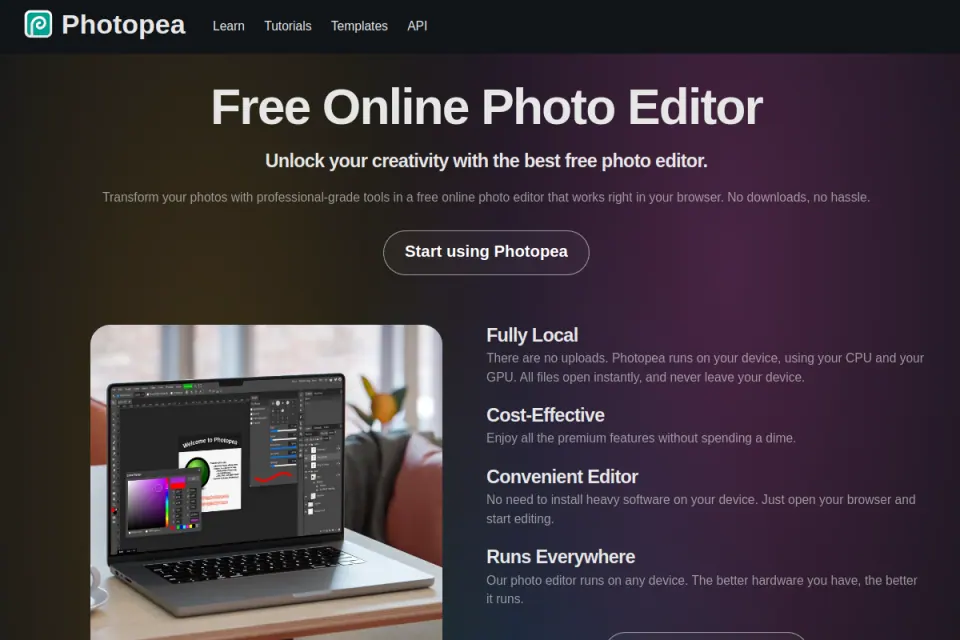
Existing Resource Box website capture. Credit: Photopea. The preview is the public product page, not a file-compatibility test performed for this guide.
That makes an incoming layered image a useful evaluation task. Open a permitted sample, perform the expected edit, save a new source and compare the required output against the original.
The provider's format support is a reason to test, not a substitute for checking fidelity. The guide does not claim that every effect, font or third-party source file survives an application change unchanged.
GIMP: consider a maintained local image-editing workflow
GIMP's official site identifies it as a free, open-source, cross-platform image editor and describes image manipulation, original artwork and graphic-design uses. It is a candidate when the task needs an image-editing environment outside a shared campaign-layout platform.
Evaluate it with work that represents the team's actual requests. A screenshot cleanup, image composition or prepared background can reveal whether the maintainer understands the source structure and can produce the required output.
The software's availability does not settle the whole workflow. The team still needs to decide where sources live, how review happens and what another person receives when the work changes hands.
GIMP was added to Resource Box after checking the official site. No owner recommendation or hands-on testing claim has been attached to the new listing.
Krita: keep original illustration distinct from layout assembly
Krita describes a free, open-source painting program with brush tools, layers and drawing assistants. That role is relevant when original drawn artwork is the deliverable.
An illustration brief should name the intended use and the required revisions. For example, a product-launch illustration might need a separate subject and background so the composition can be adapted to a narrow placement.
The appropriate pilot is therefore a small illustration task with the actual drawing setup and handoff requirements. A software feature list cannot establish whether an artist's working method or a collaborator's delivery needs are satisfied.
Krita was also added to Resource Box after official verification. This comparison does not treat painting software as an interchangeable replacement for a product-design workspace.
Penpot: evaluate product structure and shared design work
Penpot presents an open-source design platform with interface design, prototypes, components and shared-library capabilities. Its official site also provides a self-hosting route.
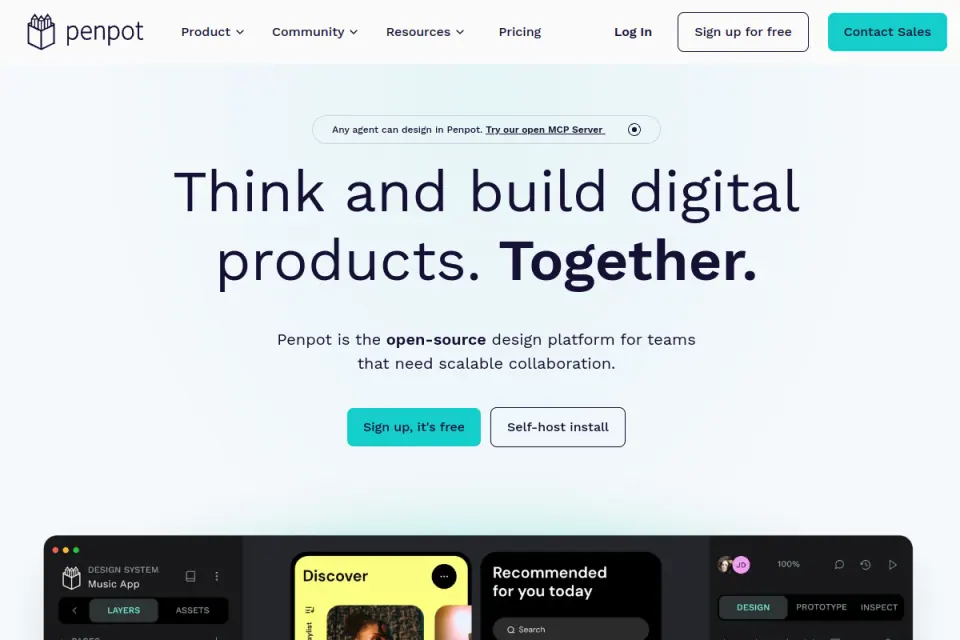
Existing Resource Box website capture. Credit: Penpot. The image illustrates its public product positioning, not a hosted-plan entitlement or a self-hosted installation.
For a SaaS team, a representative task could be reviewing a product layout with the people who will implement it. Include the actual review, source organisation and handoff needs in the pilot rather than measuring only how quickly a screen can be drawn.
A self-hosting option introduces an operational decision. If that route matters, identify who will maintain the instance and verify the relevant requirements before treating it as the team's chosen environment.
Lunacy: choose the working mode before comparing the result
Lunacy's official page describes layout, components, prototyping and collaboration features, and presents both browser and desktop entry points. That makes the selected working mode part of the evaluation.
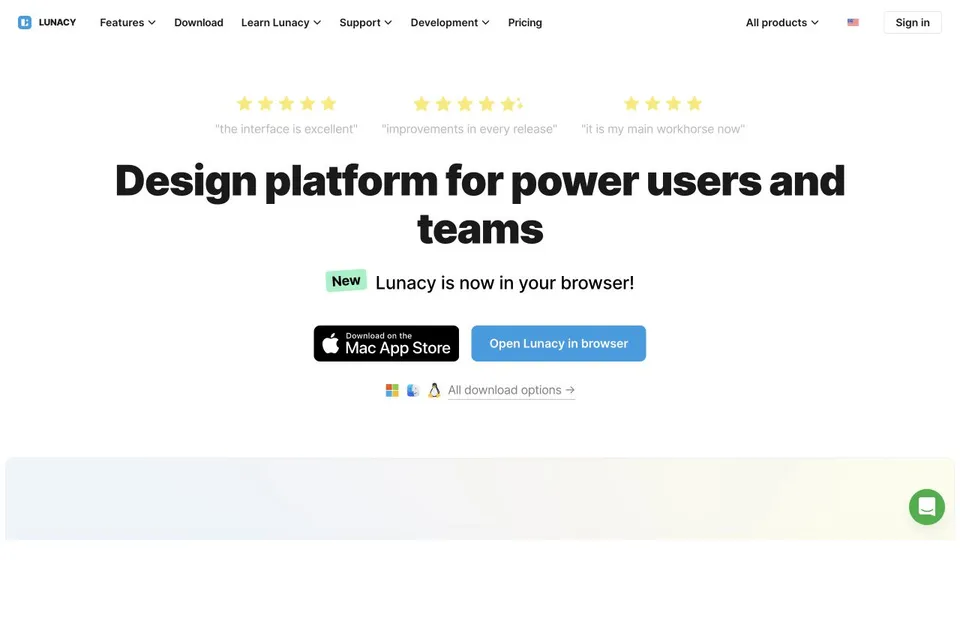
Existing Resource Box website capture. Credit: Icons8 and Lunacy. Current feature access and asset conditions need to be checked for the selected route.
The trial should use the mode the maintainer will actually use. Include the expected sharing and file exchange rather than assuming a successful individual edit proves the wider collaboration workflow.
The official page also presents built-in graphic resources. Treat the editor and the selected assets as separate verification questions; the presence of an asset in a tool is not sufficient evidence for every commercial use.
Fit and limitations
Browser and desktop are starting points for investigation
A browser-based editor can be convenient when installation is impractical. A desktop workflow can suit a team that already maintains local artwork and has a clear file-sharing process.
Neither label establishes the entire data or collaboration model. Account settings, connected services, optional features and the way the team stores its files all matter to the actual workflow.
If the work contains confidential product information, use a permitted sample for evaluation and check the team's data requirements before uploading or sharing it. This guide does not provide a security assessment of any listed application.
Import support does not guarantee an effortless migration
The most important migration test is the operation that will happen repeatedly. A file that opens and looks acceptable may still fail the team's expected edit or become difficult for the next maintainer to understand.
Build the sample around relevant material:
- A document with the fonts the team is allowed to use.
- A layered image with the masks or effects required by the task.
- A layout with the normal amount of text and realistic dimensions.
- An export that will be inspected in its intended destination.
- A source that a second teammate can reopen and revise.
Record any differences plainly. A smaller inconvenience may be acceptable; an unsupported required handoff is a reason to choose a different route.
Tool access and asset permissions answer different questions
The price of using an application does not establish the rights to every element inside the artwork. Fonts, stock images, templates and imported files can have their own conditions.
A useful project record separates the software used from the assets included. Keep the original asset sources and the relevant terms alongside the maintained design so that a later editor can identify them.
For reusable product-interface assets, the UI-kit and component-library guide explains the distinction between design files and implemented components. Use Resource Box and the original provider's current terms for any additional assets.
How to choose
Map one fictional launch into maintained sources and outputs
Consider a fictional SaaS launch with three deliverables: a campaign card, a product-detail image and an original illustration. The goal is to keep each source understandable while maintaining a coherent visual direction across the final outputs.
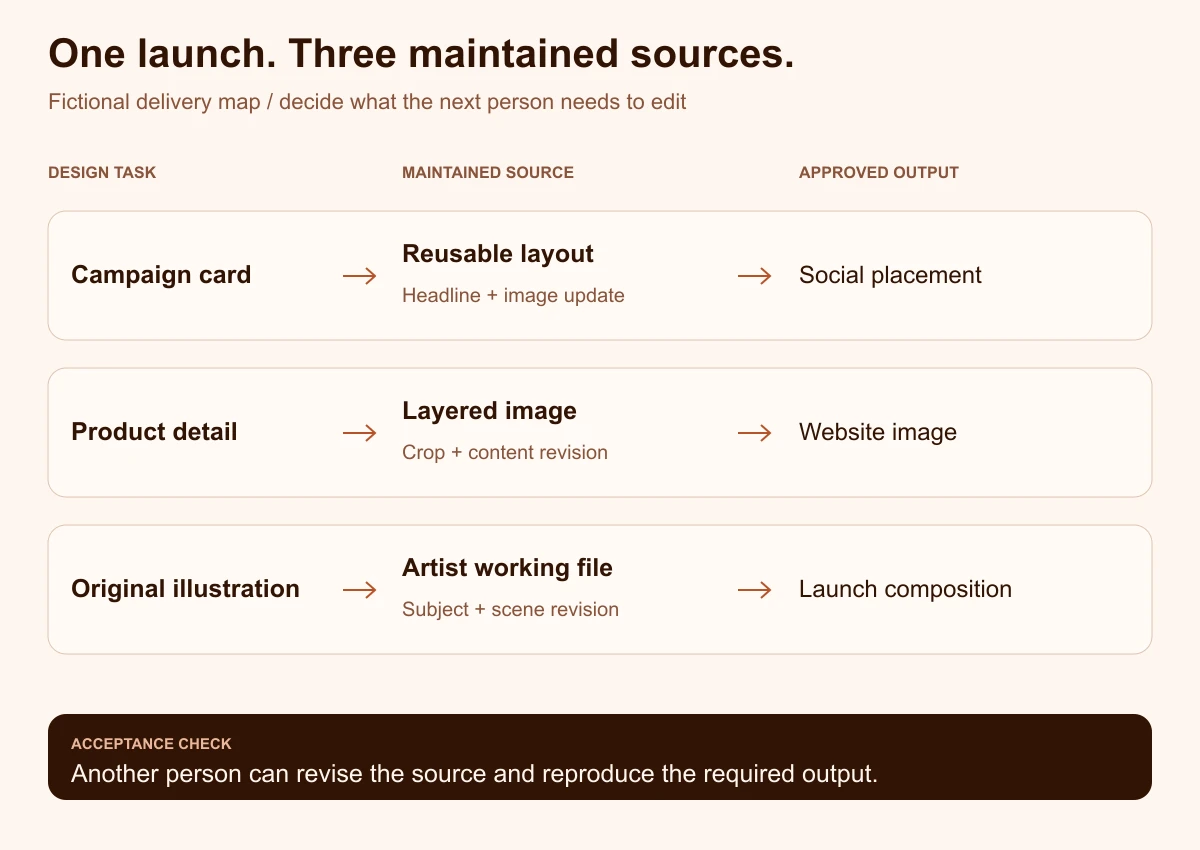
Original editorial diagram by Upslide Design Studio. It describes a fictional workflow, not work produced inside the compared tools.
The campaign card needs a layout that the assigned maintainer can update. The product-detail image needs a source suitable for the required image edits, while the illustration needs a working file appropriate to the artist's process.
Those sources can feed separate approved exports for each placement. The visual system should come from agreed typography, colour, spacing and imagery decisions, rather than an assumption that every deliverable must be created in the same application.
Write a small acceptance brief before opening the tools
The brief should describe what counts as a completed handoff. A practical example might require a revised headline, a correctly cropped product image and a final export inspected at the intended display size.
It should also name the maintained source, owner and next expected update. If the founder is expected to make routine changes, that person should be part of the pilot.
| Acceptance question | Evidence to retain |
|---|---|
| Can the required edit be completed? | The revised source and any unresolved limitations |
| Does the output fit its destination? | The exported file inspected in context |
| Can another person maintain it? | A second-person edit using the delivered source |
| Are the selected assets accounted for? | Original sources and the relevant usage conditions |
| Is the work recoverable later? | A named owner and a clear source location |
This is a proposed evaluation method. It is not a published benchmark or evidence that a listed product will pass every requirement.
Evaluate the next edit with a second person
The original creator already knows where everything is. A second-person review reveals whether the document structure and handoff instructions make that knowledge available to someone else.
Ask the reviewer to perform the ordinary update without reconstructing the whole design. Note missing fonts, unclear layers, broken links, inaccessible source locations and any element that cannot be changed as expected.
The result may justify keeping an existing tool rather than moving. Migration is useful when it solves a real problem, not simply because another application's homepage looks more current.
Use a short decision record instead of a universal score
A single numeric score can hide a failed requirement. A tool may be pleasant to use and still be unsuitable if it cannot support the required source handoff or access model.
Record the decision in concrete terms: the selected task, the actual pilot, the accepted limitations and the person responsible for maintaining the result. Mark unresolved issues before the workflow becomes standard.
Plan access and pricing should be checked at the point of selection. The comparison here deliberately supplies no unverified price promises, export quotas or seat limits.
Bring visual references into the brief with a clear purpose
Inspire can help a team study the hierarchy of a launch page, the balance between a product image and a headline, or the way an illustration supports a message. Record the visible design decision the reference helps explain.
Keep that observation separate from claims about how the original site was built. A public screenshot does not reveal its editing software, internal design process or conversion performance.
Frequently asked questions
Which graphic design software should a SaaS founder start with?
Start with the next deliverable and the person who will maintain it. A campaign layout, a layered image and a product interface are different tasks, so the appropriate shortlist depends on the work rather than a universal winner.
Use one representative task to evaluate the candidate and retain the resulting source. That is more informative than selecting a tool from feature counts alone.
Can free software be used for commercial design work?
The answer depends on the software and the material used in the design. Application access, fonts, templates, stock imagery and imported artwork can each carry separate conditions.
Check the relevant official terms for the chosen workflow and retain the asset sources. This article does not provide blanket permission or legal clearance for a particular deliverable.
Is a browser editor enough for an incoming PSD file?
Photopea's official page describes PSD opening and saving, which makes it a candidate for evaluation. The actual file still needs to be checked for the edits, fonts, effects and output required by the project.
Test a permitted representative file and save a revised source before relying on a large migration. Format support alone does not establish identical behaviour across applications.
Does the team need one tool for every graphic?
No. A coherent visual direction can be maintained across several tools when typography, colour, layout and source ownership are clearly agreed.
Additional applications should solve an identified task. Keep the workflow understandable by recording which source belongs to which deliverable and who maintains it.
How should a designer hand editable work to a founder?
Provide the agreed source location, required assets and a short explanation of the expected edits. Then ask the founder to complete an ordinary update using that handoff.
Retain an approved output for comparison and record any changes that require a designer. A source is useful when its intended maintainer can understand and update it.
When should a graphic-design software decision be revisited?
Review it when a required file, collaborator, output or maintenance process changes. A plan change or an unresolved repeated limitation can also justify a fresh comparison.
Repeat the relevant acceptance task rather than restarting with an abstract ranking. Keep the previous decision record so the team understands what problem the change is intended to solve.
Key takeaways
- Define the maintained source and the next edit before choosing a tool.
- Compare campaign layouts, image editing, illustration and product design as distinct tasks.
- Test actual file exchange rather than assuming that import support guarantees fidelity.
- Check application access and selected asset permissions separately.
- Let the intended maintainer participate in the pilot and source handoff.
Choose one real deliverable, write its acceptance brief and evaluate the most relevant candidate. Resource Box provides starting points; the decision should rest on the actual work the team needs to maintain.
At Upslide Design Studio, we help teams make design and handoff decisions clearer. The software criteria in this guide apply equally to work maintained internally or with another design partner.