A mind map can make a scattered product question easier to inspect. It can also make an unsupported idea look convincing because every branch sits neatly beneath a confident heading.
For designers and SaaS founders, the useful question is what the map helps the team distinguish: a customer problem, a possible explanation, a proposed feature or an unanswered question. Choose a tool that preserves those differences as the structure changes.
This guide compares six Resource Box routes, from dedicated mapping to collaborative canvases and text-defined diagrams. It includes an original fictional exercise for checking whether a tool supports your discovery work. Research uses official sources and inspected public previews; no timed benchmark, customer study or hands-on product test is claimed.
Design task
Start with a question the team can investigate
Suppose a SaaS team is exploring how project owners prepare a recurring status update. Suggestions already include a dashboard, a scheduled email and a new export. Starting the map with those features risks narrowing the discussion before the team understands the job.
Use “Preparing a useful status update” as the centre. Explore what the person needs to know, where information comes from, who receives it and what uncertainty remains. Keep suggested solutions identifiable as suggestions.
The map should help the team choose a next investigation. It does not establish market demand, a causal explanation or a delivery commitment. The fictional example below deliberately includes an ambiguous note so the selection exercise tests more than attractive formatting.
Decide whether a hierarchy is appropriate
A mind map groups related ideas around a central topic. That is useful when exploring a question and reshaping categories. It is less useful when the main problem is representing sequence, ownership across systems or many relationships between equal concepts.
Use a flowchart for the order of a procedure and its decision paths. Use a table when the important comparison is across consistent attributes. If an idea belongs beneath several branches, a cross-reference or a different representation may be clearer than copying it repeatedly.
Do not force discovery into a tree solely because the chosen application makes trees easy. The representation should make the uncertainty more inspectable.
Resource collection
Compare six working routes
The shortlist includes three products with explicit mind-mapping features, a dedicated mapper, a sketch surface and a text-based route. The latter two require more deliberate structure; they are alternatives rather than equivalent specialised editors.
| Resource | Relevant route | What to establish in the pilot |
|---|---|---|
| Xmind | Dedicated mapping with visual structures | The chosen edition preserves the structure and required output |
| Whimsical | Mind maps beside product-planning material | Reorganisation, comments and limits fit repeated reviews |
| Miro | Mapping within a wider shared canvas | The hierarchy stays readable beside supporting material |
| FigJam | Collaborative mapping in a design workspace | Intended contributors can edit and understand the branches |
| Excalidraw | A manually constructed sketch map | The team can maintain relationships and an editable scene |
| Mermaid | A hierarchy rendered from a text outline | Maintainers can edit the definition and verify its rendering |
These are reasons to evaluate each route. They are not scores or proof that every feature exists in every account.
Xmind: investigate a dedicated mapping workflow
Xmind presents visual mapping structures alongside collaborative and planning options. Its official plan comparison distinguishes allowances, history, collaboration and exports across tiers.
That makes the edition part of the decision. Do not choose it from an old list of desktop export formats and assume the same conditions apply to a free online map. Run the representative edit and required export in the route the team will actually use.
Find Xmind in Resource Box when comparing mapping routes. We have not installed it or tested a paid account, and do not repeat another publisher's claim that it is universally best or that collaboration is always weak.
Whimsical: keep the map close to product thinking
Whimsical's mind-map page describes real-time collaboration, comments, automatic layout and map-specific shortcuts. The broader workspace includes diagrams and wireframes. Check the current plan conditions before relying on history, object allowances or exports.
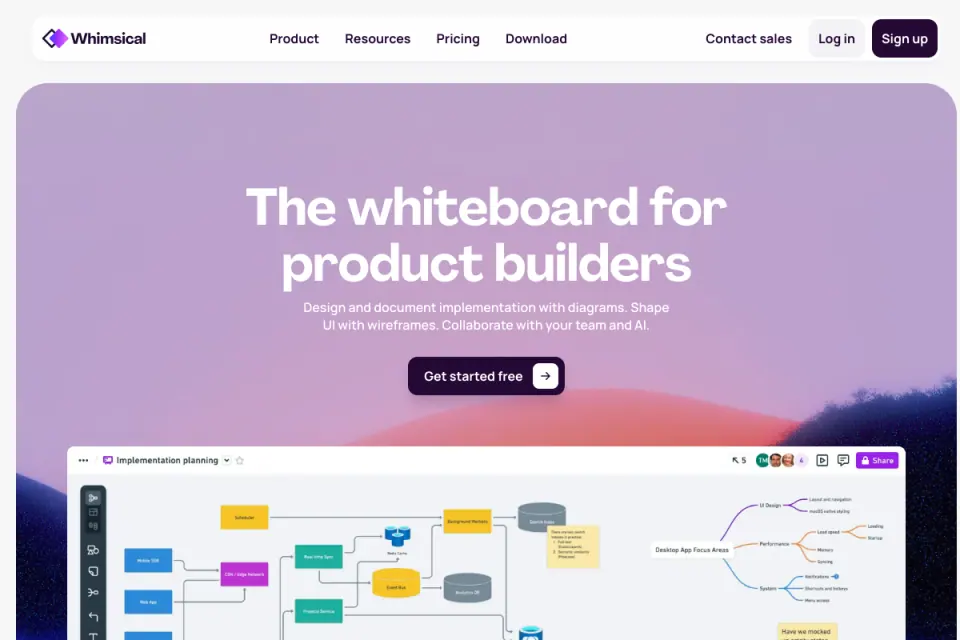
Existing Resource Box homepage capture, visually inspected. Credit: Whimsical. This is provider-created product context, not our fictional discovery map or proof of a particular plan entitlement.
This route is relevant when the map will remain part of an ongoing product discussion. Test whether someone reviewing it later can distinguish a rearranged idea from a new finding.
Miro: preserve the map within a larger board
Miro's mind-map page describes mapping on a shared canvas with supporting visual material. That can suit discovery work where a hierarchy needs to sit beside permitted screenshots, notes or reference documents.

Existing public-page capture, visually inspected. Credit: Miro. The preview does not show a discovery session performed for this article.
The practical question is whether the hierarchy still has a clear boundary. Ask a colleague to locate the central question, unresolved branch and next investigation without touring every area. A larger canvas gives room to arrange material; it does not itself establish a clearer argument.
FigJam: check the actual shared file
FigJam's mind-map page describes branching and auto-formatting within its collaborative whiteboard. It is a candidate when the design team already works in Figma and wants a shared place for early product thinking.
Verify the intended file and editing roles before inviting collaborators. Familiarity for one designer does not guarantee access for a founder or researcher. Keep the pilot focused on branch meaning and revision, rather than counting every possible widget or assuming AI availability from a marketing example.
Excalidraw: use a sketch deliberately
Excalidraw's official project documentation describes a sketch-style canvas, labelled and bound arrows, collaboration and editable scene export. It can support a manually assembled map when flexible spatial explanation matters more than a specialised branch editor.
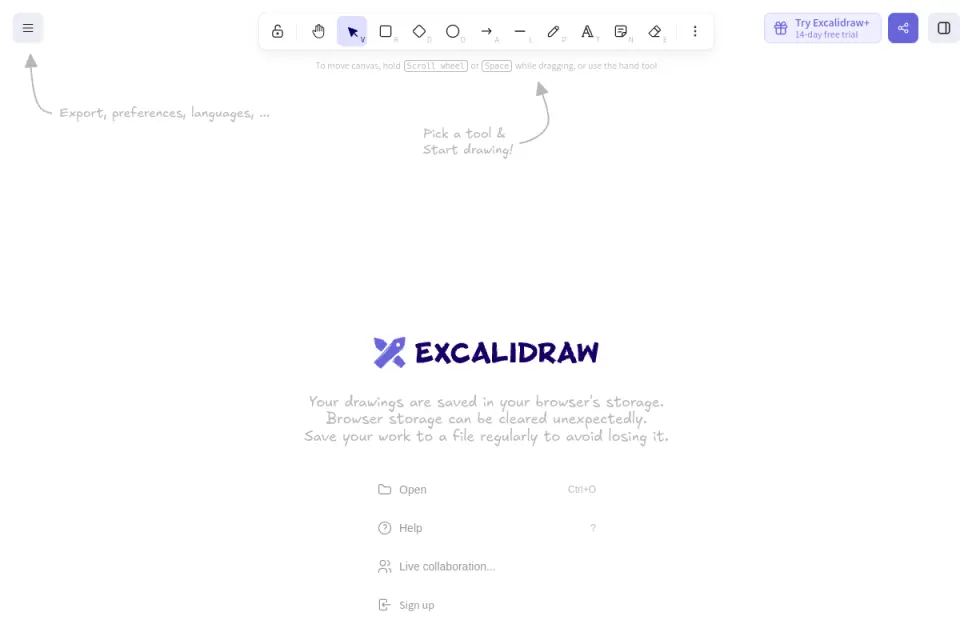
Existing actual start-canvas capture, visually inspected. Credit: Excalidraw. No authored mind map or successful persistence test is implied; the browser-storage notice belongs to the original capture.
This is a manual alternative. It requires the author to maintain labels and relationships intentionally. A canvas connector is not automatically a parent-child relationship with the same behaviour as a dedicated mapper.
Mermaid: maintain the hierarchy as text
Mermaid's mind-map documentation defines hierarchy through indentation in a text outline. It provides a route for teams that prefer maintaining a definition and reviewing the rendered result.
Check support in the actual documentation or publishing environment. Mermaid's library documentation does not promise that every host implements the same version, shapes or configuration. A text definition is useful only if the intended maintainers can edit it and inspect the resulting map.
Preview a small representative map in the actual destination before committing the workflow. Check the hierarchy, labels and reading order after a revision. No rendering implementation or account was tested for this comparison.
Fit and limitations
A map's structure is an editorial decision
Placing one statement beneath another suggests a relationship. Naming a branch “Reasons people abandon reporting” implies something stronger than “Possible explanations to investigate.” The tool may make both look equally authoritative.
Keep statements close to their status. A real observation should retain its source and context; an interpretation should remain identifiable as the team's interpretation. If that information becomes unreadable, link to a concise note rather than stripping it away to make the visual cleaner.
Grouping similar words can also hide different needs. A project owner preparing a weekly update and a finance reviewer checking a monthly exception report may both mention “reporting,” but they need not belong in the same problem statement.
AI expansion can add plausible unsupported branches
An automatically generated map can help suggest angles to investigate. Its branches are not findings about your customers. Do not mix generated ideas with sourced notes without marking the difference.
If using AI on existing evidence, check whether the organization permits sending that material to the service. Review the result against the source, retain qualifications and look for omitted contradictions. A visually balanced tree may still simplify the most important uncertainty out of the problem.
Export needs depend on the next person
An image can help a stakeholder read the map. It may not preserve editable nodes, comments, linked material or the hierarchy another application needs. Specify the intended use before choosing a format.
Keep the maintained original and inspect the actual deliverable. If migration is required, run a small round trip with permitted sample material. Do not treat a format name or an export button as proof of lossless transfer.
Accessibility requires an alternative reading route
Provide a linear outline or short written summary when the map's meaning depends on spatial arrangement. Label relationships in words and avoid making colour the only signal for evidence, hypothesis or proposal.
Test the device and assistive-technology routes the actual team needs. We have not performed keyboard, screen-reader or mobile testing of these tools. A vendor's accessibility statement can inform an evaluation, but the relevant task still needs checking in the intended environment.
How to choose
Run an original restructuring exercise
Use this fictional input set about preparing a status update:
- A project owner wants to explain what changed since the last update.
- A recipient wants to know whether a milestone is at risk.
- A note says, “The export takes too long,” without identifying the actor or context.
- A founder suggests generating a dashboard automatically.
- A designer asks whether everyone needs the same level of detail.
These are synthetic statements for a teaching exercise. They are not research observations or evidence that a particular SaaS product has those problems.
Start with “Preparing a useful status update.” Create branches for the job, possible friction, proposed solutions and unanswered questions. Put the automatic-dashboard suggestion under proposed solutions. Keep the ambiguous export note visibly unverified.
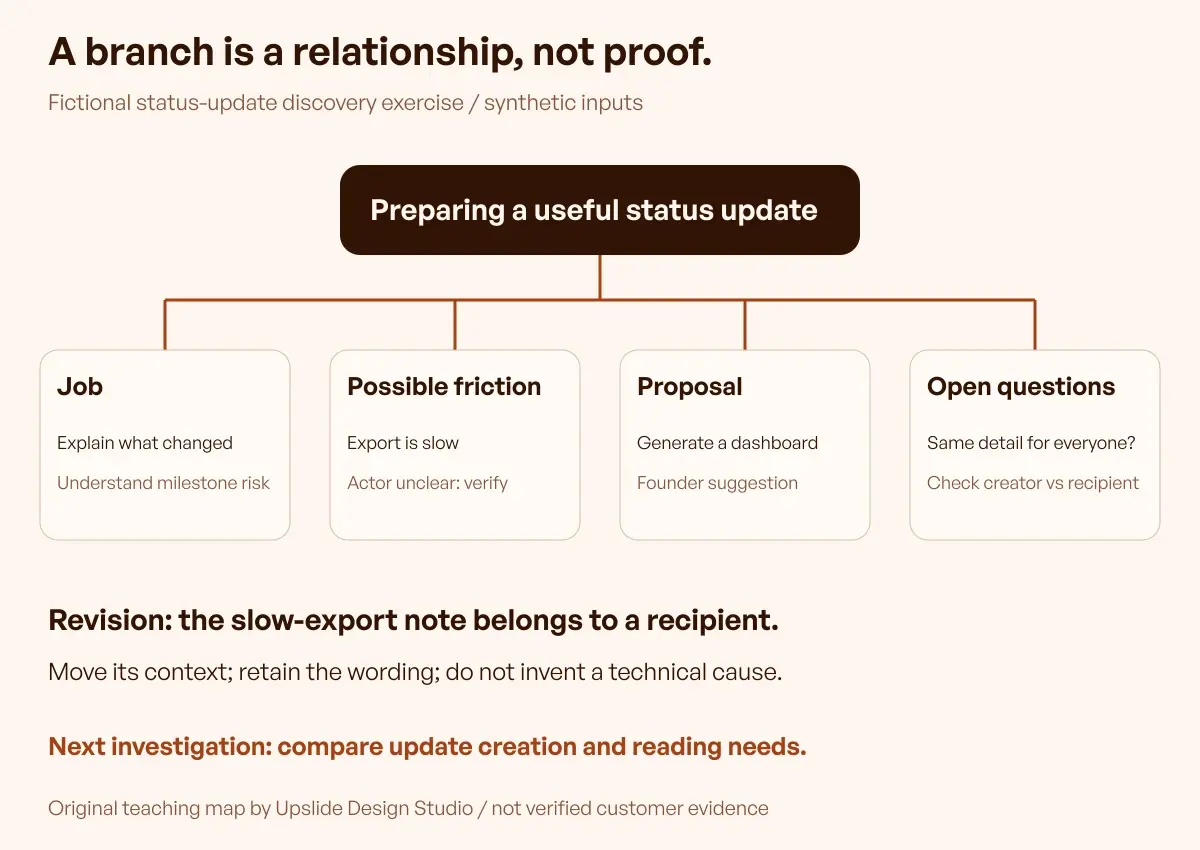
Original fictional teaching map by Upslide Design Studio. It demonstrates status distinctions, not a tool-generated map or verified customer finding.
Change the map without changing the claim
Now introduce one additional synthetic clarification: the export complaint came from a recipient trying to open a large file, rather than the person generating it.
Move the note to the recipient context and preserve the original wording alongside the clarification. Do not turn “takes too long” into a proven backend-performance diagnosis. The question has changed from a vague export complaint to a specific uncertainty about the recipient's reading route.
Ask whether the tool makes that revision understandable. Can the team find the clarification? Does the moved branch still have the right parent? Does a copied note create two apparently independent findings? These checks are more relevant to discovery than a comparison of default colour themes.
Compare the result with a small acceptance matrix
| Check | Useful result | Warning sign |
|---|---|---|
| Central question | A reader can state the investigation's scope | The centre is just a feature name |
| Statement status | Observations, guesses and proposals stay distinct | Every branch appears equally established |
| Reorganisation | Context survives moving a node | The moved note loses its qualification |
| Collaboration | Intended contributors can review or revise | The owner assumes shared access |
| Handoff | The next person finds the source and unresolved question | Only a flattened picture remains |
| Next action | An owner can explain what to investigate | A broad map is mistaken for a research plan |
Complete this sheet using actual observations when you perform the pilot. No candidate has been awarded a score here.
Choose a route from the recurring work
Shortlist Xmind when dedicated mapping and structured revision are central. Investigate Whimsical when maps sit close to product diagrams and wireframes. Consider Miro or FigJam when shared visual work and supporting material are part of the task.
Use Excalidraw when a manually maintained sketch is sufficient, with the limitations understood. Consider Mermaid when maintainers prefer a text-defined hierarchy and the destination supports it. Check current terms, required accounts and exports for whichever route survives the pilot.
There is no need to migrate every past note to the chosen tool. Start with one active question and retain links to original material. A smaller, maintained map with visible uncertainty is more useful than a comprehensive-looking archive nobody can explain.
Decide what happens after the map
For the fictional exercise, the next investigation could compare how update creators and recipients use exported material. Assign an owner to define that investigation and identify what permitted evidence already exists.
Do not declare the automatic dashboard selected because it has a branch on the map. Likewise, a frequent word, a large cluster or an attractive AI-generated category does not establish priority on its own. Record the basis for the next action separately from the map's layout.
Continue in Resource Box and Inspire
Use Resource Box to revisit the tools after defining the map's maintenance and sharing needs. Check current source pages and use the same small revision exercise before choosing a subscription.
Inspire can supply credited visual references when the discovery question involves interface presentation. Keep those references separate from customer evidence. An attractive reporting page does not establish whether your own users need that layout or workflow.
When an investigation produces a clear screen-level question, continue with the published free wireframe tools guide. The map organizes thinking; a wireframe can make a specific structural proposal inspectable.
Frequently asked questions
Which mind map tool should a SaaS founder choose?
Choose around the recurring work and the people who will maintain it. Dedicated mapping, shared canvas work and text-defined diagrams offer different routes. Run a representative reorganisation and sharing check before committing, rather than selecting a product from an overall ranking.
Is a mind map the same as a user flow?
No. A mind map groups related ideas around a topic. A user flow represents how a person moves through actions and conditions toward a goal. Choose the representation that makes the question clearer; neither establishes observed behaviour by itself.
Can we use a whiteboard instead of a dedicated mapper?
Yes, when its branch behaviour and surrounding workspace fit the task. A broader canvas may help keep references nearby, while a specialised editor may provide more deliberate hierarchy operations. Compare the same revision in both rather than assuming one category is always superior.
Are free plans enough for product discovery?
They may be enough for an initial map, but check private sharing, contributor rights, history, attachments and the required output. A free creation route does not guarantee the full maintenance workflow. Exact prices and entitlements should come from the current official plan page.
Should AI create the first map?
It can suggest a starting structure if the team marks the result as generated ideas and checks the content. Do not present generated branches as customer findings. Verify data-handling permission before uploading sensitive material, and keep important source qualifications visible.
What makes a discovery map ready to share?
The central question, source status, branch relationships and unresolved issue should be understandable to another reader. Include the maintained source and a short summary of the next investigation. Sharing a tidy image alone may leave the reasoning inaccessible.
Does this guide depend on daily Inspire updates?
No. It uses existing resources and an original fictional exercise. Daily visual references are optional and need attribution. Refresh this guide when verified tool capabilities or plan conditions change, without treating a new gallery item as new customer evidence.
Key takeaways
Choose mind map tools for the revision and handoff you need to make. Preserve the difference between a source statement, an interpretation and a proposal. Test a small restructuring exercise, keep an editable source and finish with a specific investigation rather than an implied feature commitment.
If your team needs help turning scattered product questions into a clearer design direction, we can help structure the work.