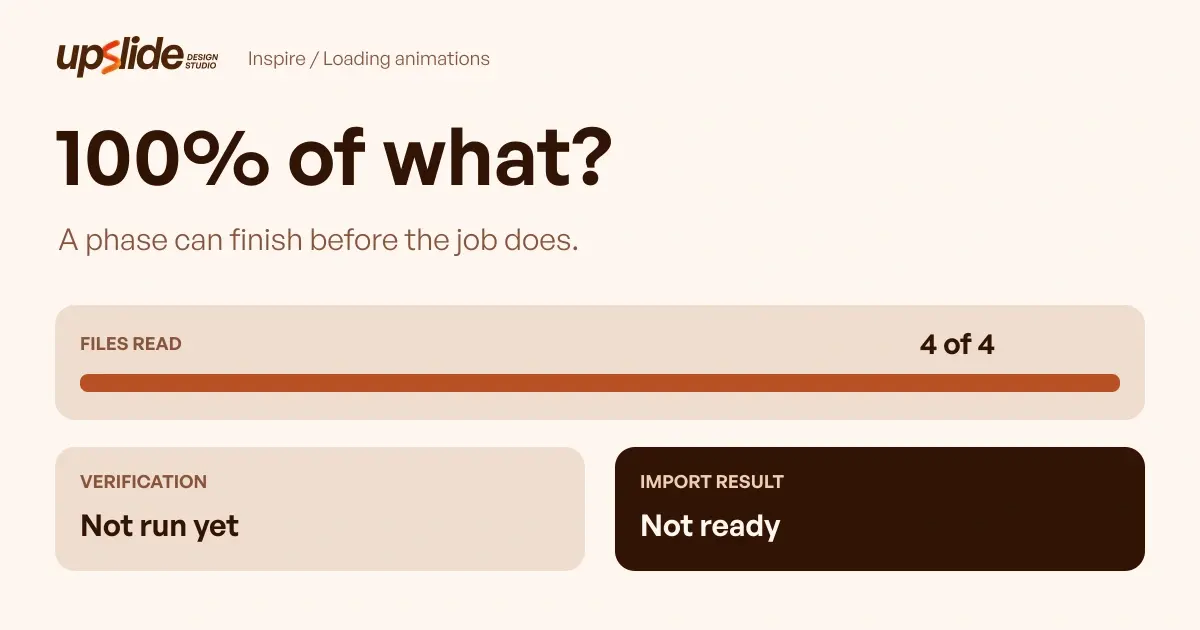
What does “100%” promise when you are still waiting for the result? A loading animation can describe one completed phase while the application still needs to verify, save or prepare the output. Without a named unit and completion boundary, a precise-looking percentage can communicate more than the system knows.
Choose the indicator from the information the operation can report. Use measured progress when a meaningful total exists, an indeterminate presentation when it does not, and separate phase labels when completing one stage does not finish the job. Animation supports that information; it does not produce the underlying measurement.
This guide examines Radix, React Aria and Carbon, then follows an original local file-reading exercise. Four actual file reads can finish while verification remains pending, and malformed JSON can still prevent the declared result from becoming ready. The exercise tests that narrow phase boundary, not a vendor component's performance or a production import service.
Design task
Define the work behind the moving shape
A support dashboard might retrieve records, prepare a report and make a downloadable file available. Those operations need not share a measurable duration or the same definition of progress. A screen that groups them under “Loading” leaves the team with an incomplete specification.
Start by naming the requested result and the observable intermediate work. For a fictional batch import, that could mean reading the selected files, validating their contents and confirming that the intended output is ready. Do not substitute a smooth animation for a missing event from the operation.
Record four decisions before designing the indicator:
- What unit is being counted: files, bytes, records or something else?
- What total is actually available to the interface?
- Which event completes this phase, and which event completes the whole request?
- What remains visible if the operation fails or stops reporting updates?
This makes a review specific. “The bar looks smooth” says little about whether its number corresponds to completed work. “The label says files read, and each increase follows a completed read” describes a relationship that can be inspected.
Separate task progress from elapsed time
Half the files read does not necessarily mean half the time has passed. Files may differ in size, parsing complexity or downstream processing. Likewise, a byte-transfer percentage describes transferred bytes without necessarily measuring verification or preparation that happens afterward.
An estimated remaining duration is another claim. It needs an estimation method and a way to handle variation. If the operation exposes a count but no useful time estimate, report the count without inventing a countdown.
The main-site microinteraction guide covers triggers, pending states, confirmed outcomes and recovery. This article adds a narrower implementation review: the unit, denominator and phase boundary behind a loading indicator's displayed value.
The percentage must belong to a named piece of work.
Resource collection
Compare references by the decision they expose
| Reference | Useful question | Inspected evidence | What it cannot establish by itself |
|---|---|---|---|
| Radix Progress | How is a controlled value presented in a reusable primitive? | Public rendered example, source and state API | Whether a real backend supplied that value |
| React Aria ProgressBar | What changes when the total or progress is unknown? | Actual determinate-to-indeterminate switch and documented value scale | Whether the application measures or announces its complete workflow correctly |
| Carbon Progress bar | How should labels, helper text and status distinguish the operation? | Current guidelines, variants and phase-related guidance | Whether a product implements those conventions or handles its actual failures |
These are component and design-system references. They do not replace the application's measurement, request handling or result verification. A team can use an existing component while still needing to decide what its value means.
Radix: inspect the value's source as well as its shape
Radix Progress presents a controlled progress primitive with value, maximum and value-label options. Its documented states distinguish loading, indeterminate and complete presentations.
The public example is especially useful for understanding the boundary between a demonstration and real progress. Its displayed source starts at 13 and uses a timer to change the value to 66. That illustrates rendering behavior; it is not a measurement of a download, import or other real job.
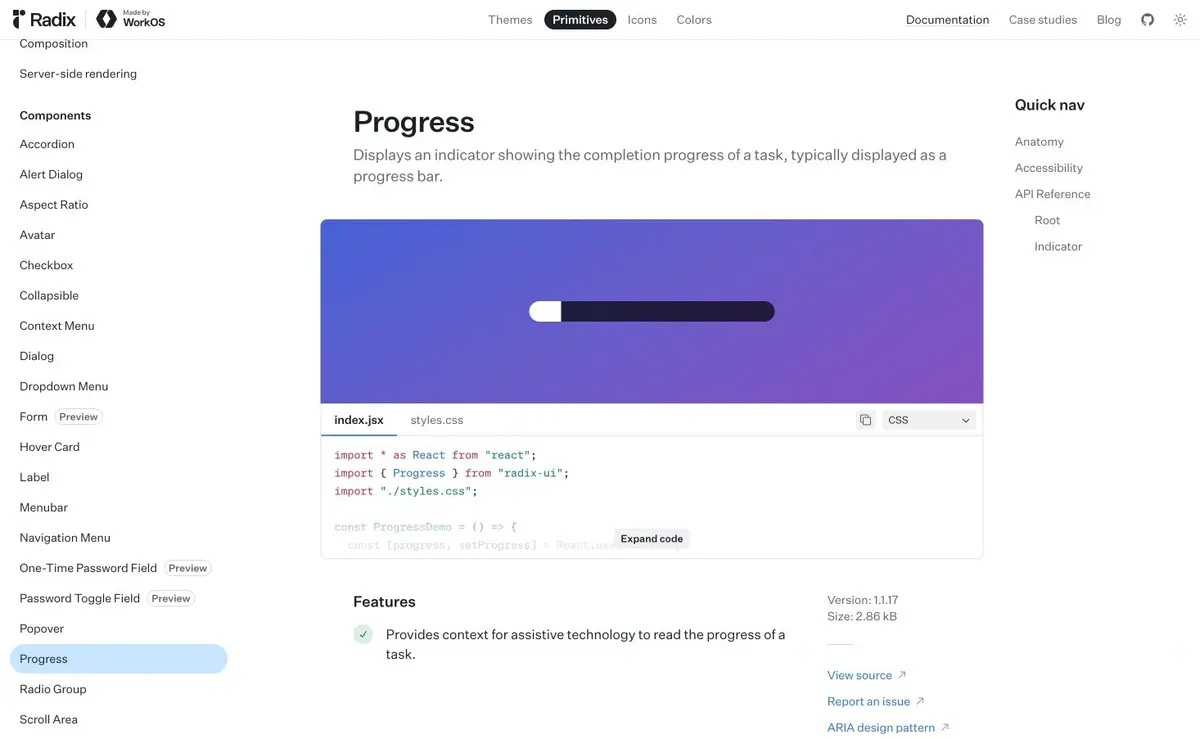
Actual documentation capture. Credit: Radix / WorkOS. The provider's timed example demonstrates a component; it is not evidence that 66% of a real task completed.
When reviewing an implementation, trace the value back to the operation. Identify the event that changes it and the maximum it uses. A production application should not inherit demonstration numbers merely because the surrounding component is suitable.
React Aria: distinguish a number from indeterminate presentation
React Aria's ProgressBar reference documents a default percentage scale, custom minimum and maximum values, a value label and an indeterminate option. These distinctions make the information contract visible during review.
In the actual public example, the initial presentation exposed a value of 80. Turning on its indeterminate switch removed the current numeric value from the inspected accessibility tree, while retaining the loading label. The control panel still showed its configured number; the rendered indicator no longer presented that number as current progress.
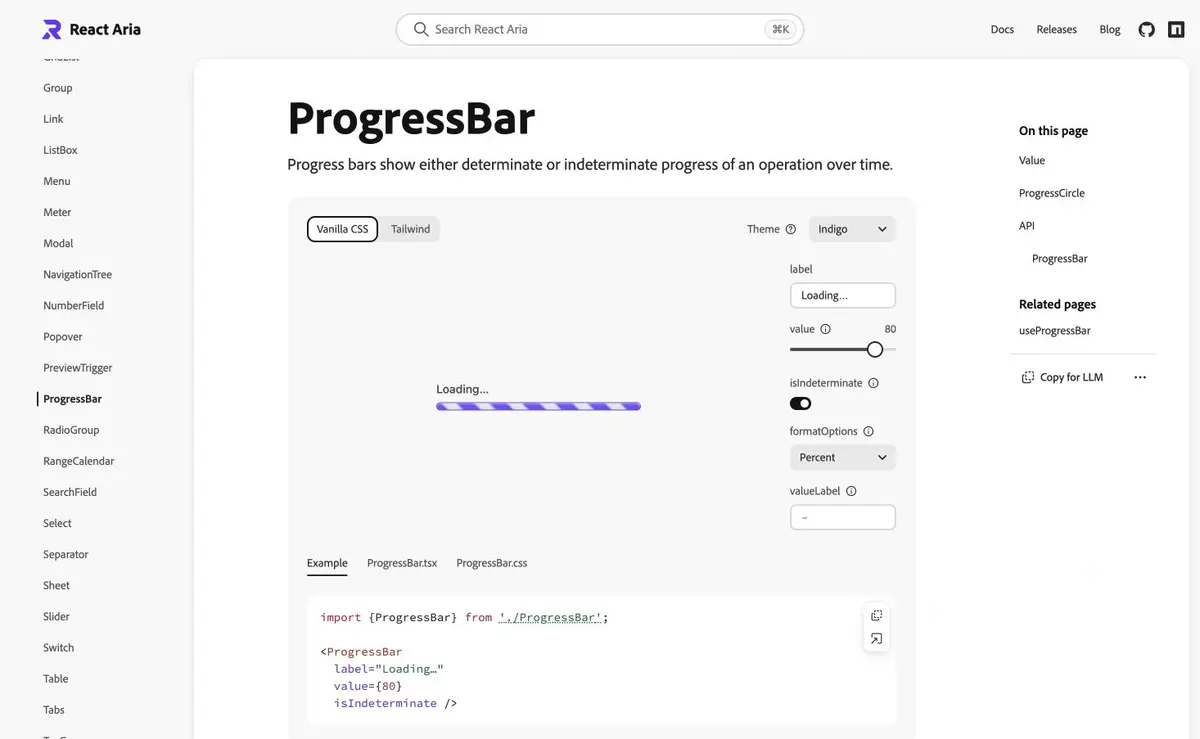
Actual public demonstration capture. Credit: Adobe / React Aria. A pointer action and inspected page state confirm the change in this example; no screen-reader or application integration test is claimed.
The distinction matters when an application has no reliable denominator. It can identify the ongoing operation without manufacturing a percentage. If trustworthy progress later becomes available, the specification can explain how the presentation changes and what new unit the number represents.
Carbon: keep status and helper information explicit
Carbon's current progress-bar guidelines distinguish determinate and indeterminate variants and describe labels, helper text, active, success and error states. The page also discusses differences between downloading, uploading and processing.
Its guidance provides a useful review question: is the reported information actually available from this operation and data source? A component that supports a percentage does not guarantee that every upload or processing route can supply one.
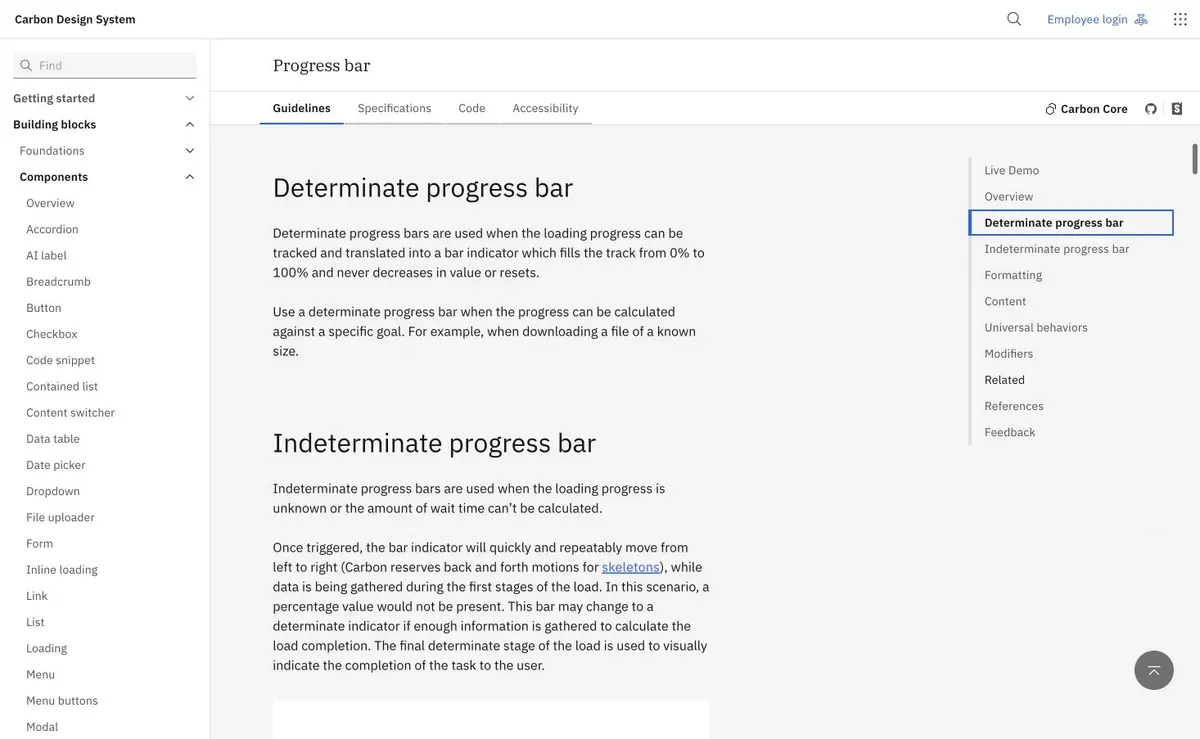
Actual documentation-section capture; credit: IBM / Carbon Design System. This is a reference page, not an operated Carbon import flow. Its initially blank embedded demo was not used as evidence of a working process.
Carbon's component-specific timing and presentation conventions belong to that system. Treat them as requirements to inspect when adopting Carbon, rather than universal thresholds that determine whether every product must use a particular loading shape.
Fit and limitations
A spinner indicates activity, not a fraction
An indeterminate indicator communicates that an operation is underway without specifying how much remains. It should not acquire a numeric percentage merely to appear more informative. The missing denominator is a condition to acknowledge.
Add a concise description of the operation where it helps distinguish the wait. “Preparing report” gives more context than a moving symbol by itself. It still does not prove that a server is healthy, that the operation will finish or that a request has been stored successfully.
An animation can continue after the underlying operation has stalled. Review how the application detects and reports actual failures or missing updates. The motion itself is not a liveness check.
A full track can belong to an unfinished job
Suppose all selected files have been read. If the indicator is explicitly labelled “Files read,” a full track can accurately describe that phase. If the same display says “Import complete” before validation runs, its claim has changed.
Define whether a progress display covers one stage or the whole task. If a later stage has no measurable fraction, name that stage and choose an appropriate presentation. Do not leave an unexplained completed bar beside a message that still asks the person to wait.
The same discipline applies to error. A phase can finish while its output fails a later check. Preserve the distinction between completed work, accepted data and a usable final result instead of smoothing them into one success animation.
Historical timing advice is a starting point for investigation
The comparable articles reviewed for this guide discuss delays, spinner use, estimates and skeleton alternatives. Nielsen Norman Group's 2014 progress-indicator article also discusses running counts when a percentage is difficult to establish. Its timing recommendations are historical heuristics, not measurements of this application's users or network.
The useful decision here is whether the indicator corresponds to available evidence. A longer delay cannot create a denominator that the operation does not supply. A request that finishes quickly does not become more understandable by adding an unnecessary decorative wait.
Skeletons can suggest a known content structure while information arrives. They are not a percentage of completion and are not automatically appropriate for verification, an unknown result layout or an operation with an actionable error. Select them for the actual content and review their transition to the result.
Motion preferences and accessible status need separate checks
Keep useful labels and results understandable when animation is reduced. A static description must still identify the pending operation and eventually distinguish its outcome. Do not make observing a moving shape the only route to understanding the state.
A documented progress component does not certify the entire experience. Check the actual accessible name, numeric semantics where applicable, updates, focus behavior and result messaging with the intended browser and assistive technology. The browser observations in this guide are not a substitute for those tests.
How to choose
Follow four actual sample reads
The original exercise uses a small local Node process and four declared sample files. The browser releases one read at a time so each boundary can be inspected. This manual control is an observation aid, not a recommended production interaction or a duration benchmark.
For the known-total case, each successful filesystem read advances the reported count. After one read, the display reports “1 of 4 files read” and 25% of the declared file count. No elapsed-time or remaining-time percentage is supplied.
After four reads, the file-reading phase reaches 100%. The separate verification section still states that verification has not run and that the import result is not ready. A file being readable as bytes has not yet established that its contents satisfy the next operation.
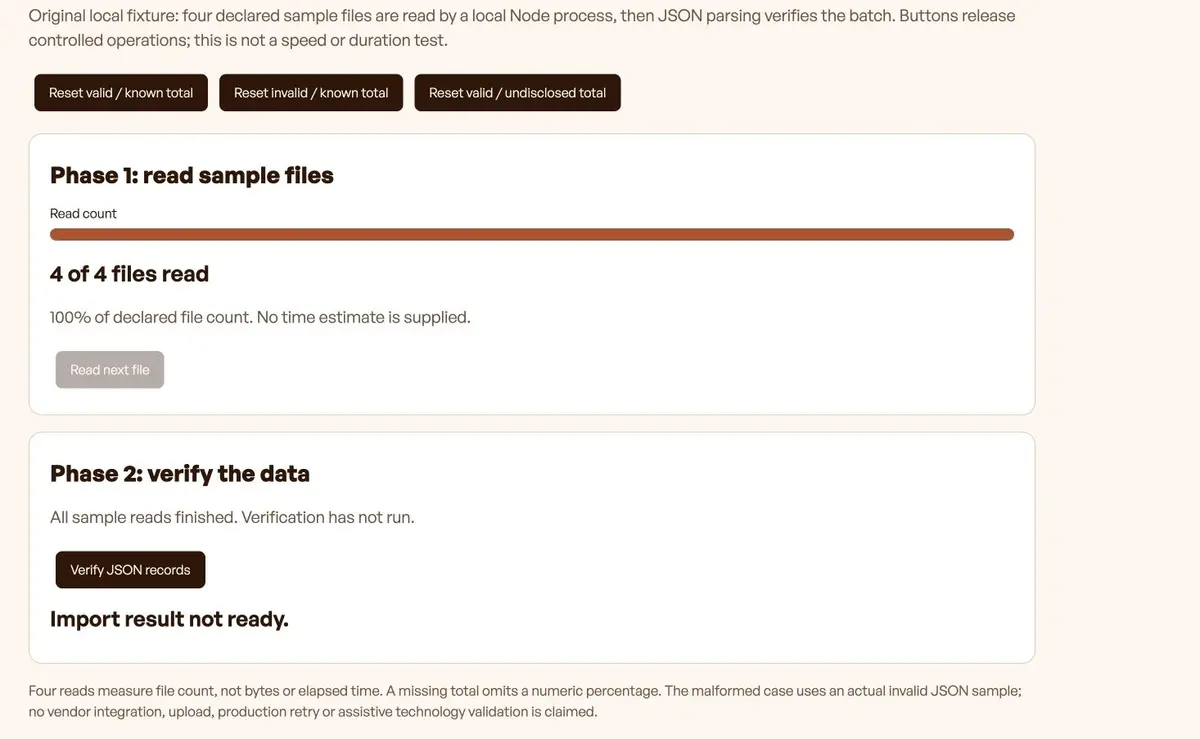
Original Upslide browser exercise. The local process performs actual file reads and returns counts through loopback HTTP. The progress measures declared file count; no upload, cloud import, vendor library or user outcome was tested.
The next action parses the four stored strings as JSON. With the valid sample set, all four records parse and the declared result becomes ready. That success belongs to this small parser exercise, not to an external database transaction or a production import guarantee.
Repeat with an actually malformed file
The second case replaces the last sample with malformed JSON. The local process can still read all four files, so the same reading-phase count reaches four. The later parsing action fails, and the result remains unavailable.
This is an actual parser failure in constructed data, rather than an invented claim about a third-party service. Its message identifies the invalid sample condition. The exercise does not attempt to repair, retry or commit the batch elsewhere.
| Observed boundary | File count | Verification | Declared result |
|---|---|---|---|
| First valid read | 1 of 4 | Not run | Not ready |
| All valid reads | 4 of 4 | Pending | Not ready |
| Valid parsing action | 4 of 4 | Four records parsed | Ready |
| All malformed-case reads | 4 of 4 | Pending | Not ready |
| Malformed parsing action | 4 of 4 | Failed | Not ready |
The full reading indicator is compatible with either later outcome because its unit is specifically files read. A generic overall-success label would lose that distinction. The acceptance record should therefore name the event that permits each label to change.
Withhold a denominator without inventing progress
The third case uses a deliberately restricted response contract: the local backend reports completed reads but does not disclose a total to the browser. The service still has four constructed input files; the interface is intentionally not given that denominator.
After one operation, the browser says “1 file read; total not disclosed.” The rendered progress element has neither a numeric value attribute nor a maximum attribute. The page does not claim 25%, even though the observer who constructed the service knows the complete fixture.
This separates information the backend possesses from information the interface actually receives. It is a controlled contract exercise, not a claim that the local service cannot know its own file list. In a real application, investigate the actual response and event stream before deciding which progress can be exposed.
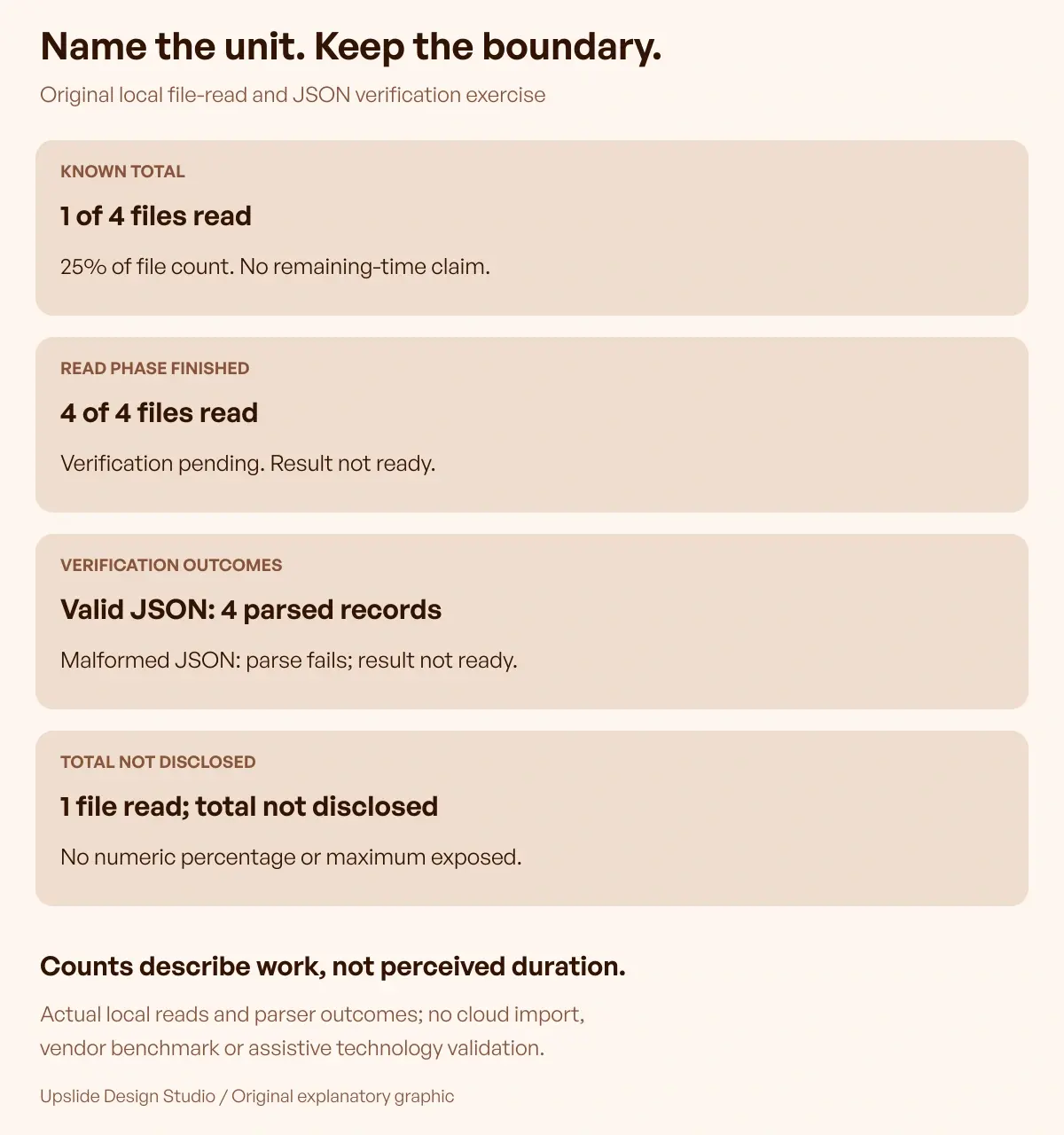
Original Upslide diagram based on the executed fixture. It explains count and phase semantics, not perceived duration, animation smoothness or accessibility conformance.
Write a reviewable progress specification
Keep the operation name, counted unit, denominator source, update event and phase-completion event together. Add the whole-task completion condition and the failure behavior separately. If a count changes meaning between phases, define a new label rather than silently reusing it.
Use realistic variation when evaluating the eventual implementation. Include a missing total, a delayed update, a failure after a completed stage and an operation that finishes before an animation cycle ends. Record what the application actually reports and what remains untested.
Do not infer duplicate-request protection from a disabled-looking button or spinner. Request handling, cancellation and retry semantics belong to the actual operation. A display can communicate their state without enforcing them on its own.
Choose the reference that fits the maintained interface
Use Radix to investigate a primitive whose values and styling will be maintained by the product team. Use React Aria to inspect value scales, labels and indeterminate presentation in its documented component model. Use Carbon when its broader component conventions already shape the interface.
The next step is the same representative task in the actual application. Trace a real measurement to the displayed value, confirm the whole-result boundary and inspect the failure path. Public demonstrations do not establish that integration.
Browse Resource Box for the maintained references and Daily Inspire for how pages allocate attention around changing content. A still image can show placement; it cannot establish timing, request status or a measured progress source. The published UI animation examples guide offers separate operated examples of reveal, dialog and reordering behavior.
Frequently asked questions
When should a loading animation show a percentage?
When the application has a meaningful unit, a usable total and trustworthy updates for the operation named by that percentage. Identify whether it measures files, bytes, records or another quantity. Do not silently treat that fraction as elapsed time or whole-task completion.
Can a spinner tell users how long remains?
A spinner normally indicates ongoing activity without quantifying the remaining work. A useful time estimate needs a separate basis. If the application cannot support one, describe the operation without adding an invented countdown.
Why can 100% appear before the result is ready?
It may describe a completed phase, such as reading or transferring files, while another phase remains. The local exercise finishes four reads before parsing the contents. Name the phase and keep its completion separate from the final result.
Is a skeleton screen more accurate than a progress bar?
It communicates different information. A skeleton suggests a content structure; a measured bar describes progress toward a specified total. Neither is automatically correct for every wait, and neither proves that the operation will succeed.
Does an animated button prevent duplicate submissions?
No. It can communicate pending work, but actual duplicate prevention depends on the implementation of the request and operation. Verify that behavior separately rather than assigning it to the animation.
Were the featured libraries tested with the local files?
No. Their current documentation and actual public demonstrations were inspected separately. The original fixture uses a local file-reading service and a native browser progress element to examine count and verification boundaries.
What should a team retain after a progress review?
Keep the operation, unit, total source, update events, phase and final-completion rules, failure behavior and observed results. Include the actual implementation version and unresolved checks. That record is more useful for a later correction than an isolated animation preview.
Key takeaways
- Give each percentage a named unit and a denominator the interface actually receives.
- Distinguish a completed phase from the whole requested result.
- Use indeterminate feedback when meaningful numeric progress is unavailable.
- Verify failure, request handling and accessible status separately from the visual animation.
- Preserve the measurement contract alongside the selected component.
At Upslide Design Studio, we help teams connect interface feedback to the work a product actually performs. We start with the operation and its outcome so the visual treatment has a clear meaning to support.