Which image upscaler should you choose when a website image needs more pixels but its subject, labels or material must remain recognisable?
Start with the required placement and the best authorised source. A larger output can be useful, but increased dimensions do not establish that newly visible detail is correct or that the delivered website file is appropriate.
This guide compares six upscaling resources and gives designers and SaaS founders a practical review brief. It separates documented capabilities from observed results and includes an original ordinary-resizing illustration; no AI-service quality benchmark is claimed.
Judge the usable image in its destination, with the original available for comparison.
Design task
Calculate the image you actually need
Record the intended display area, crop and expected device conditions before selecting a scale factor. The source should support the placement the design requires, rather than grow simply because a tool advertises a large maximum.
A wide editorial image and a small product card can have different delivery needs. An enlargement that adds file weight without improving the intended placement may create more work while contributing little to the page.
Keep pixel dimensions separate from file size. A larger image does not have one predetermined byte cost; the content, format and encoding choices also affect the actual delivered file.
Decide which details must stay exact
Identify real product geometry, readable labels, logos, faces and other defining details. A model can produce something that looks sharper while changing what the image depicts.
For a software interface, use an authoritative capture or original design source when available. Exact labels and interface content should not depend on a model's interpretation of an unreadable screenshot.
An expressive illustration can allow a different degree of reinterpretation. Record that permission in the brief rather than applying the same tolerance to a factual product photograph and an abstract campaign image.
Inspect the best source before enlarging it
Look for an original export, higher-resolution authorised photograph or vector master. A better source can avoid the need to infer missing information.
If only a small image is available, identify the uncertainty before processing. Upscaling may change its appearance, but it cannot establish an unknown word, physical texture or product detail as true.
| Source type | What to protect | Alternative worth checking first |
|---|---|---|
| Product photograph | Shape, label, colour and material | Original or another approved photograph |
| UI screenshot | Exact text and interface state | Fresh authoritative capture or design source |
| Logo or diagram | Intended shape and wording | Approved vector master |
| Concept illustration | Approved style and composition | Larger original artwork or source file |
For broader editing and delivery choices, the published graphic-design software guide compares production environments. This comparison starts with an existing asset that needs evaluation for enlargement.
Resource collection
Compare six distinct routes
The shortlist combines a desktop option, specialist browser enhancement and broader creative workspaces. These roles help narrow a pilot; they are not quality scores.
| Resource | Relevant documented route | Main decision to check |
|---|---|---|
| Upscayl | Desktop upscaling, with a separate cloud offering | Chosen model, hardware and model-specific commercial conditions |
| Let's Enhance | Browser enhancement with model choices | Output, watermark and credit conditions for the account |
| Pixelcut | Browser upscaling with a creative option | Whether the selected mode preserves required details |
| Clipdrop | Browser image-upscaling tool and separate API route | Actual output and current feature access |
| Recraft | Upscaling within a broader design canvas | Current use rights, export and continued editing |
| Krea | Image enhancement within its creative platform | Exact route, model, output and current terms |
The guide has not installed these tools, uploaded a source to them or measured their results. Official pages were inspected on November 2, 2026; account access and conditions should be checked at selection.
Upscayl: distinguish the desktop application and its models
Upscayl's official desktop page presents a free open-source application for Linux, macOS and Windows, with local processing and several models. Its cloud offering is a separate route.
The commercial-use FAQ makes an important distinction: only the named General Photo Real-ESRGAN, Fast Real-ESRGAN and Digital Art models allow commercial use out of the box. Other models require the relevant additional commercial route.
Check the selected model rather than translating “free application” into permission for every output and use. This article has not installed the application or tested hardware compatibility.
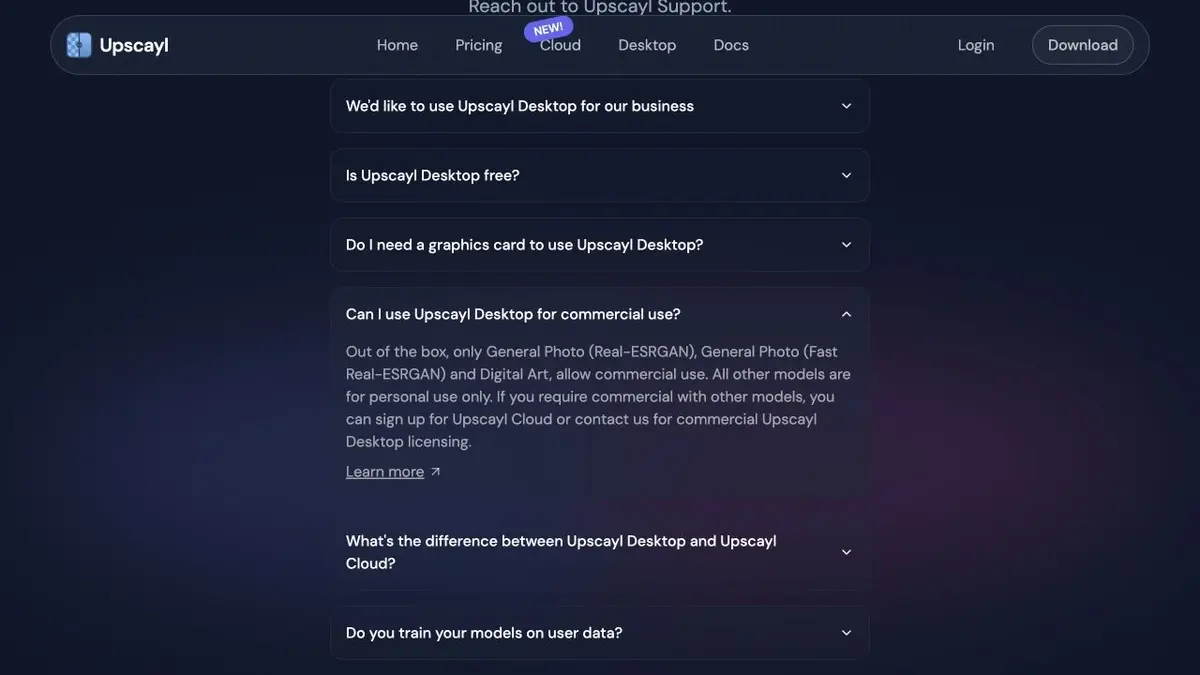
Actual public-page capture from November 2, 2026. Credit: Upscayl. The visible FAQ documents model-specific conditions; it is not an installed-app test.
Let's Enhance: compare the chosen model and delivered output
Let's Enhance describes browser enhancement and several modes for different image tasks. Its model choice is relevant when the source combines photographic texture, fine detail or exact wording.
Its current pricing page distinguishes the free-credit route, output conditions and paid options. The free route lists a watermark, while paid access changes that condition.
That current official information takes precedence over a comparison blog that suggests every free download is unwatermarked. Verify the actual delivery rather than assuming that a free trial represents the final production conditions.
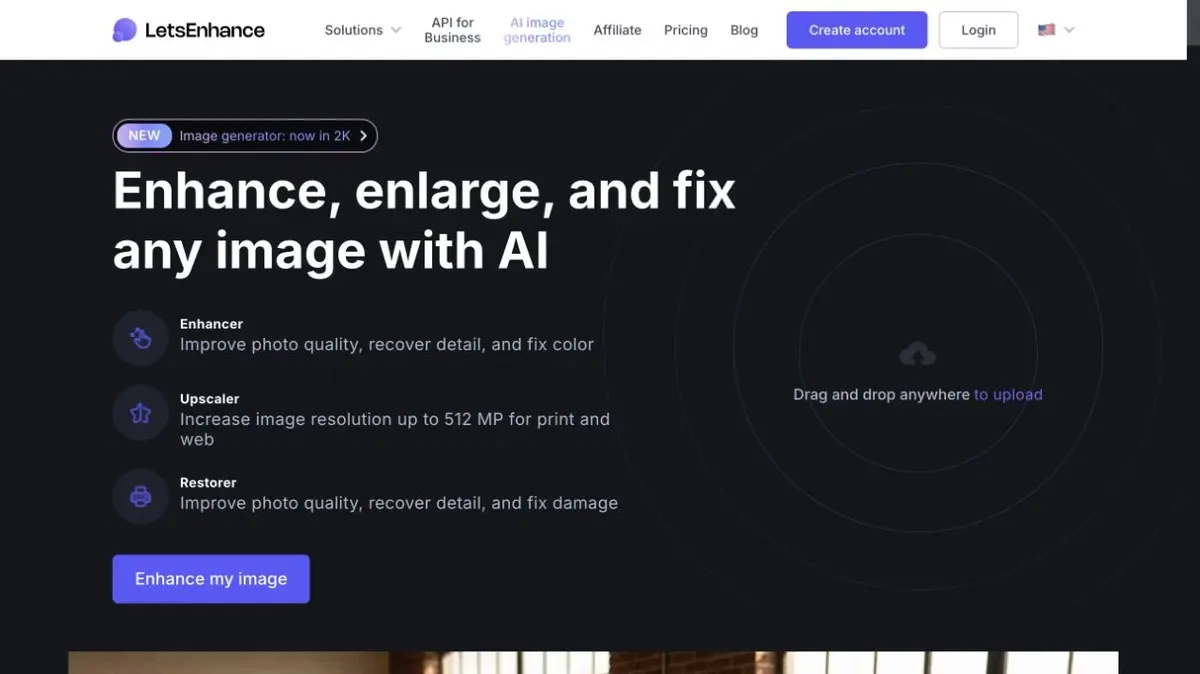
Actual public-page capture from November 2, 2026. Credit: Let's Enhance. Provider samples and claims remain provider material, not results generated for this guide.
Pixelcut: identify when creative detail is allowed
Pixelcut's official upscaler page describes its initial Fast Upscale route and a Creative Upscale option with creativity and resemblance controls. The distinction matters when the brief allows interpretation.
A richer texture may suit an illustrative campaign, while exact product labels or interface content need a more constrained acceptance brief. The mode name does not establish that a particular output preserved those details.
Check the current plan conditions for the selected route. This guide does not inherit claims of unlimited free processing, guaranteed fidelity or a measured completion time.
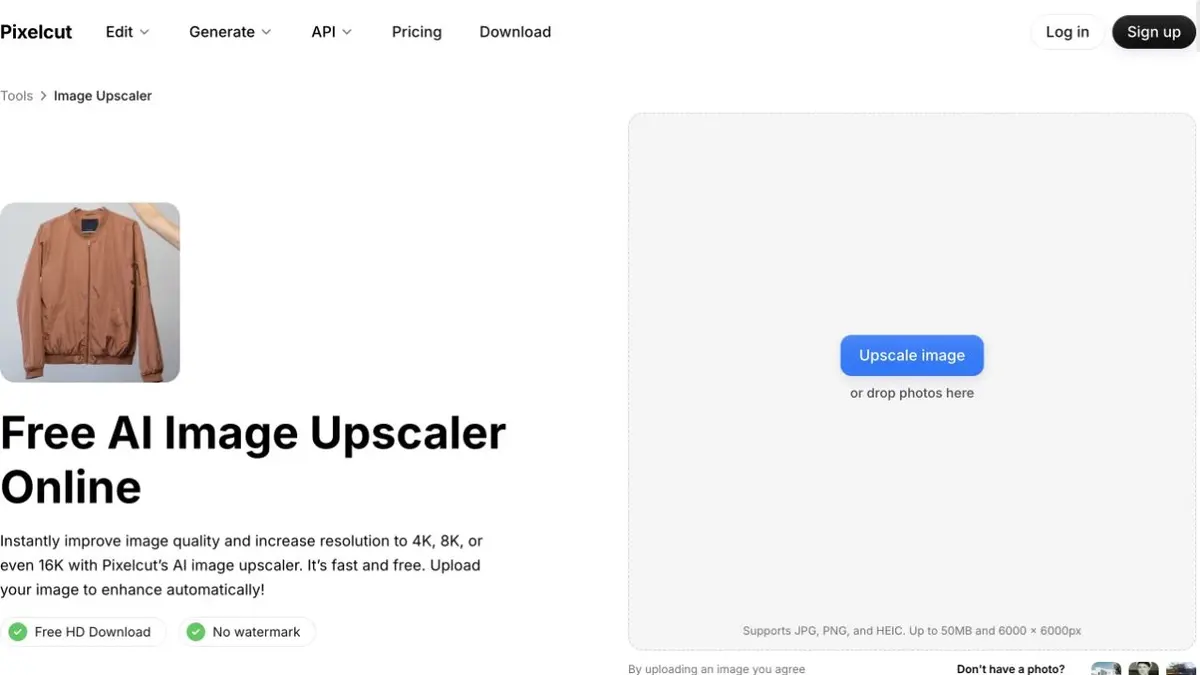
Actual public-page capture from November 2, 2026. Credit: Pixelcut and the sample-image creator. No source image was uploaded or processed for this article.
Clipdrop: inspect the actual output path
Clipdrop's image-upscaler page presents enlargement alongside denoising and sharpening examples, and links a separate API route. Its plan page provides the current access comparison.
The page's provider examples are reasons to investigate a capability. They do not establish the effect on the team's own source or the suitability of the result for exact text and product geometry.
Confirm the required file and dimensions with the actual route. This guide does not treat a listed multiplier as proof that every account, source and output supports the same maximum.
Recraft: keep rights and editing separate
Recraft's current upscaler page presents enlargement within its wider studio and describes continuing to edit the asset. That can be relevant when the result belongs in an existing design composition.
The page and current pricing FAQ distinguish commercial conditions. Free-plan outputs are not licensed for commercial use; a free exploration allowance should not become an assumed permission to ship client work.
Check the export and actual receiving workflow. A studio feature list does not prove that a generated or enlarged asset preserves the source details the brief requires.
Krea: check the exact current route
Krea's current enhancement page describes image enhancement and links its wider creative tools. The account plan and selected route matter when deciding the available output.
Current public wording differs from older indexed feature descriptions, including commercial-use wording. Verify the applicable current terms for the chosen route rather than relying on a cached description or assuming every Krea operation has identical conditions.
This guide supplies no blanket free commercial-use assurance, privacy certification or maximum-size promise for Krea. The practical shortlist can still include it while keeping those unresolved account-specific questions explicit.
Fit and limitations
A larger image is not proof of recovered information
AI enhancement can create plausible detail. The approval question is whether that detail is appropriate to the image's purpose and consistent with what must remain exact.
Keep the original available and inspect the regions that define the subject. Sharper-looking text can still be wrong; more texture can change the apparent material.
Where factual detail is missing, a new capture, approved source or different composition may be preferable. A convincing result cannot verify information absent from the source.
Ordinary resizing is a useful baseline
A pilot can include an ordinary resize of the same source alongside candidate enhancement results. That baseline helps the reviewer see whether a more complex route adds useful value for the intended placement.
The original illustration below uses conventional resizing only. It deliberately reduces a known construction, then enlarges it with two different interpolation settings.
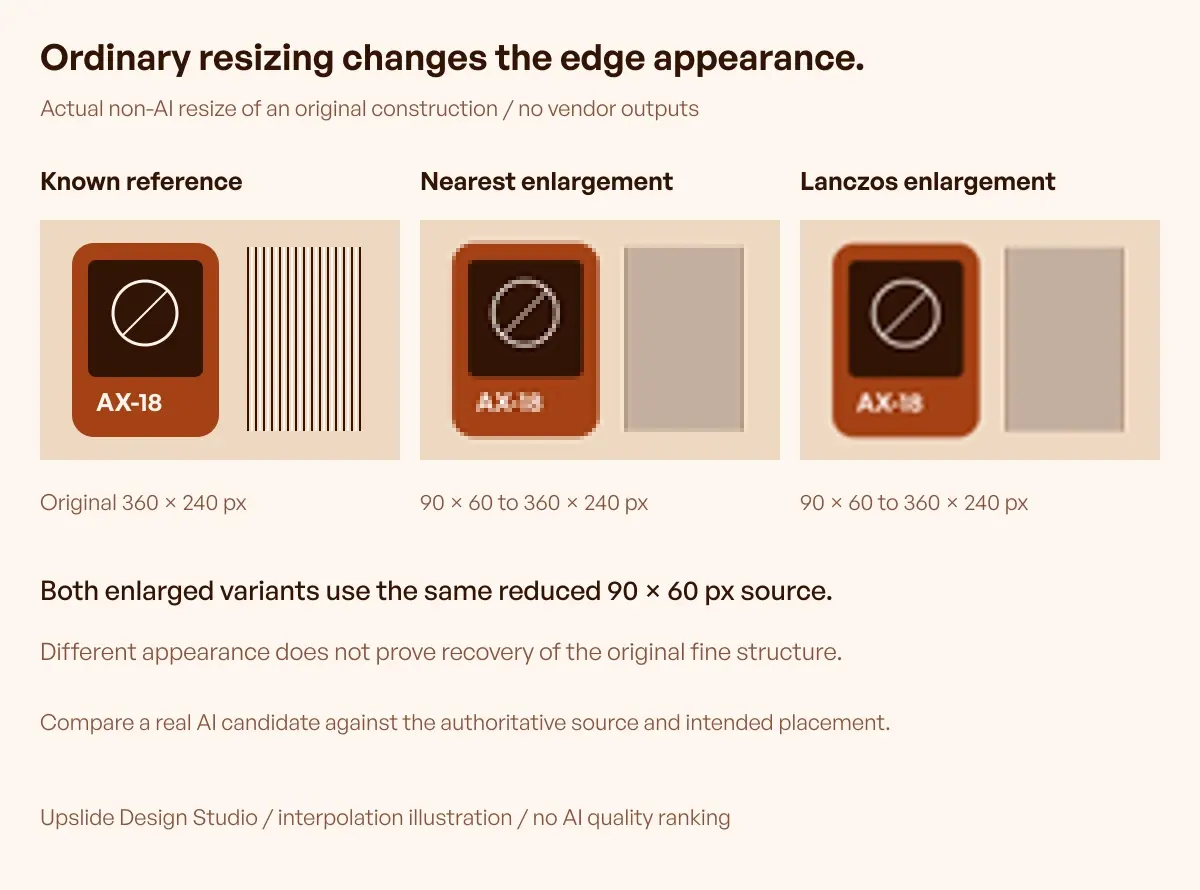
Original construction and actual conventional resizing by Upslide Design Studio. No AI model or vendor output appears in the figure; it is not an upscaler accuracy ranking.
A change in edge appearance does not establish recovery of the original fine structure. Use that distinction when inspecting a candidate that looks smoother or sharper than its input.
Keep the final delivery in the evaluation
An enhancement result may still need a crop, separate text, format choice and website-specific delivery. Inspect the actual file used in the page, including representative narrow and wide placements.
Do not assume that the service download is identical to what the website eventually serves. The publishing process can resize, encode or select a different image variant.
This article has not audited a particular site pipeline or measured a performance improvement. File-size and loading decisions need actual observations from the intended implementation.
How to choose
Write a small common acceptance brief
Choose a permitted source and identify the regions that must remain accurate. Record the required output, final placement and allowed degree of reinterpretation.
For a factual asset, include a label, logo or geometric feature that can be checked against an authoritative source. For an illustration, state which style or composition changes are acceptable.
Use the same source and intended dimensions across candidates where their actual controls permit it. Record unavoidable differences rather than describing them as an identical test.
Compare source, output and placement separately
The source explains what information was available. A detail view reveals local changes, while the final placement shows whether those changes are useful or distracting in context.
Keep the review focused on visible observations. Record a changed character, altered seam or invented edge rather than awarding an unexplained “quality” score.
A suitable outcome can be keeping the original, choosing a conservative result or accepting an expressive reinterpretation for a clearly illustrative use. The brief determines the acceptance boundary.
Include effort and access in the real pilot
If the team runs a trial, record the actual preparation, rejected candidates, correction and delivery effort. Include the route and account conditions checked at that time.
A headline subscription price does not establish the cost of an approved asset. This guide provides no comparative timing, cost-per-image or throughput result.
The decision should be understandable to the next maintainer. Keep the source reference, mode, output and limitation with the asset rather than relying on a remembered vendor name.
Work through a fictional launch-image decision
Imagine a SaaS launch image containing a photographed accessory beside a separately editable headline. The authorised source is too small for the intended wide placement, and its label must remain exact.
This is a fictional evaluation brief, not a customer result or completed service test. The team first seeks a larger source, then evaluates enlargement only if that source is unavailable.
| Review region | Required observation | Decision when unresolved |
|---|---|---|
| Product label | Exact approved wording remains correct | Use an authoritative source or another image |
| Object edge | Shape matches the approved product | Reject or correct altered geometry |
| Material | Texture remains suitable for a factual image | Prefer another source if detail is invented |
| Final banner | Image supports the editable headline | Adjust crop or layout before adding scale |
| Delivered file | Actual dimensions and file size fit the page | Review the encoding and served variant |
The decision column proposes follow-up. No named tool is assigned a pass without an observed output.
Preserve the comparison record
Retain the source, actual candidate files, chosen mode, required output and final placement. Include current use conditions that affect the delivery.
If a later page needs a different crop or size, the maintainer can evaluate that change against the source. A previous approval should not be stretched into a claim that the asset is suitable for every use.
Continue in Resource Box and Inspire
Resource Box includes the verified upscaling destinations in this guide, including newly added Upscayl and Let's Enhance. Follow the official route before selecting a model and production plan.
Use Daily Inspire to study imagery within complete page compositions. Credit original creators and observe the relationship between image, typography and surrounding space.
A website preview does not reveal which upscaler produced its assets. Daily references can inform composition; this article uses existing tools and an original baseline illustration rather than depending on a new edition.
Frequently asked questions
Which image upscaler is best for a website?
Choose by the source, required accuracy, output and actual delivery. The six routes have different desktop, browser and studio conditions; a project-specific pilot is more useful than a universal quality winner.
Can an upscaler recover unreadable product text?
It can produce clearer-looking lettering without establishing that the wording is correct. Use an authoritative image or source for details that must remain exact.
Should a SaaS screenshot be enlarged with AI?
First look for a fresh capture or the original design source. Exact labels and interface states should remain under direct control rather than depend on the interpretation of a small screenshot.
Is Upscayl entirely free for every commercial model?
Its desktop application is free and open source, but the current commercial FAQ names only certain models as commercially usable out of the box. Check the actual model and route before project delivery.
Are free downloads always unwatermarked?
No. Current Let's Enhance pricing lists a watermark on the free-credit route. Verify the actual service, account and output instead of inheriting another article's general statement.
Does the original diagram compare AI quality?
No. It shows a known construction and two conventional enlargement settings after reduction. No named AI service produced the illustrated variants.
Does upscaling automatically improve website performance?
No. A larger output can change file weight and delivery needs. Inspect the actual served image and intended placement; this guide makes no loading-speed or ranking-improvement claim.
Does this article need daily Inspire additions?
No. Existing Resource Box tools and the original resizing exercise support it. Daily Inspire supplies optional composition references.
Key takeaways
- Start with the required placement and best authorised source.
- Protect exact text, geometry and material deliberately.
- Compare the selected route and model, not only the brand.
- Inspect actual outputs and the delivered website variant.
- Keep use conditions, source and accepted limitations with the asset.
If the asset problem reveals a wider page-design or product-story need, discuss the design work with Upslide.