Have you compressed a website image, celebrated the smaller file and then noticed that its important labels became harder to read?
An image compressor is useful when it removes bytes your page does not need while keeping the information the visitor does need. A lighter product screenshot that makes its labels harder to read has failed that job, even if its savings badge looks impressive.
For designers and SaaS founders, the choice is both visual and operational. A hero image may deserve individual adjustment. A publishing team needs a repeatable batch. A product screenshot may need unusually careful treatment of small lettering and edges.
This guide compares six compression routes in Resource Box and explains a shared-budget review method. It includes an original synthetic-image exercise with recorded file sizes, rather than adopting another publisher's compression percentages.
Choose a compressor by the file you can approve and the workflow you can maintain.
Product information was checked on 2 November 2026. Provider previews show their public pages. The original experiment uses local sharp encoders; it is not a benchmark of the six products or a claim about every photograph.
Design task
Separate dimensions, encoding and delivery
A website image has several decisions attached to it. Its crop determines what remains visible. Its dimensions determine how many pixels exist. The encoding decides how those pixels are stored. Delivery decides which version the browser actually receives.
Compression cannot repair an unsuitable crop or a screenshot whose important labels were already unreadable. Start with an approved source and a placement description: the image's purpose, expected display sizes and the detail that must survive.
For a fictional SaaS pricing-page screenshot, that detail might be the selected plan and its billing label. For a decorative background, the requirement may concern the smoothness of a gradient. These deserve different acceptance criteria, even when their exports happen to have the same dimensions.
Keep the editable source separate from delivery files. If the original artwork still needs assembly, our graphic design software guide covers that earlier decision. Compress the approved export without treating it as the maintained design source.
Use a byte budget as a comparison condition
“Quality 80” is a setting within a particular encoder, not a shared visual standard. Different formats and implementations can produce different results at the same number. A useful comparison holds the source and dimensions constant and asks what each candidate preserves near a shared file-size budget.
An equally useful second test starts with an agreed visual threshold and asks how small each acceptable export becomes. Keep those tests separate: one fixes bytes, the other fixes the acceptance threshold.
The budget should come from the actual page and placement. A small inline screenshot and a full-width artwork do not need a universal file-size limit. Record a proposed limit, inspect the result and revise the placement or budget if essential detail cannot survive.
Resource collection
Compare the operating model first
These resources cover browser inspection, desktop batches, hosted processing, a publishing integration and an engineering pipeline. They are alternatives for different working situations, rather than six identical apps competing for one trophy.
| Resource | Candidate use | Main decision to verify |
|---|---|---|
| Squoosh | Adjusting an individual image in the browser | Format, controls and approved output |
| TinyPNG | A quick hosted web batch | Upload permission and current web limits |
| ImageOptim | Optimizing existing files in a Mac workflow | Lossy settings, metadata and source copies |
| Caesium | Desktop processing with multiple-file controls | Platform, output settings and folder handling |
| ShortPixel | Integrating compression into publishing | Selected plugin/service and generated variants |
| sharp | Developer-managed repeatable exports | Encoder configuration and delivery checks |
Free access, paid features and infrastructure costs are different questions. Check the selected provider route before adopting a workflow. No result here establishes universal superiority, calibrated visual equivalence or a ranking improvement.
Squoosh: inspect one important image deliberately
Squoosh provides a browser interface for reducing image sizes and inspecting differences. Its official project README says image compression happens locally, while separately documenting analytics collection, including before-and-after size values.
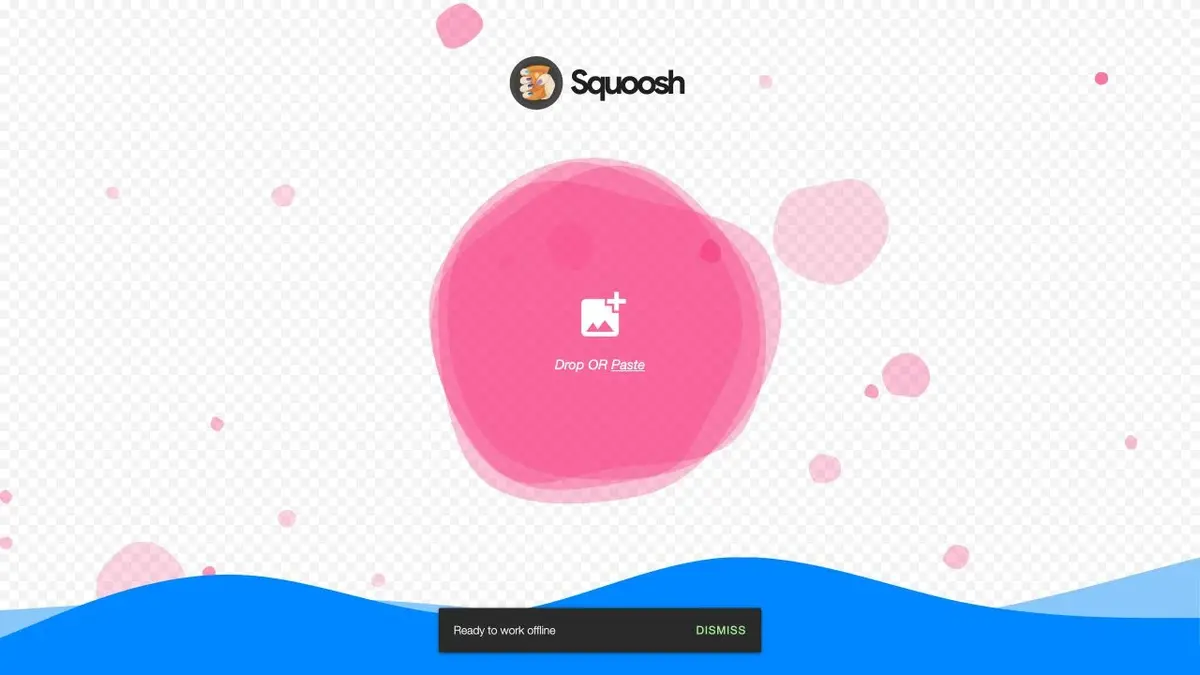
Credit: Squoosh / GoogleChromeLabs. Actual public-page capture on 2 November 2026; no uploaded client file or measured application result is shown.
Consider this route when a designer needs to examine a hero image before agreeing a setting. Use the same permitted source for each export, then inspect the small lettering, edge or gradient identified in the brief.
Local image processing does not mean the entire website has no network activity. Keep the provider's image-handling statement distinct from a broader privacy assessment. We did not audit its code or test confidential uploads.
TinyPNG: check a hosted batch against your requirements
TinyPNG's current homepage offers compression and conversion, with separate API, WordPress and CDN routes. Its free web interface currently lists up to 20 images of 5 MB each. Paid web subscriptions are separate from developer-service access.
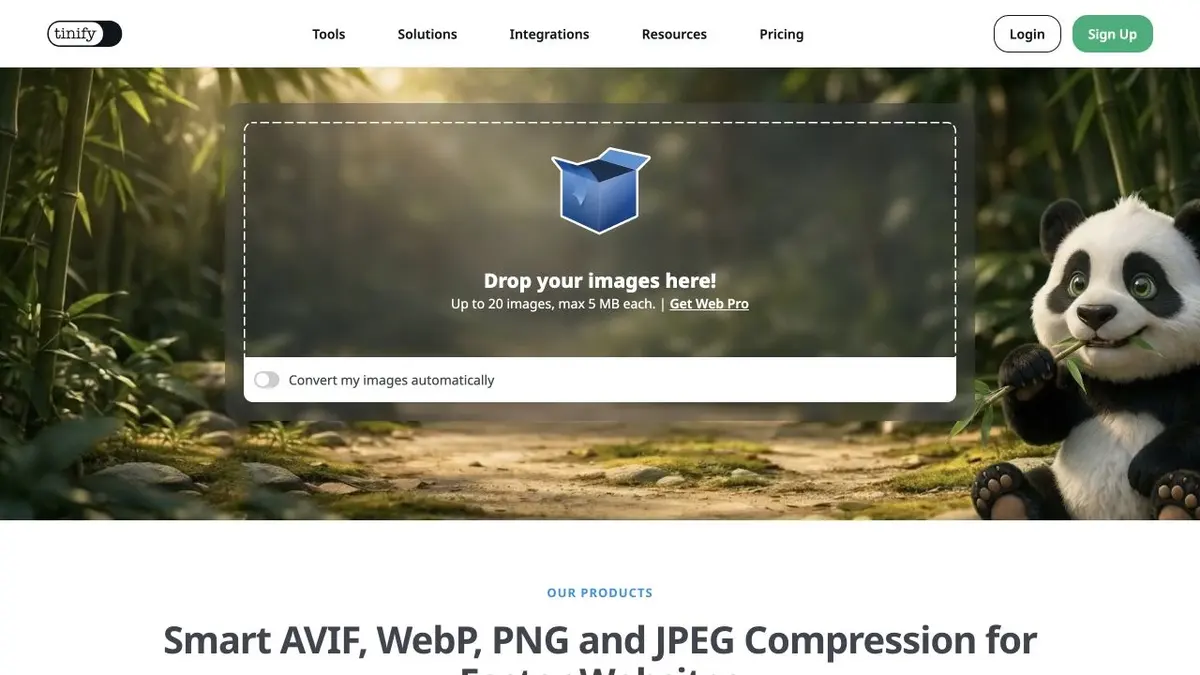
Credit: TinyPNG / Tinify. Public-page capture on 2 November 2026. Its promotional claims and artwork are provider content, not our test results.
The provider says uploaded images are retained for a maximum of 48 hours. Decide whether this processing route is permitted before using a real project asset. A convenient batch interface does not settle that question.
Inspect representative outputs before processing a large folder. A provider's demonstration image cannot establish that a product interface, transparent illustration or branded gradient will pass your own visual threshold.
ImageOptim: distinguish default optimization from lossy minification
ImageOptim's official Mac page describes a free, open-source application that combines optimization tools. It distinguishes its default quality-preserving operation from optional lossy minification, and documents configurable JPEG metadata stripping.
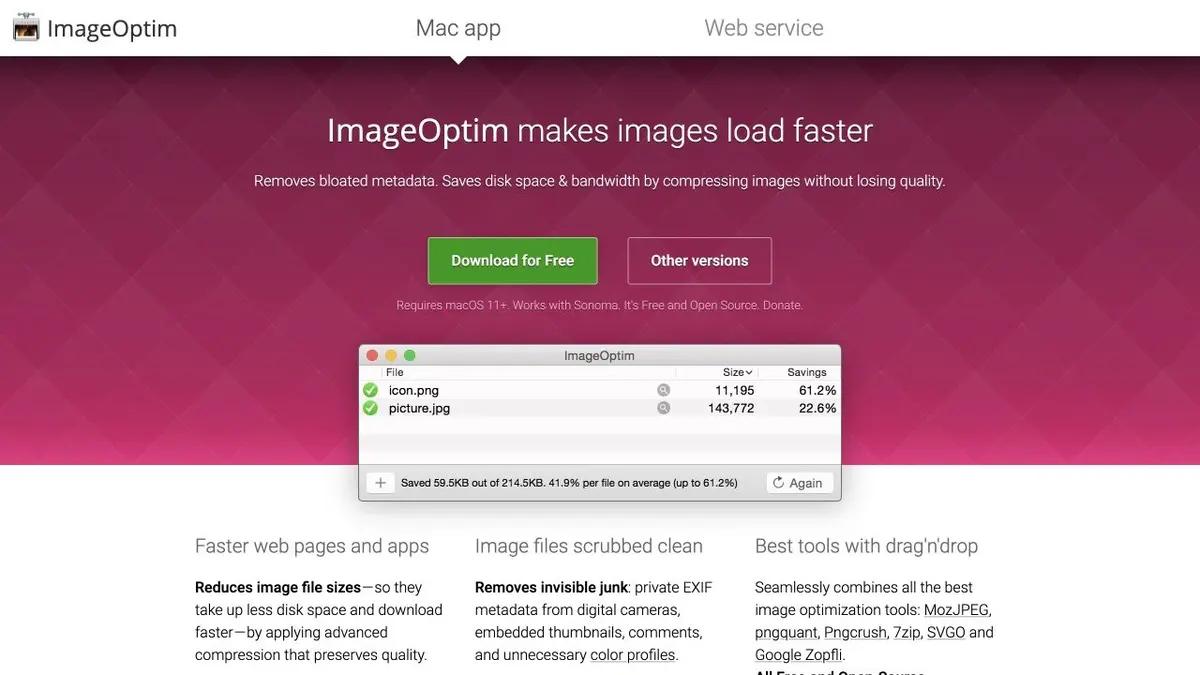
Credit: ImageOptim / Kornel Lesiński; interface artwork belongs to its provider. Actual website capture on 2 November 2026, not a locally installed application test.
That distinction matters when comparing results. An unchanged-looking, conservatively optimized file should not be judged against a lossy output solely by the percentage removed. Record which mode was used.
Work on source copies and check the metadata you need to retain. The Mac application and the provider's separate web-service offering are different routes; do not transfer assumptions about one to the other. No desktop installation or current-OS compatibility test was performed for this article.
Caesium: evaluate the repeatable desktop batch
Caesium's official site describes free image-compression software with previews, multiple-file processing, metadata options and folder-structure support. It lists Windows and macOS download requirements. The official project README also distinguishes platform and build routes.
Use a small representative folder to evaluate the recurring work: how files are named, where outputs are written and whether settings remain understandable on the next run. A successful export matters less if an editor cannot reliably reproduce it tomorrow.
Keep the original folder intact during evaluation. Check the selected version's output formats and controls rather than assuming that desktop, command-line and browser variants have identical behavior. We did not install or time Caesium, and its promotional maximum reduction is not a promised saving for your library.
ShortPixel: examine the publishing integration
ShortPixel presents image-optimization services, WordPress plugins and developer tools. Its image-optimization and adaptive-image offerings serve different parts of the workflow. The current pricing page lists a free route and paid options, plus controls for generated sizes and optimization settings.
An integration is relevant when manual export is the source of repeated mistakes. First establish what the chosen route processes, which derivatives it creates and how those versions reach visitors. Publishing automation should still preserve the approved source and a way to identify the delivered file.
Test one representative page before processing a library. Include a screenshot with fine text and an illustration with a visible edge. We did not install a plugin, inspect an account or verify a quota; no exact monthly allowance or automated ranking gain is promised here.
sharp: make the export recipe explicit with engineering
sharp is an Apache-2.0 image-processing library for developer-managed resizing and conversion. It is a candidate when a team needs a repeatable export pipeline and has someone responsible for maintaining it.
Its output documentation exposes format-specific parameters. Those controls are useful because a recipe can name its dimensions, encoder and settings rather than relying on an editor's memory.
The library does not supply a complete website publishing process by itself. Engineering still owns input handling, errors, variant selection and delivery. Designers still own a useful visual acceptance brief.
We used the installed library for the declared exercise below. That limited operation does not establish a production service benchmark or validate the configuration of someone else's image pipeline.
Fit and limitations
What we actually constructed
We created an original 800 × 500 fictional product card with a gradient, fine lines, small lettering and a button. General Sans Variable lettering was outlined before rasterization. The shared PNG source contained 189,847 bytes.
Using the installed sharp library, we searched integer quality settings between 1 and 100 for outputs near a 14,000-byte target. All three formats used the same source and dimensions. JPEG used MozJPEG with 4:4:4 chroma subsampling; WebP used effort 4; AVIF used effort 4 and 4:4:4 subsampling.
| Output | Recorded bytes | Quality setting in this encoder |
|---|---|---|
| JPEG | 13,827 | 32 |
| WebP | 13,998 | 53 |
| AVIF | 13,946 | 63 |
The exports are near the shared budget, not exactly equal. The quality numbers describe this particular setup and must not be compared as percentages of retained detail. Versions, options, hashes and original encoded files were retained with the research record.
Read the comparison without inventing a winner
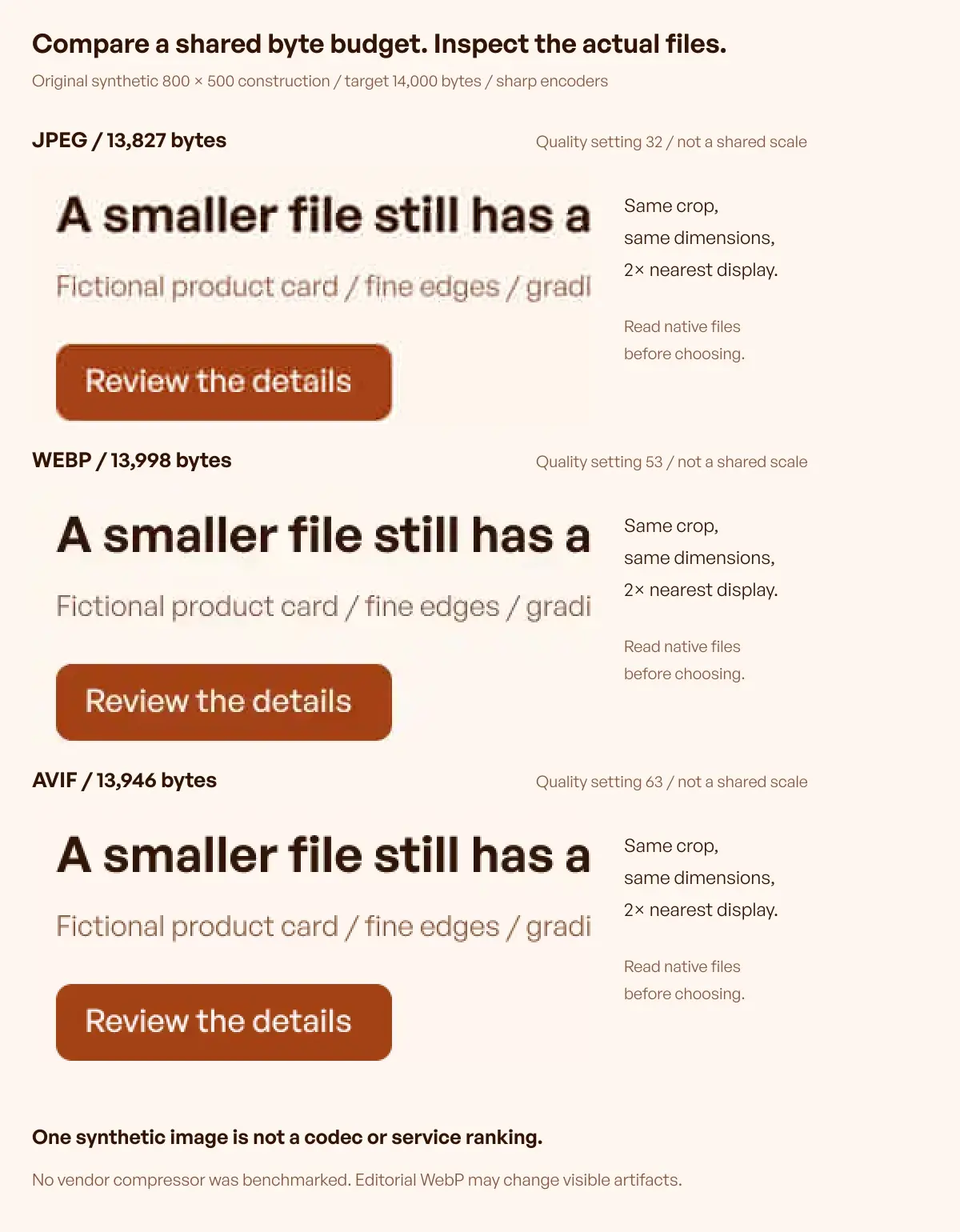
Original construction and recorded experiment: Upslide Design Studio. Each crop uses the same source region, enlarged 2× with nearest-neighbor resampling. The editorial WebP may add its own compression; use the linked lossless decoded crops for closer inspection.
The JPEG crop shows conspicuous disturbance around the lettering and button boundary in this construction. The other two retain those particular shapes more cleanly in the displayed crop. This is an observation about three specific exports, not proof that a named format or application always wins.
Inspect the JPEG decoded crop, WebP decoded crop and AVIF decoded crop. These are PNG representations of the decoded crop pixels, not the compressed originals whose byte sizes appear above. The shared source PNG shows the complete construction.
A photograph, transparent icon or noisy texture can behave differently. We did not test those categories or run a perceptual-quality study. The 14,000-byte target is a teaching condition, not a recommended production limit.
How to choose
Check details that can change meaning
Choose the inspection area before viewing candidates. For a UI screenshot, inspect the smallest meaningful label and selected state. For a brand illustration, inspect the contour where foreground meets background. For a gradient, inspect broad transitions for visible bands.
Start at the intended display size. Then enlarge the same area in every candidate to diagnose a problem. Enlargement is helpful for explaining artifacts, but an exaggerated zoom should not become the only acceptance criterion.
Write the observation in concrete terms. “Billing label remains readable” is actionable. “Looks premium” gives the next reviewer little to reproduce. If a necessary label is unreadable even in the source at its intended placement, change the composition before adjusting compression.
Preserve the properties the placement needs
A format decision can change more than bytes. Transparency, animation and reproduction of fine edges can affect whether an output remains suitable. Check those requirements before accepting an apparently smaller file.
MDN's image-format guide documents capabilities and compatibility considerations. Use the destination's supported formats and audience requirements to decide whether fallback delivery is needed. A compressor accepting a format is not evidence that every recipient can use its output.
Avoid repeated lossy export cycles during review. Retain the approved source and generate each candidate from that source. When changing dimensions, treat that as a separate version with its own comparison record.
Review the file that the page serves
The approved local export may be transformed again after upload. A CMS or delivery service may generate another dimension, change the encoding or serve an older cached variant. Verify the actual image request and visible page before concluding that the intended version is live.
Check both a narrow and wide placement with realistic content. Record the served dimensions and file bytes alongside the screenshot. If an implementation uses several responsive sources, identify which one each tested view receives.
A small file alone does not establish a faster complete page or better rankings. Measure the page experience separately. The compressor decision should remain accountable to the image's job, rather than borrowing an unrelated performance score.
Keep a concise acceptance record
A useful record can fit in one row per placement. It should make the next update repeatable without requiring the original designer to remember every setting.
| Field | Example of what to record |
|---|---|
| Placement | Product-detail screenshot in the launch article |
| Source | Approved original and named owner |
| Required detail | Billing label and active state remain understandable |
| Candidate | Dimensions, format, encoder or service and settings |
| Result | Actual bytes and specific visual observations |
| Delivery | Served variant checked on the real page |
| Revisit trigger | New layout, source, provider behavior or delivery requirement |
Do not approve a whole category from one convenient image. Choose representative assets from the library and retain exceptions. A rule for decorative photography may be unsuitable for technical diagrams.
Use Inspire to set the visual brief
Study how a reference page uses an image: its scale, surrounding whitespace and relationship to the headline. Those observations can help explain why a placement needs a wide scene or a focused product detail.
A public preview cannot reveal its original file, encoder settings or business performance. Keep the reference credit and the visible observation; make your own delivery decision using your permitted source.
Frequently asked questions
Which image compressor should a designer start with?
Start with the operating model: individual adjustment, desktop batches, hosted processing or publishing automation. Then evaluate a permitted representative source against a clear visual threshold. The same tool need not handle every asset in the library.
Can an image be compressed without changing its pixels?
Lossless compression can preserve decoded image data while changing its storage representation. Check the specific operation and metadata requirements. A product described as an optimizer may also offer lossy settings, so the selected mode matters.
Is quality 80 equivalent in JPEG, WebP and AVIF?
No common equivalence is established by that number. The exercise here needed different quality settings to approach one byte budget. Compare actual exports from the same source, with dimensions and relevant encoder options recorded.
Should every website image become AVIF?
Decide by the image's properties, supported destinations and delivery requirements. Review representative outputs and any needed fallback. A format that works well for one photograph may be unsuitable for another placement or handoff.
Why did an optimized PNG barely shrink?
The source may already be efficiently encoded, or the selected operation may preserve information that a more aggressive method would change. Inspect whether resizing or another supported format is appropriate, while protecting transparency and meaningful detail. A modest reduction is not automatically a failure.
Can confidential product screenshots go through a web compressor?
Use the team's permitted processing route. Provider statements about local or hosted processing are relevant, but do not replace an actual data-handling decision. Evaluate with a nonsensitive sample until that decision is clear.
Does a smaller image guarantee better SEO?
No. File bytes are one input to the page's behavior. Confirm the delivered variant and measure the actual page experience separately. This guide provides neither a ranking probability nor a promised traffic improvement.
When should compression settings be reviewed?
Review them when the source composition, required detail, placement, provider behavior or delivery pipeline changes. Repeat the relevant comparison and record the exception. Avoid silently applying an old photo preset to every new screenshot.
Key takeaways
- Match the compression route to individual, batch or automated publishing work.
- Compare the same source and dimensions near a declared budget.
- Inspect the details that carry meaning, then verify the served file.
- Keep the approved source, recipe and specific exceptions available.
Make one export decision reproducible
Choose one important placement and identify what the viewer must understand. Compare the most relevant compression routes using the same source, record actual bytes and inspect the served result. Keep the approved source available for the next update.
Resource Box provides the starting tools; Inspire helps define the visual context. At Upslide Design Studio, we help teams clarify design and handoff requirements. The selection criteria above apply equally to work handled internally or with another partner.