When you browse resume templates, are you choosing a useful way to explain your experience or a page that happens to look convincing with somebody else's content?
The distinction becomes visible during editing. Real job titles wrap, employment dates need correction, and a qualification can disappear when an attractive sample is shortened. A finished-looking page can still describe the wrong person.
This guide covers selecting a template, organizing an accurate career record and checking the document that will be sent. It compares documented starting routes and uses three original fictional PDF specimens to show why visual review and factual review belong together.
A template supplies a structure. The applicant remains responsible for the record inside it.
Design task
Start with the application requirements
Read the receiving instructions before choosing a design. Required file types, requested information and submission fields constrain the useful template. A document requested for direct review and a structured application form are different destinations.
Keep those instructions beside the working file. If a recipient explicitly requests a particular format, a template's convenient default does not override that request. Ask the recipient about an unresolved requirement rather than infer it from a provider's example.
Next, assemble a factual working record. Include the name and contact details intended for this application, actual employers and roles, employment dates, relevant qualifications and evidence supporting the claims selected for inclusion.
This record can be longer than the submitted resume. Its purpose is to prevent facts from being reconstructed from memory each time a different layout is tried. A shorter application should involve deliberate selection, rather than accidental deletion.
Choose content organization before decoration
A reverse-chronological structure organizes employment around time. A skills-focused structure gives more prominence to capabilities; a combination structure can connect those capabilities with an employment record.
These are ways of arranging information, rather than guarantees about recruitment software or hiring decisions. Different circumstances can call for different emphasis, and a polished example cannot establish the appropriate structure for every applicant.
Microsoft's resume-format guide discusses these alternatives. Indeed Canada's template guidance also provides structures and examples, while Zety's resume-structure article explains different arrangements and their tradeoffs.
Those publishers do not establish a single universally successful layout. Their examples are useful for considering content roles; sample achievements, qualifications and regional conventions should not be transferred into an unrelated applicant's record.
Make a shortlist with actual content
Judge a small set of templates using the longest real job title, a substantial experience entry and the qualification that must remain visible. Short sample text can conceal the amount of adjustment the actual document needs.
Check whether the template supports:
- Clear relationships between employer, role and dates.
- Enough room for relevant experience without tiny type.
- Qualifications and projects that serve the application.
- Headings that explain the sections without interpretation.
- A maintained source that can be revised later.
- The actual receiving format and submission process.
Avoid treating every blank section as a requirement. A template can contain a photograph, rating bars or references without establishing that those elements suit the receiving context. Include information because it serves the application and fits its instructions.
Resource kit
Compare the documented routes
The following route descriptions use official public pages checked on 5 November 2026. This review did not operate provider accounts, submit personal records, use AI resume generation or test exports from these services.
| Route | Documented starting point | Practical check |
|---|---|---|
| Microsoft Word for the web | Resume templates in a document editor | Replace placeholders and inspect the maintained document and output |
| Canva | Browse and personalize resume templates | Fit actual content and verify the chosen delivery format |
| Adobe Express | Select a resume template, customize and download | Confirm the particular workflow, assets and final PDF |
All three have records in Resource Box. An existing editor that preserves the needed structure and delivery route can be sufficient; changing providers should solve an observed problem.
Word: maintain a document that can be revised
Microsoft's resume-template catalogue offers editable starting points. Its template instructions explain replacing placeholder text and working with a resume document.
Microsoft separately documents free web access to Word. Account access, selected features and the actual output still need checking for the intended workflow; a free starting route does not establish that every related feature is included.
A document route can suit ongoing text revision, but the selected template deserves inspection. Headings, tables, columns and decorative devices should be evaluated with the actual content and receiving instructions.
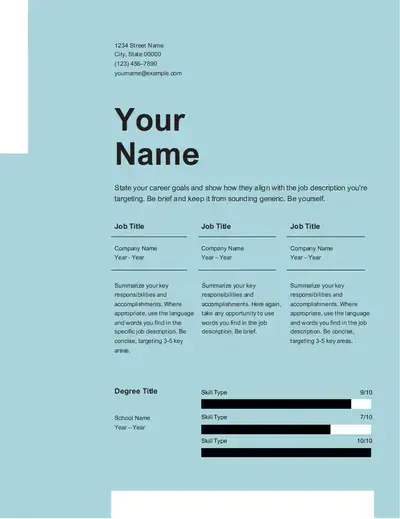
Source: Microsoft Word resume-template catalogue, original provider thumbnail retrieved on 5 November 2026. This is a catalogue illustration, not an operated document or a recommendation to use its columns or skill bars.
Canva: separate personalization from final delivery
Canva's official resume-template catalogue supports choosing and personalizing layouts. Its page describes downloading finished designs in formats including PDF and image files.
Those choices are not interchangeable. An image can show a resume's appearance without providing selectable document text. Check the actual output required by the recipient rather than choose a format solely because it is available.
The comparison uses the public catalogue, including the actual provider thumbnail below. Account-specific controls, selected assets and the maintained source remain checks for the reader; this is not a verified export from a Canva account.
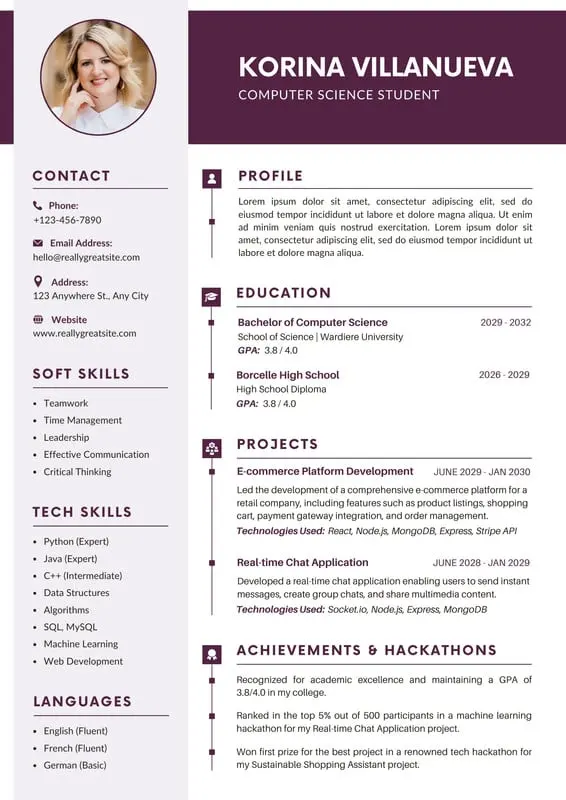
Source: Canva resume-template catalogue, original Deep Purple Professional College Student CV Resume thumbnail retrieved from the actual loaded catalogue on 5 November 2026. This is provider sample artwork, not an operated editor or a recommendation to retain a photograph.
Adobe Express: identify the workflow being offered
Adobe's official resume page describes choosing a template, editing text and appearance, then downloading a PDF. The page also presents an Acrobat AI resume route, so follow the particular workflow being considered rather than assume all controls belong to one editor.
Inspect the selected design with actual experience and qualifications. A provider illustration demonstrates an example presentation; it does not prove that a different applicant's content will fit or that every shown element is appropriate for the application.
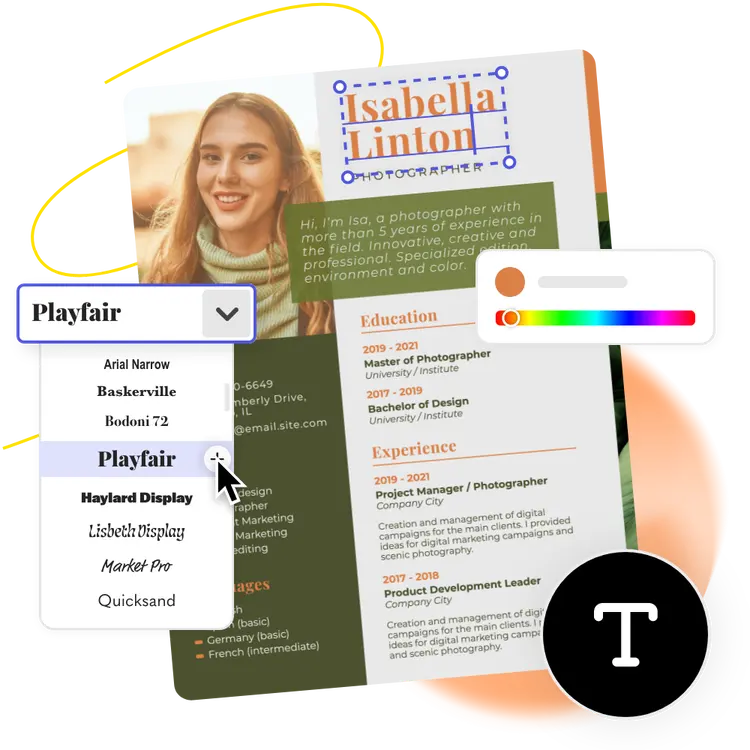
Source: Adobe Express resume page, original provider illustration retrieved on 5 November 2026. The picture is credited interface artwork, not a capture of an account operated for this article.
Compare the whole editing route
For any route, distinguish the template, the editable source and the delivered file. A screenshot of the first does not establish access to the second or correctness of the third.
Before investing substantial editing time, check whether the chosen account can keep the work, reopen it and produce the requested output. Inspect restrictions attached to selected fonts, images and premium elements instead of assuming that everything visible in a catalogue has identical conditions.
How the pieces work together
Preserve facts while changing emphasis
Tailoring a resume involves selecting relevant evidence and explaining it clearly. It should not change an employer, employment period, qualification or personal contribution merely to match a role description.
Keep a simple revision note when content changes. Record which application the document serves, what was selected or removed, and which facts were checked against the working record. That note makes a later correction easier to apply consistently.
A statement about an outcome needs support. If a percentage, scale or business result cannot be substantiated, remove or revise it instead of copying a template's impressive sample metric.
Keep experience entries understandable
Each entry should allow the reader to connect the role, organization, period and contribution. Review those relationships together after changing spacing or moving sections.
An isolated date can be present in the file while appearing attached to the wrong employer. A job title can fit visually while the explanation below it refers to a different role. Checking for the existence of words alone cannot establish their meaning or relationship.
Use layout to expose those relationships. Consistent headings and spacing can help organize the record, but no universal margin, color count or type size replaces inspection of the actual page.
Give projects a different job from employment entries
Projects can supply evidence of relevant work, particularly when their context and the applicant's contribution are clear. They should not silently become employment or imply responsibility for an entire team outcome.
For design roles, a portfolio link can lead to deeper project evidence while the resume identifies the relevant experience. The published portfolio-examples guide examines project selection, positioning and contribution in more detail.
Check that the link points to the intended destination and that the information there agrees with the submitted document. A resume and a portfolio can have different levels of detail while retaining the same underlying facts.
Worked example
A fictional record with deliberate mistakes
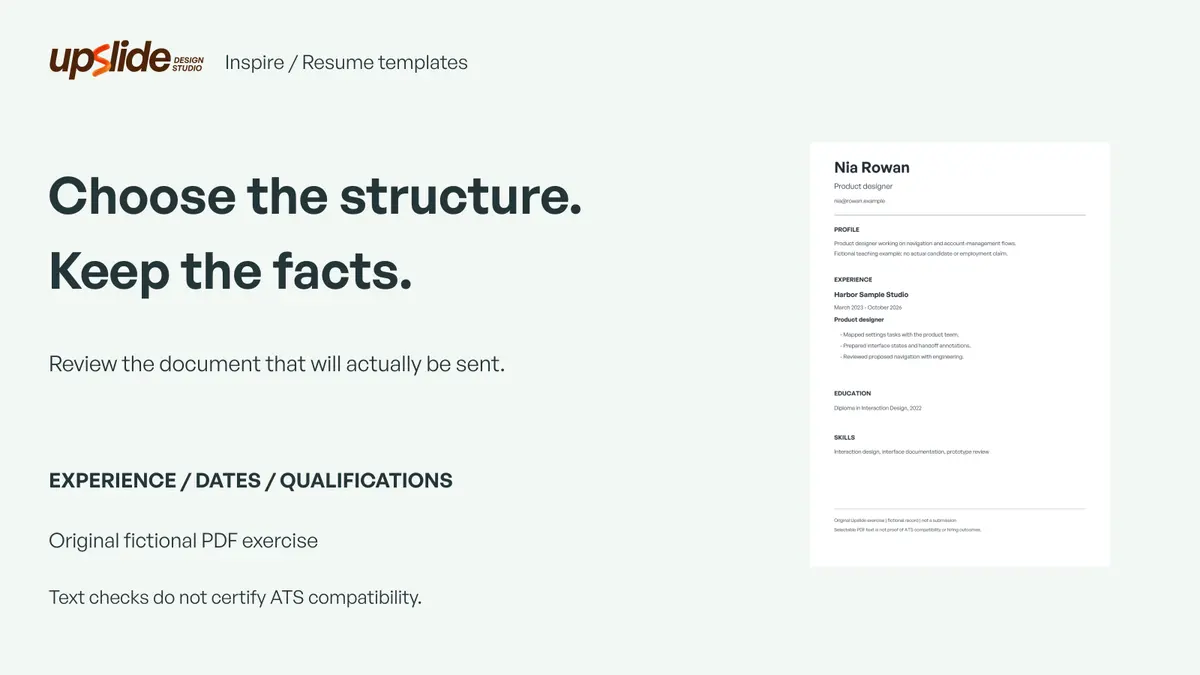
Upslide created three original PDF specimens around a fictional applicant, Nia Rowan. The employer, email address, employment record and qualification are teaching material, rather than a real candidate or a claim of actual work.
The declared record contains six fields: name, email, role, employer, employment period and qualification. It specifies Product designer at Harbor Sample Studio, March 2023 through October 2026, and a Diploma in Interaction Design dated 2022.
The baseline document retains that record. A second version changes the employment start to March 2021. A third version omits the declared qualification while retaining its section heading.
All three were actually saved as selectable-text PDFs, reopened and rendered for inspection. Each has one page measuring 595 by 842 points; the illustration below uses scaled views of those actual pages.
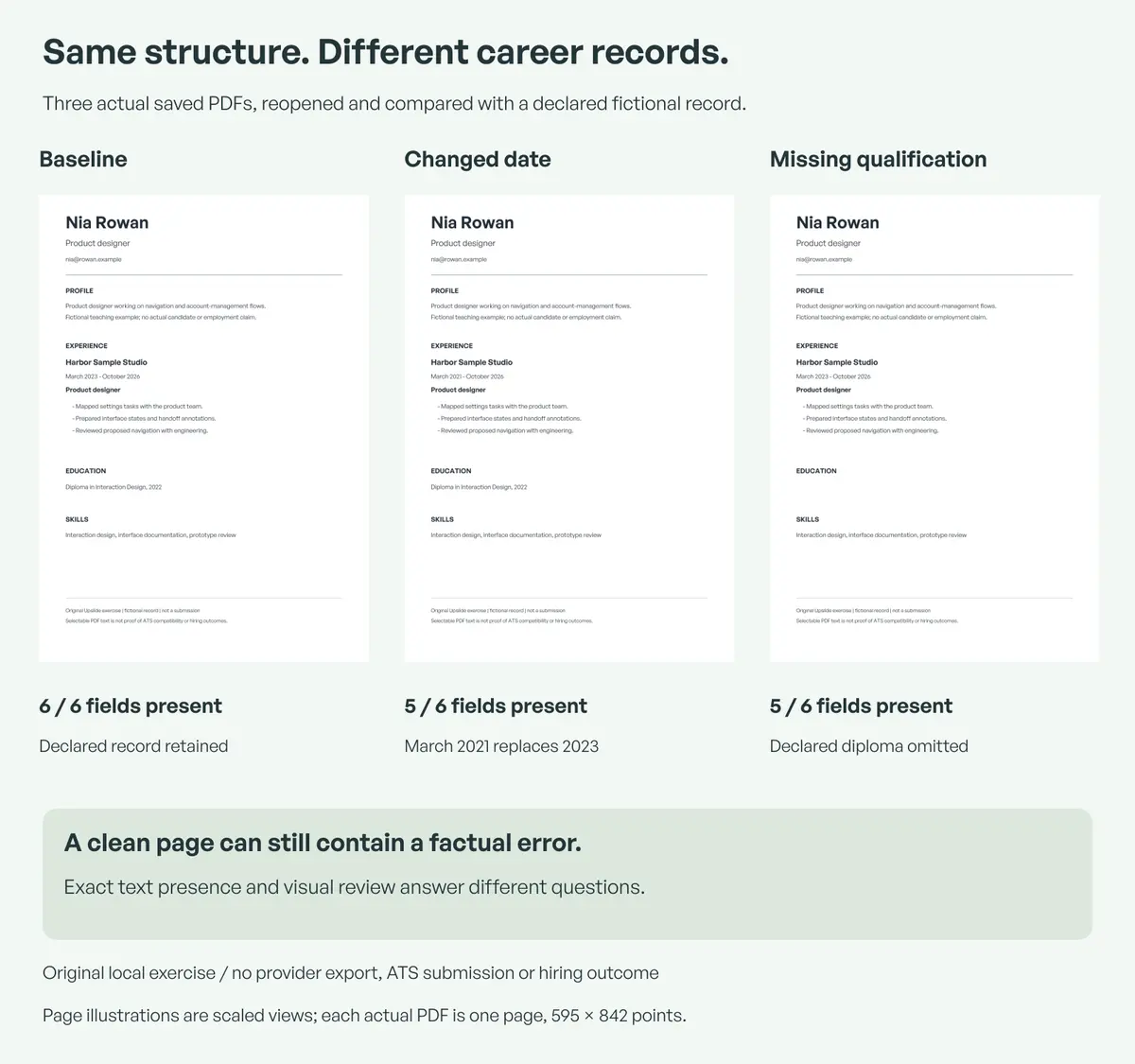
Original Upslide exercise: actual locally generated PDF specimens and extracted-text observations. Page views are scaled for explanation. These files were not exported from the compared providers or submitted to a recruitment system.
What the saved files revealed
The check extracted text from each saved PDF and compared it with the six declared field strings. It deliberately asked a narrow question: whether those known strings remained present.
| Actual file | Declared fields present | Deliberate difference |
|---|---|---|
| Baseline | 6 of 6 | None among the declared fields |
| Changed date | 5 of 6 | March 2021 replaces the declared March 2023 start |
| Missing qualification | 5 of 6 | The declared diploma is absent |
The second document still looks like a complete resume. Its employment section has an employer, a role and a date range, yet that range does not match the declared record.
The third keeps the Education heading, which can create an impression of completeness during a quick structural review. The heading is present while the required qualification is missing.
What the exercise cannot establish
Finding all six strings does not prove that every statement is true, that the document is accessible or that a recruitment system will interpret it correctly. It also does not measure reading speed, interview selection or hiring outcomes.
The original record itself is fictional and deliberately small. A real application can contain additional facts, languages, symbols, links and relationships that require separate checks.
The example shows why factual comparison and visual review should be separate passes. It does not certify a template, provider, file type or automated recruitment workflow.
Limitations and alternatives
Treat ATS claims as a verification question
A catalogue label describing a template as ATS-friendly is a provider claim, rather than proof that an actual edited document will work in every receiving system. Do not convert that label into a promise of successful submission or selection.
Follow the real submission instructions. If the application shows a parsed preview or asks for structured entries, review those actual results and correct errors through the available process.
Copying selectable text out of a PDF can reveal some problems, but that action is a local diagnostic. It is not an equivalent test of the recipient's software, configuration or review process.
Use AI suggestions as drafts requiring verification
A generated summary or rewritten achievement should be checked against the applicant's actual record. Fluent wording can introduce an unsupported level of responsibility, a changed date or an invented result.
Review the chosen provider's current data and sharing controls before uploading personal information. This article has not assessed those services for any particular employer's confidentiality requirements or an applicant's legal obligations.
A plain maintained document can be an appropriate alternative when elaborate formatting adds work without helping the application. Conversely, a more expressive presentation can serve a particular context when its content and delivery requirements support it.
Reopen the final file after the last change
Review the exported artifact, not only the editor canvas. Confirm the intended name and contact details, employment relationships, dates, qualifications and project links after the final revision.
Inspect page breaks, clipped lines, unusually small text and empty headings. Look for placeholders that survived editing and information removed unintentionally to make the page fit.
Retain the exact submitted version separately from the maintained source. Name it so the application and revision can be identified later; a corrected source does not retroactively correct a file already sent.
Apply the review
Use three distinct passes before submission:
1. Compare the selected content with the factual working record and application requirements. 2. Inspect the actual exported pages and the relationships between sections, dates and roles. 3. Check the receiving process, including requested formats, links and any visible parsed fields.
These passes can reveal different failures. A beautiful page can contain a wrong date; a factually correct source can produce a broken export; a sound PDF can still be the wrong object for a form that explicitly requests something else.
Frequently asked questions
Which resume template is best?
Choose one that explains the relevant record clearly, supports the actual content and produces the requested output. A template cannot establish suitability independently of the applicant, role and receiving instructions. Try real content before committing to the visual style.
Should a resume always use reverse chronology?
Reverse chronology is one useful way to organize employment. Skills-focused and combination structures emphasize information differently. Select the structure around the record and application requirements; the sources reviewed here do not establish one universally successful arrangement.
Is a PDF always the right format?
Follow the recipient's stated requirements. A PDF can be an appropriate delivery object when accepted, but an available download option does not override instructions requesting another document type or structured form fields. Check the actual exported file before sending it.
Does selectable text prove ATS compatibility?
No. It establishes that text can be selected or extracted in that local context. It does not prove that a receiving recruitment system will preserve the intended order, understand the fields or evaluate the application favorably.
Should a photograph or skill-rating bars be retained?
Their presence in a sample does not make them necessary. Consider the application instructions, relevant conventions and what the element communicates. Do not retain a decorative device simply because removing it changes the template's appearance.
Can AI write the experience section?
Suggestions can help explore wording, but every claim remains subject to verification. Check employers, dates, responsibilities, qualifications and results against the actual record. Do not submit invented achievements or sample metrics supplied by a template or generator.
How long should the resume be?
Use the length needed to present relevant evidence clearly within the receiving requirements. Shortening should involve deliberate selection and editing. Shrinking type or deleting a required qualification merely to imitate a sample can make the application less useful.
What should remain editable after submission?
Keep a maintained source and the factual working record for future revisions. Preserve a separate copy of the actual submitted file so later changes do not obscure what was sent. Recheck the full export after corrections that affect page flow.
Key takeaways
- Choose a structure around the application and actual career record.
- Compare documented provider routes without assuming every template or feature has identical conditions.
- Verify facts independently of visual polish.
- Reopen the final export and inspect its relationships, page flow and required fields.
- Treat local text checks as diagnostics, with no ATS or hiring guarantee.
We use Resource Box to make useful design routes easier to inspect. Start with the document and receiving requirements, then select the template that supports them.