How do you choose a background remover when the cutout must survive a real website placement, rather than look convincing only on a checkerboard preview?
Start with the source image, the required correction and the final output. Automatic removal can be one step in a useful workflow, but an attractive demonstration doesn't establish that the tool will preserve a thin frame, produce the required file or meet the team's image-handling requirements.
This guide compares six relevant routes available through Resource Box. It uses current official information and a practical review brief, without borrowing vendor accuracy rankings, processing-time claims or conversion results as independent evidence.
Choose the workflow that can produce, correct and maintain the required asset—not merely the first automatic preview.
Design task
Define the image that needs to remain
“Remove the background” can describe several different jobs. A portrait may need fine hair retained, while a product image may need a narrow opening, original shadow or partly transparent material preserved.
The intended result should be written before uploading the image. Otherwise, the automatic result becomes the accidental definition of what should have been kept.
Record the essentials:
- The subject and the parts that must remain visible.
- Openings that should reveal the new surface.
- Shadows, reflections and transparency that need a deliberate decision.
- The destination, display size and required output format.
- Whether the maintainer needs a reversible source or only an approved export.
- Any restriction on uploading, storing or reusing the source image.
A SaaS launch might need a founder portrait, a photographed device or a product accessory in a banner. These assets can belong to one visual system while requiring different edge and privacy decisions.
Separate removal from replacement and generation
Removing a background attempts to separate the existing subject from its surroundings. Replacing that background adds another scene, while generative editing may introduce new pixels or change the depicted object.
Those operations should not be treated as identical. A clean cutout is not proof that a generated setting preserves the product's shape, material or actual capabilities.
Keep the approved original beside the edited source. The review should identify which changes were intended and which differences would make the asset misleading.
For the wider choice of editing environment, the graphic-design software guide separates image editing, illustration and shared layout tasks. This comparison focuses on the removal step and its output.
Resource collection
Compare routes that solve different parts of the task
The shortlist includes automatic services, a broader design workspace and a manual-mask editor. Their roles differ, so the table is a starting point for evaluation rather than a universal ranking.
| Resource | Relevant route | Decision to verify |
|---|---|---|
| Photoroom | Removal within a product-imagery workflow | App, batch and API conditions for the actual task |
| Pixelcut | Browser removal with refinement and transparent PNG output | Current limits, required correction and chosen export |
| Clipdrop | Removal alongside other image-editing tools | Web-plan access, resolution and separate API route |
| Canva | Removal inside a broader design composition | Current feature access and whether the finished asset must leave Canva |
| Photopea | Layer masks and manual follow-up in a browser editor | The required correction and preserved editable source |
| remove.bg | Existing removal workflow undergoing a platform transition | Current migration information before depending on an old route |
A tool with a suitable feature is a candidate for the pilot. This guide has not run a scored image-quality benchmark, installed an application or uploaded a private client image to any of them.
Photoroom: identify the app or API route
Photoroom's current removal page describes a workflow that removes a background and permits transparent, white or other treatments. It also describes downloads in several image formats and further product-imagery tools.
That breadth is useful when the cutout needs to feed a wider composition. It should not be confused with evidence that every treatment is necessary or that the result improves sales.
Check the current plan information for the route the team will use. A manual app workflow, a batch workflow and an API integration need their own feature and allowance checks rather than one assumed entitlement.
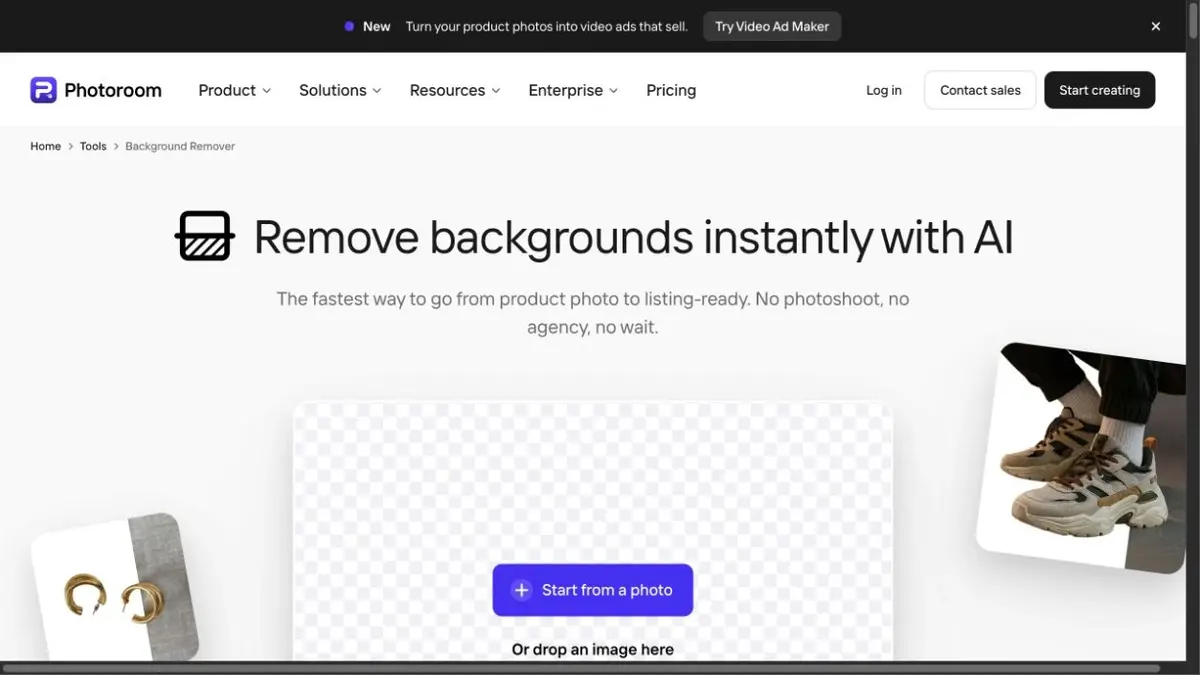
Actual public-page capture from November 2, 2026. Credit: Photoroom. Provider sample imagery and marketing statements are not results produced for this article.
Pixelcut: evaluate refinement after the automatic result
Pixelcut's official browser remover describes automatic separation, a Refine brush and transparent PNG output. These are relevant when the first cut needs an edge correction before it can be used elsewhere.
The useful pilot includes that correction. Check a difficult gap or contour rather than judging the whole workflow by the initial silhouette alone.
Its pricing page distinguishes limited free background removal from paid capabilities. A no-watermark or no-signup statement on one route does not establish unlimited access, batch allowance or every commercial-use condition.
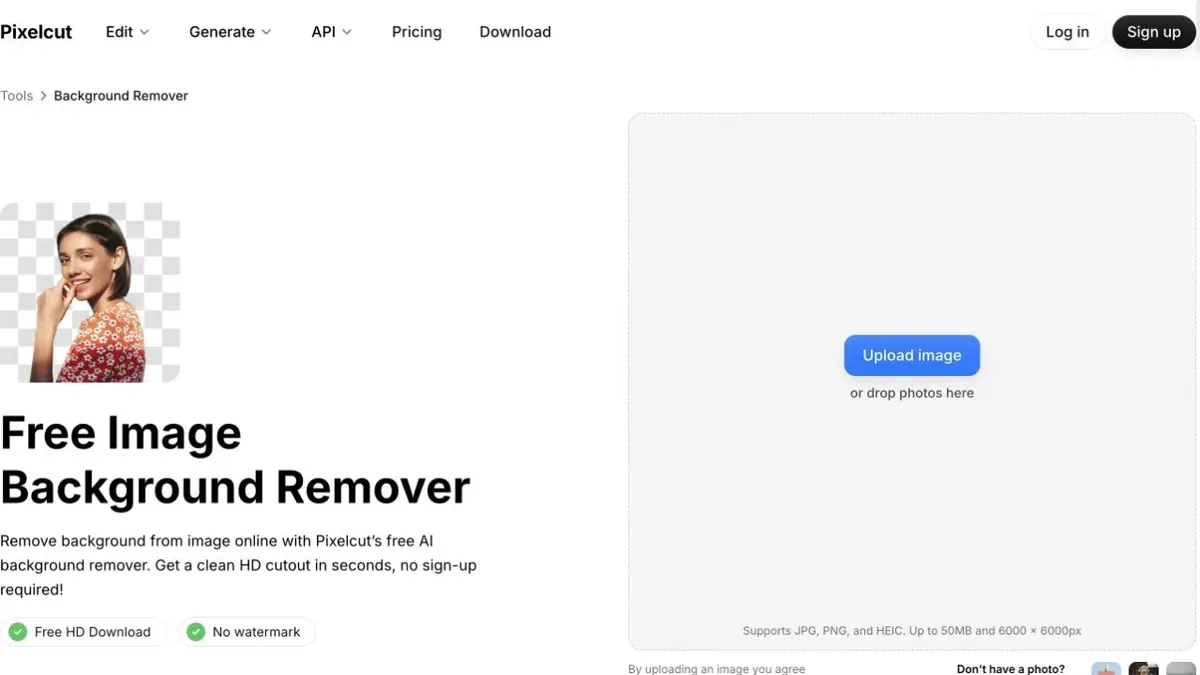
Actual public-page capture from November 2, 2026. Credit: Pixelcut. The preview documents the public entry point, not an accuracy or export test.
Clipdrop: separate the web tool from API use
Clipdrop's removal page presents automatic background removal and examples including portraits, products and fine details. The surrounding suite also includes different image-editing operations.
Its plan page distinguishes free web access, higher-resolution paid capabilities and a separate API route. Verify the required output and allowance directly rather than inheriting a comparison blog's old price or batch description.
A provider's demonstration of hair or a grid is useful context for the feature. It does not prove that the same result will hold for a particular source image, especially where the original background and foreground are difficult to distinguish.
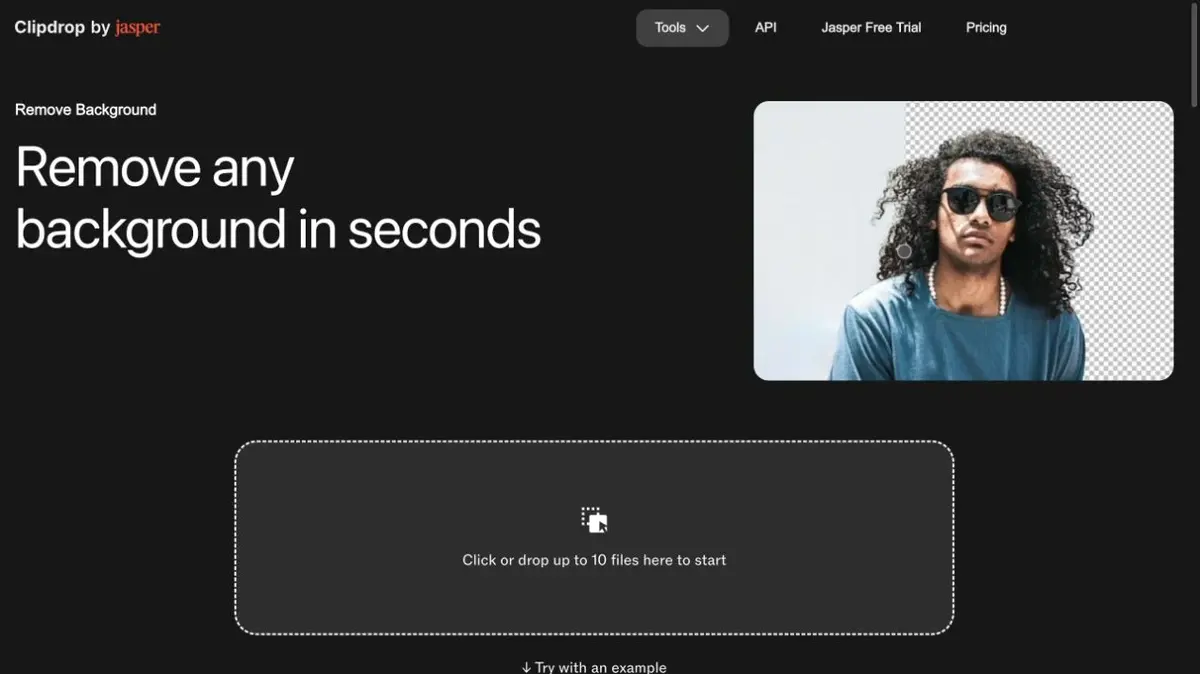
Actual public-page capture from November 2, 2026. Credit: Clipdrop / Jasper and the sample-image creator. This is the provider's demonstration, not a result from our review.
Canva: inspect the whole composition and the export
Canva's background-remover page presents removal as part of a wider design workflow, with options to continue composing the result. That can be relevant when the cutout already belongs inside a Canva layout.
Check the exact current feature access rather than assuming that older descriptions of the paid plan still describe every route. The public page currently offers a free entry point; that alone does not establish the team's complete export and account conditions.
If the asset must be reused outside the original composition, test that delivery as part of the pilot. A cutout that looks suitable in the editor is not yet evidence that the downloaded file has the expected transparency, dimensions or retained detail.
Photopea: keep a route for deliberate corrections
Photopea's mask documentation explains hiding parts of a layer without deleting the underlying pixels. It also describes partial transparency through shades in a raster mask.
That makes masking a relevant alternative or follow-up when an automatic result needs controlled correction. The question is whether the maintainer can restore or hide the intended areas while keeping the source understandable.
This guide does not claim that Photopea reproduces every effect or imported file identically. A real source still needs a targeted correction-and-export check before a team depends on it.
remove.bg: account for its current transition
The official remove.bg FAQ states that its background-removal functionality is migrating into Canva. This changes the selection question for a new workflow or an existing integration.
Use the current official migration information before relying on an old tutorial, download route or saved comparison. The extracted official page reviewed here does not establish every migration date or replacement entitlement, so this article does not invent them.
An existing workflow deserves its own review: identify the actual route and required behaviour, then confirm what remains supported. Familiarity with the name is not a substitute for checking the transition.
Fit and limitations
Distinguish transparent output from a preview background
A checkerboard is a display convention, not proof of an alpha channel in the delivered file. Inspect the actual exported asset over the surfaces where it will appear.
A product cutout can look acceptable over white while showing a pale fringe on a dark card. A translucent edge can also be intentional, so the goal is to preserve the subject rather than force every contour into a hard outline.
Record the required format and inspect it after delivery. Keep a separate editable source when future corrections matter; the exported image need not preserve the same structure as the working document.
Do not equate browser, desktop and private
A browser interface does not establish that an image stays on the device. Likewise, a desktop application can communicate with an online service.
Identify the actual operation and its current handling terms. The app workflow and API workflow can have different provisions, so a claim about one should not be applied to the other.
For example, Photoroom's privacy policy distinguishes application image use for model improvement, an account opt-out and an API exception. That is a concrete reason to review the route, rather than describe the whole brand with one blanket privacy statement.
This is a source-based workflow comparison, not a security or legal certification. Use an approved evaluation image and follow the organisation's actual image-handling requirements.
Keep the source and the correction effort in the decision
A quick automatic result can still create a long manual review. Hair, mesh, gaps, reflective edges and low foreground-background contrast deserve attention because they can be easy to overlook at thumbnail size.
The appropriate comparison uses representative permitted images and the same acceptance brief. Do not compare a simple solid object in one tool with a difficult portrait in another and call the difference an overall quality ranking.
Record the unresolved defect and the correction needed. A missed opening, lost strap or altered edge is more actionable than a vague score such as “looks good.”
How to choose
Build a small review set before choosing a subscription
Consider a fictional SaaS launch with three supplied assets: a founder portrait, a photographed headset and a compact device. The set is an illustrative brief, not client work or a tool test completed by Upslide.
Each source has a different risk. The portrait needs fine contours retained, the headset has an opening that must reveal the new surface, and the device has a contact shadow whose treatment must be decided.
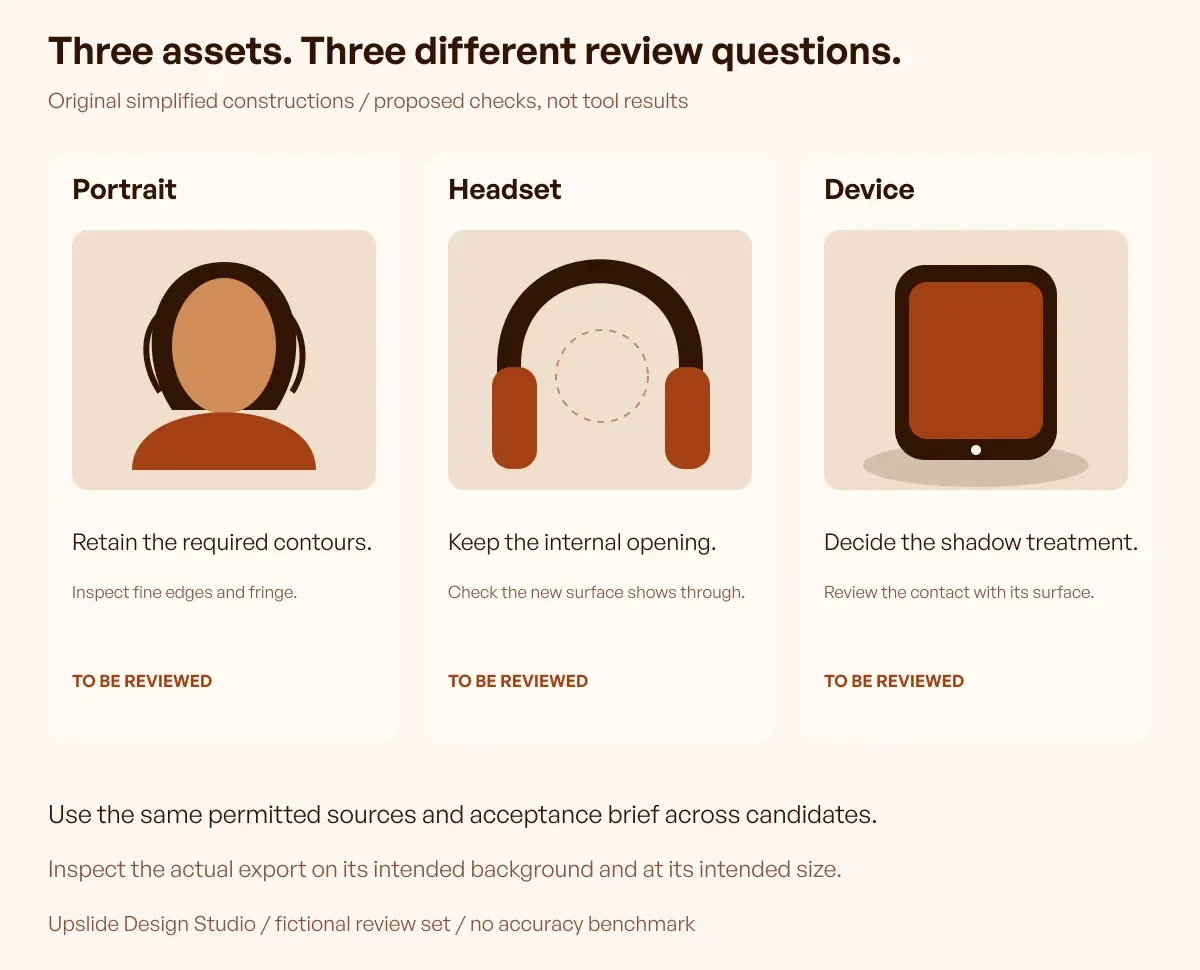
Original explanatory board by Upslide Design Studio. The drawings are simplified teaching constructions, not photographs or before-and-after tool results.
The team should agree on the intended retained content before running a pilot. That prevents one tool's first output from silently becoming the accepted standard.
Define observations that lead to an action
| Asset | Review question | Follow-up when unresolved |
|---|---|---|
| Portrait | Are required fine contours retained without an obvious fringe? | Refine the mask or choose a better source image |
| Headset | Does the internal opening reveal the intended background? | Correct the missed interior area |
| Device | Is the shadow treatment intentional and consistent with placement? | Preserve, remove or rebuild it as a separate design decision |
| All assets | Does the exported file fit the required dimensions and surface? | Correct the output and recheck in context |
These are proposed review questions. No named product is assigned a pass merely because its official page contains a related demonstration.
Inspect both detail and intended size
A detail view helps locate a fringe or missing gap. The intended display size helps determine whether the retained shape and placement remain useful in the finished composition.
Both views matter. A tiny imperfection may be irrelevant to the placement, while an apparently minor lost strap can change what the product looks like.
Keep the approved original available during review. The result should not gain a cleaner silhouette by removing a real part that makes the image difficult.
Test the correction, not just the first click
Perform the required follow-up on the pilot: restore an edge, remove an unwanted interior patch or revise the output. Record whether the work can remain reversible and whether the next editor can understand it.
If a tool offers only the automatic step needed for a simple image, that can be sufficient. A more difficult image may need a masking environment or another source rather than repeated automatic attempts.
The useful outcome is a known process for the real task. It is not a promise that every future image will succeed without review.
Retain a decision record that survives a plan change
Keep the selected route, source version or check date, required output, accepted limitations and person responsible for corrections. Add a small example of the kind of defect that requires escalation.
Plan limits should be checked again when volume or delivery requirements change. A price seen in an old comparison is not a durable estimate of the team's total work.
The record can justify keeping an existing tool, choosing a new one or combining automatic removal with manual correction. The choice should follow the task rather than an abstract universal winner.
Continue in Resource Box and Inspire
Reach the original tool and its current conditions
Resource Box includes the verified destinations used in this comparison, including newly added Photoroom, Pixelcut and Clipdrop. Follow the original source for the actual route and current terms.
For broader editable-file and design-workflow needs, continue with the graphic-design software guide. Background removal is one operation within that wider workflow.
Study composition without copying unsupported claims
Use Daily Inspire to observe how imagery shares space with a headline, product explanation and surrounding interface. Retain the visible composition lesson and credit the original creator.
A website screenshot does not reveal the tool used to prepare its cutout. It also does not prove that a similar treatment will improve the reader's conversion rate.
Frequently asked questions
What is the best background remover for a designer?
Choose against the source image and the required correction, export and handling conditions. An automatic tool can be sufficient for a simple asset, while a difficult contour or future revision may need a mask-based workflow.
Is a free background remover enough for website graphics?
It can be, provided the actual output meets the task. Check transparency, dimensions, any watermark, usage conditions and the likely number of revisions rather than treating a free entry point as unlimited delivery.
Does a checkerboard prove the file is transparent?
No. It may only be the preview behind the image. Inspect the downloaded file on the intended surfaces and confirm that the expected areas actually reveal the background.
Can every browser tool be used with confidential client images?
No blanket conclusion follows from the browser interface. Check the actual processing route and current handling terms, and use a permitted evaluation image until the workflow is approved for the material.
Should the original shadow always be removed?
No. Decide whether it supports the intended placement or carries useful information about the subject. Treat preserving, removing or replacing it as a separate design decision, and check that the final image remains truthful.
Should an existing remove.bg workflow be reviewed now?
Yes. Its official FAQ announces migration into Canva. Confirm the specific route and current migration details before depending on an old tutorial, account allowance or integration assumption.
Does this comparison prove which tool has the most accurate edges?
No. It compares documented capabilities and proposes a review brief. No independent scored image test was performed, and vendor benchmarks are not presented as Upslide results.
Key takeaways
- Define the subject and required output before running removal.
- Compare the actual app, batch or API route.
- Inspect the delivered image on its intended surfaces.
- Include the necessary manual correction in the pilot.
- Preserve source context, current conditions and an accountable maintainer.
We help SaaS teams connect visual production choices to clear and maintainable design. If the asset review reveals a broader composition or product-communication problem, discuss the design work with Upslide.