You describe your SaaS product, and an AI website builder gives you a polished homepage. Then you spot a customer quote nobody approved and a button that promises a feature you have not built. How do you keep the useful design without carrying those mistakes into the launch?
Compare the generated result and the control you retain afterward. This guide examines six relevant routes: Framer, Wix, Squarespace, WordPress.com, Durable and Hostinger AI Builder. It includes an original fictional review exercise for separating product facts, design choices and functioning actions.
Official information was checked on 2 November 2026. Public previews show provider pages and demonstrations. We did not generate an identical site in all six products, measure their output quality or publish a site for this comparison. The evaluation below is a proposed pilot you can run with your own approved material.
Choose the builder that lets your team correct and keep a trustworthy result.
Design task
Define what the generated website must explain
A useful SaaS website should communicate a real product to a particular buyer. An attractive layout cannot supply the missing product decisions: who needs it, what it does, what it costs and what the visitor can do next.
Write a short source brief before generating. Include the intended audience, an approved product description, available screenshots, actual destinations and claims the team can substantiate. Mark unknown information explicitly instead of asking the generator to fill every section convincingly.
For a fictional issue-tracking product, the brief could say that small product teams can assign issues and review status. It should also say that customer names, numerical results and integrations must not be invented. If pricing is undecided, the generator should not create a plausible pricing table that later looks official.
This preparation creates something concrete to review. You can compare a generated sentence against the brief rather than discussing whether the whole page feels sufficiently professional.
Separate three kinds of review
Treat product facts, visual design and visitor actions as separate checks. Each has a different owner and a different way of being verified.
| Review area | Example question | Useful evidence |
|---|---|---|
| Product facts | Is this integration actually available? | Approved product record and responsible owner |
| Visual design | Does the longer headline remain readable? | Actual page at the required widths |
| Visitor actions | Where does this trial button lead? | Checked destination and permitted end-to-end flow |
| Imagery | Is this an authentic product screenshot? | Source file, permission and accurate caption |
| Maintenance | Can another editor correct one section? | Observed edit and review task |
A page can pass one area and fail another. For example, an accurately written paragraph can still become unreadable on a narrow screen. A clear button can still point to an unconfigured form. Keep these findings separate enough to assign the right correction.
Resource collection
Compare the editing route after generation
The shortlist spans visual editing, managed publishing and business-oriented generation. These are candidates to investigate, rather than a quality ranking based on provider demonstrations.
| Resource | Current official starting point | Pilot question |
|---|---|---|
| Framer | Agents working with editable canvas layers | Can a targeted edit preserve approved structure? |
| Wix | Aria assistance alongside direct editing | Can the team adjust a specific section and its details? |
| Squarespace | Prompt-led site creation with its editor and assistant | Can the initial direction be refined with real content? |
| WordPress.com | WordPress Agent and manual block editing | Can the maintainer alternate between both routes? |
| Durable | AI business website and related services | Does the available customization fit the required site? |
| Hostinger AI Builder | Manual and Agentic building modes | Which mode fits the work before the project starts? |
Check account availability, supported features and the selected plan before committing. Generation access, a private preview and paid public hosting are different conditions.
Framer: inspect the editable result
Framer AI currently describes agents that can create or change pages and content inside a project. Its official FAQ says generated work remains editable as layers on the canvas, including layout, styles, copy and CMS content.
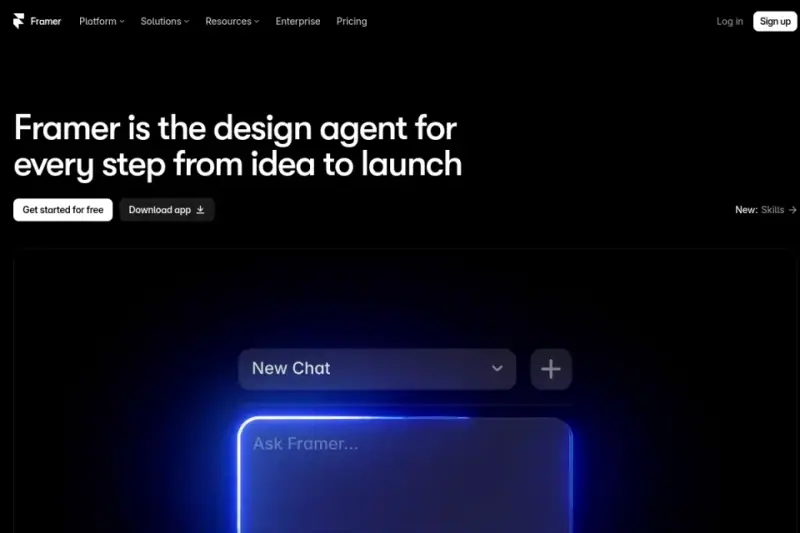
This makes targeted correction an important pilot task. Ask for one section to change while specifying which nearby content must remain. Then inspect the actual affected objects and the page at narrow widths. Treat the request as a testable instruction rather than an assurance that the agent will preserve everything.
The page also describes review and branching workflows. Check the available route in the intended account; no branch, agent change or publication was performed for this article. Compare the current offer through Framer pricing rather than inheriting credits or plan names from an older roundup.
Wix: try both conversational and direct changes
Wix's AI website builder presents Aria assistance alongside direct drag-and-drop editing. Its current material describes generated pages, sections and visuals, followed by manual or conversational refinement.

Credit: Wix. Actual public-page capture on 2 November 2026, with its animation paused. Provider examples are demonstrations, not output generated for this guide.
Use the pilot to compare two corrections: a precise manual adjustment and a section-level instruction. Record what changes, whether the original wording survives and how easily the next editor can identify the result.
The official FAQ says starting with AI can be free, while custom domains, online payments and additional features require a Premium plan. This is not a claim that every required business feature is configured or included automatically. Check the actual destination and selected service before calling the page ready.
Squarespace: refine the initial visual direction
Squarespace's AI website builder describes a multi-page starting point with copy, imagery, colors and fonts. Its current page identifies Blueprint AI and allows direct editing together with an AI assistant.
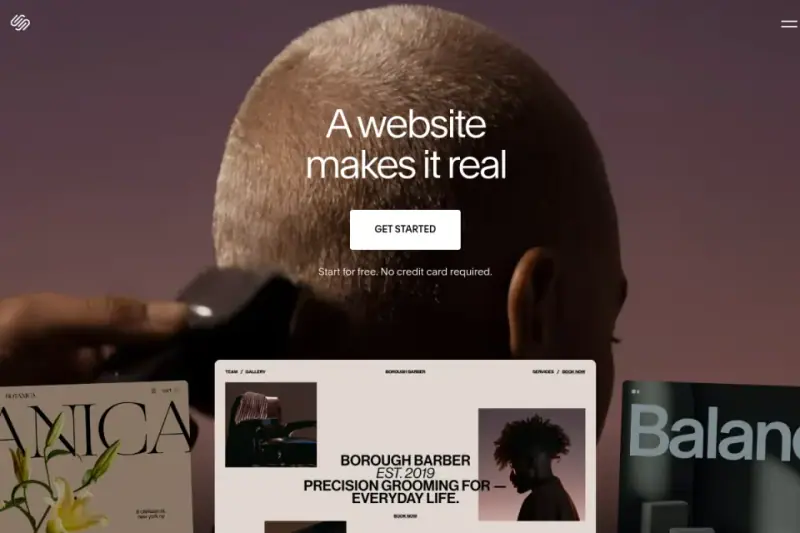
A useful trial begins with the approved brief and then introduces a less convenient piece of real content: a long feature name, an uneven screenshot or a necessary explanation that needs several sentences. Inspect whether the visual direction still works after those substitutions.
The official FAQ distinguishes free exploration during a trial from the paid website plan needed to publish. A compelling generated preview is therefore one input to the decision, alongside the required editing and publication conditions. Do not select it solely because its sample imagery resembles the desired style.
WordPress.com: evaluate the Agent and block editor together
The current WordPress.com AI website-builder page describes the WordPress Agent generating pages, layouts, images and copy. It says you can alternate between conversation and manual block editing, and undo Agent changes.

Credit: WordPress.com. Public-page capture on 2 November 2026. The displayed examples belong to the provider; no account site was generated or launched.
Its instructions currently start with a paid plan. The FAQ also says the AI build flow does not currently include ecommerce; adding WooCommerce afterward is a separate route. Avoid treating the whole WordPress ecosystem as the content of one generated website.
For the pilot, ask the intended maintainer to correct the same paragraph manually and through the Agent. Check whether they can understand the resulting blocks and recover an unwanted change. The official description establishes a feature to investigate, not a measured recovery result for your project.
Durable: distinguish a preview from the operating website
Durable presents an AI business website builder alongside imagery and business functions. Its current pricing page labels free access as a website preview, with the comparison identifying a private preview. Paid publishing and other services need their own check.

Credit: Durable. Actual public pricing-page capture on 2 November 2026 with yearly billing selected. Prices shown are that page's display, not a regional quote or an operating-cost estimate.
The pricing FAQ limits extensive HTML customization. Evaluate whether the supported editing route can express the actual product explanation, rather than assuming a custom-code label means unrestricted control.
Durable's current homepage promotes Sell, while its pricing FAQ retains a narrower ecommerce description. Verify a specific selling requirement directly before relying on it. This guide makes no blanket claim that Durable either supplies or cannot supply every ecommerce workflow.
Hostinger: choose the building mode deliberately
The current Hostinger AI website-builder page describes one AI Builder with Manual and Agentic modes. Manual mode combines generation with visual editing; Agentic mode emphasizes conversational creation and changes.
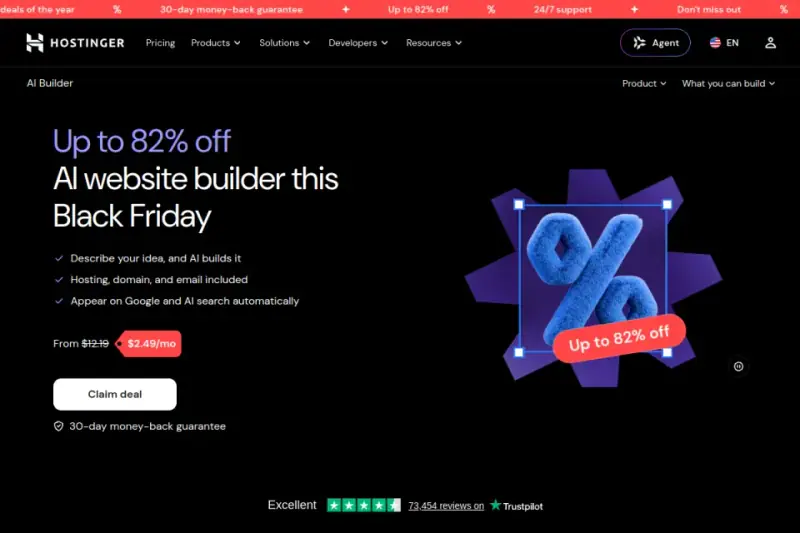
The current page gives conflicting descriptions of switching modes. Its FAQ says changing the approach requires a fresh project, while a later overview describes moving from Manual to Agentic. We did not verify an in-account migration. Confirm the route available to your project before depending on a mode change, and test the intended editing approach before investing in a large draft. Do not infer the current workflow from an older article's use of the Horizons name.
The page separates prepaid introductory terms from renewal prices and describes prompting credits. Inspect the applicable commitment and mode rather than comparing only a monthly-looking number. We have not verified every feature-table entitlement or an exported project, and no guaranteed discovery or ranking outcome follows from the provider's SEO language.
Fit and limitations
Use a fictional review exercise before real publication
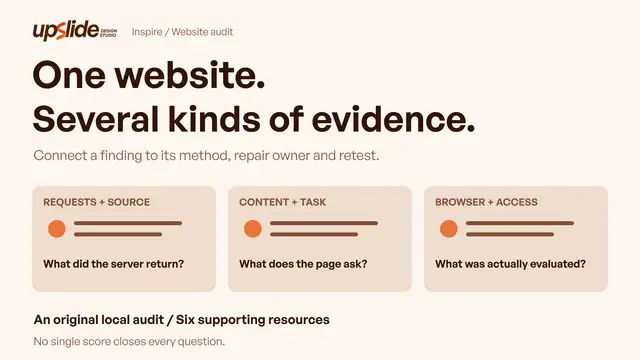
The graphic below illustrates three review categories for an invented product called Issue Desk. It is original teaching material, not a screenshot or generated output from one of the six builders.
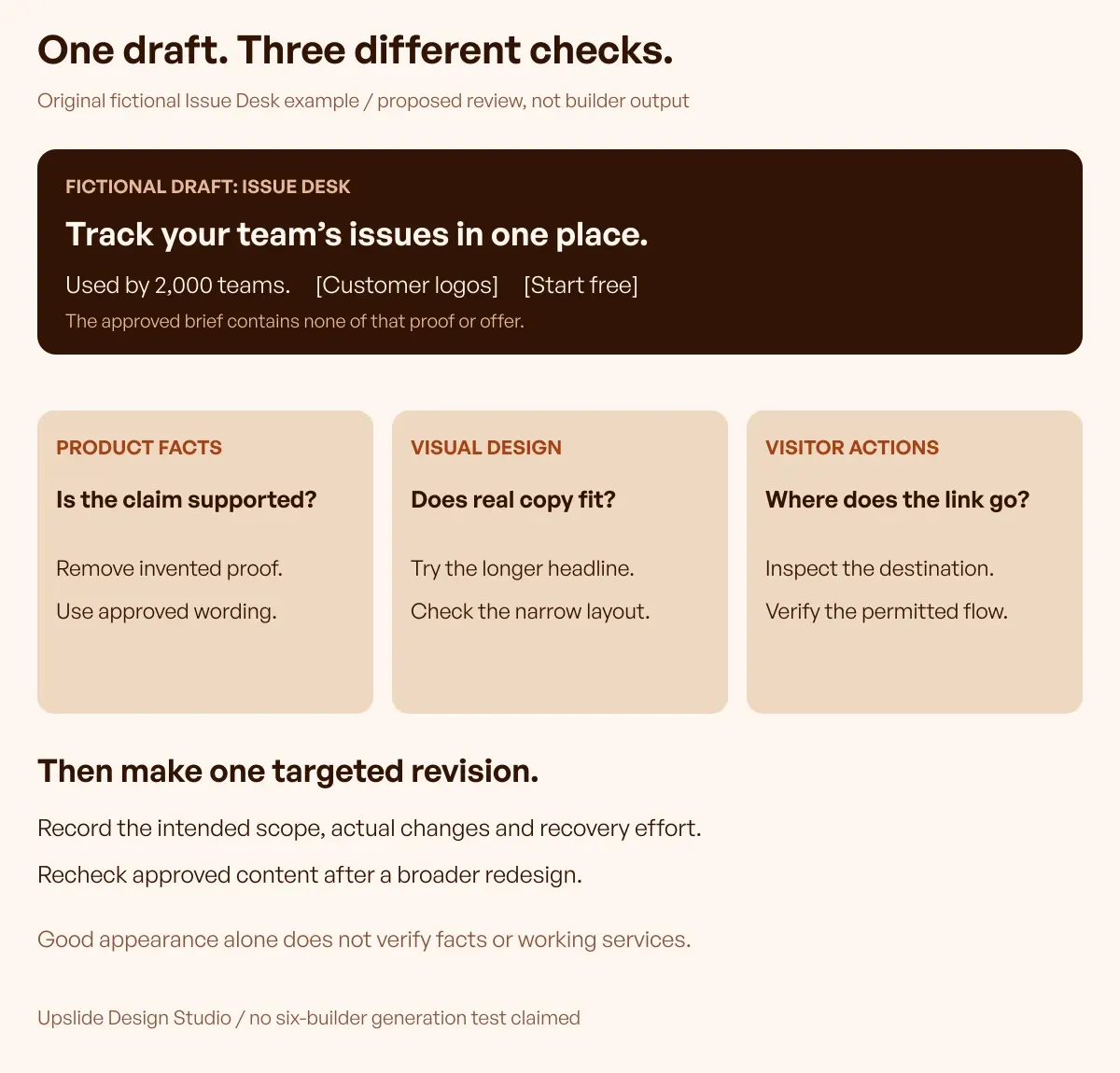
Original explanatory graphic: Upslide Design Studio. Fictional examples and proposed checks; no builder benchmark, real customer result or configured workflow.
Suppose a draft says “Used by 2,000 teams,” displays three customer logos and offers a “Start free” button. The supplied brief contains none of those claims. Remove or replace the unsupported material before evaluating finer visual details. A visually convincing testimonial does not become evidence through repetition.
Next, replace the sample headline with approved wording that is longer. Check the line breaks and its relationship to the product image. Then follow the next-action link in a permitted test context. Those operations expose different problems, and each should leave a clear finding.
Measure retained edits instead of counting generations
A builder that produces several attractive alternatives may still make local correction difficult. If the team accepts a paragraph and later adjusts the surrounding layout, check whether that paragraph remains accurate and intact.
Use a small change log: requested change, intended scope, observed effect, collateral changes and recovery effort. A single whole-page score can hide the fact that a useful design choice was repeatedly undone.
This is especially relevant when several people contribute. The founder may approve product facts while the designer changes spacing. Make that approved material visible to the next editor, and inspect it again after broader regeneration. Do not rely on a prompt being remembered perfectly across every subsequent operation.
Keep a product interface separate from its representation
A generated dashboard image or simulated interaction can help explain an idea. It can also imply capabilities the actual product does not have. Label conceptual material and use authentic screenshots when the page claims to demonstrate the live product.
Similarly, a convincing login form does not establish authentication, permissions or secure account handling. A generated checkout appearance does not establish a working purchase process. Any application or business service needs its own authorized configuration and verification.
For the marketing site, describe what is actually available. If a proposed feature belongs to a future release, the wording should reflect that status rather than using the generator's completed-looking presentation as a substitute for delivery.
How to choose
Run one brief through a small, comparable pilot
Choose two candidates whose editing models fit the team. Give both the same approved product brief and source assets, within the permissions and data handling rules appropriate to those accounts. Avoid confidential customer records or unpublished sensitive material in an exploratory prompt.
The brief should name required pages and a next action. Also state what must remain unknown, such as undecided pricing, and what must never be fabricated, such as customer results. Keep enough detail to assess the response without forcing every visual choice.
Save the initial result and record which tasks were actually completed. Do not turn a provider's successful demonstration into your own test result, or compare a finished example from one platform with an untouched first draft from another.
Introduce three realistic corrections
First correct a factual sentence. Ask for the exact approved wording and inspect that change in context. Second alter a local design detail while preserving neighboring sections. Third add a longer explanation and check the layout on the widths the audience will use.
For each correction, note whether it was easier to use a prompt, the direct editor or another supported route. There is no need to prefer conversation for every operation. An efficient workflow can use different controls for different tasks.
If a correction unexpectedly changes approved material, record the recovery process. Repeat the essential check with a second editor. A useful result is a documented, repeatable task rather than a claim that a platform is universally easy.
Review the page as a visitor
Read the full page without the prompt or design brief beside it. Can you explain the product and the next step from what is visible? Are there claims that sound precise but have no supporting source?
Inspect actual text, images, links, keyboard navigation and the narrow layout. Check whether decorative motion interferes with reading and whether a meaningful image has a useful description. These observations help prioritize fixes, while a complete accessibility or performance audit remains separate work.
The SaaS website examples guide can help frame the product explanation and evidence a page needs. Use a reference to identify a design question, such as how to connect a feature explanation to an authentic screen. Appearance alone does not reveal the underlying builder or its commercial results.
Count the work remaining before launch
Compare candidates by the unresolved work: content correction, visual refinement, destination setup, owner handoff and the selected commercial terms. Record observations rather than inventing a numerical quality rating from an unrun test.
The appropriate choice may be the tool the maintainer already understands, even if another first draft looks more striking. It may also be a conventional template if generation creates more revision work than it removes. Keep the decision grounded in the approved result and the work required to maintain it.
Frequently asked questions
Which AI website builder is best for a SaaS founder?
Shortlist by the real website brief and the team's editing skills. Compare how each candidate handles factual corrections, local design changes and visitor actions. This guide does not name a universal winner because it did not run a comparable generation test in all six tools.
Can I use an AI-generated website without editing it?
Review the content and behavior before publication. Confirm product claims, permissions for assets, link destinations and the actual layouts. A polished first draft can still contain unsupported statements or interactions that are only visual representations.
Can I edit a generated site manually?
Several official routes above explicitly support manual editing alongside AI. Inspect the selected product, mode and account rather than assuming identical controls everywhere. Hostinger's conflicting public descriptions of mode switching are a reason to verify the intended workflow before starting a large project.
Is free generation the same as a free published business website?
No. A provider may offer a private preview, trial or limited creation access. Durable describes a free preview, Squarespace distinguishes trial creation from paid publication, and WordPress.com's current Agent instructions start with a paid plan. Verify the specific publishing conditions.
How should I stop invented customer quotes and metrics?
Supply approved evidence and explicitly forbid invented proof. Then inspect the full output, including logos, testimonial blocks, numbers and image captions. Remove unsupported material. A prompt restriction helps define the task but does not replace review.
Does generated code or a login screen mean the SaaS app is ready?
Neither establishes working authentication, authorization or the required application behavior. Evaluate those functions separately with appropriate technical review. A marketing site can direct people to an existing product without implementing that product itself.
Will an AI builder make the website rank?
No ranking result was measured or forecast here. Check the actual page's content, technical behavior and relevant search demand, then observe performance. A provider's built-in SEO description does not guarantee discovery, indexing or traffic for a particular website.
Should every revision use a new prompt?
Use the control suited to the correction. Direct editing may be clearer for an exact sentence or small spacing change. A broader instruction may help explore structure. Record unintended changes and keep a known approved version so experimentation does not erase useful work.
Key takeaways
- Give the builder approved facts and identify unknowns before generation.
- Review product claims, visual design and functioning actions separately.
- Compare targeted corrections and retained edits after the first draft.
- Check the selected editing mode, plan and publication conditions.
- Use authentic product evidence and label conceptual material accurately.
At Upslide Design School, we teach practical visual-design skills through our free UI/UX course. Use the course to strengthen the judgment behind the edits, then use Resource Box and Inspire to explore tools and relevant design references.