Which AI logo generator will help your SaaS team explore an identity and deliver a source it can actually use? The harder decision comes when a promising image needs to become a file the team can edit, use across the product and keep using under the applicable terms.
Choose the route around those requirements. A guided logo maker, a generative vector workspace and an image generator inside a layout editor solve different parts of the job.
This guide compares six resources using current official product and plan information checked on November 2, 2026. The website previews show the providers' public pages. We haven't generated a common set of outputs, bought every package or run a comparative quality test. The worked example is an original planning exercise.
Design task
Decide what the logo must do
A SaaS launch usually needs more than a large mark in a presentation. The identity might appear in a website header, a product navigation bar, an account email and a browser tab. The full company name may work in one position while a compact symbol needs a separate approved application.
Write the first brief around those surfaces. Name the audience, the product's purpose, the required wording and the changes that must remain possible. If a designer will refine the work later, an editable source matters more than a polished mockup.
Then separate four decisions: whether the concept fits, whether the artwork can be edited, whether the use conditions fit and whether the final applications work. Passing one doesn't settle the others.
A promising concept still needs its own source, rights and application review.
Set a realistic role for generation
Generation can supply directions, shapes and starting compositions. A team still needs to select a coherent identity and inspect the actual delivery. Don't treat the number of candidates as the number of usable brand systems.
A useful early outcome is a short list with written reasons for continuing or rejecting each direction. Keep the raw exploration separate from approved artwork so someone preparing a sales deck doesn't unknowingly use an abandoned concept.
If the real need is a supporting campaign illustration rather than a recurring identity, start with the AI resources in Resource Box. This article focuses on logo selection, deliverable boundaries and the evidence needed before adoption.
Resource collection
Compare workflows before comparing styles
The table describes documented routes. It doesn't rank output quality or promise that a particular plan includes every feature. Prices, model access and conditions can change; check the chosen package before paying or uploading project material.
| Resource | Starting route | Relevant delivery question | Boundary to check |
|---|---|---|---|
| Looka | Guided logo exploration and an editor | Which logo package supplies the needed files? | Logo purchases and brand-kit subscriptions are separate |
| Brandmark | Logo creation with generative icon options | Does the current package include vector and source files? | Current packages differ from older reviews |
| LogoAI | Logo and brand-kit generation | What does the current subscription provide? | Commercial use doesn't guarantee exclusivity |
| Recraft | Prompt-led image and vector creation | Does the selected route produce usable paths? | Free-generation and paid-generation rights differ |
| Canva | AI generation followed by layout editing | What remains editable after generation? | Stock content and trademark use require separate attention |
| Adobe Express | Prompt-led logo imagery and editing | Is a transparent PNG enough for this handoff? | The documented AI route isn't proof of vector delivery |
Looka: distinguish the logo files from the ongoing kit
Looka's logo maker offers a guided route using company details and preferences before editing a candidate. It suits a team that wants structured choices rather than an unrestricted prompt canvas.
Its pricing information separates a basic PNG package, a higher package with multiple formats and a recurring brand-kit offering. The higher logo package lists formats including SVG, EPS and PDF. Check the selected package rather than assuming a brand-kit subscription is required for every logo purchase.
Looka's ownership FAQ also distinguishes the complete logo from individual symbols. Treat provider ownership language as a statement about its offering, rather than evidence that a particular mark has been cleared for every intended market.
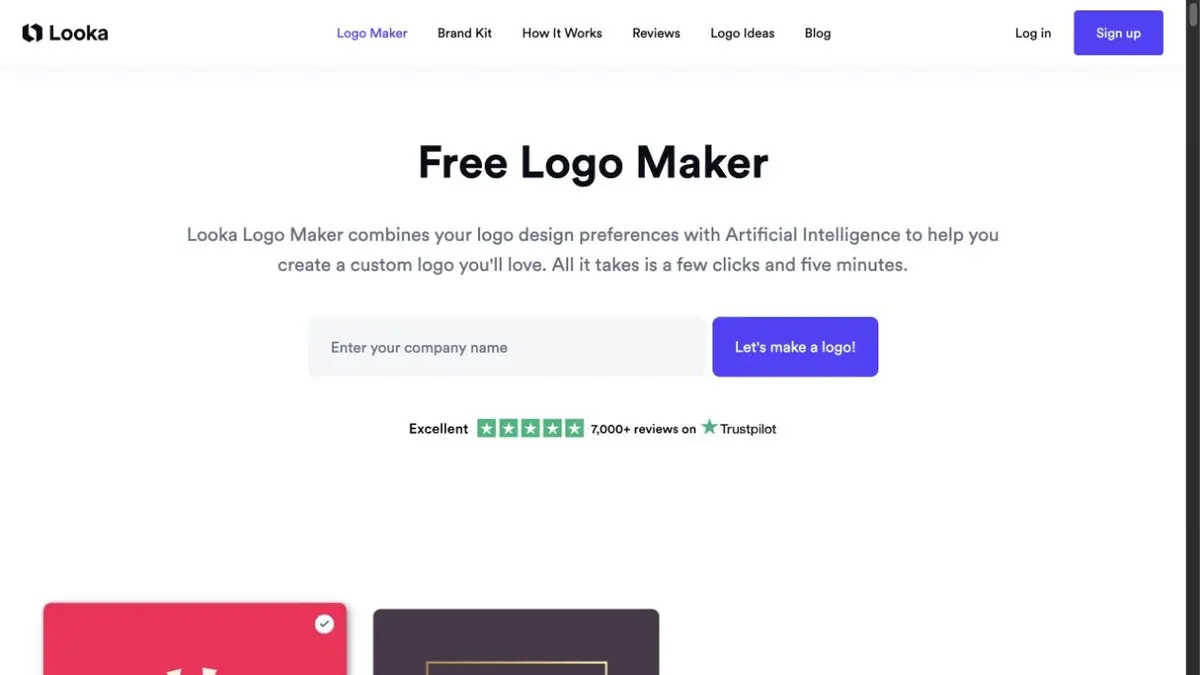
Actual public-page capture, November 2, 2026. Credit: Looka. The page introduces the product; it isn't an output made or tested for this guide.
Brandmark: verify today's export package
Brandmark presents logo creation with generative icon options and browser editing. It is a candidate when a team wants a logo-oriented selection process with supporting brand assets.
Its current pricing page lists vector files in the basic package, with source files and additional assets differentiated in higher packages. That matters because older comparison articles describe a basic PNG-only offer. A past review can identify a question to ask without establishing the current answer.
Record the actual file types received and open the export in the intended editor. A vector download and the application's editable project source are related deliverables, but they shouldn't be assumed identical.
Actual public-page capture, November 2, 2026. Credit: Brandmark. Product slogans aren't comparative findings by Upslide.
LogoAI: review the current subscription and rights boundary
LogoAI currently presents a logo and branding platform with multiple generation models and supporting brand assets. Its route is relevant when logo exploration and a wider kit are being considered together.
The current pricing page describes subscription access and a paid trial that renews unless cancelled. Older articles describing only one-time logo packages don't describe that current offer reliably.
The same page explicitly separates permitted commercial use from exclusivity and trademark registration. Record that boundary in the selection note. Paying for access shouldn't become a claim that no other business could have a similar mark.
Actual public-page capture, November 2, 2026. Credit: LogoAI. This is homepage context, not evidence of a finished logo or generation result.
Recraft: match the generation plan to the intended use
Recraft's logo page describes a prompt-led creation route alongside its vector capabilities. It deserves consideration when editable shapes are part of the proposed handoff.
Its pricing FAQ makes a consequential distinction: free-plan generations are public, owned by Recraft and excluded from commercial use; paid-plan generations have different ownership and commercial-use conditions. The FAQ states that rights to work created under a paid subscription remain after cancellation.
Check the plan at creation time and the actual output structure. A free exploration allowance isn't a commercial-use allowance, and a vector capability doesn't establish that every selected model or exported candidate contains convenient editable shapes.
Canva: separate generated artwork from editor content
Canva's AI logo generator describes generating from a prompt and continuing with the result in its editor. This can fit a team already assembling layouts there, especially when it needs to explore a concept in its surrounding composition.
The ability to add separate text and elements doesn't prove that lettering inside a generated image becomes editable type. Inspect those layers and the final file.
Canva's trademark guidance distinguishes permitted simple shapes, lines and fonts from non-exclusive stock graphics and photos. Don't assume that any attractive library element can become an exclusive identity. Check the actual components used in the selected design.
Adobe Express: check whether the AI route meets the file requirement
Adobe Express's AI logo page documents prompt-led creation, refinement in the editor and transparent PNG download. It is a candidate for visual exploration and compositions that can use that output.
A transparent PNG can place cleanly on an appropriate background, but it doesn't supply editable paths merely because it depicts a logo. If the brief requires a vector master, plan and verify the additional production work before choosing this route.
This guide doesn't convert general commercial-safety messaging into a guarantee about a specific identity, supplied reference or model. Keep the selected route and its applicable conditions in the project record.
Fit and limitations
Keep permission, exclusivity and clearance separate
A provider may permit commercial use while making no promise of exclusivity. A package may include ownership language without establishing that the proposed mark conflicts with no existing identity. These are different questions.
For a serious launch, assign responsibility for the appropriate rights review in the intended markets and uses. A designer can document asset provenance and flag similarities; that isn't a substitute for a qualified clearance assessment when one is needed.
Avoid writing “trademark safe” in an approval sheet simply because a tool advertises commercial use. Instead record the exact provider, plan, creation date, terms source, incorporated components and unresolved review. Keep a copy of the relevant project records under the team's normal document policy.
Inspect editability rather than the extension alone
An SVG may contain usable paths, outlined lettering, an embedded image or a mixture. Those structures have different consequences for a future spelling, spacing or shape change.
Open the delivered file in the receiving application. Try the representative edit named in the brief. Inspect whether the symbol can be recoloured independently, whether the name is editable text or outlines and whether required fonts are available under appropriate terms.
Keep both the approved export and the editable master. If the output needs rebuilding, include that work in the decision rather than hiding it beneath a low generation price.
Keep similarity review practical
Begin with obvious conflicts in the relevant market, familiar symbols and close competitor names. Record the searches and concerns that the responsible reviewer actually assessed. Don't describe a quick image search as proof of originality.
A generated candidate may also contain stray detail or approximate lettering. Check the exact company name and repeat the inspection after every meaningful edit. The team should approve the artwork it will ship, rather than the earlier preview that first attracted attention.
How to choose
Work through a fictional SaaS brief
Consider a fictional scheduling product called Relaynest. The name is teaching material, not a cleared brand or a claim that a real company uses the following process.
The team wants a calm, compact identity for a website header and a narrow product sidebar. The approved wording must remain exact. A designer expects to adjust spacing and simplify the symbol later. The initial requirement therefore includes editable shapes and a documented route for wordmark changes.
The team should shortlist a logo-oriented maker and a vector-oriented workspace based on those requirements. A raster-only route can remain an exploration alternative, with rebuilding explicitly included. No candidate is approved at this stage.
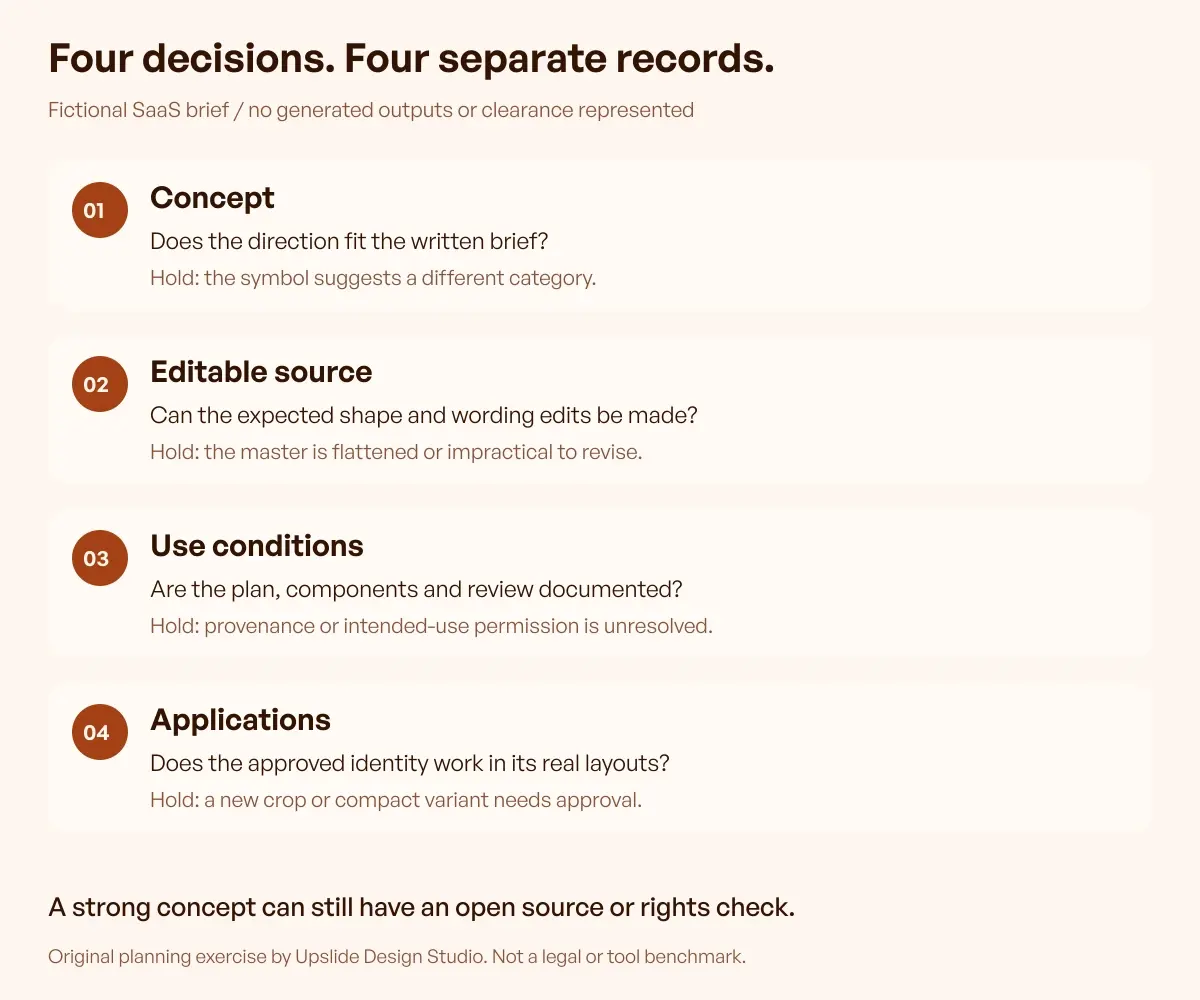
Original teaching graphic by Upslide. Four separate review records for a fictional brief; no tool output, legal clearance or measured result is represented.
Use four independent review records
| Record | Proposed input | Evidence required before moving on | Example reason to hold |
|---|---|---|---|
| Concept | Brief, name and intended associations | Notes connecting the direction to the product | Symbol suggests a different product category |
| Editable source | Actual downloaded file and receiving editor | Representative shape and wording edits | Delivered artwork is flattened or impractical to revise |
| Use conditions | Provider, plan, components and dated sources | Responsible review of the intended use | Commercial permission or component provenance unresolved |
| Applications | Approved variants in real layouts | Inspection of header, sidebar and browser-tab artwork | Detail disappears or an unapproved crop is required |
These records can progress at different speeds. A concept might be suitable while the rights check remains open. Keep that state visible instead of averaging the four into a reassuring score.
The output of this exercise is a decision record and an explicit next action. It isn't a declaration that the fictional identity is usable in commerce.
Test a representative revision
For Relaynest, request a small spacing change between symbol and wordmark, followed by a single-colour version. The purpose is to find out whether the expected editing path works before the team commits to it.
If the only available way to make a small change is to regenerate the whole image, the resulting identity may change in other places. That isn't automatically unacceptable during exploration, but it needs a different production plan from direct source editing.
Keep the before and after files with the review note. Record what changed intentionally and what changed unexpectedly. Don't label a file editable solely because an editor successfully imported it.
Inspect the intended applications
Place the proposed identity in the actual header and sidebar layout. Use the intended background and surrounding type, then inspect at the intended display size. Create a separate compact application only when it is deliberately designed and approved.
The browser-tab asset should be checked independently rather than produced by cropping a detailed horizontal lockup. An attractive large preview doesn't settle recognition at small sizes.
For composition ideas, open original sites from Inspire and examine how the identity sits beside navigation and content. Observe the visible relationship without claiming to know which generator or design tool produced it.
Count the cost through handoff
Compare the cost of reaching an accepted identity: access, useful downloads, corrections, source preparation and any additional review. A free preview or a low headline fee doesn't describe that complete task.
A designer-led route may be appropriate when the brief needs a distinctive custom system or when the team cannot evaluate and refine the output itself. A maker can still be useful for early direction. Choose based on the work remaining and the responsibility the team can actually take.
Record what would trigger an update
Recheck the article and selection record when a provider changes its package model, exports, commercial-use conditions or privacy arrangements. A new model announcement alone doesn't prove that an accepted production workflow needs replacing.
When a new Resource Box entry addresses a missing requirement, compare it with the same brief and evidence requirements. Add it because it changes a useful choice, rather than expanding a list to look comprehensive.
Continue in Resource Box and Inspire
Resource Box links to the six original destinations so the team can verify the current route before choosing. The directory is a starting point for selection; it doesn't certify the rights or usability of a particular output.
Use Daily Inspire to inspect how a real identity is applied across a page. Retain the original site's attribution and separate what you can see from assumptions about its production process.
For choosing the application that receives the final master, continue with the graphic design software guide. This article uses existing resources and doesn't depend on a particular daily gallery edition.
Frequently asked questions
Which AI logo generator is best for a SaaS startup?
Start with the required files, revision needs and use conditions. Guided makers can structure exploration; vector workspaces can support a different editing route. The shortlist isn't an output-quality ranking, and the final choice needs a representative project-specific check.
Are free AI logo previews ready for commercial use?
A preview allowance doesn't establish commercial permission or download rights. Recraft's current FAQ specifically excludes commercial use for free-plan generations. Other providers have their own conditions, so check the exact route and plan rather than relying on the word free.
Does an SVG download guarantee an editable logo?
No. Open it and inspect the structure. Test the intended shape or wording change in the receiving application; an embedded raster, outlined wordmark and editable text each create different handoff requirements.
Does commercial use mean the logo is exclusive?
No. LogoAI's current pricing FAQ explicitly separates commercial use from exclusivity and trademark registration. Keep provider permission, similarity concerns and the appropriate clearance review as separate items in the project record.
Can an AI logo image become a vector master later?
It can become a reference for further production work, but the team must evaluate that work rather than assume an automatic conversion is adequate. Inspect the resulting paths, lettering and proportions against the approved direction before accepting the new master.
Should the company name be generated inside the artwork?
Proof the exact wording either way. If later edits are expected, check whether the name is actual editable text, outlined shapes or pixels. Keeping a controlled wordmark source can make an expected revision more predictable.
Why do older reviews show different packages?
Providers change their offers. Current LogoAI pricing describes subscription access, while older roundups describe one-time packages; current Brandmark pricing also differs from older PNG-only basic descriptions. Verify official terms at the time of selection.
Do we need a new article whenever a logo tool appears?
Update the relevant comparison when the resource changes a meaningful choice or supplies a missing capability. Preserve the article's task and review criteria; a new listing doesn't require another near-duplicate blog.
Key takeaways
- Define the final applications and expected revisions before choosing a generator.
- Compare the actual package and file structure, not just the preview.
- Record commercial permission, exclusivity and clearance separately.
- Keep concept approval separate from source, conditions and application approval.
- Use Resource Box for original destinations and Inspire for attributed application references.
We help SaaS teams connect their identity to the website and product experience. If those applications need design support, discuss the work with Upslide.