When you choose a QR code generator, do you need a permanent piece of encoded information or a link whose destination someone will maintain after printing?
Both can produce a familiar square. The important difference appears later: when a page moves, a subscription changes, a file is replaced or a recipient cannot complete the intended action.
A useful workflow starts with that action, selects the appropriate generator and checks the delivered symbol separately from the page behind it. This guide compares three documented routes and uses an original local exercise to expose mistakes that a successful decode alone cannot settle.
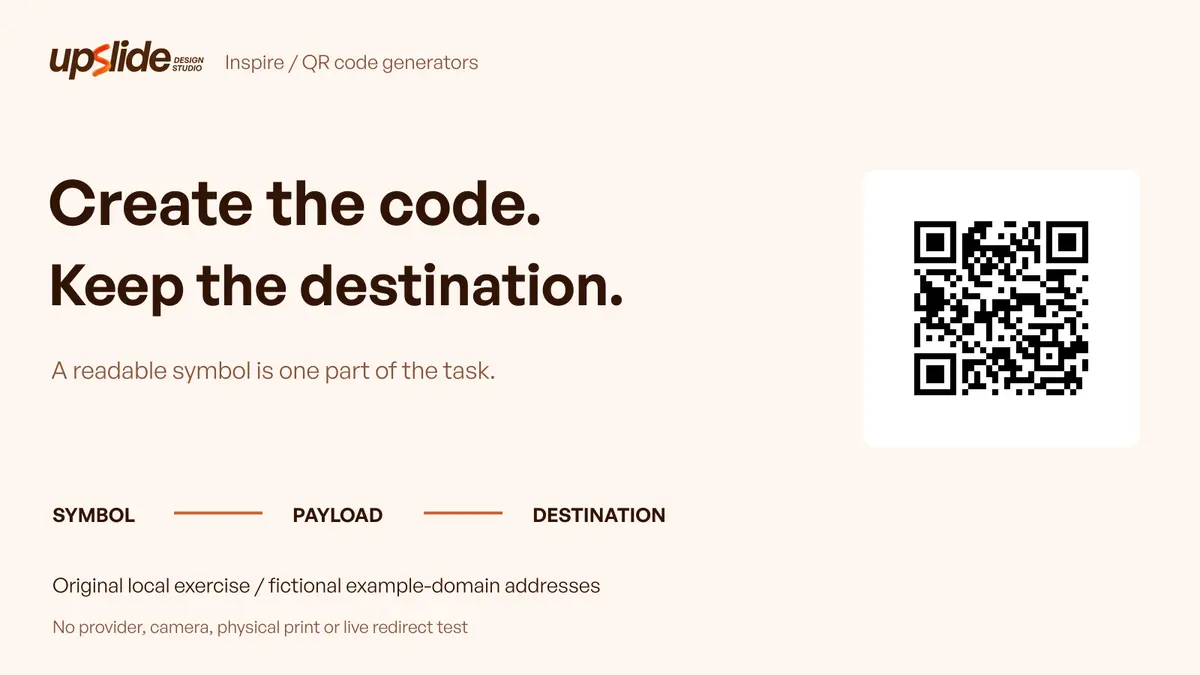
Readable symbol, correct payload and usable destination are separate acceptance questions.
Design task
Decide what the recipient should do
A code can open a web address, carry text or represent another supported payload. The generator must support the actual information needed; a list of attractive designs does not establish that capability.
For a website code, define the next action in plain language: read the current menu, open a product guide or reach an event-information page. Choose the approved destination before adding the code to artwork.
Record who owns that address and how long it should remain useful. A temporary file-sharing link and a maintained page under an organisation's domain create different dependencies, even when both open correctly today.
A QR code also needs a reason to exist in its placement. A printed object can benefit from a bridge to an online task. On a page already being read on the same phone, a normal link may be the more direct option.
Separate the payload from what happens next
The payload is the information encoded in the symbol. For a URL code, a decoder recovers that address; reaching a useful page requires additional steps outside the symbol.
A conventional static URL code contains its chosen address directly. A managed dynamic route typically encodes an intermediary address whose service directs requests onward. Changing that onward destination can leave the distributed symbol unchanged, provided the managed route remains available.
| Layer | Question | Evidence needed |
|---|---|---|
| Symbol | Can the intended reader recover the encoded information? | Decode the actual delivered image and test the receiving context |
| Payload | Is the recovered address the approved one? | Compare the complete value, including path and relevant parameters |
| Delivery route | Who controls any intermediary? | Document the account, domain and operating conditions |
| Destination | Can the recipient complete the intended action? | Open and use the actual page appropriately |
A correct decode cannot establish every later layer. A perfectly readable typo remains a typo, and a correct address can lead to a closed form.
Choose the updating arrangement deliberately
A fixed payload does not mean every aspect of the experience is frozen. If an organisation controls the encoded destination, it may update that page's content or maintain a redirect there. The printed symbol itself still contains the original address.
Conversely, calling a code dynamic does not make its service independent of an account, allowance or subscription. Identify what happens when access changes, a quota is reached or responsibility transfers to another person.
The decision is therefore about control and maintenance as well as editability. A simple direct link can be appropriate for a stable maintained page. A managed route can be appropriate when destination changes and reporting are explicit requirements.
Resource kit
Compare the route rather than the number of styles
These descriptions reflect official public pages checked on 5 November 2026. They are starting points for selection, without a provider-account, export, camera or print benchmark.
| Route | Documented starting point | Requirement to verify |
|---|---|---|
| Adobe Express | Static URL code within a broader design workflow | URL-only scope and required download format |
| QRStuff | Static payloads and managed dynamic codes | Chosen type, scan allowance, expiration and export access |
| QRCodeChimp | Static and dynamic solutions with customization | Solution-specific limits and what an update actually changes |
No universal winner follows from the comparison. The suitable route depends on the required payload, destination ownership and the conditions under which the distributed material must keep working.
Adobe Express: start with a straightforward URL
Adobe Express's current QR code page identifies a static, URL-only route and PNG, JPEG or PDF output. It is a candidate when the task is to encode an approved web address alongside other visual material.
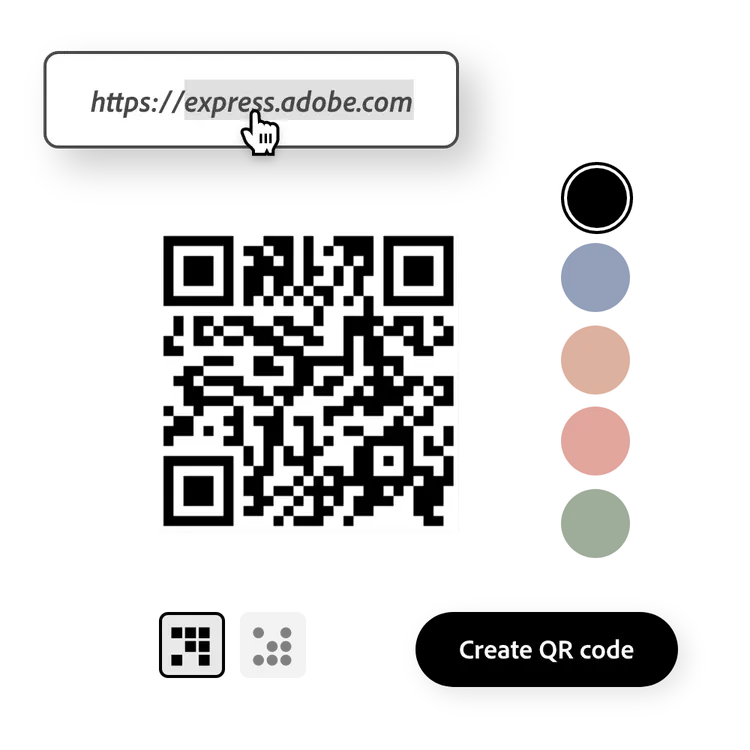
Its non-expiry description concerns the generated code, not a guarantee that an independently maintained destination stays online. Check the URL, the actual downloaded result and the receiving artwork before distributing it.
The current FAQ excludes direct Wi-Fi and contact-card payload creation. Linking to an online contact page is a different task from encoding structured contact information. Confirm that distinction before selecting the route.
QRStuff: qualify the ongoing conditions
QRStuff presents several payload types and both static and managed dynamic options. Its current plan page distinguishes allowances, including a time limit and monthly scan allowance for the Free Suite's dynamic route.
Inspect the selected type and account before relying on a particular export or continuing service. A free starting route does not establish that every dynamic code remains available indefinitely or supports unlimited scans.
Keep the conditions with the project record. If a printed installation will remain in place, name the person responsible for the account and its renewal rather than leaving that dependency with an individual designer.
QRCodeChimp: distinguish a record change from a symbol change
QRCodeChimp presents static and dynamic solutions with visual customization. Its plan table separates code allowances and monthly scans, so the selected solution and current account still need review.
Its static-to-dynamic help makes an important distinction: converting the saved record produces a new QR image requiring download and reprint. The previously printed static code retains its original information.
A dashboard record can therefore change without updating every copy already distributed. Retain the actual delivered image and the update record so that a later editor knows which version is in circulation.
Keep the directory and official terms connected
Use Resource Box for the official starting routes, then inspect the provider's current conditions. Separate application access from the rights to any imported logo, frame or illustration used around the symbol.
The published graphic-design software guide addresses the broader editor and maintained-source decision. This guide concentrates on encoded information, delivery and the continuing destination.
How the pieces work together
Prepare and check the full destination
Use the approved complete address. Inspect its domain, path and necessary parameters instead of relying only on a readable page title. Similar-looking addresses can represent different destinations.
Open the page in the intended receiving conditions and complete the relevant task. A private preview, expired upload or login requirement can make a technically correct code unsuitable for public distribution.
If a downloadable document is the destination, confirm the actual published copy and permissions. If the page contains essential event information, establish how corrections will be made after the artwork has left the design workspace.
Avoid placing confidential information into a public symbol simply because the generator accepts it. The encoded data is intended to be recovered by a reader. Decide what belongs in the public payload before generating the artwork.
Generate without losing the symbol's structure
Start from an ordinary high-contrast result with a clear surrounding margin. DENSO WAVE's code-area guidance specifies a four-module clear margin on every side for conventional QR Code. A module is one small square in the symbol, rather than a fixed physical measurement.
The required physical area depends on the symbol and module size. A single centimetre recommendation cannot settle every payload, printer, display, viewing distance or receiving device.
Decorative choices should follow a reliable baseline. Gradients, overlays and surrounding artwork need testing in the delivered context. A provider illustration does not establish that an independently styled result will remain usable.
Treat error correction as bounded recovery
DENSO WAVE's error-correction explanation relates recovery to codewords and describes a trade-off with symbol size. That is different from permission to erase an arbitrary percentage of the visible image.
Do not derive a safe logo rectangle from a headline percentage. Its position and the symbol's functional structure matter, along with the delivered size and conditions. A branding request should not silently override the requirement to recover the intended information.
When an overlay is necessary, evaluate the actual generated output and final placement. Keep an undecorated baseline for comparison and record the conditions under which the result was checked.
Export and decode the delivered copy
Download the format required by the receiving workflow. Keep the original output alongside the maintained artwork, rather than recovering it later from a screenshot or a compressed message.
Inspect the actual version after resizing, placement and export. Those steps can change edges, surrounding space or effective module size. A successful check of the original generator preview does not establish that the final poster or document behaves identically.
Compare the recovered payload with the approved record. A decoder returning any address is an incomplete acceptance condition. Check the exact value before proceeding to the destination test.
Test the whole receiving task
Use the intended devices and distribution conditions. For physical material, obtain an appropriate proof at the actual size and test its placement, lighting and viewing arrangement. A desktop image decoder cannot establish those results.
Then inspect the page and intended action. Keep a readable address or another useful route when the context calls for an alternative. A code should not become the only unexplained way to obtain essential information.
Record what was checked and what remains unresolved. “Scans correctly” is too broad when it might mean only that a local decoder recovered text from one image.
Limitations and alternatives
Scan counts do not establish completed tasks
A service can report requests or scan-related events without demonstrating unique people, successful comprehension or completed registrations. Establish the actual metric and reporting scope before drawing an audience or conversion conclusion.
Use the measurement relevant to the destination. If the intended outcome is a submitted form, inspecting the code and seeing a visit are earlier steps. No growth or conversion result is attributed to the tools in this guide.
A fixed address can outlive the wrong ownership arrangement
A maintained domain can support continuity, but it also needs renewal, access and an accountable owner. A third-party redirect introduces its own operating dependency. Neither arrangement should be treated as maintenance-free.
For a temporary purpose, decide what the page should show afterward. Leaving useful closure information may be preferable to allowing the destination to disappear without explanation. Keep the retirement decision with the distributed version's record.
A normal link can be the appropriate alternative
If the recipient already has a clickable digital message, provide the useful link directly. A QR code may still have a specific sharing role, but it should solve an observed access problem rather than add another step by default.
For structured contact exchange or Wi-Fi access, select a route that explicitly supports that payload and test the receiving application. This article's original exercise is limited to fictional URL strings; it does not validate those other formats.
Worked example
Encode three fictional addresses
The original local exercise uses reserved example-domain addresses. It represents no reachable service, real event or live redirect.
ReportLab's QR encoder created three symbols with correction level M. Each has 29 modules across, an eight-pixel module scale and a four-module white margin, producing a saved 296 × 296 PNG. The actual files were reopened after writing.
The baseline encodes `https://foldspace.example/visit`. A wrong-target variant removes one letter from the path. A managed-link example encodes `https://go.foldspace.example/open`, representing an intermediary address in an explicitly local model.
Decode independently of the encoder
Apple Vision's barcode request read the saved PNG files and recovered all three exact strings. That separates the encoder's supplied input from what another decoder actually returned.
| Actual file | Recovered result | What the check establishes |
|---|---|---|
| Direct baseline | Approved fictional address | Payload matches the declared record |
| Wrong target | Typo in the path | Decodable image, incorrect declared destination |
| Managed-link example | Fictional intermediary address | Payload identifies the intermediary, not its eventual target |
| Margin removed | Baseline address still recovered locally | This decoder result does not establish margin compliance |
No phone camera, provider editor, web request, physical print or destination interaction was involved. The observations describe these files and this decoder, without a reliability rate or general device claim.
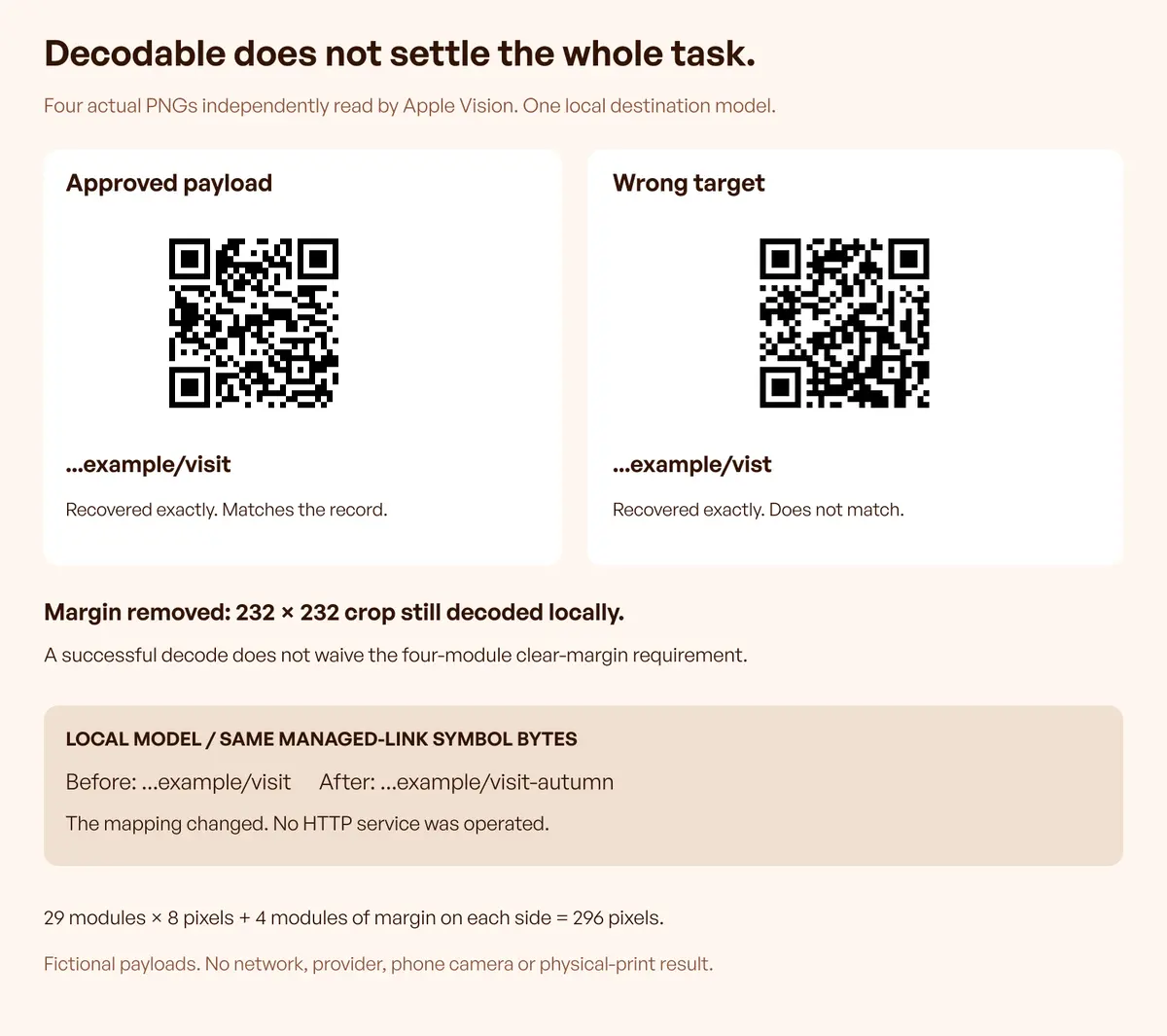
Preserve the distinction after a successful decode
The margin-removed copy is an actual 232 × 232 crop. Apple Vision still recovered its payload in this local case. It does not meet the declared four-module margin requirement, so that successful decode is insufficient for acceptance.
The wrong-target code exposes a different failure. Its symbol is readable and has the declared margin, yet the recovered path disagrees with the approved record. Correct geometry cannot settle the intended destination.
Finally, the local redirect model changes its onward target from the visit page to an autumn page while retaining the managed-link image's exact bytes. That illustrates the separation of stored symbol and maintained mapping. It does not demonstrate a running redirect service or future availability.
Retain a delivery record that another person can use
Keep the approved payload, downloaded symbol, final placement, destination owner and review findings together. Include any intermediary service and its operating conditions. A later editor should be able to identify which part can change and which distributed copies remain fixed.
Use Daily Inspire to study how pages explain the action after arrival. Credit the original work and describe visible decisions without inferring its generator, analytics or commercial performance.
Frequently asked questions
Which QR code generator should a small team choose?
Choose around the actual payload, required output and updating arrangement. A simple URL route may be sufficient; managed destinations add responsibilities and conditions that should be explicit before distribution.
Does a static QR code always stop working when a page changes?
The symbol retains its encoded value. A controlled destination's content or redirect can still be maintained. A changed address outside the owner's control may require a different remedy or a reprint.
Can a printed static code be converted to dynamic later?
A dashboard conversion does not rewrite printed material. QRCodeChimp's current help explicitly says it produces a new image requiring reprint; the old static copy retains its original payload.
Does a successful scan prove the code is ready?
Check the recovered value, final placement and destination task separately. The original wrong-target example decodes successfully, while its path is incorrect. The cropped example also decodes locally despite missing the required margin.
What size should every QR code be?
There is no universal physical size established here. The symbol's modules, clear margin, payload, output process and receiving conditions matter. Test the actual delivered version at its intended size and placement.
Can a logo cover thirty percent of the image?
An error-correction percentage does not establish an arbitrary safe overlay area. It concerns encoded codewords. Preserve functional structure and evaluate the actual branded result rather than treating a percentage as a design allowance.
Are free dynamic codes permanent and unlimited?
Check the selected provider and current plan. QRStuff's public Free Suite has dynamic expiration and scan conditions, while QRCodeChimp also distinguishes monthly allowances. No general lifetime guarantee follows from a free entry point.
Did Upslide test these providers' generators?
The comparison uses current official public information and attributed original illustrations. The executed exercise used a local encoder and Apple Vision; it did not operate provider accounts, phone cameras, printers or live destinations.
Key takeaways
- Select the payload and destination owner before decorating the symbol.
- Distinguish fixed information from a maintained onward mapping.
- Check current access, output and ongoing service conditions.
- Review margin, recovered payload and destination task separately.
- Retain the actual delivery and its updating responsibilities.
We help teams connect visual communication with usable destinations. Explore Upslide's design services when a recurring communication task needs to fit a wider website or product workflow.