When you download a free texture, are you choosing a finished image, one input to a material or a package that someone else must be able to maintain?
Those choices can begin with similar thumbnails. Their requirements differ. A photographed paper surface used inside a poster is a different input from a roughness map used to control a material, even when both arrive as PNG files.
This guide compares three texture sources and an original file-and-math exercise. It focuses on selecting useful inputs, recording their meaning and checking the intended distribution. No provider texture was downloaded, imported into a renderer or measured for visual quality.
Choose the texture's role and permission before judging its preview.
Design task
Describe the surface and the destination
“Add texture” leaves the important decision unresolved. A designer may want irregularity in a flat composition, a repeating surface for a scene, or a set of numeric maps that describe different material properties.
Name that role before searching. A photographic stain could work as an integrated graphic element without being a seamless surface. A roughness image might be useful numeric input while looking unremarkable in an ordinary image viewer.
Write the destination as well. The handoff might be a flattened illustration, an editable design file, an interactive scene or a reusable asset pack. Permission for one use should not be assumed to cover every other form of delivery.
A practical search brief identifies:
- The intended surface or visual characteristic.
- Whether the input represents colour or another property.
- The receiving application and required map convention.
- The needed coverage, scale and image detail.
- The final artifact and whether source images remain extractable.
- The licence record and any unresolved permissions.
This is texture selection within a larger authoring workflow. The published graphic design software guide helps compare the working files and collaboration arrangement. Select a useful input for that workflow instead of choosing an editor from a texture thumbnail.
Distinguish a picture from a material package
A colour image describes visible colour information. A material can use additional images as inputs to other properties. The words “texture” and “material” are often used loosely in catalogues, so inspect what the actual item provides.
ambientCG's asset taxonomy explicitly separates PBR materials, atlases and decals from plain photo textures without PBR maps. That is a useful distinction at search time: a plain photo is not a deficient material package when the task requires a plain photo.
The reverse also matters. An attractive photographic surface does not establish that matching roughness, normal or displacement data is available.
Record actual supplied maps and their intended roles. Do not infer a complete material from the thumbnail or the number of files.
Keep the surrounding image task separate
A texture can become part of an illustration without becoming its subject. Cropping, composition and source permission still matter, but this guide does not evaluate photographic credibility or the legibility of text over a website background.
The published free mockup guide offers a related source-file and permission review for presentation assets. For texture work, the more specific question is what the input means and how it is permitted to travel with the final artifact.
Resource kit
ambientCG: distinguish the asset type before selecting a package
ambientCG is a useful route when the search concerns surface inputs rather than a general stock photograph. Its documented categories distinguish PBR materials, plain photo textures, decals and other asset types. Select the matching category before comparing individual entries.
The official licence applies CC0 to downloadable assets and the material preview renders shown for them. It explicitly permits copying, modification and distribution, including commercial use and raw files inside a project. Credit is appreciated rather than required under that stated asset licence.
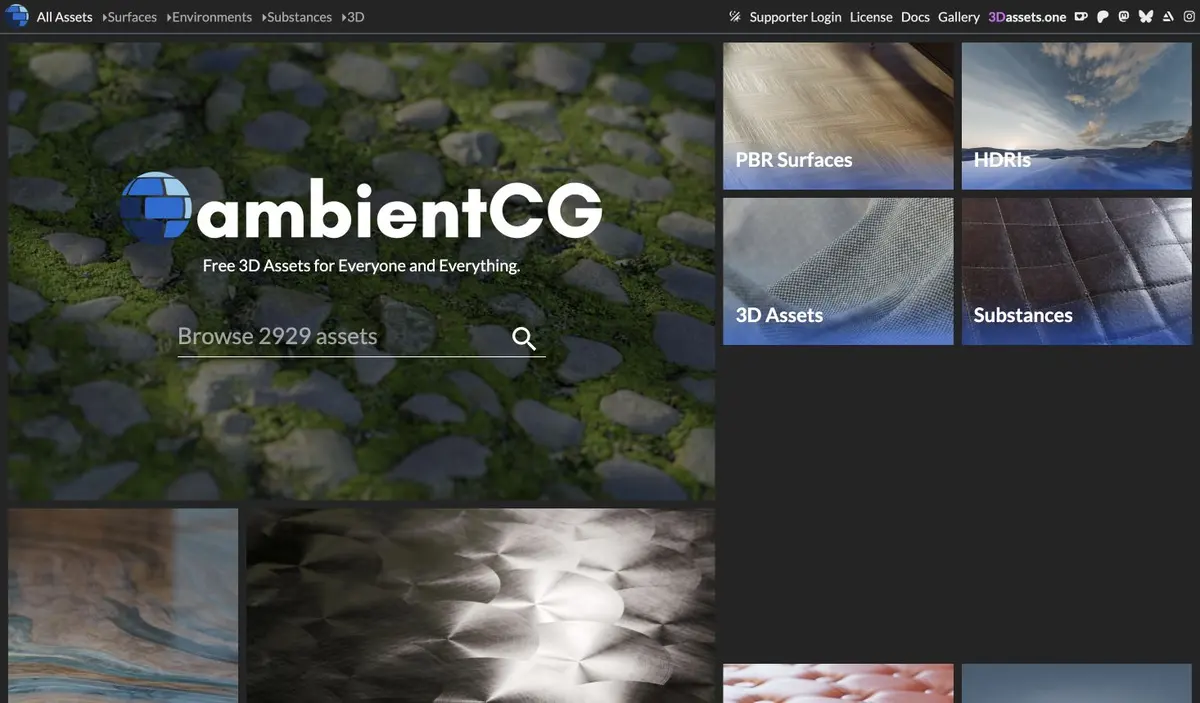
Credit: ambientCG and its displayed creators. Actual public source page; no texture download or renderer import was performed for this guide.
That permission record is valuable when an editable package needs to include its inputs. It does not make every catalogue item technically interchangeable. Inspect the selected asset's maps, versions and receiving requirements; catalogue access is separate from proving that a particular material works in a scene.
Poly Haven: inspect the individual maps and delivery choices
Poly Haven's texture collection offers another source route. Its current Brick Wall 001 page illustrates why the individual asset record matters: it lists separate diffuse, roughness, displacement, occlusion and normal-map choices, including GL and DX normal variants, alongside resolution and package controls.
Those controls are source evidence, not an import test. The actual application must interpret the selected files and conventions correctly.
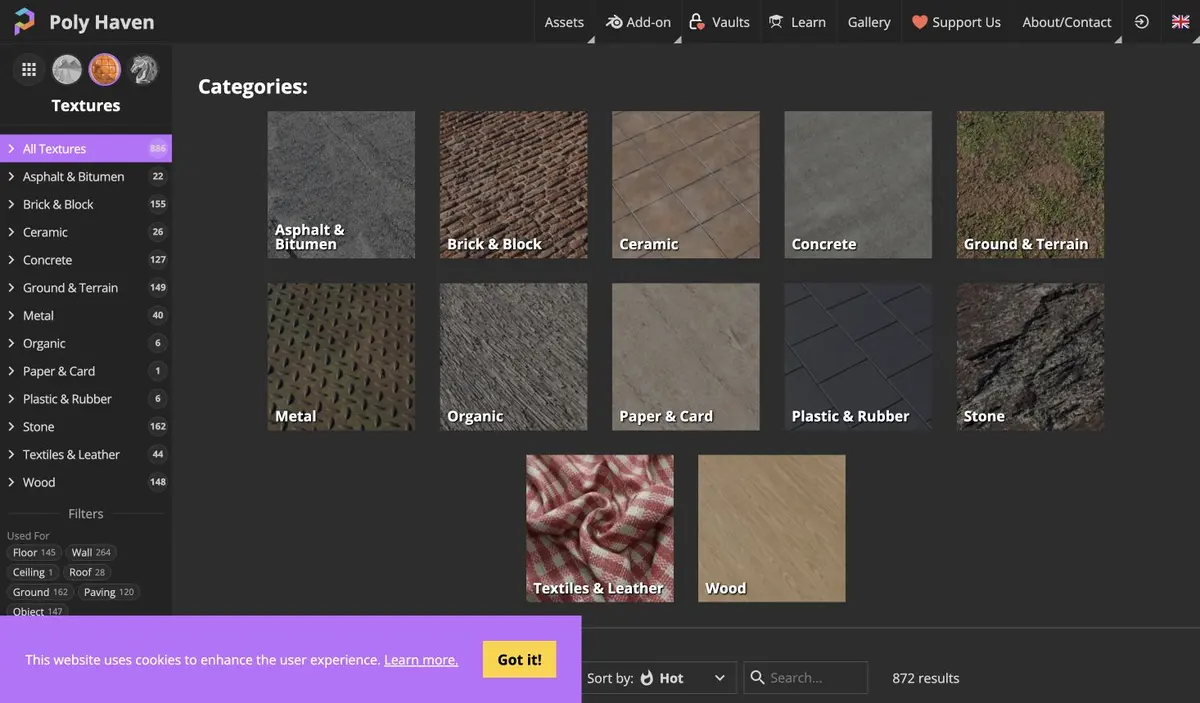
Credit: Poly Haven and the displayed artists. Actual public page shown as source context; its interface and example renders are not presented as downloadable CC0 artwork.
The official asset licence permits commercial use and redistribution of CC0 assets without required attribution. It separately protects site content, including logos, copy and example renders. Preserve that distinction when collecting references: permission for a downloadable material does not label the entire website CC0.
Texturelabs: select photographic elements under its own terms
Texturelabs provides original photographic textures for art and design. Its About page identifies Brady Erickson as the creator and distinguishes free textures from the separate Tools offering.
This route deserves consideration when the task needs a photographic element integrated into a composition. Do not assume that every image supplies PBR maps or a repeatable surface.
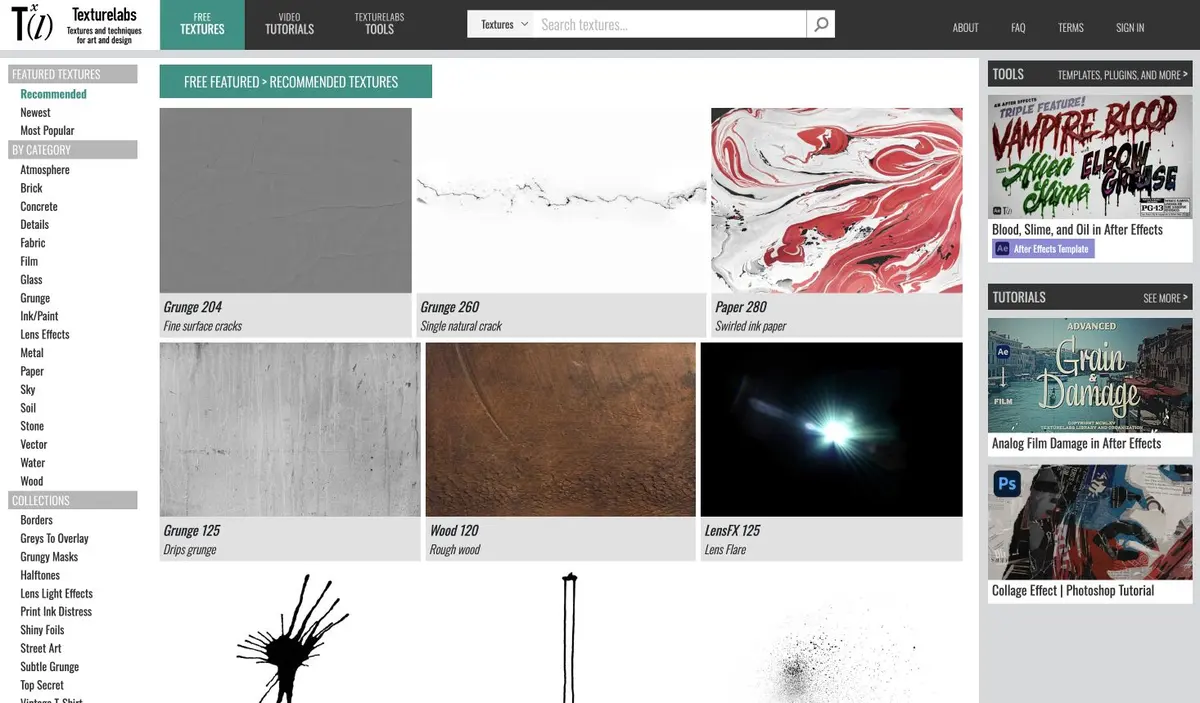
Credit: Brady Erickson / Texturelabs. Actual public catalogue preview; no source texture was downloaded or incorporated into the original exercise.
Its texture terms permit specified integrated commercial work without required credit, while restricting raw redistribution, design templates and extractable stock-model texture bundles. They also prohibit AI image-generation uses.
The free price therefore does not make these files interchangeable with CC0 material inputs. Review the actual destination, particularly when delivering reusable or editable resources.
Match the source to the receiving requirement
| Source | Useful starting distinction | Permission or delivery question |
|---|---|---|
| ambientCG | PBR material versus plain photo, decal or another asset type | Is the selected file set the right input for the receiving workflow? |
| Poly Haven | Individual map variants, package and resolution controls | Which map convention and package does the recipient need? |
| Texturelabs | Original photographic texture integrated into artwork | Does the intended delivery remain within its custom restrictions? |
The three routes cover different decisions rather than a universal ranking. An appropriate source should satisfy both the technical input and the intended use. A larger catalogue or more permissive licence does not by itself establish the required appearance.
How the pieces work together
Assign a meaning to each image
A file extension describes a container, not a material property. PNG does not mean “colour,” “roughness” or “normal.” A receiving workflow needs to know what its samples represent.
Colour inputs and numeric data inputs can require different interpretation. The three.js colour-management manual distinguishes colour textures, such as ordinary PNG or JPEG colour maps, from non-colour textures such as roughness and normal maps. Its documented annotations differ accordingly.
That is a specific receiving-system example, not a declaration that every application uses the same controls. Record the required role and encoding in terms the actual recipient can verify.
The map name is also insufficient by itself. An image might use a particular channel, a packed combination of channels, or a normal convention that differs from the target. Inspect the source documentation and package instead of relying on a remembered suffix.
Preserve the distinction between stored samples and interpreted values
A stored image channel can be normalised to a number between zero and one. The next operation depends on its meaning.
For a colour channel declared as sRGB, the sRGB transfer function converts the encoded value to a linear-light component. For an intentionally untransformed numeric teaching input, that colour transfer is not applied.
The W3C sRGB definition specifies the piecewise transfer used in the exercise below. This mathematical distinction does not predict a finished render. It establishes that the same stored sample can reach a different numeric result when a different interpretation is declared.
Do not “repair” the difference by changing the source image until the role is understood. A different input assignment may be the issue; in another project the source file itself may need a documented transformation. Keep the original and record which operation actually occurred.
Separate source permission from technical meaning
A correctly assigned roughness map can still have unsuitable distribution terms. A permissively licensed image can still be the wrong material input.
Keep two records: one identifies creator, asset page and usage conditions. The other identifies file, property, channel, encoding and receiving configuration.
They answer different questions and should remain connected to the same selected artifact.
For custom terms, distinguish a finished image from a resource another person can extract and reuse. Texturelabs makes that boundary particularly relevant. Its stated restrictions should not be generalised to the CC0 assets from the other sources, or vice versa.
Limitations and alternatives
A catalogue preview does not validate a material
A preview can help discuss appearance, but it can include lighting, geometry, scale and presentation choices absent from a downloaded file. It is not a controlled comparison of material quality.
The previews in this guide document actual public source pages. They do not show an Upslide material import or establish which provider produces a better scene. No download button, paid entitlement or shader setup was tested.
When a material is shortlisted, inspect it in the actual receiving workflow under declared conditions. Record what was tested instead of carrying a provider's demonstration forward as project evidence.
More detail is not automatically more useful
Choose image dimensions and precision from the visible task and receiving system. A close-up and a small background object can have different requirements, while multiple maps can add their own storage and processing costs.
This article contains no resolution recommendation, GPU-memory benchmark or loading comparison. The original fixture is deliberately small so its samples can be audited. It is a teaching file, not a production material or an example of adequate texture detail.
A single photograph can be the appropriate input for a flat graphic. A procedural material can be an alternative when editable construction is central. Either choice needs its own scope and permission record; generating something procedurally does not clear unrelated third-party inputs.
Normal variants and packed maps need their own check
The Poly Haven example offers both GL and DX normal-map variants and an AO/roughness/metal option. Their presence is a reason to inspect the target contract, rather than to select every available file.
A package can contain related images without defining which channel the target expects. Ask for the material configuration or documentation that explains the mapping. The worked example below demonstrates interpretation with one scalar sample; it does not implement a normal map, packed material or renderer.
Worked example
Store one original image and declare two different uses
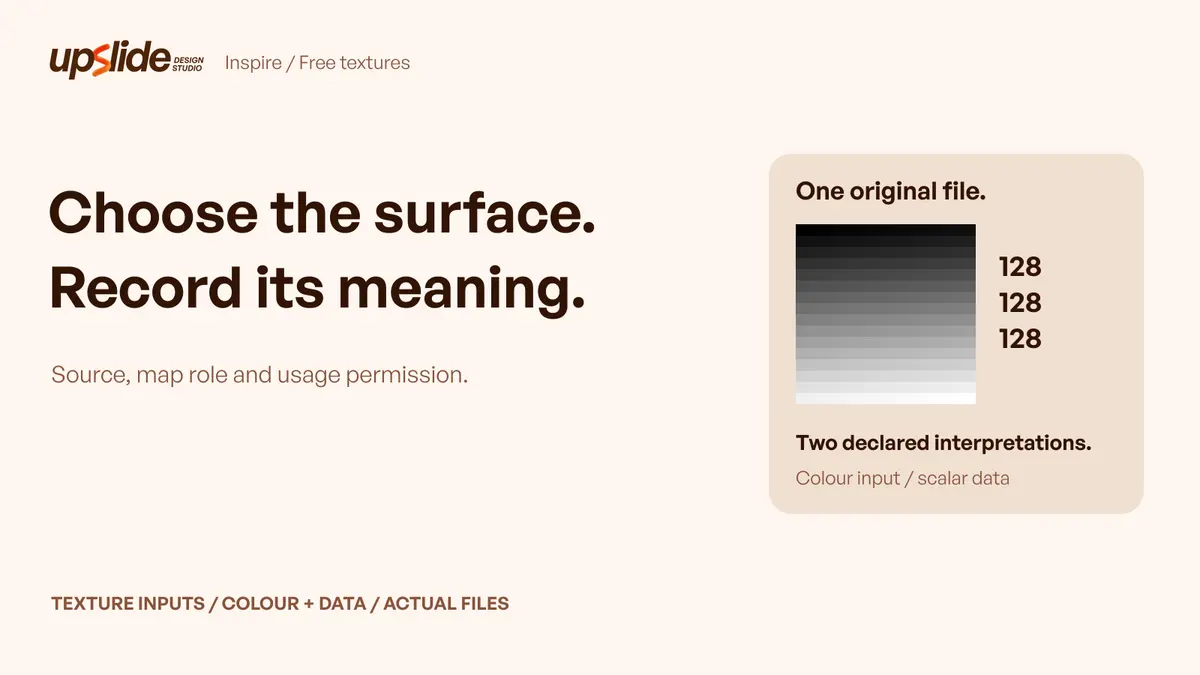
Upslide authored a 16-by-16-pixel RGB PNG containing all 256 eight-bit sample values, with each scalar replicated across red, green and blue. The exercise uses original bytes rather than a provider's texture.
The actual file was written and reopened. Its 852 bytes contain an image header, compressed image data and end marker. The image contains no embedded colour-profile or sRGB metadata; the intended interpretations are explicit declarations in a separate role manifest.
Both declarations refer to exactly the same file and hash. One calls it a base-colour teaching input with sRGB encoding. The other calls its red channel an untransformed normalised roughness teaching input.
These are authored roles, not meanings discovered automatically in the pixels.
At coordinate x = 0, y = 8, the actual stored RGB sample is 128, 128, 128. Dividing a channel by 255 gives approximately 0.501961.
Execute the interpretation arithmetic
For the colour declaration, the normalised value exceeds the sRGB transfer breakpoint of 0.04045. Adding 0.055, dividing by 1.055 and raising the result to 2.4 gives approximately 0.215861.
For the untransformed scalar declaration, the normalised value remains approximately 0.501961. No colour transfer is applied in that declared teaching path.
| Stored channel sample | Normalised scalar | sRGB-decoded linear component |
|---|---|---|
| 0 | 0.000000 | 0.000000 |
| 10 | 0.039216 | 0.003035 |
| 11 | 0.043137 | 0.003347 |
| 64 | 0.250980 | 0.051269 |
| 128 | 0.501961 | 0.215861 |
| 192 | 0.752941 | 0.527115 |
| 255 | 1.000000 | 1.000000 |
The lower branch divides values at or below the breakpoint by 12.92. Including samples 10 and 11 makes the two branches inspectable rather than hiding the rule behind a single middle value.
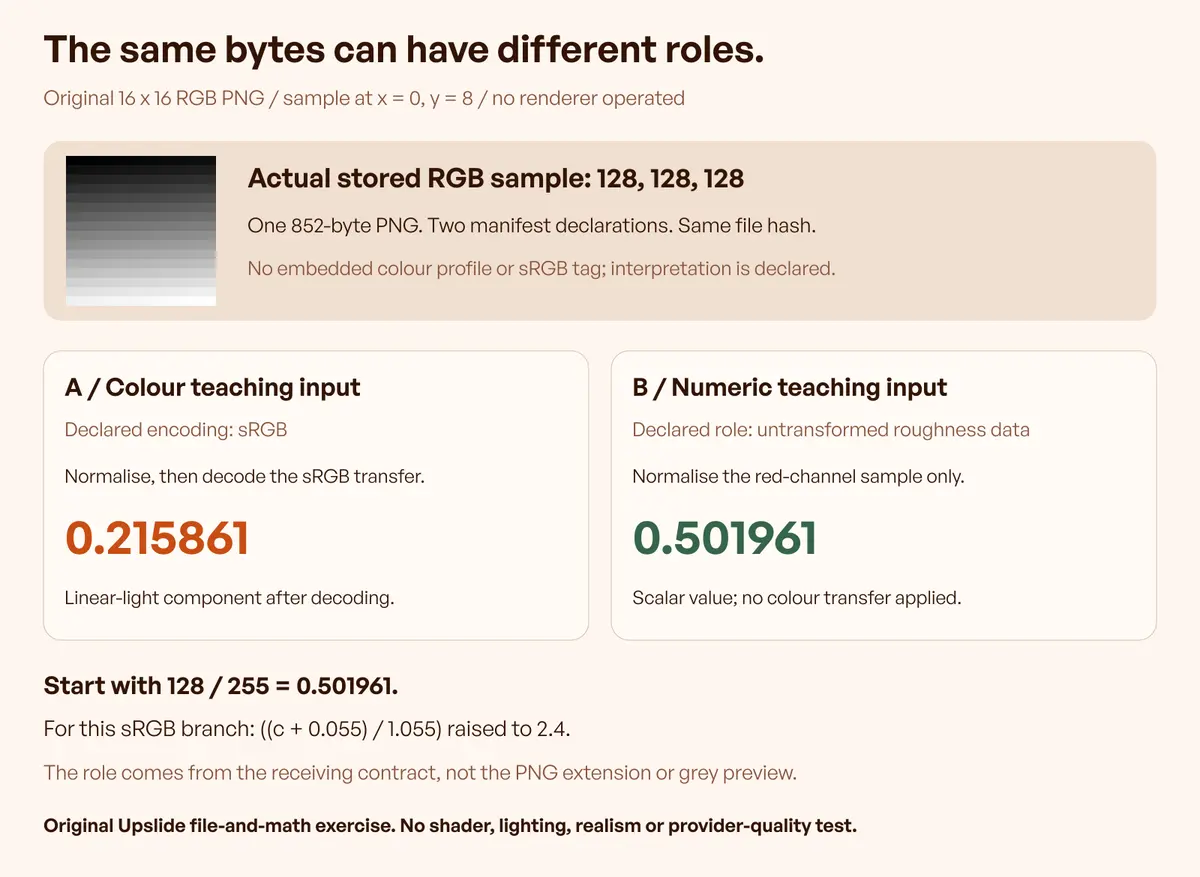
Original Upslide teaching file and executed arithmetic. Same stored bytes, two declared interpretations; no material, renderer, lighting or provider-quality result.
Use the result within its actual limits
The exercise establishes that a filename, dimensions and visible grey sample do not identify the intended map role. Its two declarations produce different numeric interpretations while the source bytes remain unchanged.
It does not establish how shiny a surface looks, how a shader implements roughness or whether a provider's material is physically calibrated. No renderer was installed or operated. The numbers are file-and-transfer evidence, not a pair of simulated material previews.
For a real handoff, record the source asset, map role, selected channel and receiving interpretation. Then verify the actual application assignment and scene result separately. This keeps the check actionable without turning a small calculation into an unperformed integration test.
Use Resource Box to compare the selected sources and their actual conditions. Daily Inspire can support discussions about surface treatment in complete compositions; a reference image cannot reveal its underlying maps or grant permission to extract them.
Frequently asked questions
Where can free textures be used commercially?
That depends on the original source's terms and the intended use. ambientCG and Poly Haven state CC0 permissions for their downloadable assets. Texturelabs permits specified integrated work under custom restrictions; check the actual asset and delivery arrangement.
Is a free texture always a complete PBR material?
No. A source may provide a plain photograph, a decal or a set of material maps. Inspect the actual supplied files and their roles; neither the thumbnail nor the word “texture” guarantees a complete package.
Does a PNG file identify its material role?
PNG describes an image container; the same stored samples can be assigned different meanings. Keep the intended property, channel and interpretation with the file instead of relying on its extension.
Should a roughness map be treated as an sRGB colour image?
Do not infer colour interpretation from the image format. The three.js documentation distinguishes non-colour maps from colour textures. Verify the selected asset and actual target's requirements; this guide's untransformed scalar path is a declared teaching example.
Can Texturelabs images be included in reusable templates?
Its texture terms restrict design templates, raw redistribution and certain extractable resource bundles. Free access does not override those restrictions. Review the proposed deliverable and contact the creator if the required use remains unclear.
Are Poly Haven website previews covered by the asset licence?
Its licence distinguishes CC0 assets from protected website content, including example renders, copy and logos. A downloadable material's permission should not be extended automatically to every image or interface element on the site.
Does a larger texture always improve the result?
The useful resolution depends on the task and receiving conditions. This guide does not benchmark resolutions or recommend a universal size. Evaluate the actual selected input at its intended use and retain the measured conditions.
What did the original exercise actually test?
It wrote and reopened one original PNG, inspected its samples and executed the sRGB transfer arithmetic for declared interpretations. It did not download provider textures, configure a material, render a scene or test photorealism, tiling, performance or accessibility.
Key takeaways
- Define the texture's role, receiving application and final delivery before choosing from thumbnails.
- Distinguish plain photographic inputs from material maps and record actual supplied roles.
- Check permission for the intended artifact, including whether others can extract the source files.
- Preserve map meaning, channel and encoding beside the selected file.
- Use the original arithmetic as evidence about interpretation, then test the actual material workflow separately.
We teach the visual decision-making behind more deliberate asset choices in Upslide's free design course. Use those foundations to define what a surface treatment should contribute before selecting its source.