
Can you change the part of an illustration that your design actually needs, or can you only change the size of the finished picture?
Those are different forms of control. A recolorable library scene, a layered design source and a PNG can look equally convincing in a preview while leaving very different work for the person adapting them.
For designers and SaaS founders, choose editable illustrations around the intended change. Decide whether the task is replacing a color, removing an object, adjusting a composition or delivering a finished image. Then inspect the actual source and export route.
Editability belongs to the objects and information inside the file, not just its extension or attractive preview.
This guide uses verified Resource Box routes and an original source-and-export fixture. The fixture was constructed and checked for this article; it is not a benchmark of imported third-party illustrations or a claim that we tested every editor. Public source information was checked on November 2, 2026.
Design task
Specify what must remain editable
“Make the illustration match our brand” can describe a small color change or a substantial redrawing. Name the actual requirement before choosing a download.
For example, a SaaS team might need to recolor an envelope while keeping the paper, linework and a nearby accent unchanged. Another project might need to move a person, remove a background or replace wording inside the artwork.
A useful adaptation brief records:
- The specific object or property that must change.
- The surrounding artwork that must remain unchanged.
- The editing environment available to the team.
- The finished placement, dimensions and background.
- The source, creator and applicable conditions.
- The original and delivery files the team needs to retain.
That brief makes a candidate easier to assess. A PNG may be entirely sufficient when the task is placing a finished illustration. It is a different starting point when the team needs access to separate vector objects.
Separate source control from usage permission
A file can expose editable shapes without being suitable for every intended use. Conversely, permission to place an image in a project does not establish that the account supplies a particular editable format.
Keep access, file structure and usage conditions as separate checks. A preview that can be recolored in a browser does not, by itself, establish what the downloaded file contains or whether it can be redistributed in a template.
The main site's illustration-resource guide covers source, style and published licence distinctions. Here the task is more specific: establish the control needed for an adaptation, inspect the source structure and retain an appropriate delivery export.
Resource kit
Connect the source with the editing route
This is a workflow kit, not a new ranking of illustration libraries. The resources supply different parts of the task, and the team need not use every one.
| Resource | Relevant role | Remaining check |
|---|---|---|
| unDraw | Discover a conceptual illustration source | Selected asset, format and whether the requested change fits its structure |
| Storyset | Investigate scene-level customization and static formats | Exact layers, selected export and applicable attribution conditions |
| GetIllustrations | Investigate packs and source-format options | Public access statements conflict; resolve the exact pack and account route |
| Inkscape | Investigate vector-object and SVG editing | Actual imported structure, retained source and required export |
| Figma | Investigate editing within a design-file workflow | The actual imported objects, unsupported details and receiving file |
An editor does not recover an original vector structure merely because it can place a raster image. The selected source should supply the information the change needs, or the brief should account for separate reconstruction work.
unDraw: choose an adaptable source, not only a matching keyword
unDraw's illustration directory provides a route into conceptual artwork. Inspect the actual selected scene and available output before deciding that a matching title makes it suitable for your adaptation.
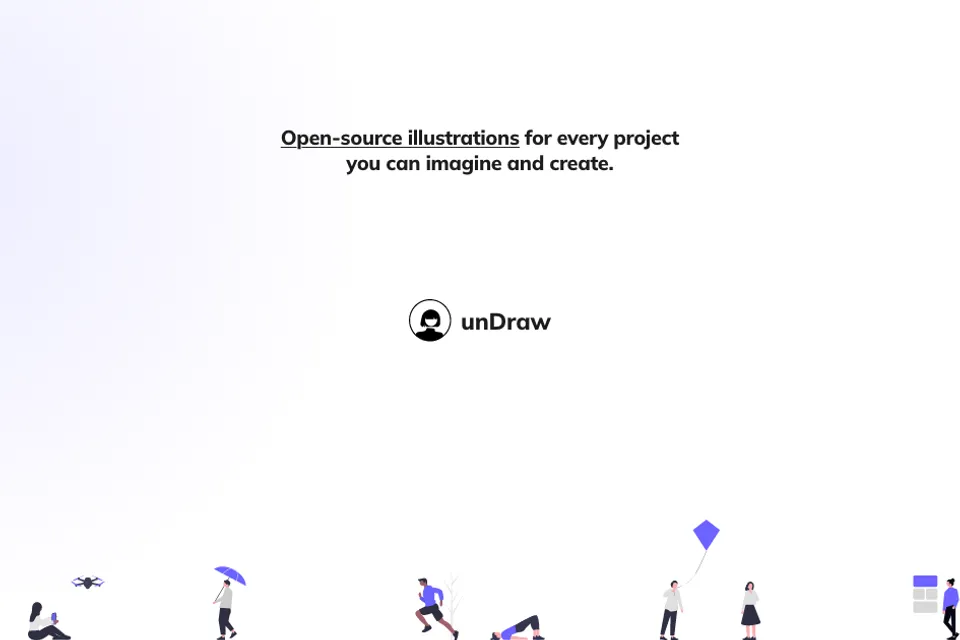
Credit: unDraw and its illustration creators. Existing Resource Box website capture inspected November 2, 2026; original capture date not established here. Library context, not an imported asset or an adaptation performed for this guide.
An illustration may already communicate the right idea while needing a small accent adjustment. If the requirement instead changes the scene's subject, relationships or geometry, more extensive editing may be necessary. Keep that difference visible in the shortlist.
The official licence remains part of the source record. This guide does not bundle unDraw files or grant a new redistribution permission. Its worked artwork below is original, so the demonstrated source checks do not depend on borrowing a third-party scene.
Storyset: distinguish browser customization from the downloaded object
Storyset's FAQ describes changing colors, adjusting available backgrounds and hiding or showing scene layers. It separately identifies SVG and PNG static downloads and the editing route for downloaded SVG artwork.
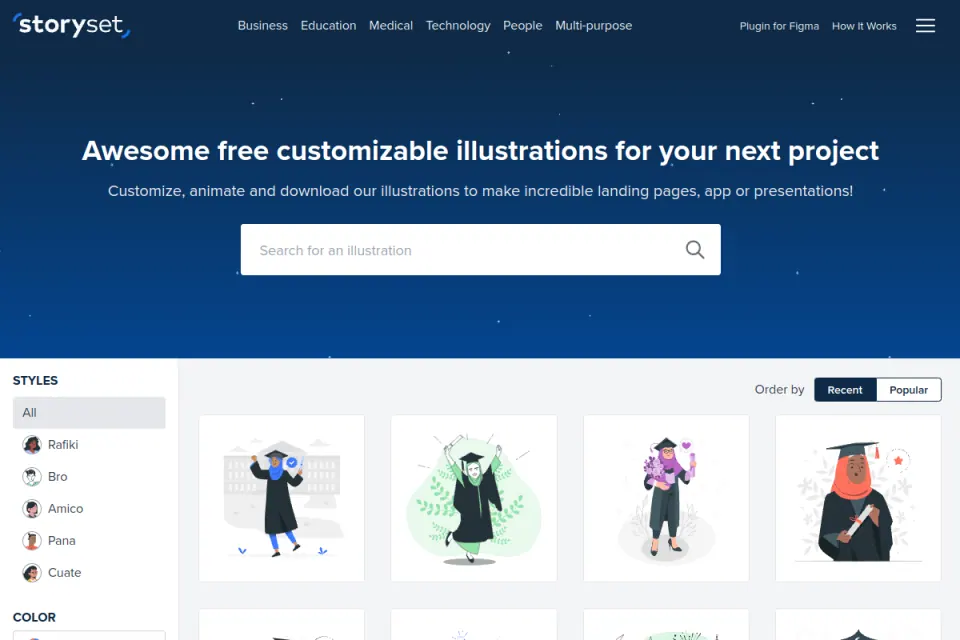
Credit: Storyset / Freepik and the credited creators. Existing Resource Box capture inspected November 2, 2026. This is provider library presentation, not an export or completed editor session by Upslide.
Use those documented controls to investigate whether the intended change is supported before download. A background option or layer switch may address the brief without further reconstruction, but the exact selected scene still needs inspection.
Static and animated outputs also support different work. The existence of a moving preview is not proof that every delivery format retains the same editable objects. This article concentrates on static source selection and export, rather than repeating an animation-production guide.
The same FAQ requires attribution for its free illustrations and describes a separate premium route. Preserve the current applicable conditions with the selected asset instead of treating SVG access as a general usage clearance.
GetIllustrations: keep conflicting access information unresolved
GetIllustrations' free-library page advertises SVG and PNG formats, with AI source files described for many packs. It also describes an account-based download route and a color-editing tool.
However, its licence page contains conflicting format and access statements. The comparison table includes free SVG and PNG while excluding AI/source files; a later FAQ says free accounts only receive preview-quality images. The free page's wording and the licence page also differ on some commercial-use and team conditions.
Those are material boundaries. This guide does not certify free editable-vector entitlement, promise a particular team allowance or resolve the conflict by choosing the most convenient sentence.
For a real project, obtain confirmation for the exact pack, format, account and intended use before making that route essential. The source remains worth investigating for editable artwork, while an unresolved condition stays unapproved in the selection record.
Inkscape: inspect objects and preserve the source separately
Inkscape's official features page documents object grouping, layers, fills and strokes, path controls, SVG document editing and an XML-tree view. These are relevant capabilities to investigate when the adaptation needs control over specific artwork objects.
The presence of those tools does not determine what your input contains. An embedded photograph and a set of vector shapes can both appear inside an SVG document. Inspect the actual object before assuming that its internal parts can be selected in the same way.
Inkscape's beginner export guide distinguishes the page, drawing and selection as export areas. Its file-format guidance also recommends retaining the original Inkscape SVG when producing other formats. These are versioned documentation routes, not a test of every current installation.
We did not install or operate Inkscape for the worked fixture. Its official documentation informs the editing shortlist; the fixture's actual source and raster checks were performed separately.
Figma: check the result of the import
Figma's official media guide explains that imported SVG is converted into an editable vector layer rather than treated like a normal image fill. Its cross-tool copying guidance also identifies SVG import limitations, including marker and pattern elements.
Credit: Figma and displayed creators. Existing Resource Box capture inspected November 2, 2026. Source context only; no third-party illustration import or Figma editing benchmark is represented.
Verify the actual imported object and appearance. A source that contains an embedded raster image does not thereby gain the original illustrator's separate envelope, person or background paths. A conversion or tracing step would be additional work, with its own result to inspect.
Keep the receiving design file and the original source identified. The workflow should make clear which one is maintained after the adaptation and what information might be lost in the delivered export.
How the pieces work together
Inspect before adapting
Begin with the exact source file, not a screenshot of its download page. Identify whether it contains separate vector shapes, editable text, embedded raster content or a mixture.
The MDN SVG image reference explains that an SVG image element can include raster images. The outer SVG format therefore does not prove that every visible part is an independently editable vector object.
The practical check follows the brief. If the required change is the envelope's color, locate that object. If the source presents only a single embedded picture, record the missing control instead of promising that a color picker will reach the original parts.
Make one controlled change
Change the intended object or property, then compare the surrounding artwork with the original. A global color replacement can alter unrelated objects that happen to share the same color.
Keep an untouched source as a reference. Record the selected object, the change made and anything that required reconstruction. This makes the adaptation understandable to the next person without implying that every earlier creator's structure has been preserved.
If the request exceeds the source's useful control, choose another asset, revise the brief or account for original drawing work. A large download collection is not useful when none of its supplied structures supports the actual change.
Export for the destination without replacing the maintained source
A finished PNG can be appropriate for a web image or a presentation. It should not silently replace the editable source when further object changes are expected.
Name the export area, dimensions and background explicitly. Reopen the delivered image and inspect the actual edges and composition. Keep the original source, edited source and delivery image distinguishable in the record.
This is an editing and delivery decision, not a performance claim. A vector source can contain complex effects or embedded pixels; a particular format does not automatically produce a faster page or a universally smaller file.
Limitations and alternatives
Test the requested control rather than a universal compatibility claim
Different editors and import routes can represent text, masks, gradients, patterns and effects differently. Verify the selected file and the features important to the requested change.
This article does not report a cross-editor compatibility matrix or guarantee that every advertised SVG, AI or design-library file preserves identical structure everywhere. A source-format label should lead to a checkable example rather than a blanket approval.
Keep the adaptation narrow when possible. Recoloring one supplied object is a different commitment from rearranging a scene or redrawing a character's pose.
Keep essential interface meaning outside the illustration
The W3C image decision tree distinguishes decorative, informative and functional uses. The text alternative depends on the image's role in the actual interface, not whether its source was editable.
For a decorative envelope beside a clear invitation heading, explanation and action, avoid making the picture responsible for essential instructions. If an image carries information unavailable elsewhere, provide the necessary equivalent in context.
An exported asset is not an accessibility audit of the finished screen. The published onboarding-illustration guide addresses the separate role-and-state review; source editability does not settle that communication task.
Worked example
Compare two original SVG files with the same appearance
For this guide, we constructed a simple envelope illustration from original geometric shapes. One SVG retains named objects, including the envelope body and an orange accent dot. A second SVG contains a PNG rendering of that same artwork as one embedded image.
At the fixture's 640 × 400 output, the two initial PNG renderings have identical pixel buffers. Their appearance at that size therefore does not reveal which file retains the envelope as a separate vector object.
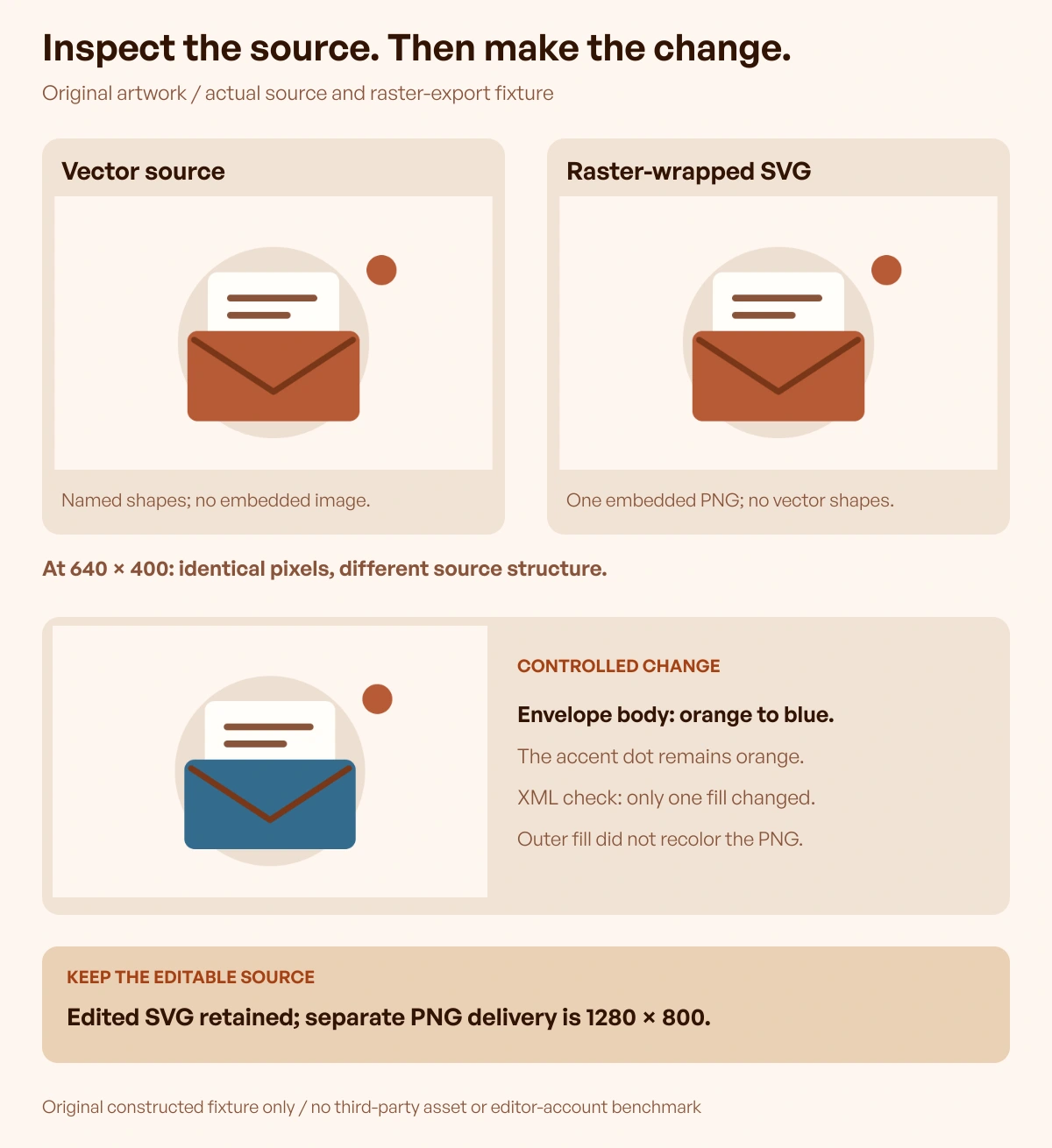
Original artwork and source/export fixture by Upslide Design Studio. No third-party illustration was imported or redistributed, and no Figma or Inkscape account test is claimed.
The source inspection finds no embedded image in the first file. The second has one embedded image and no separate vector shapes describing the envelope. Both legitimately have an SVG wrapper, but they do not supply the same source control.
Change the envelope while retaining the accent dot
We changed only the named envelope-body fill from orange to blue in the original vector source. An independent XML comparison confirmed that this was the only object's changed attribute. The separate accent dot remained orange.
For the raster-wrapped version, changing the outer SVG's fill did not change the embedded PNG's pixel buffer. That result applies to this explicit fixture; it is not a claim that every editor has the same interface or that reconstructing vector artwork is impossible.
The useful lesson concerns the starting information. The vector source contains an envelope object to address. The wrapped raster contains a finished picture; recovering equivalent objects would be a separate operation.
Keep the editable version and delivery export distinct
We retained the edited SVG and produced a separate 1280 × 800 PNG delivery. The larger output dimensions do not make the PNG retain the source object's editing structure.
| Fixture artifact | What it retains | Appropriate role |
|---|---|---|
| Original vector SVG | Named geometric source objects | Reference and future object-level changes |
| Raster-wrapped SVG | One embedded finished picture | Demonstrates why extension alone is insufficient |
| Edited vector SVG | Source objects with the declared envelope-color change | Maintained adapted artwork |
| PNG delivery | Rendered pixels at the declared dimensions | Finished placement and appearance review |
These are original constructed files with recorded source and export checks, not purchased-library benchmarks or observed improvements in user behavior. Apply the same questions to the actual asset your team obtains through an appropriate route.
For early layout work, the published free wireframe tools guide provides different resources. Use Inspire's daily references for composition discussions while keeping saved website imagery distinct from editable illustration source files.
Frequently asked questions
Does an SVG extension guarantee fully editable artwork?
No. SVG can contain separate vector objects, embedded raster content or both.
Inspect the actual source and the specific object required by the adaptation. The original fixture demonstrates two files with the same initial appearance but different underlying control.
Can a PNG be recolored or modified?
A raster editor can change pixels, but that is different from selecting the original illustrator's vector objects. Decide whether pixel editing, reconstruction or a different source is appropriate. Renaming or wrapping a PNG does not recreate the missing original paths.
Should a browser customization preview be treated as the downloaded file?
No. Check the selected export and account conditions separately.
The browser may provide particular controls without delivering the same editable structure in every output. Keep the actual file and the provider's relevant instructions with the project.
Is every advertised source format available free?
No assumption is safe from the format list alone. GetIllustrations' current public pages contain conflicting free-access statements, so this guide leaves that entitlement unresolved. Confirm the exact pack, format, account and intended use before relying on it.
Why retain an SVG if the final page uses PNG?
The page's delivery format and the team's maintained editing source serve different purposes. Keep an appropriate original and edited source when future object changes are expected, then export and inspect the image used in the actual destination.
Will importing artwork into Figma or Inkscape preserve everything?
Check the actual result and relevant documented limitations. An editor's ability to open a format does not guarantee identical text, effects, embedded content or object organization. This article's fixture was checked separately and does not certify imports across those applications.
Does editable artwork solve accessibility or licensing automatically?
No. The asset's usage conditions and its role in the implemented interface remain separate decisions. Preserve the applicable source record and provide appropriate text or accessible treatment for the actual context; neither follows automatically from having editable objects.
Key takeaways
- Specify the object or property that must change.
- Inspect source structure and selected export, not only the preview.
- Keep access and usage questions separate from editing controls.
- Make a controlled change and check what remains unchanged.
- Retain editable sources separately from the delivery image.
Start with one adaptation requirement and verify its complete source-to-export path. At Upslide Design Studio, we help teams build coherent product visuals; apply the same evidence and source checks regardless of who supplies the artwork.