
Do you need a research plan, an interview guide or a usability-test script—and does the template you found actually provide it?
For designers and SaaS founders, those documents can look deceptively similar. Each contains headings and questions, yet each supports a different part of a study. Choosing a polished example without inspecting its actual fields can leave the session material unfinished.
This guide compares three public artifacts from Resource Box sources. It distinguishes displayed template text from a downloaded file, examines the work each document leaves to the team, and provides an original selection exercise. It does not report a customer study or a test of the providers' research software.
Choose the artifact by its function, then inspect the material that is actually available.
Public sources and the linked Markdown file were checked on November 2, 2026. The screenshots show their real public pages; the original diagram shows a proposed selection structure rather than a vendor interface.
Design task
Identify the missing document
A research plan explains the proposed study to the team. An interview guide supports a conversation. A usability-test script supports a session built around tasks.
One project might need all three, but one document should not silently stand in for another.
Start with the next recipient and the work they must perform. A stakeholder reviewing study scope needs different information from a moderator preparing the next prompt. A founder observing a session needs to understand its purpose without rewriting the moderator's instructions during the call.
| Immediate need | Artifact to inspect | A reason to reject a mismatch |
|---|---|---|
| Agree the proposed study | Research plan | It contains prompts but no decision or study scope |
| Prepare a conversation | Discussion guide | It lists business objectives without usable participant prompts |
| Prepare a task-based session | Usability-test script | It describes the feature but gives away the route through it |
These are selection questions rather than universal document definitions. Teams can combine material when the relationship remains understandable. The practical issue is whether the intended person can find what they need without inferring missing instructions.
Inspect the artifact, not only the catalogue
A page can advertise a template while offering only an illustration. A visible document can be readable without a downloadable native-file version. A separate download can have different access conditions from the text beside it.
Keep a short inspection record: exact source URL, artifact name, available form, fields actually seen and remaining requirements. Describe the observed access route precisely. A public Markdown file fetched successfully supports a narrower claim than a completed test of editing, sharing and printing in every receiving application.
The collection below stays with three inspected artifacts. It is deliberately smaller than a directory of every possible research document: enough to compare distinct jobs without presenting dozens of uninspected downloads as equivalent choices.
Resource kit
Compare the three actual sources
| Source and artifact | Material inspected | Useful starting job | Boundary to retain |
|---|---|---|---|
| Great Question research plan | Complete displayed plan on the public article | Organise a proposed study and its linked documents | Separate Notion version requests an email |
| UX Companion discussion guide | Complete public moderator-guide text | Prepare an interview conversation | Visible download control was not exercised |
| UX Academy usability-test script | Public page and actual Markdown file | Prepare task-oriented session material | Worked example is instructional content |
No overall winner follows from this table. Select the document needed now and retain its original source. Software subscriptions, participant recruitment and repository operations are separate decisions.
Great Question: a displayed study-plan starting point
Great Question's research-plan article displays a copyable plan with twelve sections. Its fields include background, decision, questions, assumptions, method, participants, session material, timing, roles, data handling, deliverables and budget.
The useful distinction is between that accessible text and the separate Notion offer on the page, which requests a work email. This guide inspected the displayed plan and did not obtain the gated Notion version.
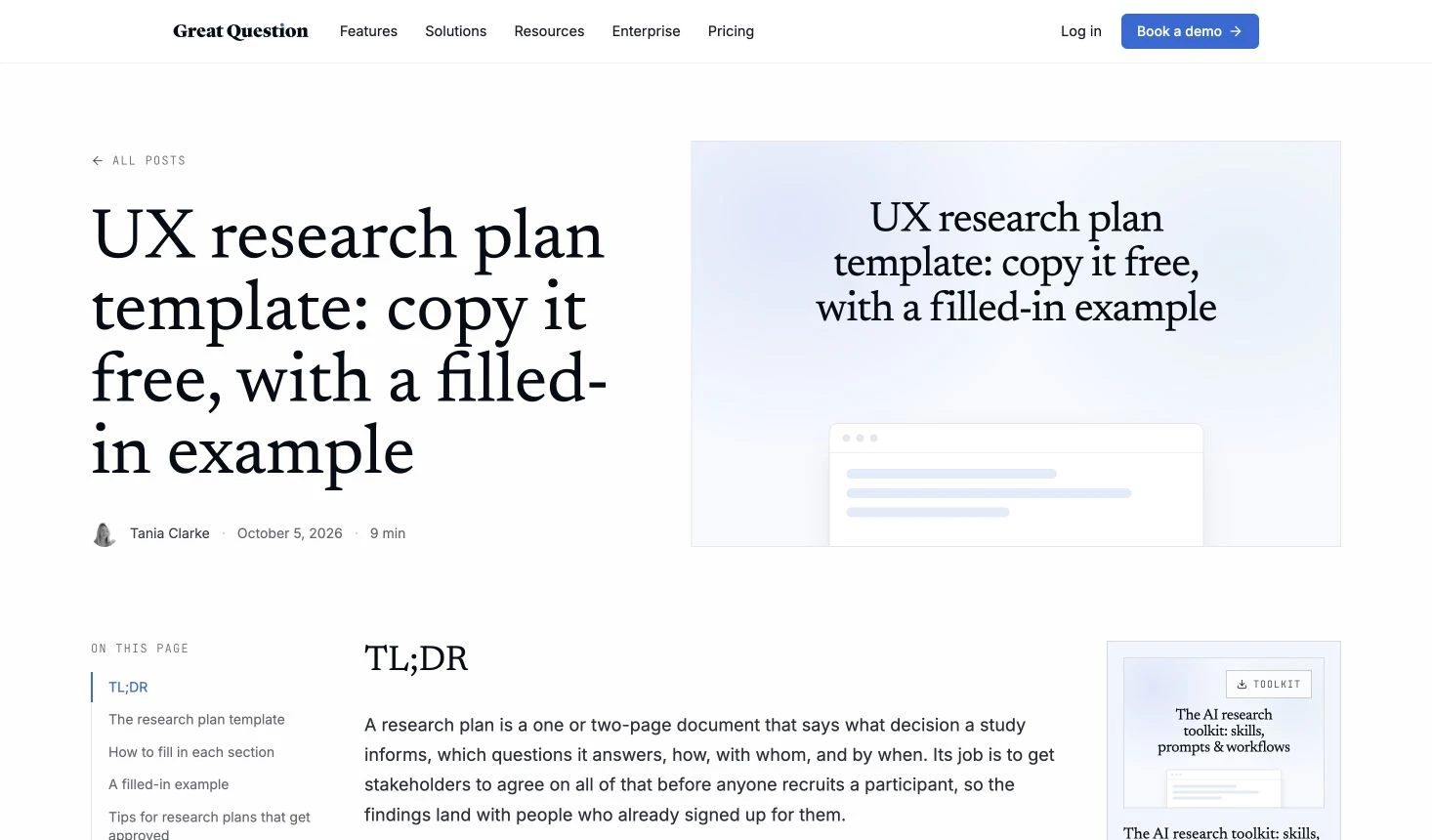
Credit: Great Question / Tania Clarke. Actual public-page capture, November 2, 2026. Source context; no account-based template import or software study was performed.
Its hypothetical completed example illustrates how fields can be populated. The example's numbers and study choices are not requirements for another product. A team must supply its own justified scope rather than carrying demonstration content into a live plan.
UX Companion: a public interview discussion guide
UX Companion's discussion guide displays project, moderator, session and topic metadata, preparation and follow-up checklists, and six conversation sections. The visible structure moves through an introduction, warm-up, behaviour, motivation, difficulties and closing.
The page also exposes copy, Markdown-download and print controls. The displayed content was inspected in full; the download control was not exercised, so this guide does not claim that its resulting file was downloaded or tested.
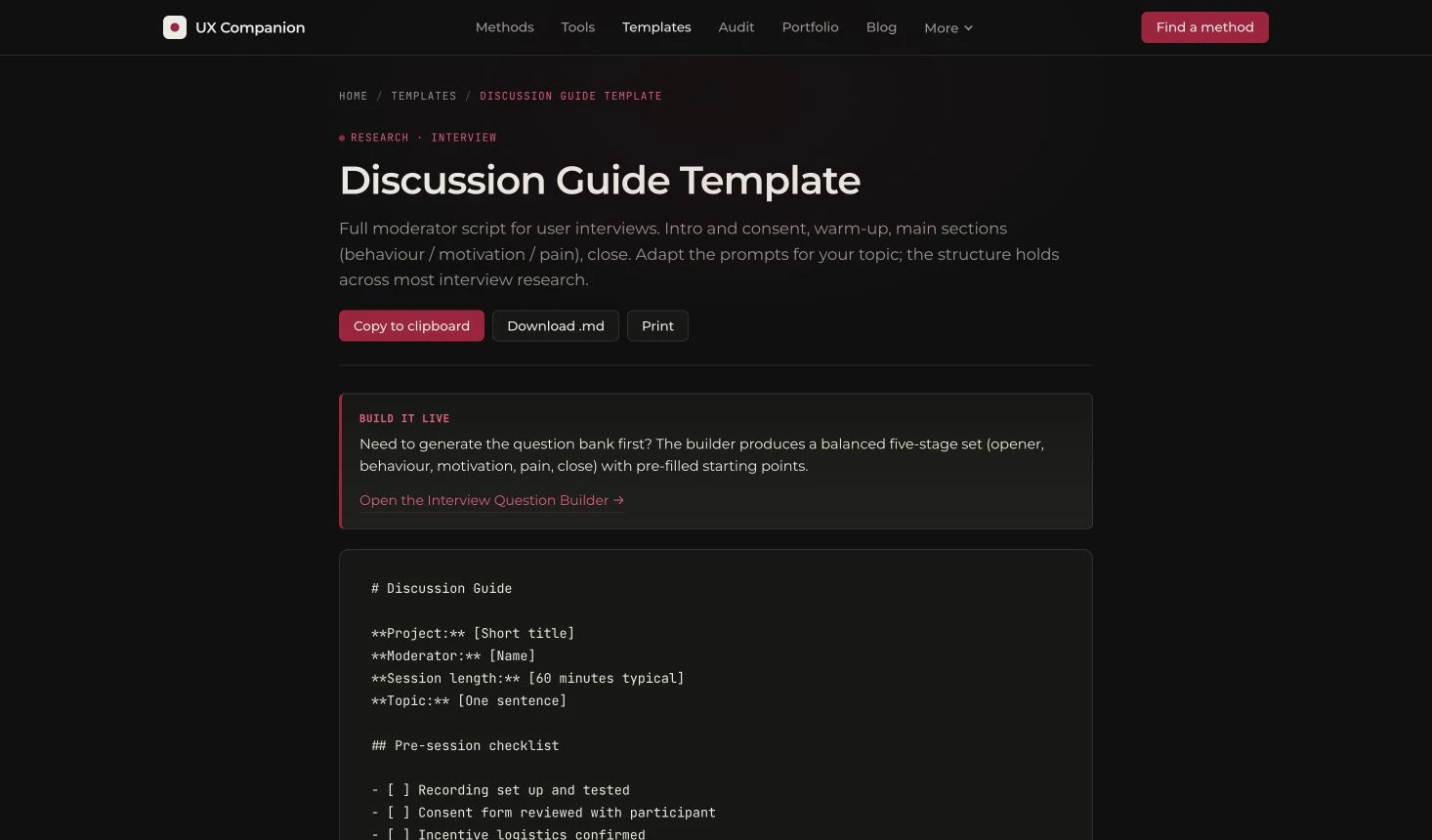
Credit: UX Companion. Actual public-page capture, November 2, 2026, after rejecting nonessential cookies. Visible controls and text do not establish every export or receiving-editor behaviour.
This is a conversation starting point. Its example timing and recording wording need project-specific review. The presence of consent-related language does not establish that the whole study's participant-information and data-handling requirements have been resolved.
UX Academy: an actual Markdown test-script file
UX Academy's toolkit links a public usability-test script in Markdown. The file was retrieved and read. It contains introduction, tasks, post-task questions and wrap-up sections, followed by a labelled worked example.
That distinguishes this source from an attractive download button whose destination remains unknown. The inspected file supplies text rather than a functioning test environment, participant recruitment or recorded session results.
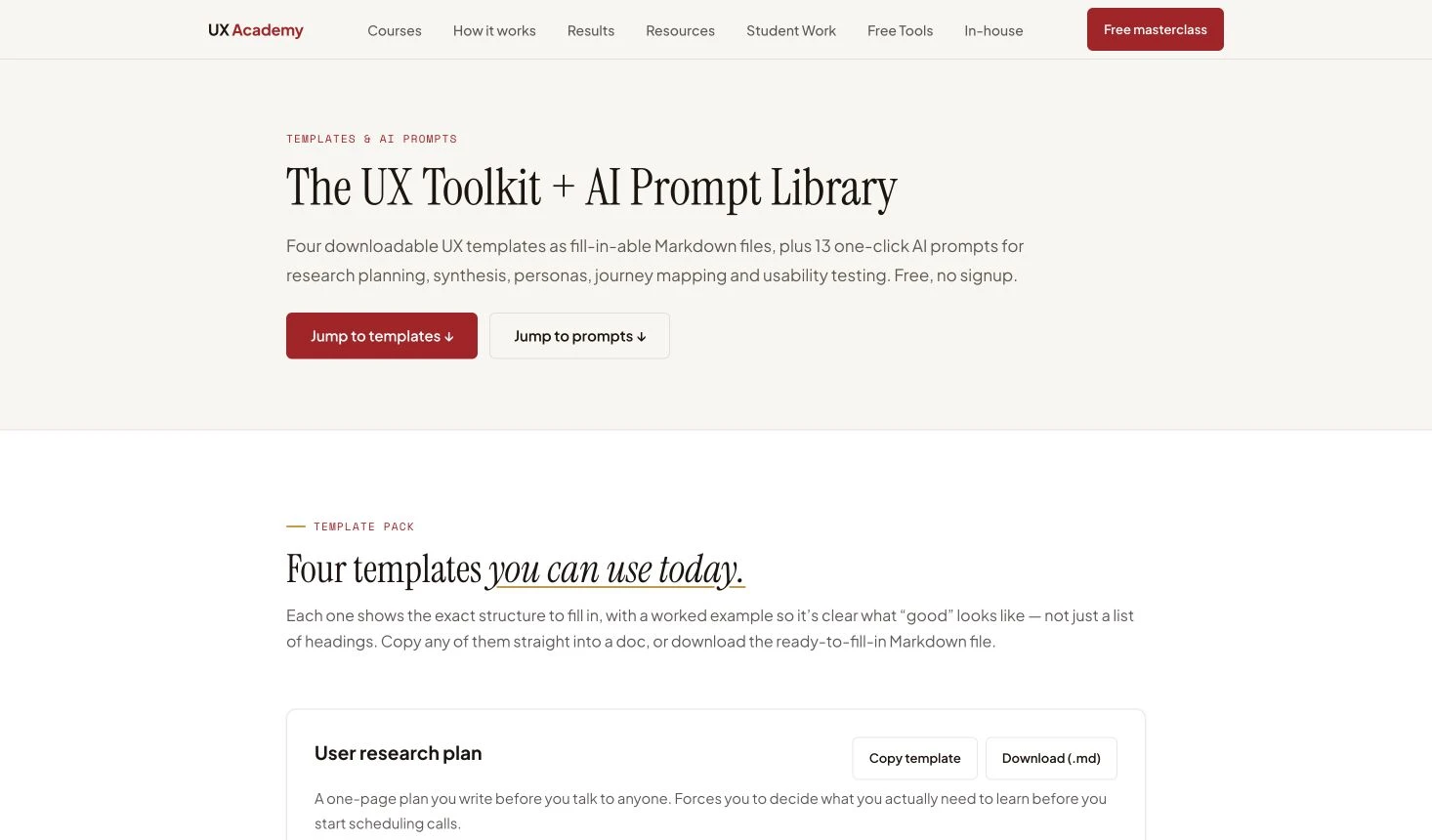
Credit: UX Academy / Nomadic User Ltd. Actual public-page capture, November 2, 2026. The linked script file was inspected separately; this screenshot is not a completed usability session.
The worked example belongs to its teaching context. Replace it with suitable material for the intended study, and keep any retained demonstration clearly labelled. The broader page's AI prompt library is outside this collection's template-file comparison.
How the pieces work together
Keep scope and session material connected
A compact plan can link to a longer interview guide or test script. That avoids forcing every spoken prompt into a document meant for study review. The link should identify which version of the session material the proposed study uses.
Conversely, a moderator's document should identify the study it belongs to. A familiar filename alone can become ambiguous when several researchers revise copies. Include the study name, document owner and revision date in a place the receiving person will actually see.
These are suggested organisation choices, not claims about an integration among the three providers. The artifacts can be useful independently. There is no requirement to combine all three or adopt their software to understand their public examples.
Distinguish a missing field from a missing study decision
A blank budget cell is a visible gap. A filled participant section with unjustified criteria can be harder to notice. Inspection should examine whether a field invites the right information without assuming that completed wording is sound.
Use three review states: available in the inspected artifact, needs project adaptation, or needs a separate document or decision. A template can satisfy the first state while the other two remain open. This prevents a filled page from becoming an informal approval badge.
Keep the review proportional. If the immediate task is a conversation, the discussion guide need not become a complete repository schema. If the immediate task is study approval, a short script does not remove the need to identify scope and responsibilities elsewhere.
Check the receiving format with ordinary content
Markdown can be opened as text, but headings, checkboxes and tables may appear differently across editors. Before distributing a working document, inspect it in the actual receiving application. Check whether the hierarchy remains clear and the person can revise the required material.
Use a long study title, a multi-line task and an unresolved question as practical inputs. Check that instructional guidance and intended participant wording remain distinguishable. These are proposed editing checks; the comparison does not report that the three artifacts were tested across every editor.
If a native collaborative document is required, establish that route separately. A public file download and a shared working copy are different deliverables, with different access and maintenance responsibilities.
Worked example
Select a document for a fictional export-setting study
Consider a fictional SaaS team preparing to investigate how administrators choose an export setting. The team has a product concept and an unresolved question. It has not conducted sessions or collected participant findings.
Three requests arrive together: the founder wants to review the proposed study, the researcher wants to explore current work, and the designer wants material for a later task-based review. Treat them as separate document needs rather than copying one question list into three files.
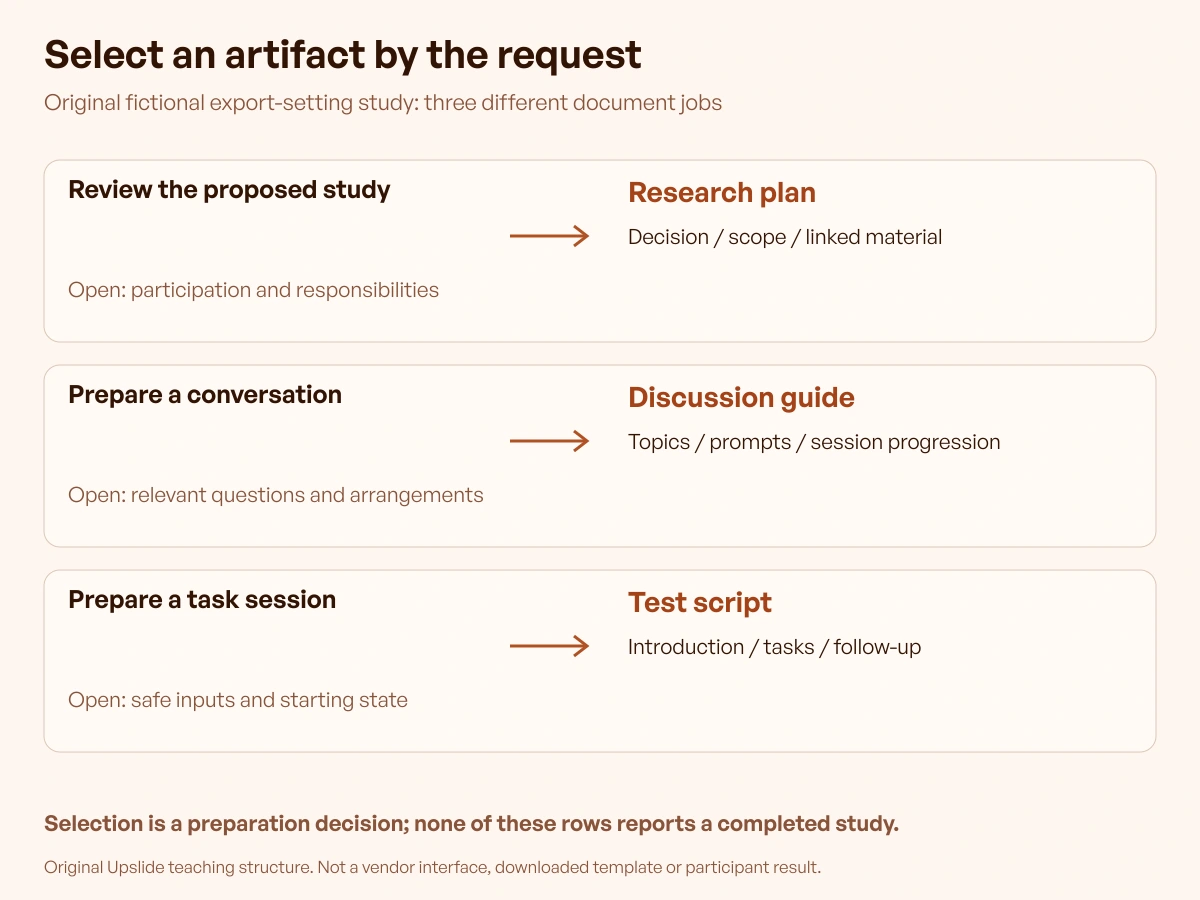
Original teaching exercise by Upslide Design Studio. Fictional requests and proposed adaptation decisions; no real participants, executed vendor workflow or measured research result.
Request one: make the proposed study reviewable
The team selects the displayed research-plan structure as a candidate because it includes places for the decision, participants, method and linked session material. That is a field-coverage observation, not a conclusion that the plan is approved.
For this exercise, the decision is whether the export-setting concept warrants a task-based study after understanding existing work. The team must still decide who to include, what material is permitted and how the study will be run. Those entries remain unresolved until someone supplies an appropriate answer.
The adaptation record might read: retain the study-decision and document-link sections; replace example content; assign an owner to unresolved scope. It should not read: twelve sections completed, therefore research ready.
Request two: prepare a conversation about current work
The discussion-guide artifact is a candidate for the researcher. Its conversational progression is useful for preparing prompts about a recent export task. The exact prompts still need to fit the product context and avoid suggesting an expected answer.
An original proposed prompt for this exercise is: “Describe the last export you prepared and what happened afterward.” It explores an event without naming the concept as the preferred solution. This is an authored prompt example, not a question tested with participants.
The researcher should remove irrelevant source prompts and review the order. Keep a note explaining the intended topic, what follow-up material is permitted and where the participant can decline. The template's shape supports preparation; it does not establish interviewing skill or research validity.
Request three: prepare a later task session
The Markdown test-script artifact is a candidate when the team has suitable material to evaluate. For the fictional exercise, a proposed task could ask an administrator to prepare a permitted sample export for a stated recipient. It should not tell them which menu item or setting to select.
The task also needs a defined starting state and a safe sample dataset. Without those, two moderators might present materially different situations. Add those project requirements alongside the script rather than assuming a short template contains every operational detail.
No sample export was produced and no completion rate was measured here. The contribution is a selection and adaptation record that makes the remaining preparation inspectable.
Compare what remains unfinished
| Candidate artifact | Why it fits this request | Work still required |
|---|---|---|
| Displayed research plan | Supports reviewing the proposed study | Decide scope, appropriate participation and responsibilities |
| Public discussion guide | Supplies a conversation structure | Write relevant prompts and review session arrangements |
| Downloaded Markdown script | Supplies task-session sections | Define safe material, starting state and suitable tasks |
The table helps the team decide what to obtain and adapt. It deliberately avoids a numerical quality score: counting headings would reward document size without establishing fitness for the study.
After editing, ask the intended recipient to identify the next action and unresolved requirement. Record what they actually find when that review occurs. Until then, the acceptance questions remain proposed checks rather than passed results.
Limitations and alternatives
Templates cannot supply participant evidence
An example quote, persona or result remains demonstration content unless it comes from an appropriately documented study. A source's plausible story should not be inserted into a product presentation as customer evidence. Empty evidence sections are preferable to invented findings.
Likewise, a completed moderator script records preparation, not what happened in a session. After a real study, preserve the appropriate account of actual procedures and relevant changes. Keep sensitive material in the approved location rather than scattering it through broadly shared planning documents.
Review permissions and access separately
Publicly readable material is not an unrestricted redistribution licence. Use the original source to obtain the artifact and check the applicable conditions for the intended reuse. This guide links the original templates and does not redistribute their complete text.
Consent, confidentiality, retention and participant information require project-specific review. A checkbox or suggested sentence is an input to that work, not universal clearance. These considerations are particularly relevant before placing customer material in a new service or sharing a document externally.
A smaller original document may be sufficient
Use a template when its structure reduces relevant preparation. If most sections would be removed or rebuilt, a compact original document can be easier to maintain. The criterion is whether the team can explain the study and perform the intended work.
For choosing the method itself, the main-site research-methods guide addresses a different question. This collection starts after identifying the document job and inspects actual source artifacts.
Continue in Resource Box and Inspire
Use Resource Box to retain the original template sources beside the software needed for the study. Revisit the exact artifact when its fields, download destination or access conditions change. A newly added resource does not automatically make every existing recommendation obsolete.
Use Inspire to discuss visual references when the study concerns an interface. Keep the original website and creator attached to the reference. An attractive public page is neither a research finding nor permission to copy its private product workflow.
When the next step is an interface concept, the published free wireframe tools guide offers related creation routes. Keep that concept separate from the research documents that explain how it will be investigated.
Frequently asked questions
Which UX research template should a SaaS founder start with?
Start with the document needed for the next decision or activity. A study-plan artifact can support scope review; a discussion guide supports a conversation; a test script supports task preparation. Inspect the actual source before assuming it supplies all three.
Is a displayed template equivalent to a downloaded file?
They are different inspected states. Displayed text can be useful without a native file, while a download may offer a more convenient starting object. This guide distinguishes the accessible Great Question text, the UX Companion displayed guide and the actually retrieved UX Academy Markdown file.
Does downloading a script mean the study is ready?
No. The team still needs suitable questions or tasks, participants, materials, arrangements and the relevant reviews.
A file is a starting document. It does not demonstrate that those decisions were made or that a session ran successfully.
Should the source's example timing and participant count be retained?
Only when independently appropriate for the actual study. Demonstration numbers explain an example rather than establish a universal prescription. Write down the rationale for the project's choices instead of inheriting them because the template looks complete.
Can one document combine the plan and the session guide?
Yes, when the audience can navigate it and the responsibilities remain clear. Longer session material can also live in a linked document. Keep the specific version identifiable so a reviewer knows which prompts or tasks belong to the proposed study.
Can AI complete missing research sections?
Generated drafting can suggest wording, but it cannot supply observations from participants who were never studied. Review any proposed material, preserve uncertainty and follow the organisation's rules before processing restricted information. Do not let fluent example content become a purported finding.
Must this guide change when new Inspire picks arrive?
No. These recommendations depend on inspected template artifacts, not a daily visual-reference quota.
Update the relevant source comparison when verified fields, availability or conditions change. Add a daily reference only when it contributes to a particular interface discussion and can be attributed accurately.
Key takeaways
- Select the document by its immediate job and recipient.
- Inspect the actual public text or file, not only its catalogue cover.
- Keep source examples separate from the team's own study material.
- Record missing decisions and adaptation work before distribution.
- Refresh recommendations when verified artifacts or access conditions change.
At Upslide, we help SaaS teams connect design decisions to clearer product experiences. Discuss your design work with us.