
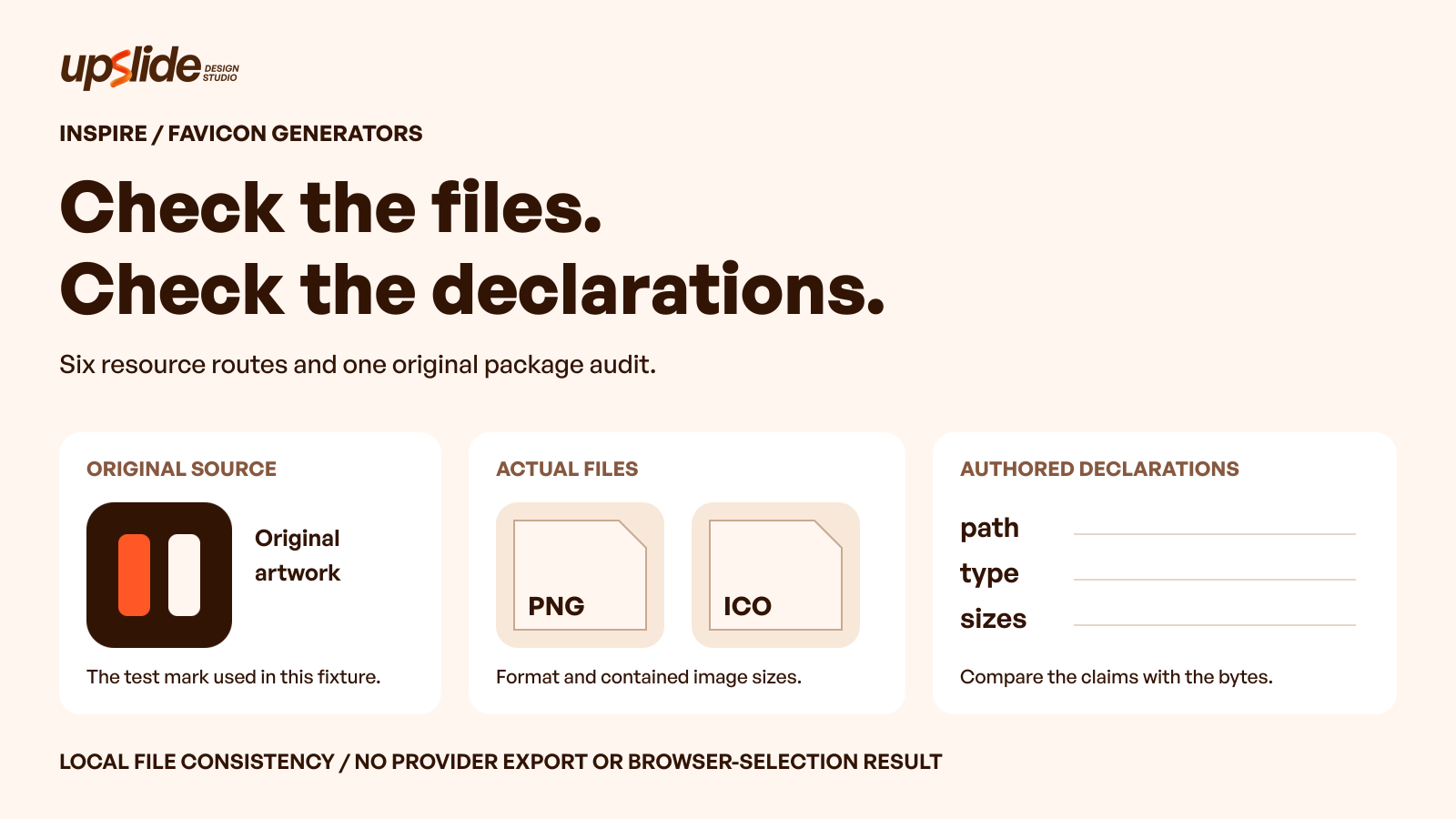
Can you tell whether a favicon package contains the files its installation instructions describe? A familiar filename and an attractive preview are useful starting points. Neither confirms the format, embedded image sizes or declarations in the delivered package.
A favicon generator should fit the available source and the website’s delivery route. Some tools begin with an existing image, others support text or pixel drawing, and several describe packages containing icons, a manifest and installation markup.
This guide compares six public routes and adds an original local package audit. The exercise checks actual file bytes against authored HTML declarations; it does not report downloads from these providers, browser fallback selection or a change in search performance.
Keep the artwork, the generated files and the installation declarations connected. A correct-looking picture cannot validate all three.
Design task
Define the package before choosing the generator
“Make a favicon” can describe several different jobs. A team may need to prepare a browser icon from an approved mark, create a temporary initial-based asset, obtain home-screen images or regenerate a package after an identity update.
Name the required destination and the receiving workflow first. A platform’s site-icon uploader and a developer-managed website can accept different starting objects. A generator that produces many files is useful only when their purpose and installation route are understood.
A practical brief records:
- The approved source artwork and permission to use it.
- The website or publishing environment receiving the result.
- The required icon and installation artifacts.
- The person responsible for checking and replacing them.
- Any unresolved destination requirements.
An interface icon library is a separate source-selection problem. The icon-library guide compares product vocabulary, geometry and asset distribution. A company’s favicon should not be chosen merely because a general library contains a convenient symbol.
Separate an identity decision from a file-generation decision
A generator can resize or package artwork without establishing whether that artwork is an approved representation of the company. Cropping a horizontal wordmark, borrowing an emoji or using a public gallery icon introduces a different decision from converting an existing source.
For an unresolved identity application, use the SaaS logo-brief guide to clarify the required mark and deliverables. The package workflow should preserve that decision rather than quietly replace it.
A prototype can deliberately use temporary artwork. Label it as temporary and retain an owner for replacement. A polished preview should not let a placeholder become an unrecorded production identity.
Resource collection
Compare six routes by their starting operation
The table describes useful selection questions, not a ranking or export benchmark. Official public pages were reviewed on 4 November 2026. The six entries represent six resource routes, rather than a verified count of independent companies or processing engines.
| Resource | Useful starting operation | Evidence to inspect before handoff |
|---|---|---|
| RealFaviconGenerator | Prepare an existing source for several icon contexts | Generated package, installation instructions and intended destination |
| Favicon.io | Start from an image, text, emoji or SVG route | Exact route, actual files and any source-artwork notices |
| Favicon.cc | Draw or import a pixel favicon | Saved drawing, ICO contents and intended use |
| EasyFavicon | Explore characters, imagery and background styling | Downloaded formats, dimensions and accompanying HTML |
| favicon.gg | Combine input choices with package and inspection tools | Required artifacts and the processing path of the chosen route |
| Genfavicon | Follow an image-selection and crop workflow | Accepted crop, generated files and their dimensions |
The corresponding entries are available in Resource Box. Open the selected tool’s original page and retain its identity with the package record.
RealFaviconGenerator: connect platform previews to installation
RealFaviconGenerator begins with an image input and describes platform previews, SVG favicon support, generated installation markup and a separate favicon checker. Those parts make it relevant when the handoff needs both image files and instructions.
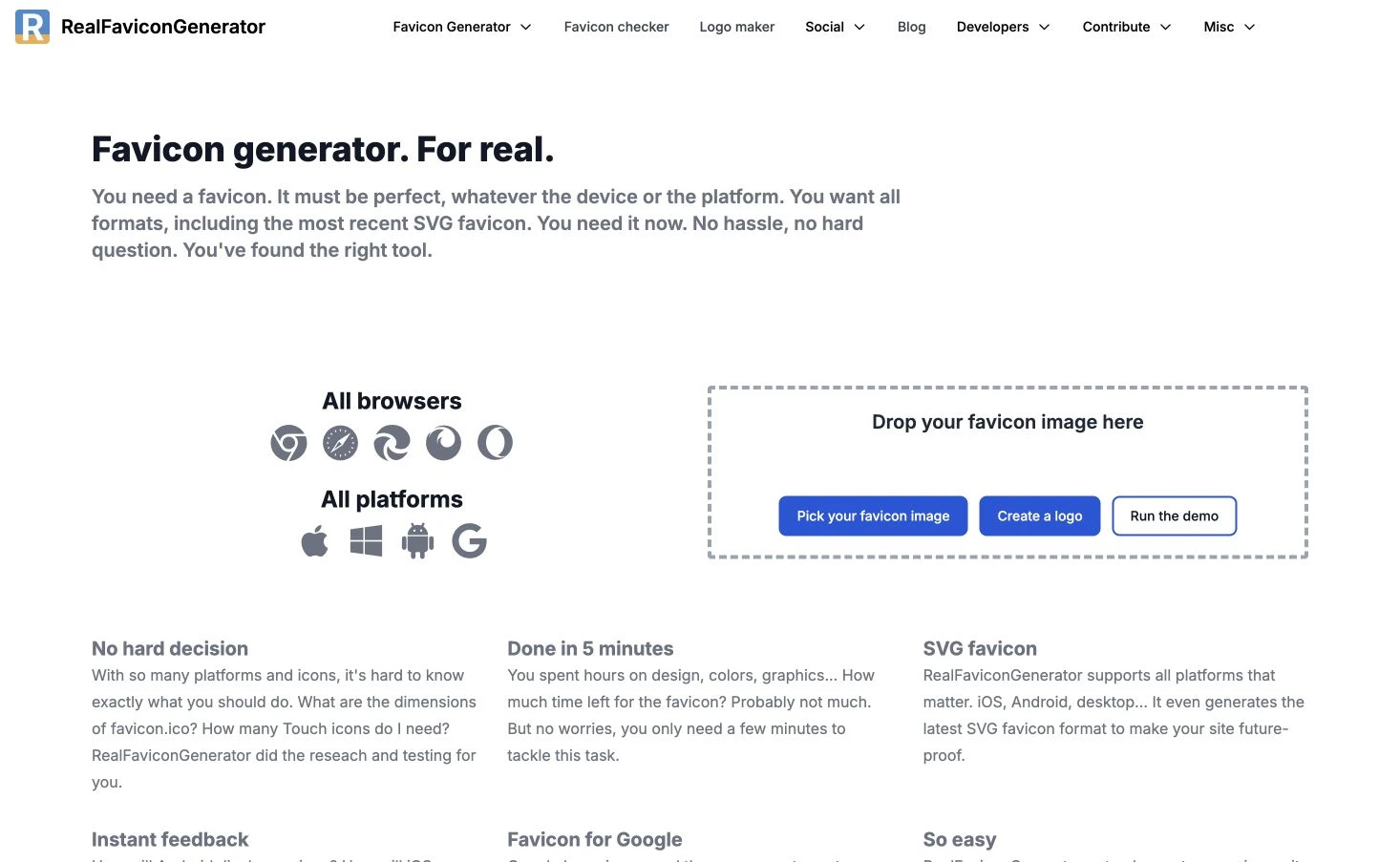
The selection question is whether the resulting package matches the website’s actual requirements. A platform preview can help discuss presentation, but it is not a completed installation or a test on every browser and device.
Preserve the chosen input, settings, output and relevant instructions together. A later editor should be able to identify what was generated and which destination each retained file serves.
The public workflow was reviewed without uploading a source, running the checker or downloading a package. Broad “all browsers” or “perfect” language on the page is provider positioning, not a finding adopted here.
Favicon.io: select the route that matches the available source
Favicon.io separates image, text, emoji and SVG-oriented starting routes. Its public package description lists ICO, PNG, Apple Touch Icon, Android images and manifest metadata, making the intended handoff broader than a single tab image.
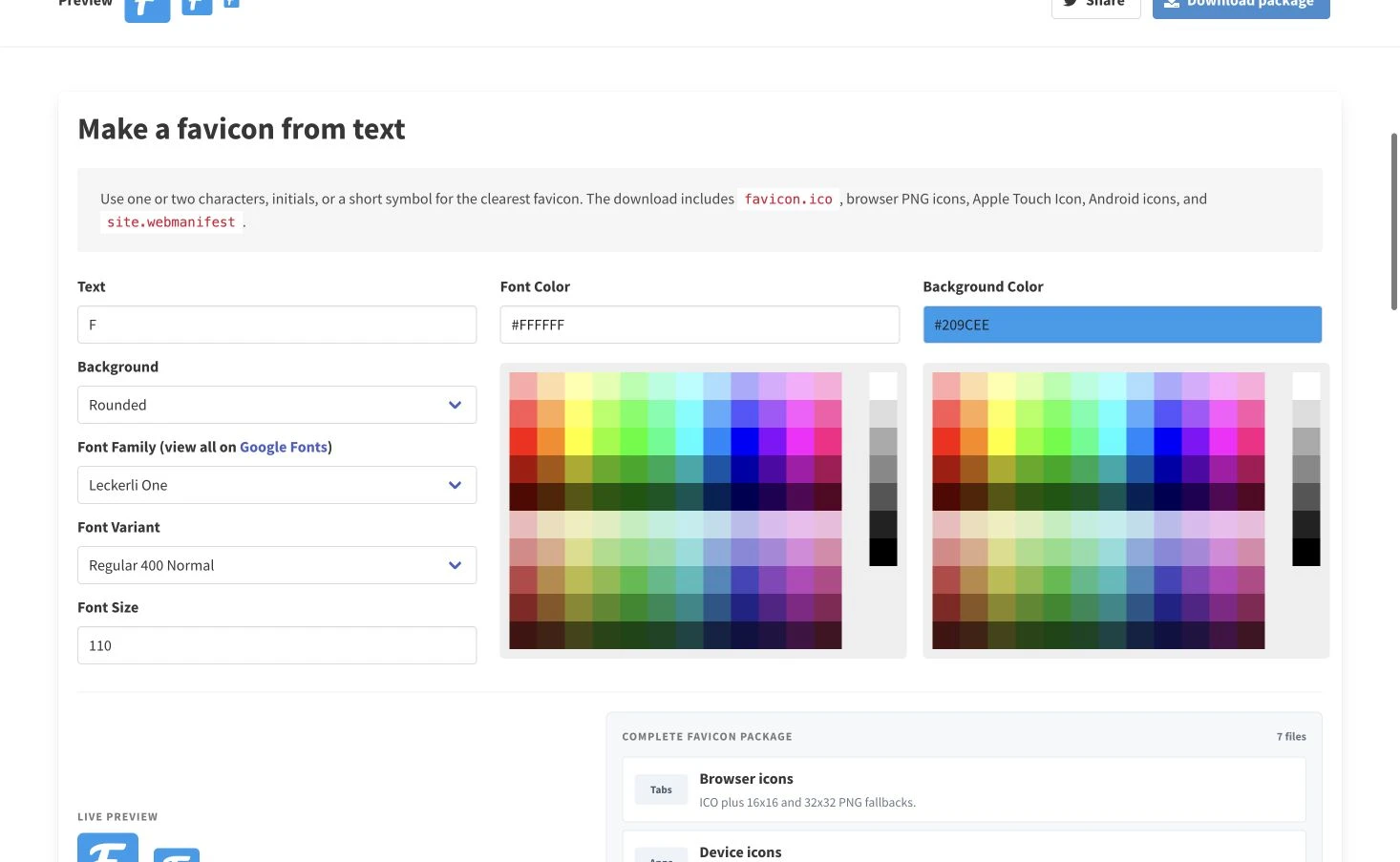
An existing approved mark calls for a different decision from a temporary letter or emoji. Choose the route around the actual source, then inspect the generated package rather than assuming each route produces an identical artifact set.
Keep font, emoji or other supplied-artwork notices when they apply. The ability to generate an image does not settle every permission attached to its ingredients.
The public documentation and available routes were reviewed; no package was generated for this comparison. The listed files describe the provider’s workflow, not a verified download performed for the article.
Favicon.cc: work directly with the small drawing
Favicon.cc presents a pixel-grid editing workflow with colour and transparency controls, image import, an original-size preview and favicon download. Its page also exposes frame-related controls and an optional publishing route.
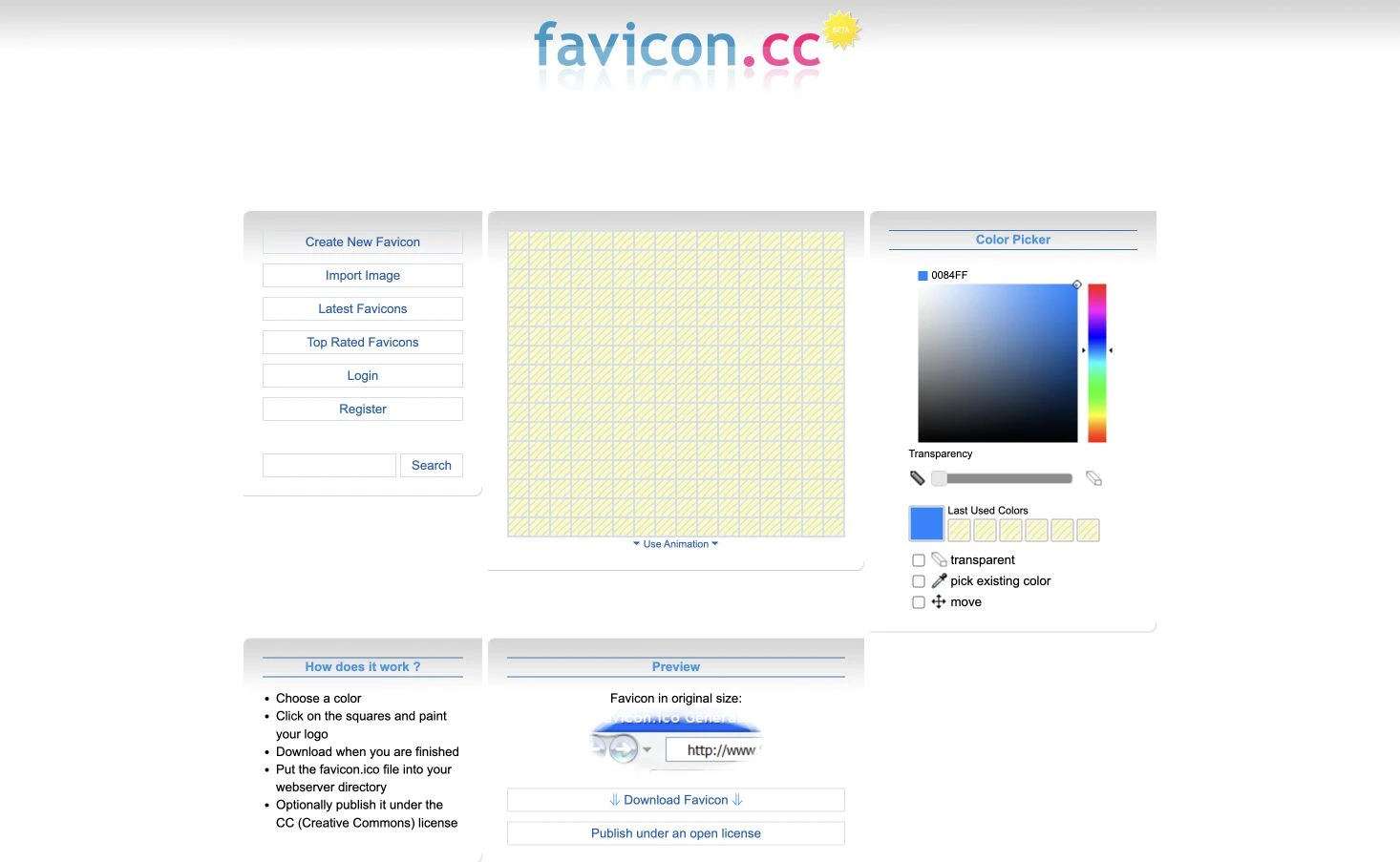
This is a different starting operation from packaging a finished identity. It can support a deliberately simple drawing, while a team with approved artwork should decide whether direct pixel editing is necessary or appropriate.
Keep the editable source or a reproducible record of the drawing. An ICO download is a delivery artifact; it does not explain every editing decision that produced it.
The public editor was inspected without creating or publishing an icon. Animation controls do not establish browser support, and optional publishing under a Creative Commons licence does not establish blanket reuse rights for everything in the gallery.
EasyFavicon: inspect styling and the actual output separately
EasyFavicon exposes Letter, Emoji and Image modes, with character, colour and background controls. Its public view includes small-size previews and a package area labelled with ICO, PNG and HTML options.
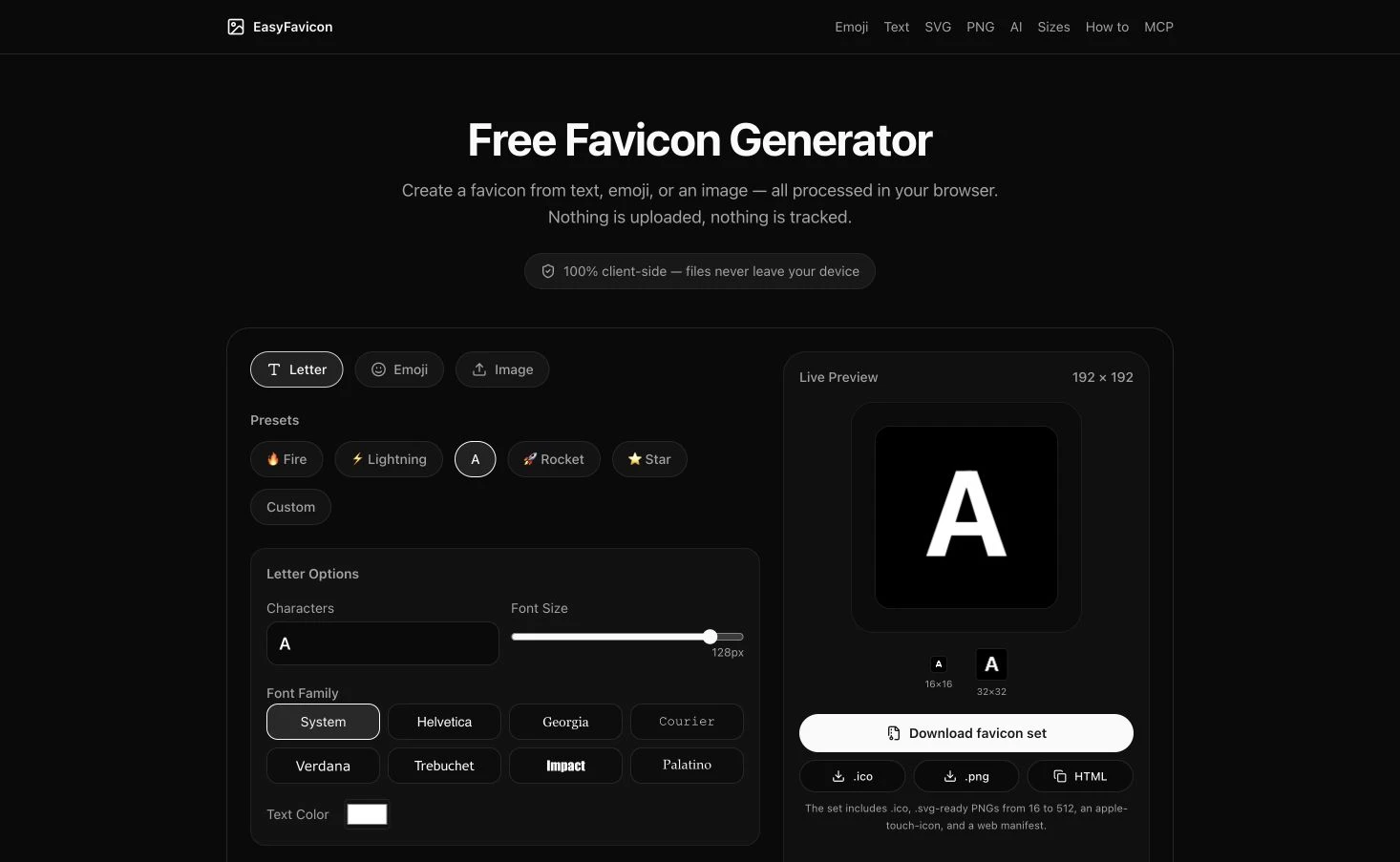
That makes it a candidate when a simple input needs a deliberate background or visual treatment before delivery. The accepted treatment should stay associated with the source and output rather than exist only in a screenshot.
Read the actual package before describing its formats. In particular, a phrase such as “SVG-ready PNGs” does not by itself demonstrate that an SVG file is included.
The page’s browser-local processing description remains a provider claim; this comparison did not audit network traffic or privacy behaviour. No generated package, download speed or installation result is reported here.
favicon.gg: identify the processing route as well as the input
favicon.gg presents Image, Text, Emoji and URL routes alongside design controls. Its documentation describes a package with a multi-size ICO, touch icon, manifest-related images, manifest and HTML, plus separate inspection tools.
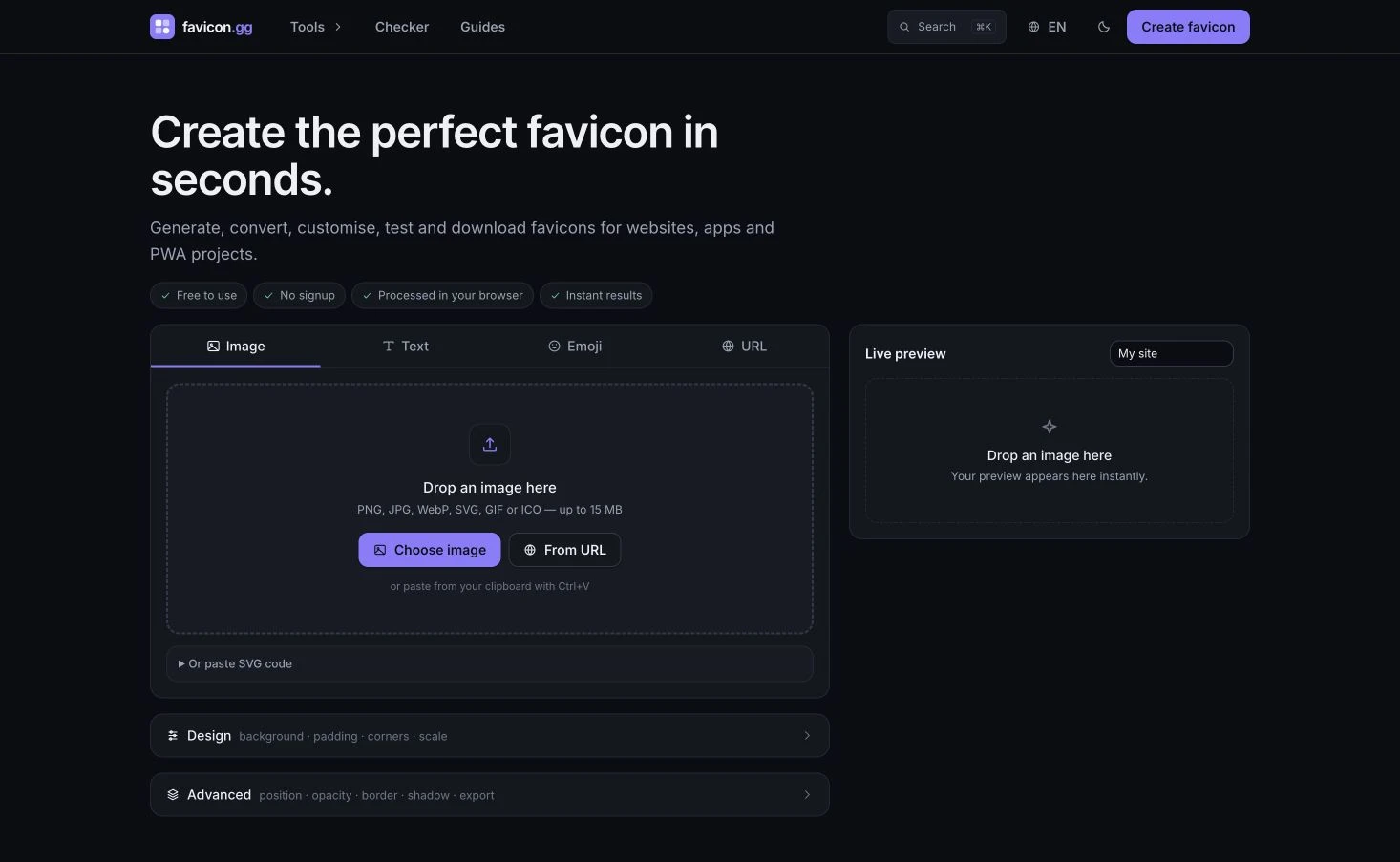
The provider distinguishes dropped-image processing from URL tools that contact a server. That distinction is worth checking before confidential artwork or a private destination enters a workflow; the product name alone does not describe every route.
Select the operation that the project needs, then verify its actual deliverable. A toolkit containing an inspector or checker does not establish that the specific package being handed over has passed either one.
No provider package or checker was operated for this comparison. Output completeness, performance and processing claims should remain separate from the original local audit below.
Genfavicon: preserve the accepted crop with the package
Genfavicon organises its public workflow around selecting an image, cropping and previewing it, then downloading. The page describes an ICO and PNG package with touch-icon assets and exposes file and image-URL starting routes.
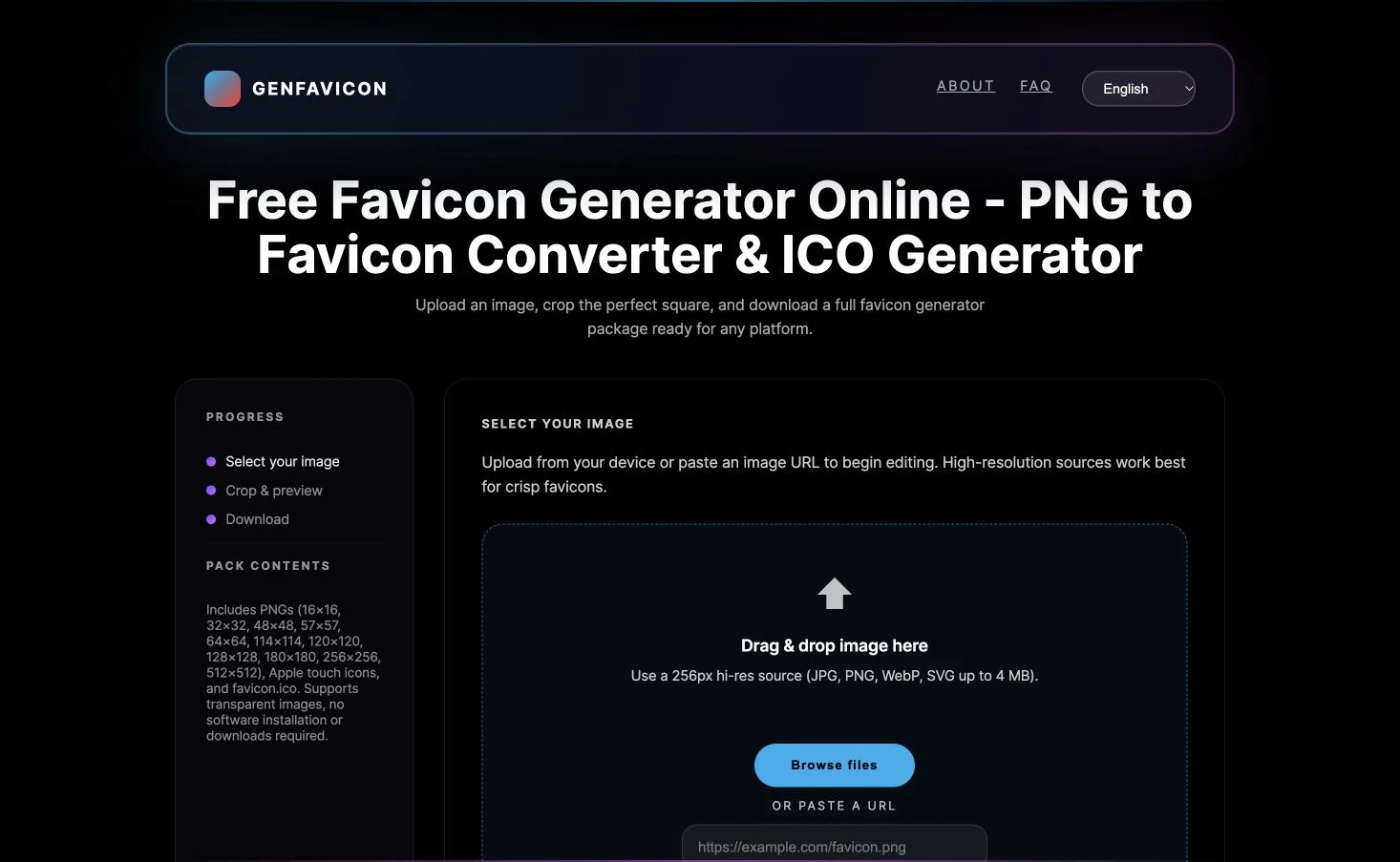
The crop is a meaningful part of the handoff. Record which portion of the approved source was retained and whether that application was accepted, rather than treating every square crop as an equivalent conversion.
Compare the final files with the chosen source and crop. If a future update starts from a different version of the mark, repeating only the output dimensions may not reproduce the accepted result.
The public starting page and package description were inspected without uploading, cropping or downloading. Its listed package contents remain documentation until the selected operation produces an artifact that can be checked.
Fit and limitations
A preview and a package answer different questions
A preview can help a designer discuss the chosen image and background. A file audit can establish whether declared dimensions match the stored image. An installation check can establish whether the intended files are reachable from the receiving website.
Those observations should remain separate. A clear preview does not verify a manifest reference, while a technically consistent file does not establish that an audience recognises the mark.
The original package audit in this article deliberately addresses a smaller question: do the type and size declarations agree with the constructed files? It makes no claim about which icon a browser selects, how cached icons update or whether a platform accepts an installation.
Keep the source’s conditions with the tool’s conditions
A tool’s availability and the rights attached to source artwork are different records. An uploaded company mark, a selected typeface, an emoji and a gallery image can have different owners and usage conditions.
Keep the relevant notices with the chosen materials. Do not infer commercial permission from a working download button, or assume that optional publication is a necessary step for private project use.
This guide does not rank prices or certify account entitlements. Verify the exact export, storage or collaboration operation needed by the project before depending on it.
How to choose
Run a file-to-declaration audit
An original local exercise created two PNG images at 16 and 32 pixels square, then constructed an ICO containing those two PNG payloads. It also introduced two deliberate inconsistencies so the review could distinguish a misleading name from a misleading format declaration.
Each case had an authored icon link with a file path, type and sizes value. A separate audit read the actual written HTML and parsed the corresponding file bytes, rather than trusting the names in the authoring instructions.
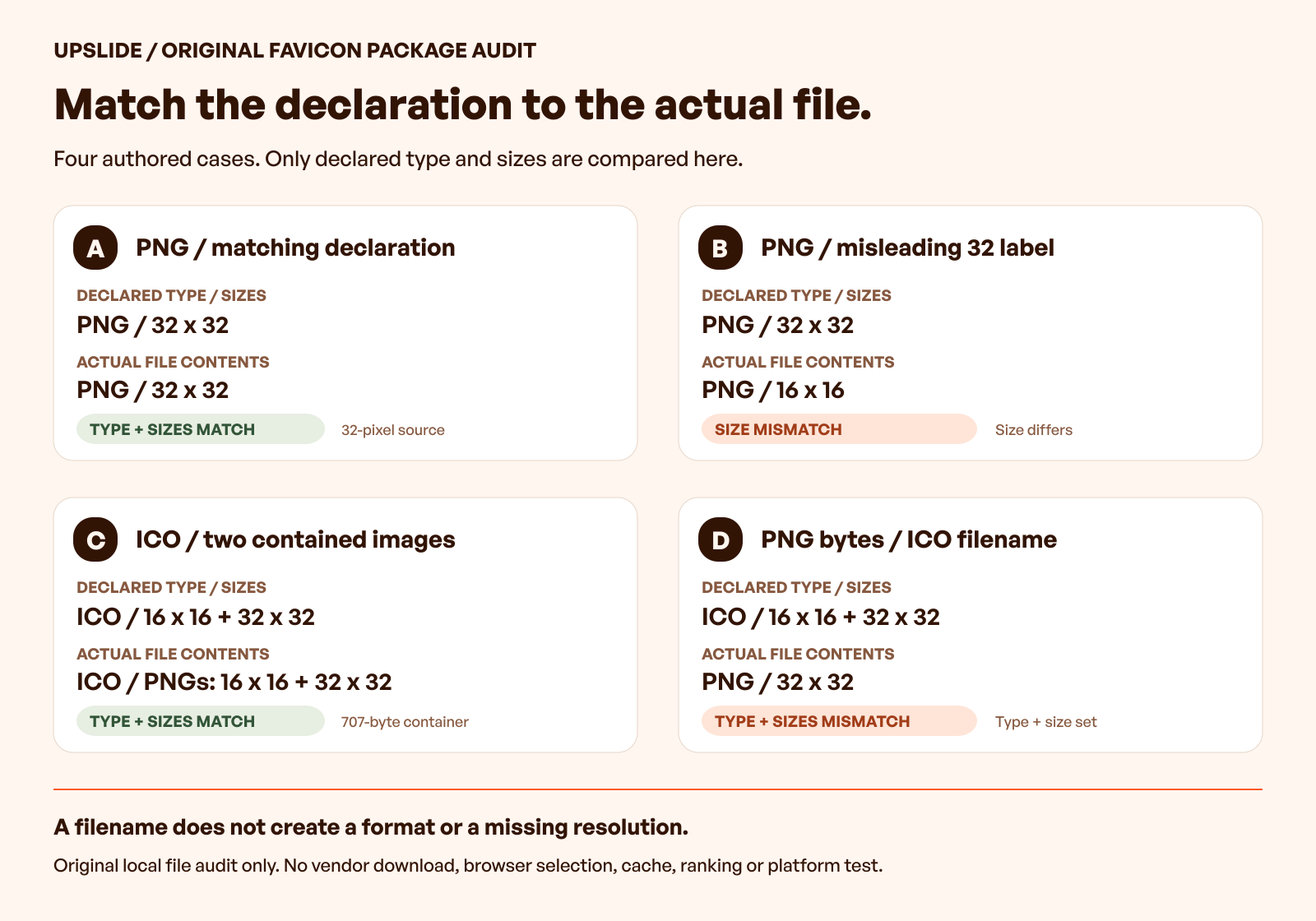
| Case | Authored declaration | Actual file evidence | Audit result |
|---|---|---|---|
| A | PNG, 32 × 32 | PNG image, 32 × 32 | Type and size agree |
| B | PNG, 32 × 32; filename suggests 32 | PNG image, 16 × 16 | Type agrees; size does not |
| C | ICO, 16 × 16 and 32 × 32 | ICO directory with both corresponding PNG images | Type and listed sizes agree |
| D | ICO, 16 × 16 and 32 × 32; filename ends in ICO | PNG image, 32 × 32 | Type and full listed size set do not agree |
Case B shows why a filename is a weak acceptance check. The name suggested a 32-pixel image, but the PNG header described 16 by 16 pixels. Renaming the file had not created the missing resolution.
Case C contained a 707-byte ICO with two directory entries. Their payloads were 283 and 386 bytes, at offsets 38 and 321; the directory dimensions and contained PNG dimensions agreed in this constructed file. The Chromium icon utility source provides a primary reference for PNG signatures and icon-directory parsing, rather than evidence of browser selection here.
That result also explains Case D. PNG data can be a payload inside an ICO container, but a standalone PNG does not become that container merely because its filename ends in ICO. Case D retained the same 32-pixel PNG bytes as Case A while declaring an ICO with two sizes.
Inspect the original 16-pixel PNG and 32-pixel PNG used in the exercise. The ICO container and written declarations are retained in the research record.
These are local file-consistency findings from original assets, not defects found in the six providers’ output. The checks cover the recorded declarations and file structure; they do not certify arbitrary images, rendering quality or browser behaviour.
Read the declaration as a contract
The WHATWG icon-link reference describes sizes in terms of the dimensions available in the linked resource. That makes the declared size a claim to verify against the file, rather than an instruction that changes the file’s pixels.
MDN’s sizes reference explains the attribute’s representation. Reading or writing the value is not the same operation as validating the referenced image.
For a handoff, retain three separate observations:
- The path and declarations actually written in the installation material.
- The file’s identified format and stored or contained image dimensions.
- The remaining checks in the intended publishing environment.
An ICO-specific check should inspect its container and directory, not simply search for PNG bytes. Microsoft’s icon-format documentation supplies historical structure context; it is not current browser-compatibility evidence.
Choose around the next change
For an occasional update, a focused browser workflow may be sufficient if another person can repeat the selected settings. For a frequently changing identity package, retain the source version and generation record in the project’s normal delivery process.
A useful acceptance record names the required artifacts and their purpose. Include the selected source, crop or styling decision, generator route, output inventory and installation owner. Mark missing files or uncertain declarations explicitly.
Then check the deployed website separately. Verify the actual references and responses, and inspect the supported destinations when they are part of the brief. A passing local package audit should travel forward as evidence for one stage, not become a substitute for the remaining work.
Use references to ask a precise question
Daily Inspire can help a team study how identities appear alongside page content and navigation. Credit the original site and keep visible presentation observations separate from guesses about its generator or package.
The useful comparison might be whether a compact mark remains related to a larger identity system. A gallery image cannot prove the underlying file format, installed icon references or the behaviour of a private application.
Frequently asked questions
Which favicon generator should a small SaaS team choose?
Choose around the existing source, required outputs and receiving website. Image packaging, temporary text-based artwork and pixel editing are different operations. Shortlist the relevant route, then verify its actual package before treating it as an accepted handoff.
Is renaming a PNG to ICO a conversion?
No. A filename does not change the stored format. In the original exercise, the renamed file retained PNG bytes while the declaration described an ICO containing two sizes; those statements did not agree.
Can an ICO contain PNG images?
Yes: Microsoft’s resource-format documentation describes PNG-compressed icon images, and an ICO container can contain PNG image payloads. The constructed two-image example did so, with directory dimensions matching its 16- and 32-pixel PNGs. That does not make every standalone PNG a valid ICO container.
Does the sizes declaration resize the image?
It describes sizes available in the referenced resource. The original 16-pixel PNG remained 16 pixels even when its authored declaration said 32 by 32. Inspect the file rather than relying on the declared value.
Does a complete download mean the favicon is installed?
A download establishes that files were obtained. Installation still depends on the receiving website, its references and the relevant publishing workflow. Check those steps separately rather than treating a package preview as a deployed result.
Can a public preview establish that processing stays private?
It can show the provider’s stated workflow, but it does not independently verify network behaviour. Identify the exact image or URL route and review the relevant processing conditions before introducing confidential material.
Does a successful package audit guarantee search visibility?
No. The audit checks declared types and sizes against original local files. It does not test crawling, indexing, search-result display or ranking, and this article promises none of those outcomes.
When should the package be checked again?
Repeat affected checks when the artwork, generator settings, output files, installation markup or publishing environment changes. Preserve the previous source and audit record so the new package can be compared against the same requirements.
Key takeaways
- Choose the generator around the source and required delivery artifacts.
- Preserve the accepted artwork, crop and styling decision with the package.
- Check file bytes and contained dimensions against actual installation declarations.
- Distinguish an ICO container from PNG data and distinguish both from a filename.
- Carry local findings forward without overstating installation or browser evidence.
We help SaaS teams turn identity and interface decisions into a clearer implementation handoff. Discuss the design work with Upslide.