
Do you need a better-framed version of your existing photo, or a newly generated portrait that changes the clothes, lighting and setting?
Both can appear under “profile picture maker,” but they are different tasks. Choosing a tool becomes easier when the source, allowed changes and intended account are clear. A polished preview cannot decide whether an altered image still represents the person or organization appropriately.
This guide compares PFPMaker, Picofme and Adobe Express through current official information and actual public previews. An original local exercise preserves a fictional avatar's declared subject pixels while changing its background, then detects a deliberately altered pixel. No real photograph was uploaded, no provider output was generated and no identity-recognition test was performed.
Choose the intended change, then review the resulting image against the source and its actual account context.
Design task
Decide what the account represents
A founder's personal profile, a company account and a fictional community character do not need the same image. Start with that role. A portrait can represent a person; a company mark represents an organization; an illustrated character may be an intentional choice for a community account.
Write a short purpose statement, such as “help existing contacts associate this account with its owner.” That is more useful than “look professional,” which leaves the acceptable editing scope unresolved. A person may want a simpler background without different facial features or clothing.
Also identify who can approve the result. A team member's portrait should not become a shared company asset merely because someone found it in an old presentation. Keep the source, the person's approval and the intended publishing context together in the working record.
This guide focuses on making and selecting a profile image. It does not compare identity-verification services, create official document photos or establish a person's identity from an image. Those are separate tasks with their own requirements.
Separate three operations before choosing a tool
A framing or composition edit changes the presentation of an existing image. Background replacement changes its surrounding surface or setting. A generated portrait can change the depicted appearance more substantially, including clothing, lighting or scene.
The distinctions matter even when all three operations use an “AI” label. Automatic background separation does not mean that a new face has been synthesized. Conversely, a result that begins with a real selfie may still contain newly generated details.
| Intended job | Suitable starting route | Approval question |
|---|---|---|
| Reframe an existing portrait | Crop and composition controls | Does the chosen view still show the required person and detail? |
| Simplify the surrounding surface | Background editing | Were changes limited to what was intended? |
| Produce a different portrait style | A clearly identified generation route | Are the altered appearance and context appropriate for the account? |
| Represent a business rather than a person | An approved brand asset and composition editor | Does the account use the correct, permitted company material? |
A tool with more transformation options is not automatically a better fit. If the task is simply to prepare an approved portrait for a small account slot, a familiar capable editor may be sufficient. Choose another route when it solves a specific missing step.
Define what may change
Before processing, record the important restrictions in ordinary language. They might include retaining the current expression and glasses, changing only the background, or avoiding a setting that implies a workplace the person does not occupy.
A compact brief can include:
- The exact source and who supplied it.
- The account or set of accounts receiving the image.
- The operations requested, such as reframing or a background change.
- Appearance or contextual details that should remain.
- The person responsible for reviewing the final file.
- Any handling restriction before an image is uploaded.
These are project decisions rather than a universal portrait formula. A playful fictional avatar can appropriately use a different treatment from a founder's customer-facing portrait. The useful requirement is that the chosen image and context agree.
Resource kit
Compare three routes without turning them into a quality ranking
The following collection covers a dedicated profile-image studio, a focused profile editor and a broader design environment. The previews show public source context, not portraits produced in an account for this comparison.
| Source | Relevant route | Access distinction to verify |
|---|---|---|
| PFPMaker | Classic editing plus separate generated-portrait routes | Free classic tools and paid AI generation are different offerings |
| Picofme | Background removal and profile compositions | Official FAQ describes the tool as free; inspect the actual chosen output |
| Adobe Express | Profile-picture quick action with further editing | Current help calls the specific feature beta; selected assets and account access still matter |
The comparison does not score likeness, edge accuracy, processing speed or the attractiveness of a portrait. Those would require an appropriate test and evidence beyond the public pages inspected here.
PFPMaker: identify classic editing or portrait generation
PFPMaker's public site distinguishes its classic editor from AI portrait workflows. The classic route is advertised as free without credits for background, border and text tools. The separate AI profile-picture page says generation is paid in its app.
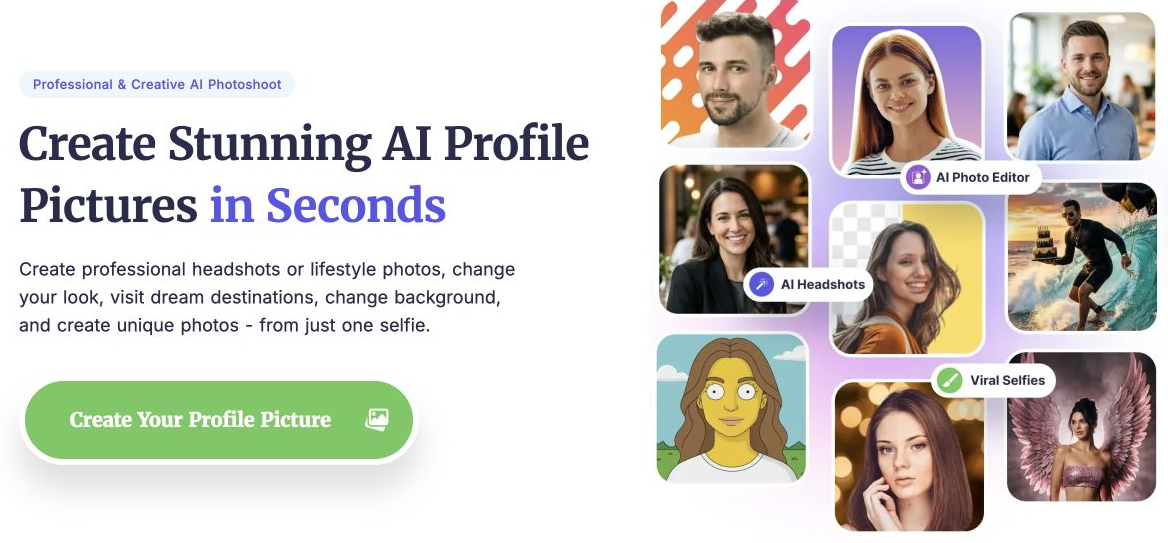
Credit: PFPMaker / Logopony and the displayed image creators. Actual public source preview; depicted examples belong to the provider. No selfie upload, generation or download was performed.
Choose the route by the change required. A person who needs the original photograph retained should not select a generated portrait merely because it shares the same brand name. Inspect the resulting image before deciding whether the requested transformation has stayed within the brief.
The generation page also conditions its stated use on source-photo permissions and, for another person's face, consent. Treat that as a source-specific condition, not a guarantee that every generated file is cleared for every purpose. The source and actual use still need review.
Picofme: inspect the composition and its layers
Picofme describes background removal followed by choices of backgrounds, outlines, filters and layered templates. Its official FAQ states that the tool is free. Those controls make it relevant when the task is to compose an existing photo rather than begin with a text prompt for a different portrait.
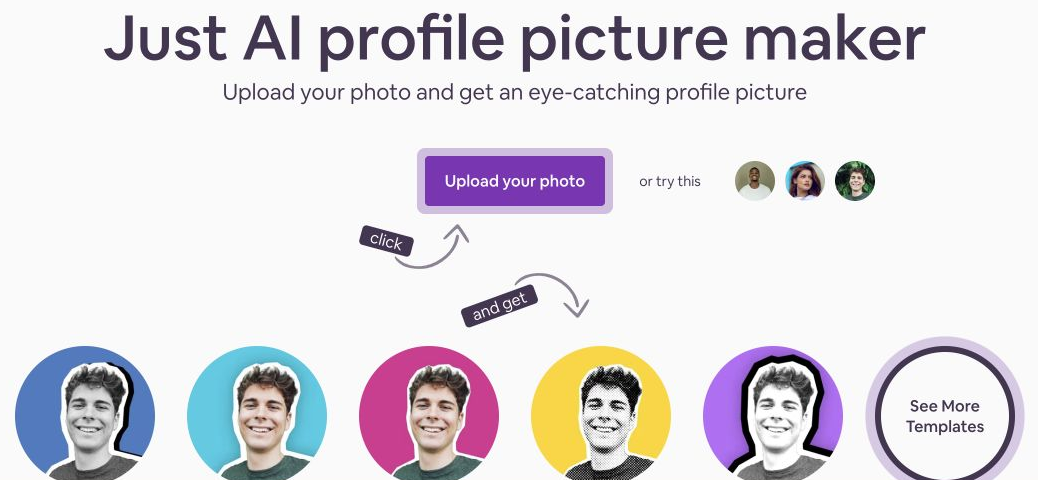
Credit: Picofme / Mixilab; source photograph credited by the page to Martin Péchy / Pexels. Actual public entry preview, not a photo uploaded or processed by Upslide.
Inspect the chosen template and the actual resulting file. A border, decorative outline and replacement background can interact with the subject differently. The presence of a layer-related option does not establish that every desired revision or editable export is available.
The site's descriptions and examples should remain attributed to the source. They do not establish an independent result for a particular person's photo. In particular, a statement about audience appeal should not become a promised engagement improvement.
Adobe Express: connect the quick action to the wider editor
Adobe Express's profile-picture page describes uploading a photo, choosing a background and shape, and continuing in the full editor. Its current help article labels Profile picture maker as a beta feature.
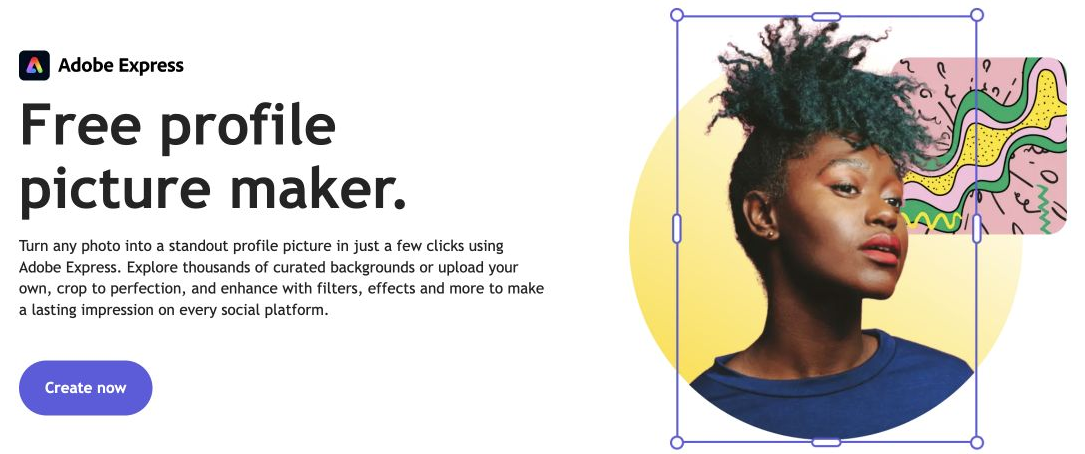
Credit: Adobe Express and displayed image creators. Actual public source preview; no account photo, quick action or export was operated for this guide.
The help distinguishes round, square and rounded-corner choices and describes downloading a selected variation or using Edit more. That makes it worth investigating when the portrait also needs broader design adjustments.
A free entry point does not settle every asset or editing option in a particular account. Check the intended route and selected material before treating a public demonstration as an included entitlement. No subscription price or universal export allowance is asserted here.
How the pieces work together
Keep one source-to-output record
Choose one suitable editing or generation route for the requested change; the three sources are alternatives, not mandatory consecutive steps. The input is an approved portrait or brand asset together with the change brief. The handoff is the selected route, intended operation and person responsible for reviewing the result.
The output is the actual downloaded image plus the source needed to explain its changes. Keep the chosen access conditions alongside that record, then inspect the image in the receiving account. If a broader edit is needed, use a capable editor deliberately rather than moving a private photograph through every service in the table.
That record makes a later revision concrete. A background-only request can return to its original photo; a generated portrait remains labelled as a transformed version. The worked example below demonstrates one deliberately narrow source-to-output check, rather than combining or testing the three services.
Limitations and alternatives
Approve an image, not a claim about engagement
A profile image can be selected for a clear purpose without promising more clicks, leads or job offers. The person, account description, content and audience all contribute to the surrounding impression. A provider's promotional result does not establish the outcome for another account.
Review the actual image against the brief. Ask whether the person approves the appearance, whether the setting implies something unintended and whether decorative material competes with the intended subject. These are useful decision questions even when no performance experiment is planned.
Keep a distinction between a subjective preference and an observed defect. “The owner prefers the original expression” is a valid approval decision. “The export has an unintended altered feature” is a specific revision request.
Read handling conditions for the selected route
PFPMaker's privacy policy distinguishes registered-user image storage from some guest processing. It also describes third-party processing and retention conditions. That is more specific than applying a short background-removal FAQ to every portrait-generation workflow under the same brand.
Picofme's homepage makes statements about photo processing and deletion. Its privacy policy separately describes usage information, cookies, sharing and retention. Those are published descriptions, not behavior independently verified through a private-image upload or a network audit here.
Use an approved source for evaluation and check the actual workflow before supplying someone else's portrait. When handling requirements cannot be established, keep the task in an already approved editing environment or resolve the gap first. A browser interface by itself does not establish local-only processing.
Separate permission to use the source from permission to use the result
A service's statement about commercial use does not supply a missing source-photo permission. It also does not decide whether a particular account should represent a real person through a changed portrait. Keep the applicable service conditions and the person's approval with the actual source record.
For Picofme, the published terms are a separate document from the homepage FAQ. Read the applicable material before relying on a general ownership statement. This guide does not provide legal clearance for a particular photograph or publishing use.
For a company profile, use the approved brand source rather than borrowing a customer, partner or platform logo to fill the frame. A useful composition can be built around the material the account is actually authorized to represent.
Inspect the actual destination
The downloaded file and the account's visible treatment are separate things. Check the required upload format and dimensions in the receiving platform's current guidance, then inspect the image after an authorized upload. This guide deliberately avoids turning a third-party comparison's size table into an official platform specification.
A circle or another mask can hide corners of an otherwise valid square file. Small display size can also change the usefulness of a decorative caption or thin frame. Review the actual account context and any alternate surfaces where the same file appears.
For a source that needs different framing, the responsive-image crop workflow remains a separate task. This guide's original exercise below checks a narrower question: whether declared subject pixels stayed unchanged during a deliberately limited local background edit.
Worked example
An original unchanged-subject exercise
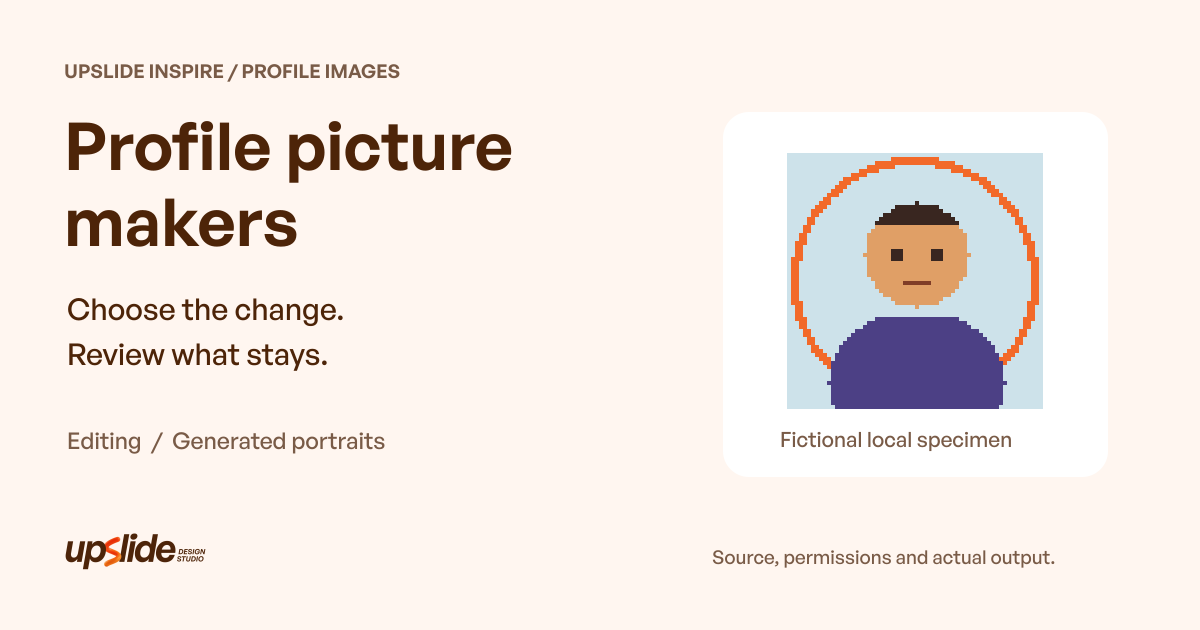
The worked example uses an original 64 × 64-pixel geometric avatar. It depicts no real person. The drawing script defines an opaque subject mask containing 1,414 pixels, so the protected area is known in advance rather than detected by an algorithm.
The first saved image places that subject over a warm background. The second changes the background color and adds a ring behind the same subject. The script decodes the saved PNGs and compares RGB values at every declared subject pixel.
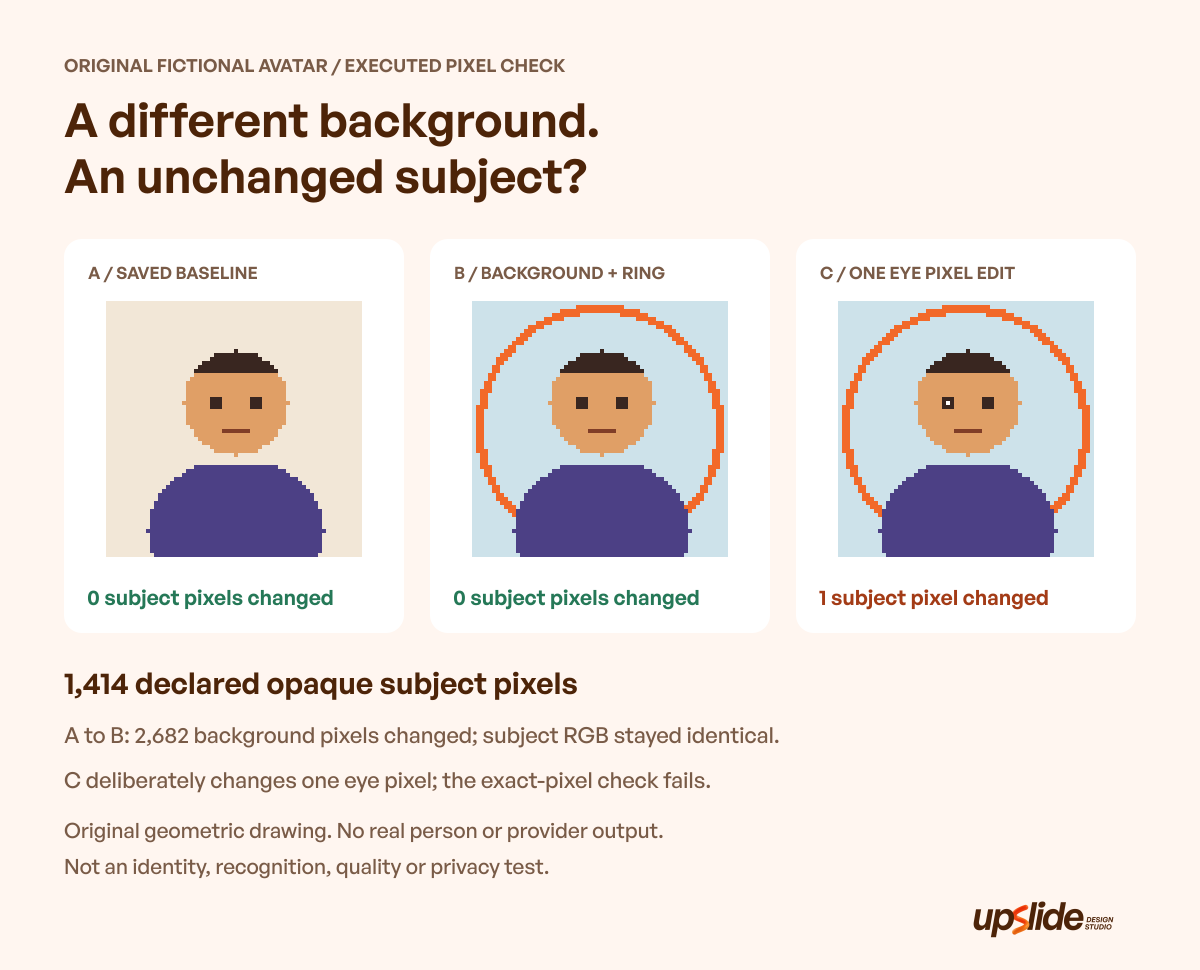
Original geometric drawing, executed local pixel checks and explanatory graphic: Upslide Design Studio. No real person, uploaded source or provider-generated output. The check does not measure identity, recognition, visual quality or privacy.
The second composition changes all 2,682 non-subject pixels relative to the first. Within the 1,414-pixel subject mask, RGB values remain identical. The ring is deliberately behind the subject, so it does not overwrite protected pixels.
A third saved file introduces one deliberate edit: a single eye pixel becomes white. The exact-subject check finds one changed pixel and fails that variant against the declared “leave the subject unchanged” requirement.
| Saved case | Declared subject pixels checked | Changed subject RGB pixels | Exact-subject condition |
|---|---|---|---|
| Warm-background baseline | 1,414 | 0 | Matches |
| New background and ring | 1,414 | 0 | Matches |
| Deliberately changed eye pixel | 1,414 | 1 | Fails |
These results are deliberately literal. Exact pixel preservation is useful for this constructed brief, but it does not establish whether a real person remains recognizable after an edit. A subject can remain recognizable with many changed pixels; an identical picture can still be used in an inappropriate context.
Turn the observation into an approval rule
The lesson is to match the check to the requested operation. “Only change the background” creates a different review from “make a stylized portrait.” The expected differences should be written before a result arrives.
The local exercise makes the protected area unusually simple: a fully opaque geometric mask supplied by the author. Real photographs can have hair, translucency, shadows and uncertain contours. This script does not solve those separation problems or benchmark a provider's masking.
A real workflow may also include resizing, color adjustment or compression, which can change pixel values without an unintended facial alteration. Do not apply this exact-pixel rule as a universal portrait test. Use the example to make the intended change explicit, then choose an appropriate review for the actual operation.
Compare a permitted source through the complete workflow
Shortlist the routes that fit the required task, then use an approved source to investigate one representative result. Record the actual account, selected controls, output and unresolved limitations. No provider receives a pass because its page contains a convincing example.
Review the downloaded image alongside its source. Check the intended edit, the owner's approval and the receiving placement together. If a generated portrait changes a detail that matters, revise or reject it rather than approving the surrounding styling alone.
When the original photo is already suitable, a smaller edit may be the useful outcome. There is no requirement to reconstruct a portrait simply because a new generation feature exists. Keeping an established image can also preserve an account owner's preference.
Keep a maintainable image record
Retain the source, approved output, relevant conditions and the person who approved publication. Keep the original separate from alternate generated or edited versions so another team member can identify what changed.
A simple record can say “approved portrait, background simplified, no generated clothing or setting” or “illustrated account avatar, intentionally fictional.” Avoid a filename that implies an unedited photograph when the image has been substantially reconstructed.
Use Resource Box to reach the original tools and current conditions. Use Daily Inspire to observe how portraits and brand images sit within complete page compositions, crediting the original creators without inferring hidden editing methods.
The published graphic design software guide helps when a broader editable-file workflow is needed. The published logo-brief guide addresses the separate task of defining a business mark; a profile-image editor does not replace that brand decision.
Frequently asked questions
Which profile picture maker is best?
Choose against the requested operation, source handling, approval and output. PFPMaker, Picofme and Adobe Express offer different routes worth investigating. This guide does not rank their generated quality or likeness accuracy.
Is a profile picture maker the same as an AI portrait generator?
The phrase can cover editing an existing image or generating a new portrait. Identify the actual route before supplying a photo. Background replacement, framing and generated appearance need different review expectations.
Does PFPMaker offer a free route?
Its current site advertises classic tools as free without credits. The separate AI profile-picture page says generation is paid in the app. Check which route is being selected rather than applying one condition to the entire brand.
Can a square export be used without inspecting its account display?
Check the receiving platform's current requirements and visible treatment. A mask may hide material in the corners, and the displayed size may make details ineffective. A valid exported file does not settle its composition in every destination.
Can someone else's photograph be uploaded?
Establish the source permission, the person's approval and the service's applicable conditions first. PFPMaker's generation page explicitly requires permission and consent when the face is another person's. This guide does not clear a particular photo for upload or publication.
Does a privacy statement prove that no data leaves the browser?
A published policy is a source description, not a network test. Review the actual processing route and the team's handling requirements. No provider was tested with a private photo here.
Does unchanged pixel data prove that an image is suitable?
It proves only the stated pixel comparison within the declared area. It does not establish recognition, approval, source rights or appropriate context. The fictional exercise keeps those judgments separate.
Were the three services tested with the fictional avatar?
The avatar was drawn and processed locally. Its saved files support an original pixel-preservation exercise, not a third-party portrait test. Provider previews show public source context only.
Key takeaways
- Choose framing, background editing or portrait generation deliberately.
- Keep the permitted source and the owner's approval with the actual output.
- Check route-specific access and handling conditions rather than relying on a broad brand label.
- Inspect the downloaded file and its receiving account treatment separately.
- Use a check that matches the intended change; the fictional exact-pixel test is not an identity or quality score.
If your team needs a consistent way to present its people and brand, we can help through Upslide's design services. Start with the approved source material and the role each image needs to serve.