


Which flowchart maker should you choose when the diagram needs to survive a review, a changed decision and a handoff to someone who wasn't in the meeting?
Start with the update the team must make and the version another person must understand. A large shape library can help, but it doesn't establish whether the arrows stay useful, reviewers have the right access or the exported file preserves the explanation.
This guide compares six sources available through Resource Box. The research uses official documentation and inspected public previews; it does not report an installed-app benchmark or a timed comparison.
Choose the maker around the next correction and the maintained source, as well as the first drawing.
Design task
Define what the flowchart has to communicate
A flowchart explains a sequence and the conditions that change it. For a SaaS team, the immediate task might be documenting how a release asset moves through design review before it is shared.
The diagram should make a specific question inspectable. “Create a process map” is less useful than “Show when the designer can share this asset and where a rejected version returns.”
Write a small brief before choosing the tool:
- The process and its boundary.
- The person or team responsible for each step.
- The decisions that change the next action.
- The information a reviewer must be able to inspect.
- The maintained source and the final sharing format.
- The ordinary update another person will make later.
This avoids choosing software against a polished template that doesn't resemble the actual task. It also gives the team a consistent basis for comparing candidates.
Keep source choice separate from flow definition
A tool comparison cannot settle the process itself. A neat diagram can still omit an exception or attach an arrow to the wrong outcome.
For the difference between mapping a procedure and a broader journey, use Upslide's user-flow and task-flow guide. This article focuses on the maker, review and delivery decision.
Likewise, a flowchart is not evidence that users follow its route. Keep a proposed process, an observed process and an approved operating rule identifiable rather than presenting them as one undifferentiated picture.
Resource collection
Compare six routes to a maintained diagram
The shortlist covers structured diagram editors, shared canvases and text-based diagrams. Those routes serve different working habits, so the table identifies a task to investigate rather than naming one overall winner.
| Resource | Relevant working route | What the pilot should establish |
|---|---|---|
| draw.io | A maintained diagram file with selectable storage | The source can be reopened and the required export remains clear |
| Lucidchart | A shared diagramming platform with import workflows | Review access and imported-file editing fit the chosen plan |
| Miro | A flowchart within a wider collaborative board | The process remains distinct from workshop notes and available to reviewers |
| Whimsical | Flowcharts alongside product-planning material | Object limits, exports and history fit the expected work |
| Excalidraw | A sketch-style diagram with an editable scene | Informal presentation still communicates exact branches and ownership |
| Mermaid | A text definition rendered into a diagram | The maintainers can edit the definition and review the resulting visual |
All six now have Resource Box destinations. Source descriptions are reasons to evaluate a route, not proof that a particular project will pass every requirement.
draw.io: keep an editable source with the output
draw.io's official site presents a diagram editor with web and desktop routes and storage choices. It also describes a free entry point without an account requirement for basic use.
The export documentation distinguishes image and document outputs from editable diagram formats. It describes retaining diagram data in supported outputs when the relevant option is selected.
That makes the delivered file a useful pilot task. Save the maintained source, export the required view and ask the recipient to identify which file can be revised. Don't assume that every image with a familiar extension contains editable diagram data.
The current official site also describes real-time collaboration. Older comparisons that say draw.io has no such capability should not substitute for checking the actual storage and collaboration route the team intends to use.
Lucidchart: separate import access from editing entitlement
Lucidchart presents diagramming for systems and processes. Its official import guide identifies supported external sources, including Visio, Gliffy, draw.io and OmniGraffle.
The same guide draws an important boundary: importing and viewing a file is available to free users, while editing an imported document requires a paid subscription. A successful opening is therefore not sufficient evidence for the team's maintenance plan.
Use a permitted representative file rather than a blank template when migration matters. Inspect labels, connectors and the required revision, and record any element that behaves differently.
No universal import-fidelity or speed claim is supplied here. A published format capability establishes a candidate for testing, not the outcome for every file.
Miro: decide which part of the board is the process
Miro's flowchart page describes shapes, connectors, collaboration and different reviewer access modes. It also describes image and PDF export, with plan-dependent capabilities elsewhere in the same comparison.
That route is relevant when the diagram sits alongside workshop notes, screenshots or research material. The team should still identify the reviewed process clearly enough that an absent colleague can find it without touring the whole canvas.

Existing Resource Box public-page capture, visually inspected for this guide. Credit: Miro. Provider-created examples are source context, not a diagram tested by Upslide.
Test the actual reviewer role and final format. A person who can view a board may not be able to perform the edit expected at handoff, and a live board can convey information that a cropped export omits.
Whimsical: check the practical limits of repeated edits
Whimsical's flowchart page places flowcharts within a product-planning workspace that also includes diagrams, mind maps and wireframes. That can be relevant when a team wants to keep related planning material close together.
Its current plan table distinguishes object allowances, export watermarks and version-history periods. Check those conditions against a representative flow rather than assuming that an unlimited-board label means unlimited creation or recovery features.

Existing Resource Box public-page capture, visually inspected. Credit: Whimsical. The preview does not establish that every illustrated feature is included in a particular plan.
The pilot should include a correction after review, not only initial creation. Confirm that the team can retain and identify the version that another person approved.
Excalidraw: use sketching without making the logic vague
Excalidraw's official repository describes a sketch-style canvas, shapes, labelled and bound arrows, image export and an editable scene format. The appearance can suit an early discussion, while the process still needs precise wording.
A hand-drawn style does not excuse an unlabeled branch. Name the decision, explain the outcomes and check whether the informal visual treatment remains suitable for the diagram's audience.
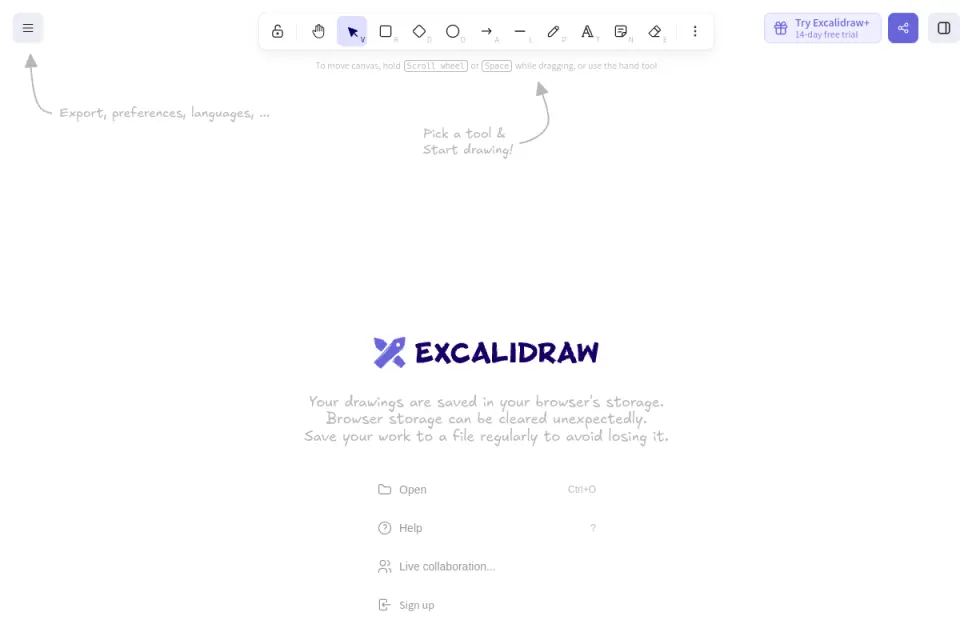
Existing public-tool capture, visually inspected. Credit: Excalidraw contributors. This is the application start canvas, not a completed example or an export test.
Retain the editable scene separately from the image placed in a presentation. The recipient needs to know which file holds the maintained model rather than treating a screenshot as the only source.
Mermaid: review the rendered result as well as the text
Mermaid's official introduction describes diagrams generated from text definitions. It is a relevant route when maintainers are comfortable reviewing a diagram's definition alongside written documentation.
The text and the rendered result serve different review needs. A small definition change can alter the visual arrangement, so inspect the diagram that the intended environment actually produces.
Keep the library and a separately hosted editing service distinct. This guide does not transfer a hosted service's price or feature allowance to every use of the underlying diagramming system.
Fit and limitations
Compare the same edit across candidates
A useful comparison keeps the process content constant. Otherwise, the tool with the most attractive starting template can appear strongest simply because it was given a simpler diagram.
Use the same actions, decision wording and return path. Then make the same change: insert a review step and revise one branch label while preserving its destination.
Record what needs attention after the change. The important observation is whether the process remains understandable and maintainable, not whether one reviewer prefers a particular visual style.
Collaboration needs an access model
Separate the people who own, edit, review and read the diagram. Those roles can have different needs and account conditions.
A client who only needs to read the process should not be assumed to need the same workspace role as its maintainer. Equally, view-only access cannot satisfy a requirement for the recipient to make routine corrections.
Use a permitted sample to check the intended route. This article has not performed a security assessment or verified an account's particular permissions, and a marketing phrase does not establish the complete access arrangement.
An export can lose the context that made a board useful
A live diagram may include comments, nearby evidence or links. A static image can remove those elements even when the visible boxes remain intact.
Decide which context must accompany the exported version. Include the title, purpose, relevant legend, version and source location where they are needed to interpret the diagram.
Inspect the output at its destination size. A large canvas that looks clear at full zoom can become unreadable when inserted into a narrow document column.
How to choose
Use a fictional release-asset review as the comparison task
Consider a fictional SaaS team preparing a graphic for a release announcement. The designer prepares the draft, a reviewer checks it, and an approved version can be shared.
The exercise includes a return for revision. It does not describe a client workflow, measured participant behaviour or a completed test of the listed tools.

Original teaching graphic by Upslide. It defines a task for comparing makers; it is not output generated inside the listed applications.
Start with a short source record:
- Purpose: explain the release-asset review and sharing boundary.
- Maintainer: the person responsible for the diagram and its next correction.
- Reviewed version: the revision the team has checked.
- Source: the editable file, board or definition.
- Output: the exported view intended for readers outside the working session.
This record gives the diagram a maintenance context without turning the guide into a general user-flow creation tutorial.
Keep the revision path visible during the edit
The initial process is prepare draft, review, then share the approved asset. If review does not approve the draft, the path returns to revision before another review.
For the comparison, insert a source-check step before review. Then move the decision node and change its negative branch label from a vague “No” to “Needs revision.”
The review task is to check whether the label still leads to the intended destination, the connector remains attached and the exported view includes the return. A visually tidy result with a lost branch is a failed requirement.
Do not mark that check passed because the product advertises smart connectors. The actual edited diagram is the relevant evidence.
Check the same three deliverables
| Deliverable | Question to answer | Evidence to keep |
|---|---|---|
| Editable source | Can the next maintainer make the correction? | The revised source and any unsupported operation |
| Review view | Can the assigned reviewer inspect the relevant version? | The actual role, access route and unresolved issue |
| Exported view | Can an absent reader understand the process? | The export at its intended size with required context |
This avoids reducing the decision to a general ease-of-use score. A tool may feel pleasant during drawing and still be unsuitable if it cannot support a required recipient or source handoff.
The process also creates a concrete record of accepted limitations. Some teams can accept manual layout adjustment; they may not accept an uneditable required source.
Keep AI-generated logic provisional
Several diagramming products offer generation from text. Where used, the output should be treated as a proposed arrangement that needs checking against the approved process.
Review the decision wording, each branch destination and the return path. Check whether the generator has invented a role, removed an exception or treated a pending step as completed.
No generation was performed for this article. The original exercise is a declared editorial construction, not evidence about a product's AI accuracy or generation speed.
Select a route the team can maintain
Choose the maker that supports the specific source, review and publication task under acceptable account conditions. Keep the reason short enough that a new teammate can understand it.
A useful decision record names the selected route, required features, performed checks and remaining limitations. Revisit it when the process, recipient needs or supported output changes.
There is no requirement to migrate a working diagram simply because another tool has a newer homepage. Test the problem that justifies a change before moving a maintained library.
Continue in Resource Box and Inspire
Open the current source and check the decisive condition
Resource Box provides the six maker destinations. Follow the original documentation for the required export, import or reviewer role rather than relying on a remembered plan limit.
For the boundary between rough structure and interface work, the free wireframe tools guide addresses the next kind of design artifact. A flowchart and a screen sketch can support the same project without answering the same question.
Use visual references without guessing their production method
Daily Inspire can help a team study hierarchy and the connection between a diagram, explanation and product image. Keep a reference for the visible decision it helps discuss and credit the original creator.
A website screenshot does not establish the maker used to create its diagrams, the team's approval process or the performance of the design. Keep those assumptions separate from the visible reference.
Frequently asked questions
Which flowchart maker should a small SaaS team start with?
Start with the process and maintenance needs. Compare a small representative diagram in the routes that support the required reviewers, source format and output. The result should name a specific fit rather than an overall winner.
Does a free plan cover a complete flowchart workflow?
It may cover the task, but check the last step as well as the first. Object allowances, imported-file editing, export watermarks and version history can differ. Verify the selected plan before depending on a particular capability.
Is opening an imported diagram enough to approve migration?
No. The file must also support the expected correction, preserve the important labels and connectors, and produce the required output. Lucidchart's current import guide explicitly distinguishes viewing from paid imported-document editing.
Can a sketch-style diagram be used for a formal review?
It can be considered when the audience and requirements allow it. The style should not obscure exact decisions, roles or destinations. Inspect the actual result rather than assuming a casual appearance is either always suitable or always inadequate.
Does a PNG or PDF remain editable?
Do not infer editability from the file extension. Some tools can embed source data in particular outputs when an option is selected, while an ordinary flattened export may preserve only the view. Retain and identify the maintained source explicitly.
Does an AI-generated flowchart prove that the process is complete?
No. A generated diagram can omit exceptions or invent a plausible-looking step. Review it against the actual task and approved rules, and retain unresolved questions rather than treating a neat arrangement as validation.
When should the diagram and tool decision be reviewed?
Review the diagram when the process, ownership or required outcome changes. Review the maker decision when a repeated maintenance problem or changed recipient requirement makes the current route unsuitable. Keep the previous source and decision record.
Key takeaways
- Compare a specific update using the same process content.
- Separate editable sources, reviewer access and exported views.
- Check the actual correction and output before accepting the workflow.
- Keep generated logic provisional until its branches are reviewed.
- Record ownership, source location and accepted limitations.
We help SaaS teams connect process logic to clear product interfaces. If the flowchart exposes a wider interaction problem, discuss the design work with Upslide.


